

Designing for Gloved Hands and No Signal
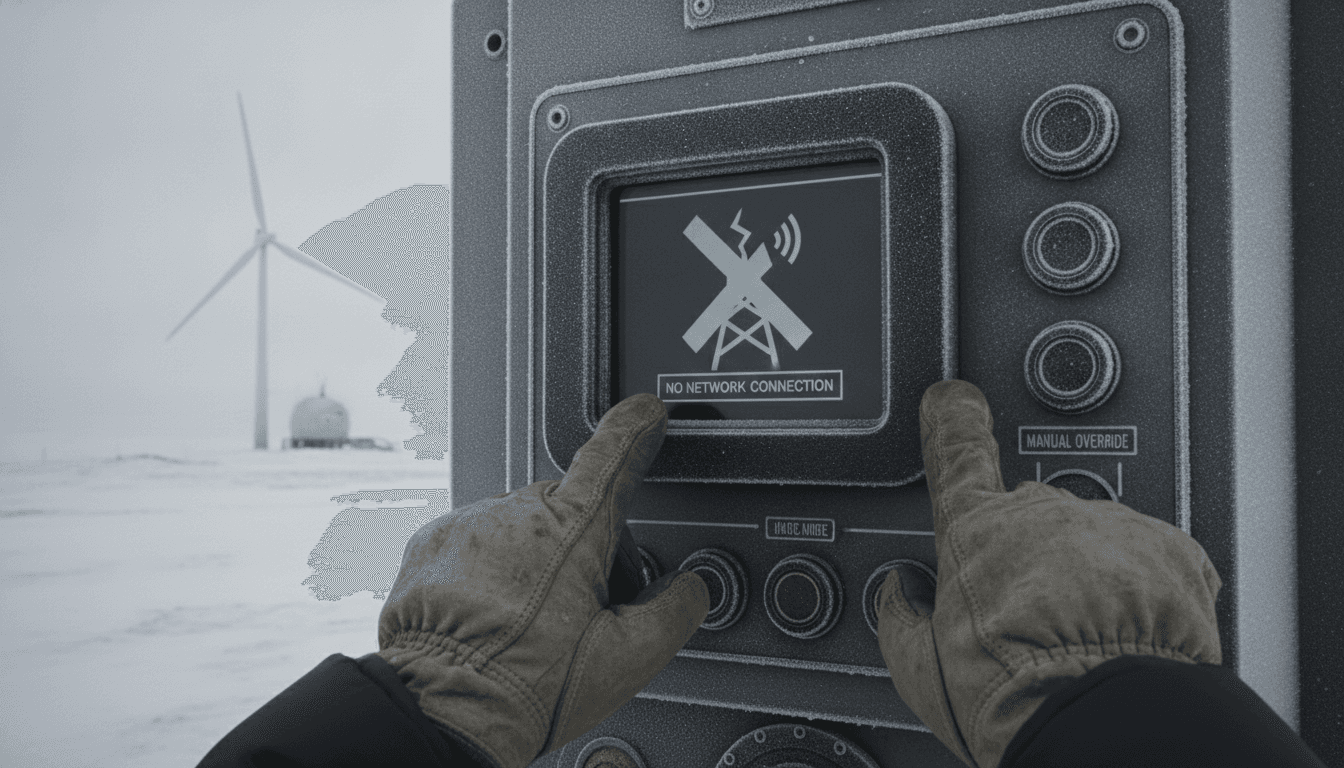
Field conditions break assumptions. When your users are wearing nitrile gloves, standing in a warehouse with no Wi-Fi, and trying to tap a 44px button on a 5-inch screen, every design decision you made in a comfortable office starts to matter in the worst way.
This post is about building mobile interfaces that hold up in those conditions. It covers input ergonomics for gloved hands, offline-first data architecture, and the specific trade-offs you face when the environment itself is hostile.
Why Field Apps Fail Differently Than Consumer Apps
Consumer apps fail silently. A user gets frustrated, closes the app, and opens a competitor. Field apps fail loudly and expensively. A warehouse picker who can't log a scan holds up a conveyor line. A field technician who loses a form submission has to repeat a two-hour site visit.
We cover a closely related subject in How to Make an App Like iHandy Carpenter.
The failure modes are also different. Consumer apps usually fail because of bad UX in a comfortable context. Field apps fail because UX was designed for a comfortable context and deployed into a hostile one.
The three most common field contexts we see:
- Cold-chain logistics: gloves are mandatory, lighting is poor, users are moving constantly
- Field service and maintenance: one hand is often occupied, connectivity is patchy, forms are long
- Construction and site inspection: outdoor glare, rain, and fatigue all compound each other
The baseline assumption has to change. Design for the hardest condition first, then verify it still works in easier ones.
What Actually Happens When Someone Taps in Gloves?
A bare fingertip registers around 9mm of contact area on a capacitive screen. A gloved finger, depending on glove material, registers between 0mm (thick rubber) and 7mm (thin nitrile). Some gloves are conductive-tipped, but you cannot rely on that in the field.
The practical implications are significant:
Touch target sizing: Apple's HIG recommends 44x44pt minimum. For gloved use, that's not enough. 60x60pt is a more realistic floor. For high-frequency actions like scan confirmation or form submission, 80pt or wider is worth the layout cost.
Touch slop: Android's touch slop constant (the distance a touch can move before being interpreted as a scroll rather than a tap) is 8dp by default. You can override ViewConfiguration.getScaledTouchSlop() to widen this tolerance in your custom views. On React Native, you'd patch this via a native module or use the hitSlop prop on Touchable components.
Gesture complexity: Swipe-to-delete, pinch-to-zoom, long-press context menus — all of these fail under gloves. Either surface those actions via explicit buttons, or accept that they won't be used. There is no middle ground.
Input method: On-screen keyboards become near-unusable with thick gloves. Where possible, replace free text with barcode scans, NFC taps, numeric steppers, or pre-defined option lists. When free text is unavoidable, use large-format inputs and allow voice input as a fallback via the platform's native speech recognition. On Android, this is SpeechRecognizer; on iOS, SFSpeechRecognizer.
One underrated issue is screen wet from rain or sweat. Capacitive screens interpret water as a continuous touch event, which freezes interaction or triggers phantom taps. There is no software fix for this. The hardware answer is a screen protector rated for wet-touch use. The software answer is to add a "wipe mode" gesture (usually a very specific corner swipe pattern) that temporarily disables input for 2–3 seconds to let the user dry the screen.
How Do You Architect for Intermittent Connectivity?
The wrong approach is "detect offline, show a banner, disable submit." That blocks the user and assumes connectivity will return shortly. In a tunnel, a basement plant room, or a rural site, it won't.
The right approach is local-first: the device is the source of truth during a session, and sync is an eventual background process.
Data layer
For React Native apps, WatermelonDB is the most production-tested option for local-first data with sync. It stores data in SQLite via JSI, which means reads are synchronous and fast enough to use in renders. Realm (now Atlas Device SDK) is a reasonable alternative if you're already on a MongoDB Atlas stack.
If this is relevant to your project, check out Idempotent Sync for Apps That Lose Signal.
For Flutter, drift (formerly Moor) gives you a type-safe SQLite layer with a stream-based query system that makes UI reactivity straightforward.
The sync protocol matters as much as the storage layer. A naive "upload everything on reconnect" approach will cause write conflicts when two devices have modified the same record offline. You need either:
- Operational transformation (OT): complex, but handles arbitrary concurrent edits. Appropriate if records can be edited by multiple users simultaneously.
- Last-write-wins with vector clocks: simpler, but you lose one user's changes when conflicts occur. Appropriate if records are owned by a single user or device per session.
- CRDT-based sync: growing in maturity. Automerge 2.0 and Yjs both offer binary-efficient sync protocols that avoid conflicts structurally. Worth evaluating for new projects.
Network layer
Assume every outbound request will fail. Every mutation should be queued, not fired directly. A simple queue with exponential backoff, a unique idempotency key per operation, and a maximum retry ceiling (we typically use 72 hours for field service contexts) covers most cases.
Idempotency keys are non-negotiable. Without them, a reconnect after a timeout will re-submit an already-processed operation. That is how you get duplicate work orders, duplicate inventory deductions, and support tickets at 7am.
/// Not sure where to start?
Get the architecture before you commit
Tell us what you're building and we'll map the technical approach, stack, and rough timeline. No cost, no obligation, no sales call required.
Offline Maps and Spatial Data
If your app involves any kind of location work, you need to think about offline maps separately from your app data.
Mapbox GL Native supports pre-downloaded tile packs. You define a bounding box and zoom range, download the tiles to device storage, and the SDK serves them without a network call. At zoom levels 10–16 (city to street level), a metropolitan area typically consumes 150–400MB of device storage, which is acceptable for most field devices.
Google Maps SDK does not support genuine offline tile storage for developer-controlled packs. It has "offline areas" as a user-facing feature, but it is not programmable and has reliability issues. If offline maps are a hard requirement, use Mapbox, OpenLayers with a self-hosted tile server, or Esri's ArcGIS Runtime SDK.
For GPS accuracy: most Android devices under hard sky cover achieve 3–5 metre accuracy without augmentation. Indoor or under heavy canopy, that degrades to 10–50 metres or no fix at all. If your use case requires room-level or bay-level accuracy indoors, you need a supplementary positioning system: BLE beacons (iBeacon or Eddystone), UWB anchors, or Wi-Fi fingerprinting. Each has a different infrastructure cost and accuracy profile.
Related reading: BLE Reconnection Without Duplicating a Week of Data.
UI Patterns That Actually Work in the Field
A few specific patterns that consistently survive field conditions:
High-contrast colour schemes: WCAG 2.1 AA requires 4.5:1 contrast ratio for normal text. In direct sunlight, you want closer to 7:1. Test on a physical device outdoors before signing off a design. No monitor in an office accurately simulates sunlight glare.
Chunked, progressive forms: A 40-field inspection form displayed as a single scroll is unusable with gloves. Break it into sections of 4–6 fields, with clear progress indication and auto-save per section. If the session is interrupted, the user resumes at the last complete section, not the beginning.
Confirmatory feedback: Haptic feedback on successful scans or form submissions is more reliable than visual feedback in bright conditions. Android's VibrationEffect API (API level 26+) lets you define precise intensity and duration patterns. iOS uses UIFeedbackGenerator. Use distinct patterns for success, warning, and error states.
Session resilience: The app should survive a phone call interrupting it, a low-battery shutdown, and a forced OS kill. That means persisting state on every meaningful user action, not just on form submit. If a user has scanned 47 of 50 items and their phone dies, they should not start over.
| Pattern | When to use | When to skip |
|---|---|---|
| Barcode / NFC input | High-volume data entry, part numbers, IDs | When items don't have machine-readable labels |
| Voice input | Free text notes, low-glove-compatibility screens | Noisy environments above ~80dB |
| Offline-first sync | Any field context with patchy connectivity | Internal tools used only on corporate Wi-Fi |
| BLE indoor positioning | Bay-level or room-level location required | Open outdoor environments with GPS coverage |
| Chunked progressive forms | Inspection checklists, work orders | Simple 3–5 field forms with no interruption risk |
Conclusion
Building for field conditions means starting with worse assumptions than you're comfortable with. No signal. Covered hands. Wet screens. Low battery. Interrupted sessions.
If your team hasn't tested on a physical device, outdoors, with a glove on one hand, you haven't tested for field conditions. Do that before your first pilot deployment, not after it.
If you're in the early architecture phase of a field mobility app, the highest-value decisions you'll make are the sync conflict strategy and the touch target floor. Get those right in the first sprint and everything else is recoverable.
FAQ
What's the minimum touch target size for gloved use? 60x60pt is a practical minimum for standard nitrile gloves. For high-frequency actions like scan confirmation or form submission, 80pt or wider reduces mis-taps significantly. Apple's 44pt guideline is appropriate for bare-finger consumer contexts but undersized for protective gloves in field conditions.
Which offline database is best for React Native field apps? WatermelonDB is the most battle-tested choice. It uses SQLite via JSI for synchronous reads, has a well-documented sync protocol, and handles the volume of records typical in logistics and field service. Realm (Atlas Device SDK) is a reasonable alternative if your backend is MongoDB Atlas.
How should the app handle sync conflicts when two users edit the same record offline? That depends on your data ownership model. If one device owns a record per session, last-write-wins with a timestamp is usually sufficient. If multiple users can edit the same record concurrently, you need either operational transformation or a CRDT-based approach like Automerge 2.0 to avoid silently losing one user's changes.
Can you use Google Maps for offline field apps? Not reliably. Google Maps SDK's offline areas are a user-facing feature, not a developer-controlled API. For programmatic offline tile management, use Mapbox GL Native, which supports bounding-box tile packs, or a self-hosted tile server with OpenLayers. If you're on an Esri stack, ArcGIS Runtime SDK also supports offline maps.
Does voice input work reliably in field conditions?
In environments under roughly 70–75dB, yes. Both Android's SpeechRecognizer and iOS's SFSpeechRecognizer perform well as fallback input methods. In louder environments such as active manufacturing floors or outdoor machinery areas, accuracy drops significantly and voice becomes unreliable. Use it as an option, not a primary input method.
Have a project in mind? Contact Sodio Technologies to discuss your requirements and explore the right technology solution for your business.
/// Work with us
Talk to the engineers who'd build it
You'll get a technical scope, timeline and cost estimate from the people doing the work, not an account manager. In-house team, no subcontracting, since 2016.