

How to Make an App Like Yandex Mobile Browser
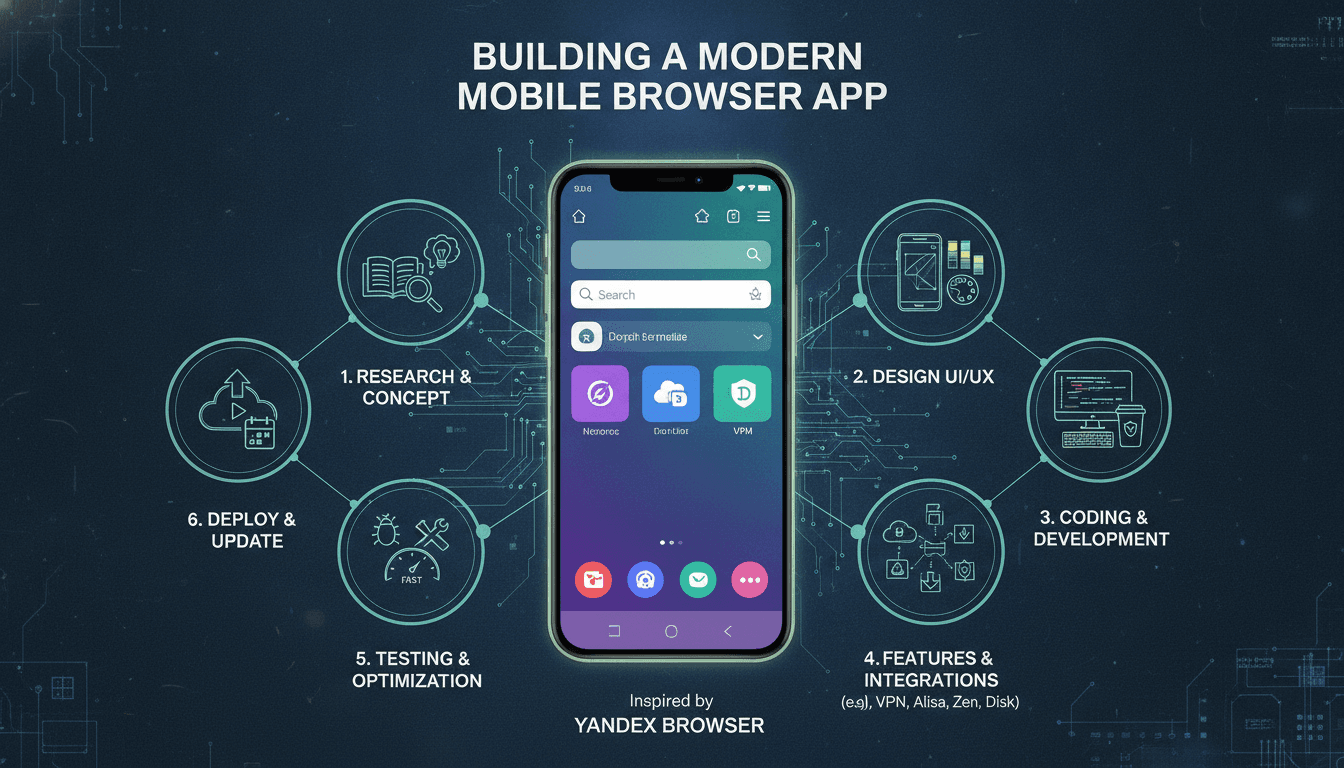
Building a mobile browser is one of the more underestimated engineering challenges in the app space. Most teams assume it's a wrapper around a WebView with some UI on top. It isn't. Yandex Browser on mobile ships with a custom rendering pipeline, a proprietary security layer called Protect, traffic compression, voice search, and a feed recommendation engine — all tightly integrated. If you want to build something at that level, you need to plan for it honestly.
This post breaks down the architecture, the technical choices, and the cost realities of building a Yandex-style mobile browser from scratch.
Related reading: How to Make an App Like Minecraft.
What Actually Makes Yandex Browser Different From a Standard Browser App?
Most mobile browsers are thin shells. They use the platform's default engine — WKWebView on iOS, Android WebView or Blink on Android — and add bookmarks, tabs, and a search bar. Yandex Browser does more.
The key differentiators are:
- Turbo mode: A server-side compression proxy that reduces page weight by up to 4x. It's similar to Opera Turbo. Pages are fetched by Yandex servers, compressed, and streamed to the device. This requires server infrastructure, not just client code.
- Protect: A multi-layer security suite that includes DNS spoofing detection, certificate verification against a blocklist, and a cloud-based malware scanner. None of this is built into WKWebView.
- Alice (voice assistant): Deep integration with Yandex's NLP models. Not a simple speech-to-text hook; it handles contextual queries tied to browsing state.
- Zen feed: A content recommendation engine embedded into the new-tab page, driven by on-device behaviour signals and a server-side ranking model.
- Browser sync: Cross-device state sync for tabs, history, and passwords, with end-to-end encryption.
You don't need to replicate all of these to build a competitive browser. But you need to know which ones you're skipping and why.
What Technology Stack Should You Use?
Rendering Engine
This is the first and biggest decision. Your choices on mobile are:
| Option | iOS | Android | Customisability | Effort |
|---|---|---|---|---|
| WKWebView | ✅ Required by Apple | ❌ | Low | Low |
| Android WebView (Blink) | ❌ | ✅ | Medium | Low–Medium |
| GeckoView (Firefox engine) | ❌ (App Store policy) | ✅ | High | High |
| Chromium fork | ❌ (App Store policy) | ✅ | Very High | Very High |
Apple's App Store rules (Section 2.5.6) mandate that all iOS browsers use WKWebView. You cannot ship a Chromium or Gecko build on iOS. Android has no such restriction, which is why Firefox and Brave can ship their own engines there.
To explore this further, see How to Make an App Like OurPact.
For most teams, the realistic choice is WKWebView on iOS and either the system WebView or a Chromium fork on Android. Forking Chromium gives you control over the rendering pipeline, ad blocking at the network layer, and custom security hooks — but the build system alone (it uses GN + Ninja) takes significant time to set up, and the binary size will be large.
Networking and Proxy Layer
If you want Turbo-style compression, you need a proxy fleet. The browser routes requests through your servers, which fetch and compress content using Brotli or gzip, then stream it back. This isn't optional client-side work — it's a backend service with meaningful infrastructure cost.
Traffic compression proxies also let you do request-level ad and tracker blocking server-side, which is faster and battery-friendlier than doing it on device.
Data and Sync
Browser sync is harder than it looks. You're syncing structured data (bookmarks, history, open tabs) and sensitive data (saved passwords) across devices. The standard approach is to use OPAQUE encryption: encrypt locally with a key derived from the user's credentials before anything leaves the device. Chromium's sync engine uses this model. Rolling your own is possible but takes careful design around key rotation and conflict resolution.
SQLite is the standard storage engine for browser data on both platforms. It handles concurrent reads well, and most browser data access patterns are read-heavy.
How Long Does It Take and What Does It Cost?
Honest answer: longer and more expensive than most clients expect.
A basic browser — custom UI, WKWebView/WebView rendering, bookmarks, tabs, history, basic settings — takes roughly 4 to 6 months with a team of two senior mobile engineers and one backend engineer. That's a functional browser, not a competitive one.
Adding meaningful differentiation changes the timeline significantly:
| Feature | Additional Time | Notes |
|---|---|---|
| Server-side compression proxy | 2–3 months | Includes infrastructure setup |
| Ad/tracker blocking (on-device) | 1–2 months | Content blocking lists, update mechanism |
| Password manager with sync | 2–3 months | Crypto design, conflict resolution |
| Voice search integration | 1–2 months | Depends on third-party ASR or own model |
| Feed recommendation | 3–6 months | Needs ML pipeline, not just client UI |
| Custom rendering engine (Android) | 6–12 months | Chromium fork, build system, security patches |
Realistically, a browser that competes with Yandex Browser on feature depth is an 18 to 24-month project with a team of six to eight engineers.
If your goal is a white-label browser for a specific market — a regional telecom, an enterprise intranet, a kids' safe browsing product — the scope is much smaller. You're customising, not rebuilding from scratch.
/// Not sure where to start?
Get the architecture before you commit
Tell us what you're building and we'll map the technical approach, stack, and rough timeline. No cost, no obligation, no sales call required.
Building the Security Layer
This is where most browser projects underinvest. A browser is a high-value attack surface. Users enter passwords, access banking sites, and store sensitive history. If you're shipping a browser, you are responsible for what happens inside it.
The minimum viable security layer includes:
- Certificate pinning for your own backend services
- Safe Browsing API integration (Google's API or a self-hosted equivalent) for malware and phishing URL checks
- Strict Content Security Policy enforcement
- HTTPS-only mode with a user-controlled exception list
- Sandboxed process architecture for page rendering (WKWebView handles this on iOS; on Android with a Chromium fork, you configure it yourself)
Yandex Protect goes further: it checks DNS responses against a blocklist to catch DNS spoofing attacks, scans downloads against a cloud malware database, and warns users about sites with suspicious certificate histories. These are real engineering tasks, not checkbox features.
Don't underestimate the ongoing maintenance cost. Safe Browsing lists update constantly. Certificate authorities get distrusted. New attack patterns emerge. A security feature you build and don't maintain is eventually a liability.
Should You Build In-House or Partner With an External Team?
This depends on what kind of company you are.
If browsers are core to your product — you're a regional search engine, a telecom building a branded experience, or a privacy-focused consumer product — the capability needs to sit in-house. Browser internals are too intertwined with your product roadmap to outsource long-term.
If you need a browser as a distribution channel or as one feature inside a larger product, building with an external team to a clear spec is more efficient. You get the artefact without building a permanent team around a non-core competency.
The middle path that works well: external team builds the first version, including architecture and documentation, internal team takes over maintenance and iteration. This requires a handover period of at least two months with overlapping involvement, not just a code drop.
Conclusion
Building a Yandex-style mobile browser is a multi-year, multi-team effort if you want the full feature set. A focused, differentiated browser for a specific use case is achievable in under a year. The key decisions are which rendering engine you commit to, whether you build server-side infrastructure for compression and security, and how seriously you take the ongoing security maintenance burden.
If you're at the stage of scoping this out, start with a clear list of which Yandex Browser features you actually need and work backwards from there. That list will tell you your real timeline and team size better than any estimate we can give you upfront.
At Sodio, we've built complex mobile applications with custom networking layers and backend infrastructure. If you're evaluating scope on a browser project, we're happy to do a technical review of your requirements and give you an honest read on effort and trade-offs.
FAQ
How much does it cost to build a mobile browser app? A basic browser with standard features — tabs, bookmarks, history, and custom UI — typically costs between $80,000 and $150,000. A full-featured browser with compression, sync, ad blocking, and security tools is a $500,000-plus investment over 18 to 24 months, depending on team size and feature scope.
Can you build a custom browser on iOS without using WKWebView? No. Apple's App Store guidelines (Section 2.5.6) require all iOS browsers to use WKWebView as the rendering engine. You cannot ship a Chromium fork or GeckoView on iOS. Customisation on iOS is limited to the UI layer, networking hooks, and extensions built on top of WKWebView's APIs.
What is Yandex Turbo mode and how does it work technically? Turbo mode routes page requests through Yandex's proxy servers, which fetch, compress, and re-serve the content to the device. Compression can reduce page size by up to 4x using Brotli or gzip. It requires backend proxy infrastructure, not just client-side code, and adds latency on fast connections while saving data on slow ones.
How long does it take to build a browser app with ad blocking? On-device ad blocking adds roughly one to two months to a browser project. It requires integrating a content blocking list (like EasyList), building an update and distribution mechanism for that list, and hooking into the browser's network layer. Server-side ad blocking via a proxy is faster to block but requires backend infrastructure.
Is it worth building a custom rendering engine for Android? For most teams, no. Forking Chromium gives you deep control but adds six to twelve months of work, significant binary size, and an ongoing commitment to tracking Chromium security patches. It makes sense if rendering behaviour is core to your product's value, such as a privacy browser with guaranteed ad blocking at the engine level. Otherwise, use the system WebView or GeckoView.
Have a project in mind? Contact Sodio Technologies to discuss your requirements and explore the right technology solution for your business.
/// Work with us
Talk to the engineers who'd build it
You'll get a technical scope, timeline and cost estimate from the people doing the work, not an account manager. In-house team, no subcontracting, since 2016.