

Key Features of Successful HR Management Systems
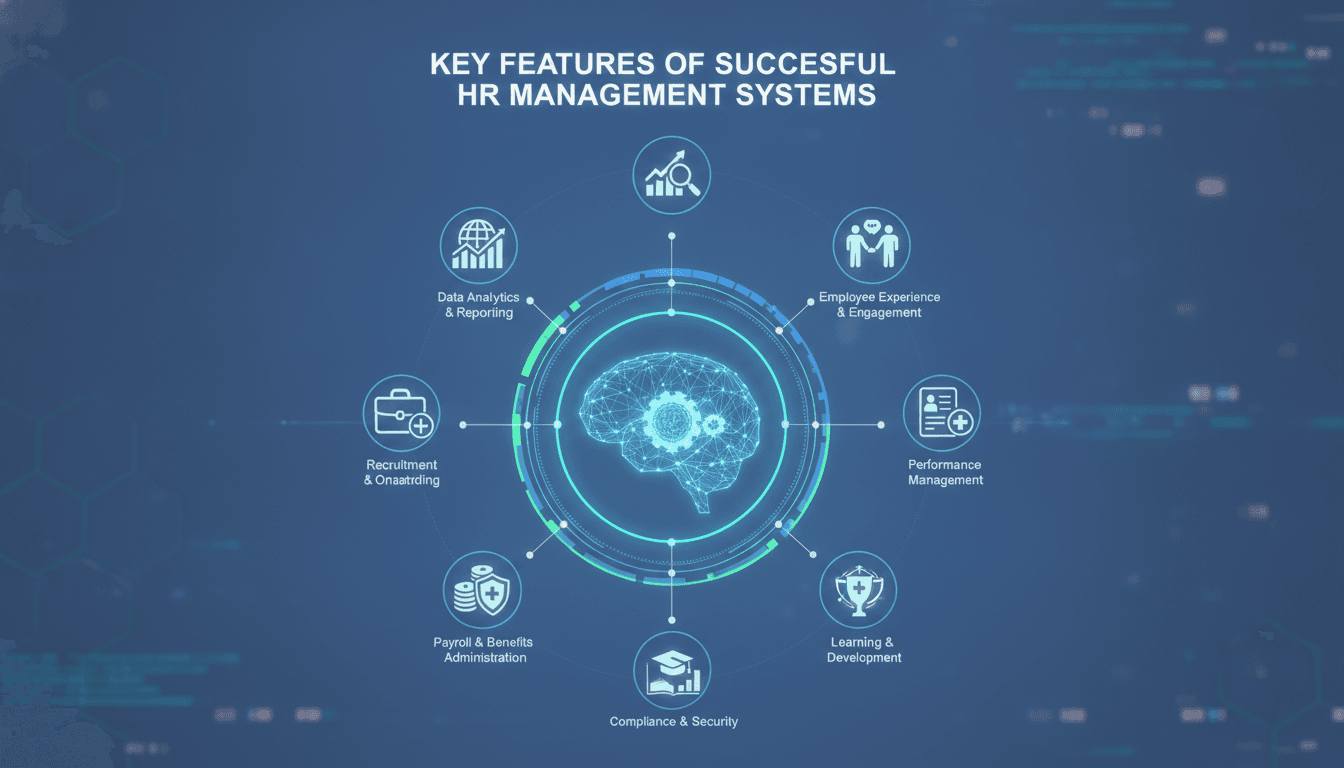
A well-designed HR management system reduces administrative overhead, cuts down on compliance risk, and gives people teams real data to work with. Here is what separates the systems that actually get used from the ones that get shelved after six months.
What Does the Core Data Model Need to Get Right?
Every HRMS is built on an employee record. The problem is that most teams treat it as a flat table: name, department, salary, manager. That falls apart the moment you need to model anything real, like a matrix reporting structure, a contractor who works across two cost centres, or a role change mid-payroll cycle.
For a closer look at a related topic, read our guide on Payroll Systems: Ensuring Accurate and Timely Payments.
The data model needs to handle time-variance natively. That means storing state at a point in time, not just the current state. PostgreSQL's temporal tables or a bitemporal design (tracking both valid time and transaction time) give you this. Without it, you end up writing bespoke audit logic for every table that changes, which is where most in-house builds accumulate debt quietly.
A few other things the core model must handle cleanly:
- Employment types: full-time, part-time, fixed-term, gig, intern
- Multi-jurisdiction: an employee taxed in Germany and India in the same record set
- Org hierarchy: both the formal reporting line and functional dotted-line relationships
- Position management: separating the role from the person who holds it, so headcount planning works independently of hiring
Get this wrong and every downstream module, payroll, leave, performance, inherits the mess.
Payroll Integration: Where Most Systems Break
Payroll is the highest-stakes output of any HRMS. A missed pay run or a wrong tax deduction is not a UX problem. It is a legal and employee-trust problem.
For a closer look at a related topic, read our guide on Social Services Management: Enhancing Community Support.
The integration pattern matters more than which payroll engine you use. Most mid-size companies in India use Greytip, Keka, or a custom integration with the government's EPFO and ESIC portals. In the UK, the integration target is HMRC's RTI (Real Time Information) system. In the US, it is ADP or Paychex sitting alongside IRS Form 941 submissions.
What goes wrong most often is the data contract between the HRMS and the payroll engine. A salary revision approved in the HRMS on the 28th needs to land in the payroll run for that month, not the next. That requires event-driven updates, not nightly batch syncs. Use a message queue, RabbitMQ or Kafka depending on your volume, so that every compensation change publishes an event that the payroll service consumes immediately and idempotently.
Compliance Rules as Configuration, Not Code
Tax rules change. PF contribution limits changed in India in FY 2021-22. UK National Insurance thresholds shifted in 2022 and again in 2023. If your compliance rules are hardcoded, every rule change is a deployment. If they are stored as versioned configuration with effective dates, they are a data update.
Design for this from day one. A simple approach: a compliance_rules table with jurisdiction, rule_type, value, effective_from, and effective_to columns. Your payroll calculation service reads the rule applicable at the pay period date, not the current date.
/// Not sure where to start?
Get the architecture before you commit
Tell us what you're building and we'll map the technical approach, stack, and rough timeline. No cost, no obligation, no sales call required.
How Should Leave and Attendance Actually Be Modelled?
Leave management sounds simple until you have to handle carry-forward caps, encashment thresholds, leave that lapses versus leave that pays out, and a comp-off policy that differs by employment band.
We cover a closely related subject in HR Management Systems: Streamlining HR Processes.
The core entity is a leave balance ledger, not a counter. Each credit or debit is a transaction with a reason code, a reference, and a timestamp. The current balance is always derived, never stored. This makes auditing trivial and corrections non-destructive.
Attendance is a separate concern. If you are pulling data from a biometric device, you are dealing with raw punch events: clock-in, clock-out, and sometimes intermediate breaks. The processing pipeline needs to handle:
- Missing punches (employee forgot to clock out)
- Shift boundaries that cross midnight
- Overtime calculations that depend on the weekly total, not just the daily total
For teams using mobile-first attendance, GPS geofencing is increasingly common. Libraries like Turf.js handle the geometry, but you need to decide your tolerance radius carefully. 50 metres is too tight in a city with GPS drift; 500 metres is too loose for a co-working floor.
Performance Management: Avoiding the Features That Nobody Uses
Performance modules are where HRMS products tend to bloat. Nine-box grids, 360-degree feedback, OKR cascades, continuous check-ins: these features get demoed enthusiastically and used sporadically.
The features that consistently get used are simpler:
- Goal setting with a due date and an owner
- A structured review cycle with defined stages (self-assessment, manager review, calibration, sign-off)
- A numeric rating that feeds into compensation decisions
The critical integration is between the performance rating and the compensation module. If a manager has to manually re-enter ratings into a spreadsheet to run the merit increase cycle, that is where data integrity breaks. Build the link directly: a finalised review record triggers an event that pre-populates the compensation planning workflow.
Calibration is worth building properly. Forced distribution, where a manager cannot give everyone a 5, is controversial but still used widely. If you implement it, enforce the constraint at the service layer, not just the UI. Otherwise, the UI rule gets bypassed via API and the distribution assumption breaks downstream.
What Does Good Role-Based Access Control Look Like in an HRMS?
HR data is some of the most sensitive data a company holds. Salary information, performance ratings, disciplinary records, medical accommodations: the access model needs to be precise.
A flat role model (admin, manager, employee) does not hold. You need attribute-based access control (ABAC) or at minimum a well-scoped RBAC model where:
- A manager can see their direct reports' data, not the whole department
- An HR business partner can see a specific region, not the entire company
- Payroll staff can see compensation data but not performance ratings
Implement field-level visibility where necessary. An employee should be able to see their own salary; they should not be able to see a colleague's. This is easier to enforce at the API layer than at the database layer. Return the full record to your service, then mask fields based on the requesting principal's permissions before serialising the response.
Log every access to sensitive fields. Not just writes: reads too. If a data breach investigation happens, you need to show who queried whose salary data and when. A structured audit log in a write-once store (append-only table, or a service like AWS CloudTrail if you are on AWS) is the minimum bar.
Conclusion
Build the data model to handle time-variance and multi-jurisdiction from the start. Design payroll integration as an event-driven contract, not a batch sync. Keep leave balances as ledgers. Build only the performance features that connect directly to compensation decisions. And treat access control as a first-class architectural concern, not a layer you add later.
If you are scoping an HRMS build and want a second opinion on the architecture before you commit to a design, talk to the team at Sodio. We have built these systems across fintech, logistics, and mid-market enterprises and can tell you quickly where your current plan will create problems.
FAQ
Is it worth building an HRMS in-house or buying an off-the-shelf product? Buy if your processes are standard and your headcount is under 500. Build if you have complex compliance requirements, unusual employment structures, or need deep integration with proprietary internal systems. Most companies underestimate the ongoing maintenance cost of a custom build by a factor of two or more.
How do you handle multi-currency payroll in a single system? Store all monetary values in the employee's local currency with an ISO 4217 currency code on every record. Run conversions only at reporting time using a dated exchange rate table, not a live feed. This keeps payroll calculations deterministic and auditable even when exchange rates move.
What is the right database for an HRMS? PostgreSQL handles most HRMS workloads well. It supports JSON columns for flexible metadata, has solid support for temporal queries, and its row-level security feature is useful for enforcing access control at the database layer. Avoid NoSQL for the core HR record; the relational constraints are there for a reason.
How should an HRMS handle employees in multiple countries? Model jurisdiction as a first-class attribute on both the employee record and the employment terms. Compliance rules, tax codes, leave entitlements, and statutory contributions are all jurisdiction-specific. Do not try to build a universal rule engine; build jurisdiction-specific modules that share a common interface.
What is the biggest performance bottleneck in HRMS systems at scale? Reporting. Payroll summaries, headcount trends, and attrition analysis all require aggregating large amounts of historical data. Keep your transactional database normalised and maintain a separate read model or data warehouse (Redshift, BigQuery, or even a materialised view set in Postgres) for analytical queries. Do not run heavy reports against your operational tables.
Have a project in mind? Contact Sodio Technologies to discuss your requirements and explore the right technology solution for your business.
/// Work with us
Talk to the engineers who'd build it
You'll get a technical scope, timeline and cost estimate from the people doing the work, not an account manager. In-house team, no subcontracting, since 2016.