

How to Make an App Like Bear
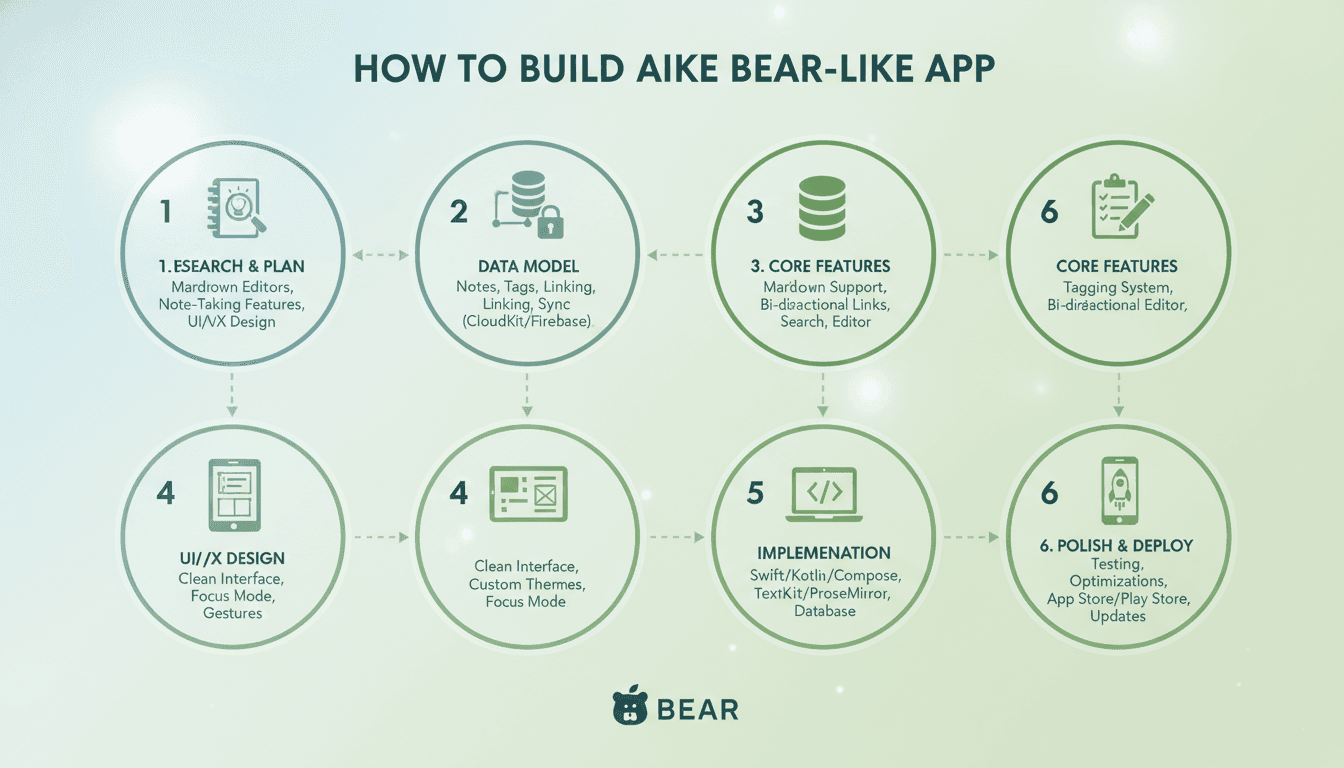
How to Make an App Like Bear
Bear is one of those rare apps that people genuinely love. It's a writing and note-taking app that manages to feel both minimal and powerful — Markdown-first, beautifully typographic, organized by hashtags instead of folders, and fast enough that it never gets in the way of a thought.
If you're planning to build something similar, the temptation is to think of it as "just a notes app." It isn't. Bear's success comes from a hundred small decisions about typography, sync reliability, and restraint. This guide walks through what it actually takes to build an app like Bear, from feature scoping to architecture to launch.
Related reading: How to Make an App Like Ulysses.
What Makes Bear, Bear
Before writing a line of code, it helps to be precise about what you're cloning — and what you're not.
The core value proposition:
- Markdown-native editing with live, inline styling rather than a split preview pane
- Tag-based organization using inline hashtags, including nested tags like
#work/clients - Exceptional typography and themes that make long writing sessions comfortable
- Fast, reliable sync across iPhone, iPad, and Mac
- Export flexibility — PDF, DOCX, HTML, Markdown, JPG
- Speed — instant launch, instant search, no spinners
What Bear deliberately leaves out: real-time collaboration, comments, databases, kanban boards, AI everything. The restraint is the product. Any app in this category needs a similarly clear "no" list.
Step 1: Define Your Wedge
The notes app market is brutally crowded — Apple Notes is free and pre-installed, Notion and Obsidian own the power-user segments, and dozens of indie apps compete on aesthetics. A straight clone will struggle.
Related reading: How to Make an App Like Simplenote.
Pick a wedge:
- Audience-specific: notes for researchers, therapists, developers, students, screenwriters
- Workflow-specific: meeting notes, daily journaling, reading highlights, field notes
- Platform-specific: the best writing app on Android or Windows, where Bear doesn't compete
- Capability-specific: end-to-end encryption by default, local-first with no account, offline AI summarization
Your wedge determines your data model, your onboarding, and your marketing. Decide it before design.
Step 2: Scope Your MVP
Resist building everything. A credible v1 for a Bear-like app looks roughly like this.
Must have:
| Feature | Why it matters |
|---|---|
| Markdown editor with live styling | The core experience |
| Note list with search | Basic navigation |
| Tags (inline, nested) | The organizing metaphor |
| Local persistence | Works offline, always |
| Basic themes (light/dark) | Table stakes for a writing app |
| Export to Markdown and PDF | Prevents lock-in anxiety |
Should have (v1.1+):
- Cross-device sync
- Attachments (images, files, sketches)
- Rich search with filters and operators
- Note linking / backlinks
- Widgets, share extensions, and quick-capture shortcuts
Later:
- Web clipper
- Encryption for individual notes
- Handwriting and Apple Pencil support
- Version history
- Publishing or sharing links
Step 3: Choose Your Tech Stack
Native vs. Cross-Platform
This decision matters more for a writing app than for most categories, because text editing is the one thing cross-platform frameworks historically do worst.
Related reading: How to Make an App Like Obsidian.
Native (Swift/SwiftUI for iOS + macOS, Kotlin/Compose for Android) Best-in-class text rendering, keyboard handling, system integration, and performance. This is what Bear itself uses. The cost is maintaining separate codebases.
Flutter Excellent for consistent visual design across platforms and very good performance. Text editing and IME support have improved substantially but still require care for complex input methods and platform-specific keyboard behaviors.
React Native Fast iteration and a huge ecosystem, but a custom rich-text editor on top of native text inputs is one of the harder things to build well in RN.
Electron / Tauri (desktop) Tauri is the lighter-weight modern choice if you want a desktop app from web tech without Electron's memory footprint.
Recommendation: if your differentiator is feel — and for a writing app, it usually is — go native on your primary platform first. Ship one excellent platform before spreading thin.
The Editor Is the Hard Part
Do not underestimate this. You have three realistic paths:
- Build on the platform's native text system. On Apple platforms that means
TextKit 2withNSTextStorage/NSAttributedString; on Android,Editableand customSpanhandling. Maximum control, maximum work. - Embed a web-based editor. ProseMirror, CodeMirror 6, Lexical, or TipTap in a WebView. Enormously capable and battle-tested, at the cost of a bridge layer, some latency, and native-feel compromises.
- Use an existing native rich-text library. Faster to start, but you'll eventually hit its ceiling.
Whichever route you take, plan for these editor requirements:
- Live Markdown styling with syntax characters shown or hidden contextually
- Smart list continuation, indent/outdent, and checkbox toggling
- Code blocks with syntax highlighting
- Inline tag autocomplete triggered by
# - Undo/redo that behaves correctly with programmatic edits
- Cursor stability during async operations
- Full keyboard shortcut support on desktop and iPad
Step 4: Design the Data Model
Keep it simple and portable.
Note
  id: UUID
  title: String (derived from first heading/line)
  content: String (Markdown source — the source of truth)
  createdAt / modifiedAt: Timestamp
  isPinned / isArchived / isTrashed: Bool
  encryptionState: enum

Tag
  id: UUID
  name: String  // "work/clients"
  parentId: UUID?

NoteTag  (many-to-many join)

Attachment
  id: UUID
  noteId: UUID
  filename / mimeType / localPath / remoteKey
Key principle: store Markdown as the source of truth. Parse it into an attributed representation for display, but never lose the original text. This makes export trivial, sync conflicts easier to reason about, and gives users confidence their data isn't trapped.
Derive tags by parsing note content on save rather than maintaining them as a separate manual structure — that's what makes Bear's tagging feel effortless.
For storage, SQLite (via GRDB, Room, or Drift) is the pragmatic choice. Add FTS5 for full-text search; it's fast, free, and works offline.
Step 5: Solve Sync
Sync is where notes apps live or die. Users will forgive a missing feature; they will never forgive a lost note.
Option A: CloudKit (Apple-only) Free, private, no server to run, and users authenticate with their existing Apple ID. This is Bear's original approach. The tradeoff is that you're locked to the Apple ecosystem.
Option B: Custom backend Node/Go/Python API with Postgres, object storage for attachments, and your own auth. Full control, cross-platform, but you now operate infrastructure and carry the trust burden of holding user data.
Option C: Sync-as-a-service Firebase, Supabase, Realm/Atlas Device Sync, or a local-first engine like Automerge, Yjs, or ElectricSQL. Fast to ship; evaluate cost curves and exit strategy carefully.
Sync design rules regardless of choice:
- Local-first. Every write hits local storage immediately. Sync is a background reconciliation, never a blocking operation.
- Conflict resolution must never silently discard text. Last-write-wins is acceptable for metadata; for note bodies, either merge with a CRDT or preserve both versions as a conflict copy.
- Sync at a granular level. Push field-level or block-level changes, not whole documents, to reduce conflicts and bandwidth.
- Make state visible. A small, honest sync indicator buys enormous trust.
- Test brutally: airplane mode, mid-sync force quits, clock skew, two devices editing the same note simultaneously, restoring from backup.
Step 6: Nail the Design
For a writing app, design is the feature.
Typography. Offer a small, curated set of excellent fonts — a serif for prose, a sans for UI, a mono for code. Get line height (1.5–1.7), measure (60–75 characters), and paragraph spacing right. Let users adjust font size and line width.
Themes. Bear ships a paid theme pack for a reason: people care deeply about the color of the surface they stare at all day. Build a proper theming system from day one — tokens for background, text, accent, code, and selection — rather than hard-coding colors.
Chrome reduction. Hide the interface while typing. Fade toolbars. Use focus mode and typewriter scrolling. Every pixel that isn't the user's words is a distraction.
Motion and haptics. Subtle, fast, purposeful. Nothing over 250ms.
Accessibility. Dynamic Type, VoiceOver labels on every control, sufficient contrast in every theme, and full keyboard navigation. Writing apps attract users with accessibility needs; don't exclude them.
Step 7: Performance Targets
Set hard numbers and measure them:
- Cold launch to editable cursor: under 800ms
- Keystroke-to-render latency: under 16ms (one frame)
- Search results across 10,000 notes: under 100ms
- Note switch: instant, no visible loading state
- Scrolling a 50,000-word note: 60fps minimum
Techniques that get you there: virtualize the note list, lazily parse and style only the visible portion of long documents, debounce persistence writes, index in a background queue, and cache rendered attributed strings.
Test with a synthetic library of 10,000+ notes early. Everything feels fast with twelve notes.
Step 8: Security and Privacy
This is an increasingly powerful differentiator.
- Encryption at rest using the platform keychain and secure enclave where available
- Per-note encryption with a user-set password, as Bear offers
- End-to-end encryption for sync — more work, but a legitimate marketing position
- Biometric lock for the app or for individual notes
- A clear, plain-language privacy policy. Say explicitly whether you can read user notes.
- Compliance with GDPR and CCPA: data export, deletion on request, minimal collection
If you handle any regulated content, plan for it in the data model, not as a bolt-on.
Step 9: Monetization
Notes apps have converged on a few workable models:
Subscription (Bear's model). Free tier with local-only notes on one device; paid tier unlocks sync, themes, advanced export, and encryption. Roughly $2–5/month or $15–35/year. Predictable revenue, funds ongoing sync infrastructure.
One-time purchase. Beloved by users, hard to sustain if you're running servers. Works if you're local-first with no backend.
Freemium with limits. Free up to N notes or N MB. Effective but can feel punitive.
Hybrid. Free app, one-time purchase for pro features, optional subscription for sync. Increasingly common.
Whatever you choose, put sync behind the paywall rather than the core writing experience. Let people fall in love first.
Step 10: Development Timeline and Cost
A realistic estimate for a single-platform, polished v1:
| Phase | Duration |
|---|---|
| Discovery, wedge definition, spec | 2–3 weeks |
| UX and visual design, design system | 3–5 weeks |
| Editor engine | 5–8 weeks |
| Core app (notes, tags, search, storage) | 4–6 weeks |
| Sync layer | 4–8 weeks |
| Export, attachments, settings, themes | 3–4 weeks |
| QA, performance, accessibility, beta | 4–6 weeks |
Total: roughly 6–9 months for a small team of 3–5 (one designer, two engineers, part-time QA and PM).
Cost ranges vary enormously by region and team composition, but a well-built v1 typically lands somewhere between $60,000 and $180,000. Going multi-platform simultaneously can add 40–70%. Budget for ongoing costs too: sync infrastructure, app store fees, and continuous maintenance for OS updates.
Common Mistakes to Avoid
- Building the editor last. It's the riskiest component. Prototype it in week one.
- Treating sync as a sprint. It's a discipline that spans the whole project.
- Feature creep toward Notion. Every added feature dilutes the reason people would choose you.
- Ignoring export. Users need to believe they can leave. Ironically, that's why they stay.
- Testing only with tiny datasets. Performance problems hide until they don't.
- Skipping the free tier. Nobody pays for a writing app they've never written in.
- Neglecting keyboard shortcuts and iPad/desktop. Serious writers use hardware keyboards.
Launch and Growth
- Beta widely. TestFlight or a closed Android track with real writers. Their feedback on feel is worth more than any analytics dashboard.
- App Store optimization. Screenshots should show real, beautiful notes — not empty states. Lead with typography.
- Court the niche. Writing app communities, r/productivity, Hacker News, indie app newsletters, and YouTube reviewers in the PKM space have outsized influence.
- Content marketing. Publish about Markdown workflows, note-taking systems, and writing habits. Your users are readers.
- Ship consistently. Small, frequent, visible updates build the trust that keeps subscriptions alive.
Final Thoughts
Building an app like Bear is less about the feature list and more about craft. The technical hard parts — a live Markdown editor and bulletproof sync — are genuinely hard, and they're where most of your engineering budget will go. The differentiating parts — typography, restraint, speed, trust — are where your design judgment will go.
Start with one platform, one clear audience, and a ruthlessly small feature set. Make writing in your app feel better than writing anywhere else. Then, and only then, expand.
If you're planning a project like this and want help scoping the editor architecture, sync strategy, or a realistic roadmap, it's worth talking to a team that has shipped this kind of product before — the decisions you make in the first month will shape the next three years of the app.
Have a project in mind? Contact Sodio Technologies to discuss your requirements and explore the right technology solution for your business.
/// Work with us
Talk to the engineers who'd build it
You'll get a technical scope, timeline and cost estimate from the people doing the work, not an account manager. In-house team, no subcontracting, since 2016.