

How to Make an App Like Obsidian
How to Make an App Like Obsidian
Obsidian changed the way millions of people think about note-taking. Instead of locking notes inside a proprietary cloud, it stores everything as plain Markdown files on your own device and then connects those files into a living, navigable knowledge graph. The result is an app that feels less like a notebook and more like a second brain.
If you're planning to build something similar — whether it's a general-purpose knowledge base, a research tool for academics, or a vertical note-taking app for lawyers, doctors, or developers — this guide walks through the architecture, features, tech stack, and cost considerations involved.
For a closer look at a related topic, read our guide on How to Make an App Like Roam Research.
What Makes Obsidian Different
Before writing a line of code, it's worth understanding why Obsidian earned such a devoted following. The product decisions behind it are the blueprint.
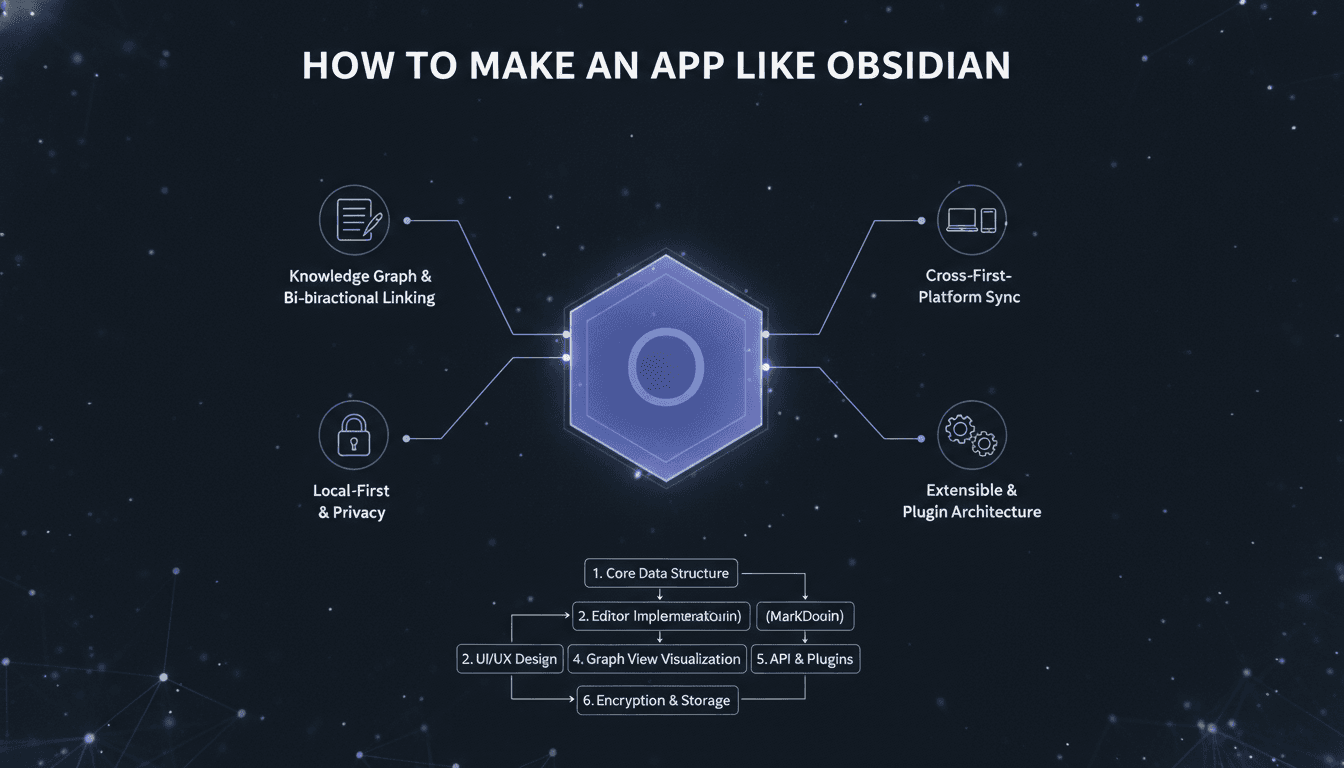
Local-first storage. Notes live in a "vault" — a plain folder of Markdown files on the user's filesystem. No account is required to start writing, and no vendor can hold the data hostage.
Bidirectional linking. Typing [[Note Name]] creates a link, and the target note automatically shows a backlink. Knowledge accumulates as a network rather than a hierarchy.
The graph view. A force-directed visualization of every note and link, which makes the shape of someone's thinking visible.
Extensibility. A plugin API and community marketplace mean the core app stays lean while power users build whatever they need.
Speed. Because everything is local, search and navigation feel instant even with tens of thousands of notes.
Any clone that skips these pillars will feel like a generic note app. Any clone that nails them has a real product.
Core Feature Set
Must-Have (MVP)
- Markdown editor with live preview or WYSIWYG-style rendering
- Vault / workspace management — open a local folder, index its contents
- File tree and tabs for navigating and comparing notes
- Wiki-style
[[links]]with autocomplete as the user types - Backlinks panel showing every note that references the current one
- Full-text search across the entire vault
- Tags and frontmatter metadata (YAML block at the top of each file)
- Keyboard-first command palette — power users live here
Differentiators (Phase 2)
- Graph view with filters, depth control, and clustering
- Canvas / whiteboard mode for spatial arrangement of notes and media
- Plugin architecture and a public API
- Themes and CSS overrides
- Sync across devices with end-to-end encryption
- Publishing — turn a subset of notes into a public website
- Daily notes and templates for journaling workflows
- AI assistance — semantic search, auto-linking suggestions, summarization
Architecture: Local-First Is a Design Philosophy, Not a Feature
The hardest engineering decision in an Obsidian-like app is where the source of truth lives. Local-first means the filesystem wins, and everything else — indexes, caches, sync state — is derived data that can be rebuilt.
For a closer look at a related topic, read our guide on How to Make an App Like Bear.
A typical layered architecture looks like this:
1. Filesystem layer. Reads and writes Markdown files, watches for external changes (users will edit files in other editors, and your app must not clobber them).
2. Parser layer. Converts Markdown into an abstract syntax tree. Extract links, tags, headings, embeds, and frontmatter during parsing so you only walk the document once.
3. Index layer. An in-memory or embedded database (SQLite, or a search index like FlexSearch / Tantivy) holding the note graph and full-text index. This must be incrementally updatable — reindexing 20,000 files on every keystroke is not an option.
4. State layer. Reactive stores that feed the UI. When a file changes on disk, the index updates, and the UI re-renders only the affected panels.
5. UI layer. Editor, sidebars, tabs, graph canvas, command palette.
Handling Sync Without Owning the Data
Sync is where most teams get stuck. Options, roughly in order of effort:
- Bring your own cloud. Let users point the vault at Dropbox, iCloud Drive, or Google Drive. Zero infrastructure for you, but conflicts are messy.
- Git-based sync. Popular with developers, incomprehensible to everyone else.
- Custom sync service with CRDTs. Conflict-free replicated data types (Yjs, Automerge) let two devices edit offline and merge deterministically. This is the premium experience and the main revenue driver for Obsidian itself.
If you plan to monetize, build sync as a paid add-on from the start and design the data model with CRDTs in mind — retrofitting them later is painful.
Choosing a Tech Stack
Desktop
- Electron — what Obsidian uses. Mature, huge ecosystem, heavy memory footprint.
- Tauri — Rust backend with the system webview. Dramatically smaller binaries and lower RAM use, ideal if performance is a selling point.
- Native (Swift / SwiftUI) — best possible feel on macOS, but you give up cross-platform reuse.
Mobile
- React Native or Flutter if you want one mobile codebase. Both can share business logic with a web core if you architect carefully.
- Native iOS/Android if deep filesystem and share-sheet integration matters.
The Editor Component
Do not write a text editor from scratch. Use:
- CodeMirror 6 — what Obsidian migrated to. Excellent for Markdown-as-source editing, extensible, performant on large documents.
- ProseMirror / TipTap — better if you want true WYSIWYG block editing.
- Lexical — Meta's framework, strong performance and a clean plugin model.
Supporting Pieces
- remark / unified for Markdown parsing and AST manipulation
- SQLite (better-sqlite3, or sqlite via Rust) for the local index
- D3-force, Sigma.js, or Cosmograph for graph rendering — use WebGL, not SVG, once you pass a few thousand nodes
- Yjs for collaborative or multi-device editing
Building the Graph View
The graph is the signature visual, and it's the feature most likely to embarrass you at scale. A few hard-won principles:
Render with WebGL. SVG and Canvas 2D fall apart around 2,000–5,000 nodes. WebGL handles tens of thousands.
Precompute the layout off the main thread. Run force simulation in a Web Worker or native background thread so the UI never janks.
Use level-of-detail. Hide labels when zoomed out. Cull off-screen nodes. Cluster dense neighborhoods into aggregate nodes until the user zooms in.
Make it useful, not just pretty. Filters by tag, folder, or link depth turn the graph from a demo into a tool. A local graph — showing only notes within two hops of the current one — is often more valuable than the global view.
The Plugin System
Obsidian's plugin ecosystem is arguably its real moat. Over a thousand community plugins mean the app can be anything to anyone, and users who've customized their setup never leave.
To explore this further, see How to Make an App Like Dynalist.
If you want the same effect, plan for it early:
- Define a stable public API for registering commands, adding sidebar views, extending the editor, and hooking file events.
- Decide on a security model. Obsidian runs plugins with full Node access and warns users accordingly. Safer alternatives: sandboxed iframes, a WASM runtime, or a permissions manifest.
- Ship a plugin marketplace with versioning, changelogs, and one-click install.
- Publish great docs and a sample plugin repo. Developer experience determines whether an ecosystem forms at all.
The trade-off is real: a permissive plugin API means you can never break internals without breaking the community. Version your API deliberately.
Adding AI Without Breaking the Local-First Promise
Modern users expect AI features, but "local-first" and "send everything to an LLM" are in tension. Approaches that respect both:
- On-device embeddings. Generate vectors locally with a small model and store them in an embedded vector index for semantic search that never leaves the machine.
- Opt-in cloud calls. Let users bring their own API key and explicitly choose which notes to send.
- Local model support. Integrate with Ollama or llama.cpp so users can run inference entirely offline.
High-value AI features for a knowledge app: semantic search, "notes related to this one" suggestions, automatic link and tag proposals, note summarization, and answering questions grounded in the user's own vault via RAG.
UX Details That Separate Good From Great
- Zero-friction capture. The fastest path from thought to saved note wins. Global hotkey, quick-capture window, mobile share extension.
- Keyboard everything. A command palette with fuzzy search, plus rebindable shortcuts.
- Instant search. Sub-100ms results as the user types, with highlighted snippets.
- Graceful conflict handling. When sync collides, show a clear diff rather than creating
note (conflicted copy 3).md. - Real import paths. Evernote, Notion, Apple Notes, Roam, plain Markdown folders. Migration friction is the single biggest barrier to adoption.
- Dark mode and typography controls. These users stare at text all day and care deeply about it.
Monetization Models
- Free core, paid sync — Obsidian's model. Builds goodwill and a large funnel, monetizes the users who need multi-device.
- Paid publishing — hosted websites generated from a vault.
- Team/enterprise tier — shared vaults, permissions, SSO, audit logs.
- One-time commercial license — for business use of an otherwise free tool.
- Subscription with AI credits — bundle cloud inference into a monthly plan.
Avoid ads and avoid locking basic note access behind a paywall. This audience is unusually sensitive to data ownership and will punish it.
Development Roadmap and Effort
A realistic phased plan:
Phase 1 — Foundation (6–10 weeks). Vault management, Markdown editor, file tree, basic search, [[links]] with autocomplete, backlinks panel.
Phase 2 — Knowledge features (6–10 weeks). Graph view, tags, templates, daily notes, command palette, themes.
Phase 3 — Sync and mobile (10–16 weeks). Cross-device sync with conflict resolution, mobile apps, end-to-end encryption.
Phase 4 — Ecosystem and AI (ongoing). Plugin API, marketplace, semantic search, canvas mode, publishing.
A capable team for this looks like: one or two desktop/web engineers, one mobile engineer, a backend engineer for sync, a product designer, and QA. A polished MVP on one platform typically lands in the $40,000–$80,000 range; a full cross-platform product with custom sync, a plugin system, and AI features more commonly runs $120,000–$300,000+ depending on scope and region.
Common Pitfalls
Underestimating large vaults. Test with 50,000 notes from day one. Everything that works at 500 notes breaks at 50,000.
Fighting the filesystem. Users will edit files externally. Build robust file watching and never assume your app is the only writer.
Treating the graph as the product. It's a beautiful hook, but people stay for fast capture and reliable retrieval.
Shipping a proprietary format. The moment you invent a database-only storage layer, you've lost the local-first audience.
Launching plugins too early. A public API you regret is harder to fix than one you shipped late.
Final Thoughts
Building an app like Obsidian is less about cloning a feature list and more about committing to a philosophy: the user owns their data, the app stays fast, and the tool bends to the user rather than the reverse. Get the Markdown core, the linking model, and the indexing performance right, and you have a foundation worth extending for years.
The opportunity isn't in building a better general-purpose Obsidian — it's in building the Obsidian for a specific discipline, with the domain-aware structure, templates, and integrations that a general tool can never justify. That's where a focused team can win.
Have a project in mind? Contact Sodio Technologies to discuss your requirements and explore the right technology solution for your business.
/// Work with us
Talk to the engineers who'd build it
You'll get a technical scope, timeline and cost estimate from the people doing the work, not an account manager. In-house team, no subcontracting, since 2016.