

How to Make an App Like Carrot Weather
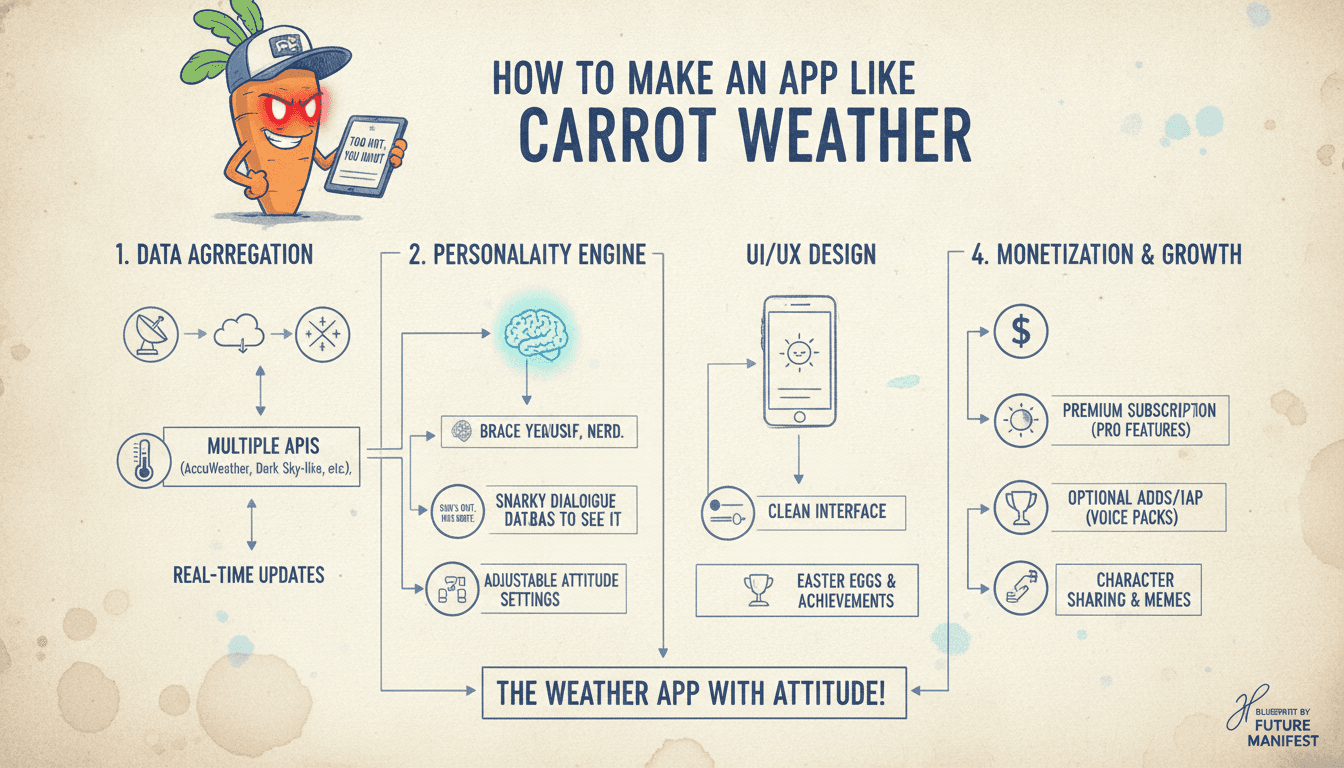
A practical breakdown of the architecture, API integrations, and UX decisions behind building a premium weather app — from data sourcing to monetisation.
What Makes Carrot Weather Different from a Standard Weather App?
Carrot Weather is not a data app with a UI bolted on. It's a personality-driven product where the UX is the differentiator. The underlying weather data comes from third-party APIs — Tomorrow.io, Weather Underground, and the Danish Meteorological Institute, among others — but what users pay for is the presentation layer, the customisation depth, and the reliability of delivery.
You may also find our article on How to Make an App Like Yahoo Weather useful.
That's worth understanding before you write a single line of code. You're building a consumer product, not a data pipeline. The engineering challenge is less about fetching weather and more about making a highly personalised, always-on app that feels fast and opinionated.
The Core Feature Set to Replicate
If you're reverse-engineering Carrot Weather's feature surface, the list looks roughly like this:
- Hyperlocal forecasts (hourly, daily, up to 7-day or beyond depending on data source)
- Multiple weather data source switching (Tomorrow.io, Apple WeatherKit, etc.)
- Configurable notification system (precipitation alerts, severe weather warnings)
- Home screen and lock screen widgets (iOS 16+ WidgetKit, Android App Widgets)
- Apple Watch and Wear OS companion apps
- A customisable personality/tone system
- Premium subscription gating for advanced features
Each of these is a product decision as much as a technical one. You need to decide which features go into a free tier versus a paywall before you architect anything.
Which Weather APIs Should You Use?
This is where most teams make their first expensive mistake: picking one API and building around it.
Carrot Weather's multi-source model exists for a reason. No single weather API is best at everything. Here's how the main options compare:
| API | Strengths | Weaknesses | Pricing Model |
|---|---|---|---|
| Tomorrow.io | Hyperlocal, nowcasting, AI-enhanced | Cost at scale | Per-call, tiered |
| Apple WeatherKit | Free on Apple platforms (5M calls/month) | Apple ecosystem only | Free / commercial tier |
| Open-Meteo | Open source, ECMWF model data | No premium support | Free / donations |
| Weather Underground | Personal weather station data | Reliability varies | Tiered |
| OpenWeatherMap | Wide coverage, affordable | Less accurate hyperlocal | Per-call |
For an MVP, Tomorrow.io plus Apple WeatherKit covers iOS well without significant spend. For Android, Open-Meteo or OpenWeatherMap gets you started. The multi-source architecture should be abstracted behind an internal adapter layer from day one — swapping providers later is painful if the API responses are baked into your business logic.
How Should You Architect the Backend?
The backend for a weather app is deceptively simple until it isn't. At low scale you can call weather APIs directly from the client. Past roughly 50,000 daily active users, you'll want a caching and aggregation layer sitting in between.
To explore this further, see How to Make an App Like Yandex Mobile Browser.
Caching Strategy
Weather data has predictable freshness windows. Hourly forecast data from most providers updates every 15 to 60 minutes. There's no value in fetching fresh data for every client request. A Redis cache keyed by location (geohash at precision 6 covers roughly 1.2 km x 0.6 km cells) with a TTL matching the provider's update frequency cuts API costs significantly.
Notification Infrastructure
Push notifications for precipitation and severe weather are the feature users care most about. This requires a backend job that:
- Pulls a list of user locations from your database
- Checks forecast data for trigger conditions (precipitation probability above a threshold, wind above a value, etc.)
- Sends push via APNs (Apple Push Notification service) or FCM (Firebase Cloud Messaging) when conditions are met
At scale this becomes a distributed scheduling problem. AWS EventBridge with Lambda workers handles this well up to a few hundred thousand users. Beyond that, a Kafka-based event pipeline with dedicated notification workers is more reliable.
Data Storage
You don't need to store historical weather data unless you're offering it as a product feature. Store user preferences, notification settings, subscription state, and device tokens. PostgreSQL is sufficient for most teams; no need to reach for something exotic early on.
/// Not sure where to start?
Get the architecture before you commit
Tell us what you're building and we'll map the technical approach, stack, and rough timeline. No cost, no obligation, no sales call required.
Building the Widget Layer
Widgets are where Carrot Weather earns a significant portion of its premium appeal. They're also technically non-trivial.
On iOS, WidgetKit (introduced in iOS 14) runs in a separate process. You cannot use URLSession directly in a widget timeline provider — you fetch data from your app's shared App Group container or use a background URLSession from within the widget extension. Timeline updates are limited by the system; Apple recommends planning for updates every 15 to 60 minutes, and the system may defer them based on battery state.
For the lock screen widgets (iOS 16+), you're constrained to smaller data displays: temperature, condition icon, precipitation chance. The design work here is as demanding as the engineering work.
On Android, App Widgets use RemoteViews, which limits your layout options compared to Jetpack Compose. Plan for this constraint early in the design phase.
A cross-platform Flutter app will struggle here. Flutter's widget support for home screen widgets is limited and requires platform-specific native code via packages like home_widget. If widgets are a core feature, a native iOS/Android split is the more honest choice.
For a closer look at a related topic, read our guide on How to Make an App Like Dark Sky.
What Does the Subscription Model Look Like?
Carrot Weather uses a freemium model with a subscription for premium features. As of 2024, it charges roughly $4.99/month or $19.99/year for its premium tier, with additional IAP (in-app purchase) options for specific feature packs.
Implementing this requires:
- StoreKit 2 on iOS (introduced in iOS 15) for subscription management. StoreKit 2 is a significant improvement over the original StoreKit and handles most receipt validation server-side without requiring your own validation server.
- Google Play Billing Library 6+ on Android.
- A backend service to track subscription state across platforms if you're shipping on both. RevenueCat is the pragmatic choice here — it abstracts both stores and provides webhooks for subscription events. Building this yourself is a multi-month effort.
Entitlement management, grace periods, billing retry logic, and family sharing all add complexity. Don't underestimate this part.
Conclusion
The engineering surface of an app like Carrot Weather is broader than it first appears. The weather data itself is a commodity. The product is built on top of: a smart API abstraction layer, reliable push notification infrastructure, a polished widget experience, and a well-implemented subscription system.
If you're planning to build this, start by picking your primary weather API and designing the adapter layer that hides it. Get the widget experience right on one platform before expanding. Use RevenueCat unless you have a specific reason not to. And treat the notification system as a first-class engineering concern, not a feature you add later.
If you want to talk through the architecture for your specific use case, the team at Sodio is happy to get into the details.
FAQ
How much does it cost to build a weather app like Carrot Weather? A credible MVP covering one platform, a single data source, basic widgets, and a subscription system typically takes 4 to 6 months for a team of two to three engineers. Cost depends heavily on whether you build native iOS/Android or go cross-platform. Budget a minimum of $80,000 to $150,000 for an MVP with commercial-grade reliability.
Which weather API is best for a new app? For iOS, Apple WeatherKit is the most cost-effective starting point — 5 million calls per month free with an Apple Developer account. For global coverage and hyperlocal accuracy, Tomorrow.io is worth the cost. Open-Meteo is a strong free option for teams that want ECMWF model data without licensing concerns.
Can you build a weather app in Flutter? Yes, with trade-offs. Flutter handles the core app well. Home screen and lock screen widgets, however, require native platform code and are not well supported by Flutter's ecosystem. If widgets are central to your product, native development gives you more control and fewer workarounds.
How do you handle weather alerts and severe weather notifications reliably? Use a backend polling job that checks forecast data against user-defined thresholds on a schedule — typically every 15 minutes. Deliver via APNs or FCM. The key reliability concern is ensuring the job runs even during infrastructure issues; a managed scheduler like AWS EventBridge or GCP Cloud Scheduler is safer than a self-hosted cron job.
Do you need your own server for a weather app? At small scale, no. You can call weather APIs from the client directly. Once you add push notifications for weather events, personalised alerts, or multi-source data aggregation, a backend becomes necessary. Most production-grade weather apps need at least a lightweight API layer and a cache, typically running on managed services like AWS Lambda or a small Fargate cluster.
Have a project in mind? Contact Sodio Technologies to discuss your requirements and explore the right technology solution for your business.
/// Work with us
Talk to the engineers who'd build it
You'll get a technical scope, timeline and cost estimate from the people doing the work, not an account manager. In-house team, no subcontracting, since 2016.