

How to Make an App Like GoodNotes
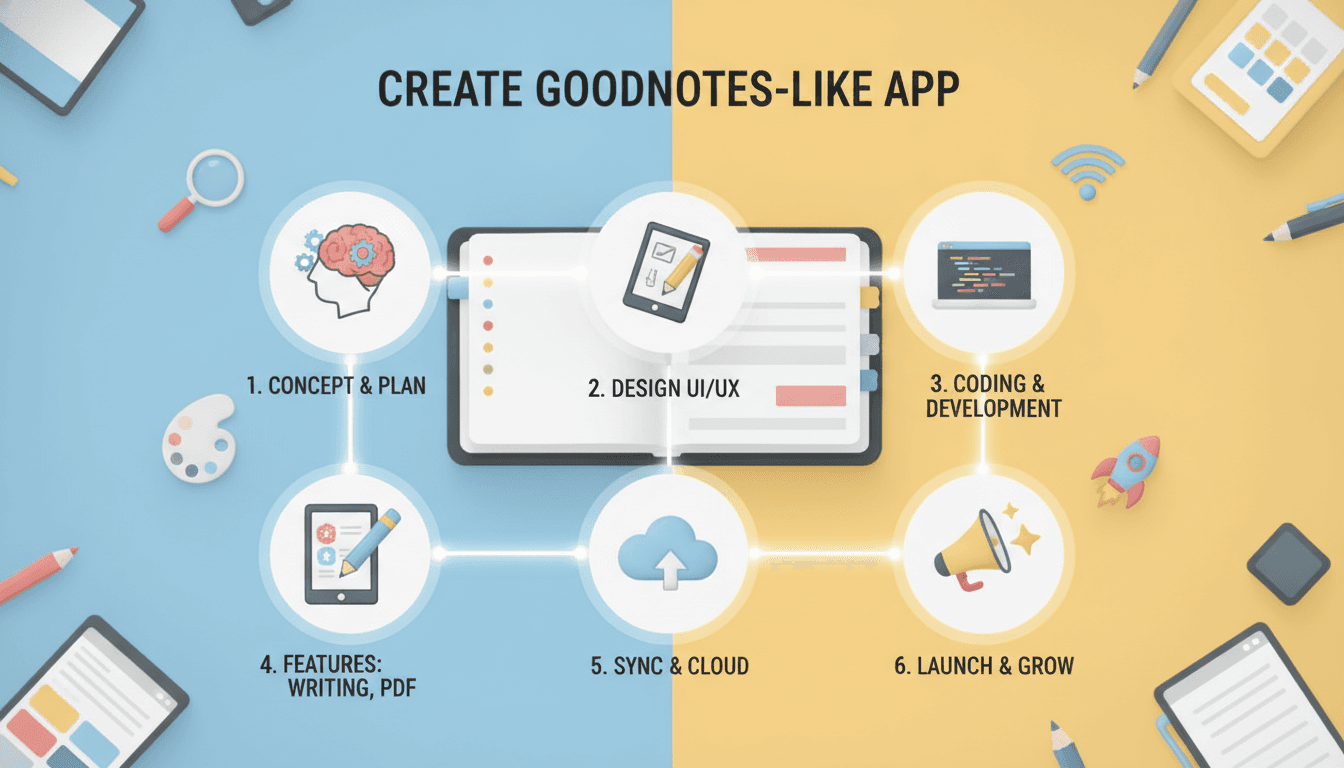
How to Make an App Like GoodNotes
Digital note-taking has quietly become one of the most competitive categories on the App Store. GoodNotes leads the pack with tens of millions of users who write, sketch, annotate, and organise their entire academic or professional lives inside a single app. If you're planning to build something similar, the good news is that the technology is well within reach. The hard part is getting the details right — because in a handwriting app, latency, ink quality, and sync reliability are the product.
This guide walks through what GoodNotes actually does under the hood, the features you need for a credible first release, the technical decisions that will define your app's quality, and a realistic view of cost and timeline.
We cover a closely related subject in How to Make an App Like OneNote.
Why Note-Taking Apps Are Still Worth Building
The obvious question first: isn't this space crowded? GoodNotes, Notability, Noteshelf, Apple Notes, OneNote, and dozens of smaller players all compete for the same screen.
The space is crowded, but it isn't finished. A few things keep creating room for new entrants:
- Tablet and stylus adoption keeps growing. Every student with an iPad or Galaxy Tab is a potential user, and that population expands every year.
- Most incumbents are generalists. There's real opportunity in vertical note-taking — apps built specifically for medical students, legal professionals, musicians, engineers, or K-12 classrooms with features generalists won't prioritise.
- AI has reset expectations. Handwriting search, automatic summarisation, and question-answering over your own notes are features users now expect. Incumbents are retrofitting these; a new app can build around them from day one.
- Collaboration is still weak. Real-time multi-user annotation on shared documents remains clunky in most note apps. That's an open lane.
If you're building a clone with no differentiation, the economics are brutal. If you're building for a specific audience or around a specific capability, the market is very much open.
What GoodNotes Actually Does
Before writing any code, it's worth being precise about the feature set you're benchmarking against.
Core writing experience. An infinite or paginated canvas with pressure-sensitive, low-latency ink. Multiple pen types — fountain pen, ballpoint, brush, highlighter — each with configurable width and colour. A vector eraser that removes whole strokes or partial segments.
Document handling. Import PDFs, Word documents, PowerPoint files, and images. Annotate them directly. Export back out with annotations flattened or preserved.
Organisation. A notebook-and-folder hierarchy, custom covers, page templates (lined, dotted, grid, Cornell, planners), tabs, bookmarks, and favourites.
Search. This is the killer feature. GoodNotes performs OCR on handwritten text and makes years of scrawled notes fully searchable. It also reads text inside imported PDFs.
Sync. Notes appear on every device, near-instantly, with conflict resolution that doesn't destroy work.
Extras. Shape recognition that snaps rough circles into perfect ones, lasso selection for moving and resizing handwriting, text boxes, audio recording synced to notes, and sharing links.
You don't need all of this to launch. But you need to know what "finished" looks like so you can decide what to cut.
Defining Your MVP
A realistic first version focuses on the things users will judge immediately.
Must have in v1:
- Smooth, pressure-sensitive handwriting with at least two or three pen types
- Stroke-level undo/redo
- Eraser and lasso selection
- Page templates and basic notebook organisation
- PDF import and annotation
- Export to PDF and image
- Cloud sync across the user's own devices
- Palm rejection
Can wait for v2:
- Handwriting OCR and search
- Shape recognition
- Audio recording
- Real-time collaboration
- AI summarisation and Q&A
- Cross-platform web access
The reason to sequence it this way is simple: a user will forgive a missing OCR feature. They will not forgive laggy ink. Nail the fundamentals first.
The Technical Core: Ink Rendering
Everything else in your app is a normal software problem. Ink rendering is not.
Latency Is the Product
The perceived quality of a handwriting app is almost entirely determined by the gap between the stylus tip moving and pixels appearing on screen. Apple Pencil on modern iPads achieves around 9ms. Anything above roughly 30-40ms feels like writing through syrup, and users notice immediately even if they can't articulate why.
We cover a closely related subject in How to Make an App Like Notability.
Achieving low latency means:
- Rendering on the GPU using Metal (iOS) or Vulkan/OpenGL ES (Android), not through standard UI drawing APIs
- Drawing predicted touches — both platforms expose predicted stylus positions that let you render slightly ahead of the actual input
- Keeping your input-to-render path free of main-thread work, layout passes, and allocations
- Separating the "wet" stroke currently being drawn from the "dry" committed strokes so you're not re-rendering the whole canvas every frame
On iOS, PencilKit gives you a great deal of this for free and is the sensible starting point unless you have a specific reason to build custom. It handles pressure, tilt, prediction, and the standard tool picker. The tradeoff is limited control over ink appearance and data format. Many serious apps start with PencilKit and eventually replace it with a custom Metal renderer once they need finer control.
Representing Strokes
Store ink as vectors, never as bitmaps. Each stroke is a sequence of sample points, and each point carries:
- x, y coordinates
- pressure (force)
- altitude and azimuth (tilt angle and rotation)
- timestamp
From those raw samples you fit a smooth curve — Catmull-Rom splines or cubic Béziers are the common choices — and then generate a triangle mesh whose width varies with pressure and tilt. That mesh is what actually gets rendered.
Vector storage gives you infinite zoom without pixelation, small file sizes, the ability to re-style strokes after the fact, stroke-level selection and erasing, and a clean input for OCR.
Canvas Performance at Scale
A page with 5,000 strokes cannot be re-drawn stroke-by-stroke every frame. The standard approach is tiling: divide the canvas into tiles, rasterise committed strokes into tile textures, and only re-rasterise tiles that change. Combine this with level-of-detail rendering so zoomed-out views use lower-resolution tiles, and virtualise pages so only visible pages and their immediate neighbours are loaded into memory.
Handwriting Recognition and Search
Once the ink pipeline works, OCR is the feature that turns a drawing app into a knowledge tool.
You have three broad options.
Platform APIs. Apple's Vision framework handles handwriting recognition on-device, free, and in multiple languages. Google's ML Kit Digital Ink Recognition does the same on Android and works on stroke data rather than images, which generally improves accuracy. For most apps this is the right choice — it's free, private, and works offline.
Third-party SDKs. MyScript's iink SDK is the commercial standard and delivers noticeably better accuracy, especially for maths, chemistry, and messy handwriting. It's licensed per-app or per-user and costs accordingly.
Custom models. Training your own CRNN or transformer-based recogniser only makes sense if you're serving a specialised domain — medical shorthand, a low-resource language, musical notation — where off-the-shelf models fail.
Whichever you pick, run recognition in the background after strokes settle, store the extracted text alongside the stroke data with bounding boxes so search results can highlight in place, and index it locally with something like SQLite FTS5 for instant full-text search.
Related reading: How to Make an App Like Canva.
Sync Architecture
Sync is where note apps go to die. Users write on an iPad on a plane, edit the same note on a Mac at home, and expect both versions to merge without losing a single stroke.
Design offline-first. The local database is the source of truth for the user's session. Every write is captured locally first and synced opportunistically. The app must be fully functional with no network at all.
Sync at stroke granularity, not file granularity. Uploading an entire notebook file every time a stroke changes is wasteful and causes conflicts constantly. Sync individual operations — stroke added, stroke deleted, page inserted — as an append-only log.
Use CRDTs or operation transforms for merging. Because strokes are largely independent objects, a fairly simple CRDT works well: each stroke gets a unique ID and a timestamp, additions merge trivially, and deletions become tombstones. Two people adding strokes to the same page offline merge cleanly with no conflict dialog.
Choose your backend deliberately. CloudKit is attractive for Apple-only apps — free storage against the user's iCloud quota, built-in auth, no server to maintain. Firebase Firestore works well cross-platform. A custom backend on S3-compatible object storage plus Postgres gives you the most control and the best economics at scale. Many teams start with CloudKit or Firebase and migrate later.
Tech Stack Recommendations
iOS/iPadOS: Swift, SwiftUI for chrome, UIKit and Metal for the canvas, PencilKit as a starting point, Core Data or SQLite with GRDB for local storage, PDFKit for documents.
Android: Kotlin, Jetpack Compose for UI, a custom Canvas or Vulkan renderer with low-latency graphics support, Room for local storage, PdfRenderer or PSPDFKit for PDFs.
Cross-platform: Flutter and React Native can build the app shell, browsing, settings, and document management quite happily. Be realistic about the canvas: for competitive ink quality you will almost certainly write native platform code behind a bridge. A hybrid approach — cross-platform shell, native ink engine — is a legitimate and increasingly common architecture.
Backend: Node.js or Go, Postgres, S3-compatible storage, WebSockets for real-time collaboration, Redis for presence and caching.
Design Considerations That Matter
A note app lives or dies on interaction details that don't show up in a feature list.
Palm rejection must be flawless. Users rest their hand on the screen. Use the platform's stylus-only input modes and ignore touch events while a stylus is active.
One-handed reachability. Toolbars should be repositionable. Left-handed users need the option to flip the interface.
Gestures should feel physical. Two-finger pan and pinch-zoom need to track the finger exactly, with momentum that feels like paper.
Get out of the way. The canvas is the app. Toolbars should be minimal, auto-hiding where sensible, and never cover the writing area.
Dark mode needs real thought. Inverting a page isn't enough — ink colours need remapping so a black pen remains visible on a dark page.
Monetisation
The category has settled on a few working models.
- One-time purchase — GoodNotes's original approach. Simple and loved by users, but it makes recurring revenue and cloud costs hard to reconcile.
- Freemium with a limit — free up to a number of notebooks, then a paid unlock. This is what GoodNotes moved to and it converts well.
- Subscription — justified when you're providing ongoing server costs: sync, AI features, collaboration, unlimited storage. Typically $5-10/month or $30-60/year.
- Education and enterprise licensing — bulk seats for schools and companies, often the most profitable channel and frequently overlooked.
- Template marketplace — planners, journals, and specialised templates sold individually or by creators, with a revenue share.
A hybrid is usually best: a genuinely useful free tier, a one-time or subscription upgrade for power features, and institutional licensing on top.
Cost and Timeline
Ranges vary enormously by region and team, but a useful frame:
MVP, single platform (iPadOS), 3-4 months. Core ink engine, notebooks and folders, PDF import and annotation, export, basic cloud sync. Roughly $50,000-90,000.
Full-featured, two platforms, 6-9 months. Everything above plus OCR search, shape recognition, audio notes, templates, robust multi-device sync, subscription infrastructure. Roughly $120,000-250,000.
Market-competitive product, 12+ months. Add real-time collaboration, AI features, a web client, enterprise admin tooling, and accessibility compliance. $250,000+.
Budget separately for ongoing costs: cloud storage and bandwidth scale directly with users, and note apps are storage-heavy. A user with 500 annotated PDF pages is not cheap to serve.
Common Mistakes to Avoid
Treating the canvas as a normal view. If you build ink rendering with standard UI drawing APIs, it will be too slow, and retrofitting a GPU renderer later means rewriting the heart of your app.
Storing ink as images. It kills zoom quality, search, selective erasing, and file size all at once.
Bolting on sync at the end. Sync affects your data model fundamentally. Design for it from the first schema.
Shipping too many pen types and too few good ones. Three excellent pens beat twelve mediocre ones.
Ignoring import/export. Users have existing notes and existing workflows. If you can't import their PDFs and export clean files, you're asking them to abandon years of work — and they won't.
Underestimating testing on real hardware. Stylus behaviour differs meaningfully between Apple Pencil generations, S Pen models, and third-party styluses. Emulators tell you nothing useful here.
Where to Differentiate
If you take one thing from this guide, make it this: don't ship GoodNotes with a different icon. Pick a wedge.
- AI-native notes — automatic summarisation, flashcard generation, and conversational Q&A over the user's own handwriting
- Vertical focus — purpose-built for medical students, law, engineering, or music, with domain-specific templates, symbol recognition, and reference integrations
- Collaboration-first — genuinely real-time shared canvases for study groups, design reviews, and classrooms
- Deep integrations — first-class sync with Notion, Obsidian, Anki, or an institution's LMS
- Accessibility — high-contrast ink, voice annotation, and screen-reader-friendly exports, a space almost nobody serves well
Final Thoughts
Building an app like GoodNotes is a genuine engineering challenge, but a tractable one. The technology — GPU rendering, vector ink, on-device OCR, CRDT sync — is mature and well documented. What separates the successful apps from the abandoned ones is discipline: getting the ink to feel perfect before adding features, designing sync into the data model from day one, and picking a clear audience instead of competing head-on with an incumbent that has a decade of head start.
Start with the canvas. If writing in your app feels better than writing in theirs, everything else becomes a solvable problem.
Have a project in mind? Contact Sodio Technologies to discuss your requirements and explore the right technology solution for your business.
/// Work with us
Talk to the engineers who'd build it
You'll get a technical scope, timeline and cost estimate from the people doing the work, not an account manager. In-house team, no subcontracting, since 2016.