

How to Make an App Like OneNote
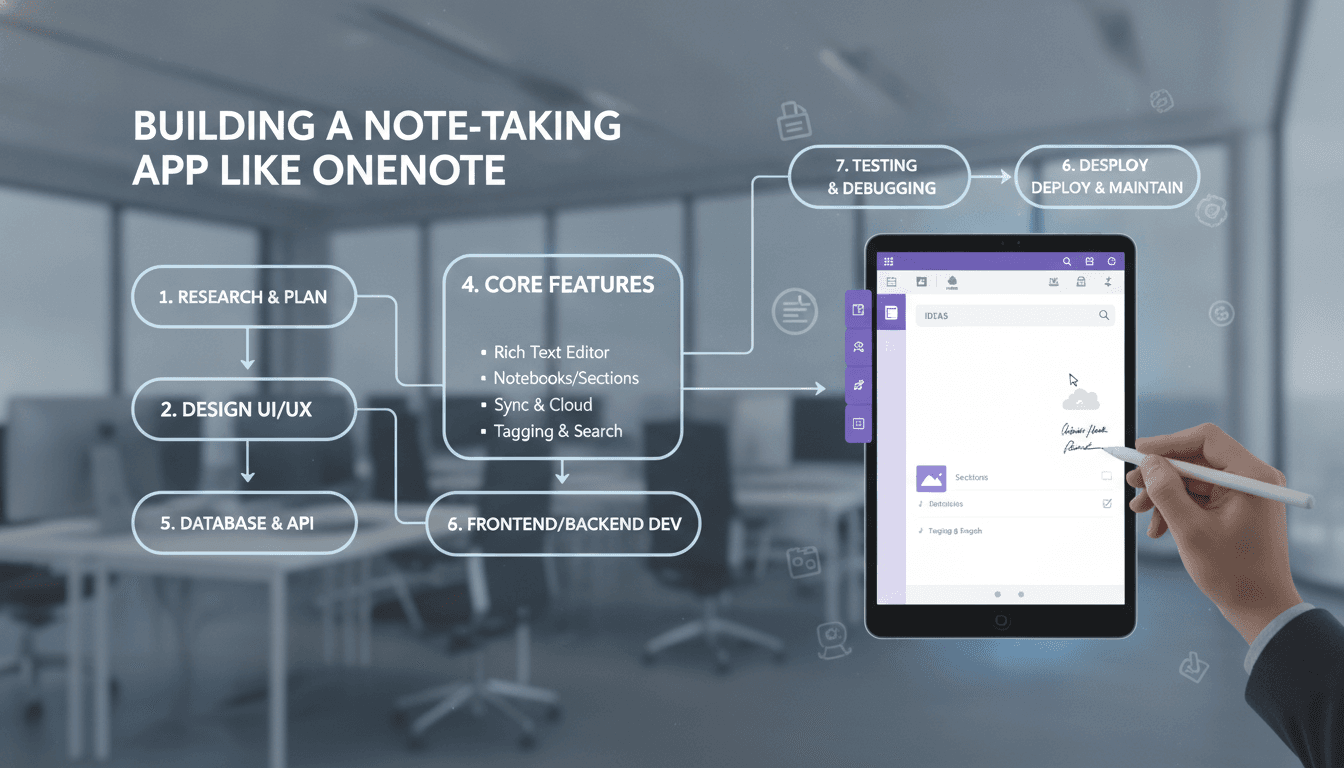
« Digital note-taking has quietly become one of the most competitive categories in mobile and desktop software. Microsoft OneNote sits at the top of that pile with hundreds of millions of users, a free-form canvas, and deep sync across every platform you can name. If you're planning to build something similar, this guide walks through what OneNote actually does under the hood, the features you can't skip, the tech stack that makes it possible, and what it realistically costs to ship.
Why Note-Taking Apps Are Still Worth Building
The note app market isn't saturated — it's fragmented. OneNote wins on free-form layout and Microsoft 365 integration. Notion wins on databases. Evernote won on web clipping. Obsidian won on local-first markdown. Each of those succeeded by serving a group that the others ignored.
That fragmentation is your opening. The winning strategy is almost never "build a better OneNote." It's "build the best note app for a specific audience" — nursing students, field engineers, litigators, music teachers, product designers. Vertical focus lets you make opinionated decisions about templates, terminology, and workflows that a general-purpose tool never can.
For a closer look at a related topic, read our guide on How to Make an App Like GoodNotes.
What Makes OneNote Different
Before you write a line of code, it helps to understand OneNote's core design choice: the free-form canvas.
Most note apps are linear. You type, text flows downward, and that's the document. OneNote treats a page like a whiteboard. You can click anywhere and start typing, creating a floating text container. You can drop an image beside it, sketch over both with a stylus, paste a table underneath, and record audio while you write. Nothing is locked to a single column.
You may also find our article on How to Make an App Like Zoho Notebook useful.
This has real architectural consequences. Every element needs absolute or relative positioning data, z-index ordering, and independent resize handles. Your data model isn't a string of formatted text — it's a collection of positioned objects on a coordinate plane.
The second defining trait is OneNote's notebook hierarchy: Notebooks contain Section Groups, which contain Sections, which contain Pages, which can have Subpages. That's up to five levels of nesting. Users who love OneNote love this structure; users who hate it find it heavy. Decide early where you land, because hierarchy depth shapes your navigation UI and your sync logic.
Core Feature Set
Must-Have Features (MVP)
Rich text editing. Bold, italic, underline, highlight, headings, bulleted and numbered lists, checkboxes, indentation, text color, and hyperlinks. Checkboxes matter more than people expect — task tracking inside notes is one of the top use cases.
Notebook and section organization. At minimum, two levels of nesting plus pages. Drag-to-reorder and drag-to-move between containers should work from day one, because nobody organizes correctly on the first try.
Cross-device sync. This is the feature that decides whether your app lives or dies. Notes must appear on every device within seconds, work offline, and never lose data during a conflict.
Search. Full-text search across all notebooks, with results ranked by relevance and recency. Users will forget where they put things — search is the escape hatch.
Media embedding. Images from camera or library, PDF attachments, and file links. Images need inline resizing and repositioning.
Digital ink. Freehand drawing with pressure sensitivity where the hardware supports it, multiple pen types, a highlighter, an eraser, and lasso selection. Stylus support is the reason many users choose OneNote over Notion.
Features That Earn Loyalty
Handwriting recognition (OCR). Converting ink to searchable text is the single most impressive feature you can ship. It's also how you make handwritten notes discoverable through search.
Image text extraction. Snap a photo of a whiteboard or textbook page and have the text become searchable and copyable.
Audio recording synced to notes. Record a lecture or meeting while typing. Later, tapping any line of text jumps the audio to the moment it was written. Students love this.
Web clipping. A browser extension that saves articles, screenshots, or selected content straight into a chosen section.
Tags and flags. Lightweight metadata — "To Do," "Important," "Question," "Idea" — with a dedicated view that aggregates every tagged item across all notebooks.
Templates. Pre-built page layouts for meeting notes, lecture outlines, project plans, Cornell notes, and daily journals.
Collaboration. Shared notebooks with real-time or near-real-time multi-user editing, presence indicators, comments, and version history.
Math and equations. LaTeX or an equation editor, plus OneNote's party trick of solving basic equations inline.
Technical Architecture
The Editor
This is where most projects underestimate effort. You have three broad options:
- Build on an existing framework. ProseMirror, Lexical, or TipTap give you a solid rich-text foundation with plugin systems. You'll still need to build the free-form canvas layer on top.
- Use native text components.
UITextViewwithNSAttributedStringon iOS, or a custom composable on Android. Maximum performance and stylus fidelity, but you maintain two separate editors. - Write your own rendering engine. Total control, extremely high cost. Only justified if your differentiator is the editor.
For most teams, option 1 for structured content plus native canvas handling for ink is the pragmatic middle ground.
Data Model
Represent a page as a tree of positioned blocks:
{
  "pageId": "p_8f2c",
  "title": "Sprint Planning — Q3",
  "parentSectionId": "s_44a1",
  "elements": [
    {
      "id": "el_001",
      "type": "textBlock",
      "x": 48, "y": 120, "width": 480,
      "zIndex": 1,
      "content": { "format": "portable-json", "nodes": [] }
    },
    {
      "id": "el_002",
      "type": "inkStroke",
      "x": 540, "y": 96,
      "zIndex": 2,
      "points": [[0,0,0.4],[2,5,0.6]],
      "penType": "ballpoint",
      "color": "#1a73e8"
    }
  ],
  "updatedAt": "2024-06-11T14:22:03Z",
  "vectorClock": { "device_a": 14, "device_b": 9 }
}
Store ink as vector stroke arrays, not rasterized bitmaps. Vectors stay crisp at any zoom, support recoloring and erasing individual strokes, and feed directly into handwriting recognition.
Sync and Conflict Resolution
Naive "last write wins" sync will destroy user data and your reputation along with it. Two users editing the same page offline must both keep their work.
The modern answer is CRDTs (Conflict-free Replicated Data Types). Libraries like Yjs and Automerge let multiple replicas merge automatically without a central arbiter. They handle concurrent text insertion, deletion, and formatting merges correctly. For a canvas model, CRDTs are especially clean — two people adding separate elements to the same page simply results in a page with both elements.
We cover a closely related subject in How to Make an App Like Notability.
Operational Transformation (OT) is the older alternative, still used by Google Docs, but it requires a central server to sequence operations and is harder to reason about offline.
Pair your CRDT layer with:
- Delta sync — transmit only changed operations, never whole pages
- Local-first storage — SQLite or Realm as the source of truth on device
- Background sync queues with exponential backoff retry
- Separate blob pipeline for images and attachments, uploaded independently of text operations
Handwriting Recognition
You have three paths:
| Approach | Pros | Cons |
|---|---|---|
| Platform APIs (Apple PencilKit + Vision, Google ML Kit Digital Ink) | Free, on-device, private, fast | Platform-specific, limited customization |
| Cloud APIs (Azure Ink Recognizer, Google Cloud Vision) | High accuracy, many languages | Per-call cost, needs connectivity |
| Custom model (CRNN or transformer on stroke sequences) | Full control, domain tuning | Months of work, needs training data |
Start with platform APIs. They're remarkably good now, cost nothing, and work offline. Revisit custom models only if you're serving a specialized domain like chemical notation or musical scores.
Recommended Stack
Mobile: Flutter or React Native for speed to market; Swift/SwiftUI and Kotlin/Jetpack Compose when stylus latency and canvas performance are your differentiators. Ink rendering genuinely benefits from native.
Web: React or Svelte with a Canvas or SVG rendering layer, IndexedDB for offline storage, and a service worker for offline availability.
Backend: Node.js or Go for the API and WebSocket sync gateway. PostgreSQL for metadata, users, permissions, and hierarchy. S3-compatible object storage for blobs. Elasticsearch, Typesense, or Postgres full-text search for indexing. Redis for presence and pub/sub.
Infrastructure: Kubernetes or a managed container platform, CDN for asset delivery, and regional deployment if you need data residency compliance.
UX Principles That Matter
Launch to the last page you were on. Never make a user navigate three levels deep to resume.
Make new-note creation one tap. A persistent floating action button or widget. Friction here kills capture habits.
Autosave continuously. No save button, ever. Show a subtle sync indicator instead.
Design for the stylus and the thumb separately. Palm rejection, a radial pen tool picker near the writing hand, and toolbars that don't sit under the drawing area.
Keep hierarchy visible but collapsible. A persistent sidebar on tablet and desktop, a bottom sheet or drawer on phones.
Support keyboard power users. Markdown-style shortcuts (# for heading, - for bullet, [] for checkbox), plus a command palette.
Security and Privacy
Notes are among the most personal data people generate — medical details, passwords, journal entries, client information.
- Encrypt in transit with TLS 1.3 and at rest with AES-256
- Offer end-to-end encryption for locked sections or entire notebooks, with keys derived from a user passphrase you never see
- Use biometric locks (Face ID, fingerprint) for app or notebook access
- Implement granular sharing permissions: view, comment, edit, per notebook or section
- Maintain audit logs for shared and enterprise notebooks
- Plan for GDPR and CCPA from the start — data export, account deletion, and clear retention policies
- If you target healthcare or legal verticals, budget for HIPAA or SOC 2 compliance work
Monetization
Freemium tiers. Free plan with generous note counts but caps on storage, device sync count, or OCR conversions. Paid tier unlocks unlimited everything. This is the dominant model for good reason.
Feature gating. Keep core note-taking free forever; charge for OCR, audio transcription, version history depth, advanced export, and collaboration.
Team and enterprise plans. Per-seat pricing with admin controls, SSO, shared workspace analytics, and compliance features. Highest revenue per user by a wide margin.
Education licensing. Institutional deals with schools and universities. Lower per-seat revenue, excellent volume and retention.
Avoid ads. Users reading their own private notes react badly to advertising, and it undermines the trust a note app depends on.
Development Timeline and Cost
| Phase | Scope | Duration |
|---|---|---|
| Discovery & design | Research, user flows, wireframes, UI system | 4–6 weeks |
| MVP build | Editor, hierarchy, sync, search, one platform | 12–16 weeks |
| Second platform | Port or parallel native build | 6–10 weeks |
| Advanced features | OCR, audio sync, collaboration, web clipper | 8–14 weeks |
| QA & launch prep | Testing, performance tuning, store submission | 4–6 weeks |
Rough budgets:
- Single-platform MVP: $50,000 – $90,000
- Cross-platform MVP with solid sync: $90,000 – $160,000
- Full-featured product with OCR, collaboration, and web app: $180,000 – $350,000+
Ongoing costs run roughly 15–25% of build cost annually for maintenance, plus infrastructure that scales with storage and sync volume.
Common Mistakes to Avoid
Underestimating sync. Teams routinely allocate two weeks to sync and spend four months on it. Budget for it properly and prototype it first.
Shipping without offline support. A note app that fails in airplane mode or a basement conference room isn't a note app.
Over-featuring the MVP. OneNote has a decade of accumulated features. Pick five, make them excellent, ship, and listen.
Ignoring migration. Users have years of notes in Evernote, Apple Notes, or OneNote itself. Import tooling is an acquisition channel, not a nice-to-have.
Treating ink as an afterthought. Retrofitting a canvas layer onto a linear editor is significantly harder than designing for both from the start.
Getting Started
The practical sequence looks like this: validate a specific audience, prototype the editor and sync layer before anything else, ship a narrow MVP on one platform, and expand based on what users actually ask for rather than what the competition already has.
Note-taking apps are deceptively hard — the interface looks simple, but the sync, conflict resolution, and canvas rendering underneath are genuinely difficult engineering. Get those three right and the rest is iteration. »
Have a project in mind? Contact Sodio Technologies to discuss your requirements and explore the right technology solution for your business.
/// Work with us
Talk to the engineers who'd build it
You'll get a technical scope, timeline and cost estimate from the people doing the work, not an account manager. In-house team, no subcontracting, since 2016.