

How to Make an App Like Google Meet
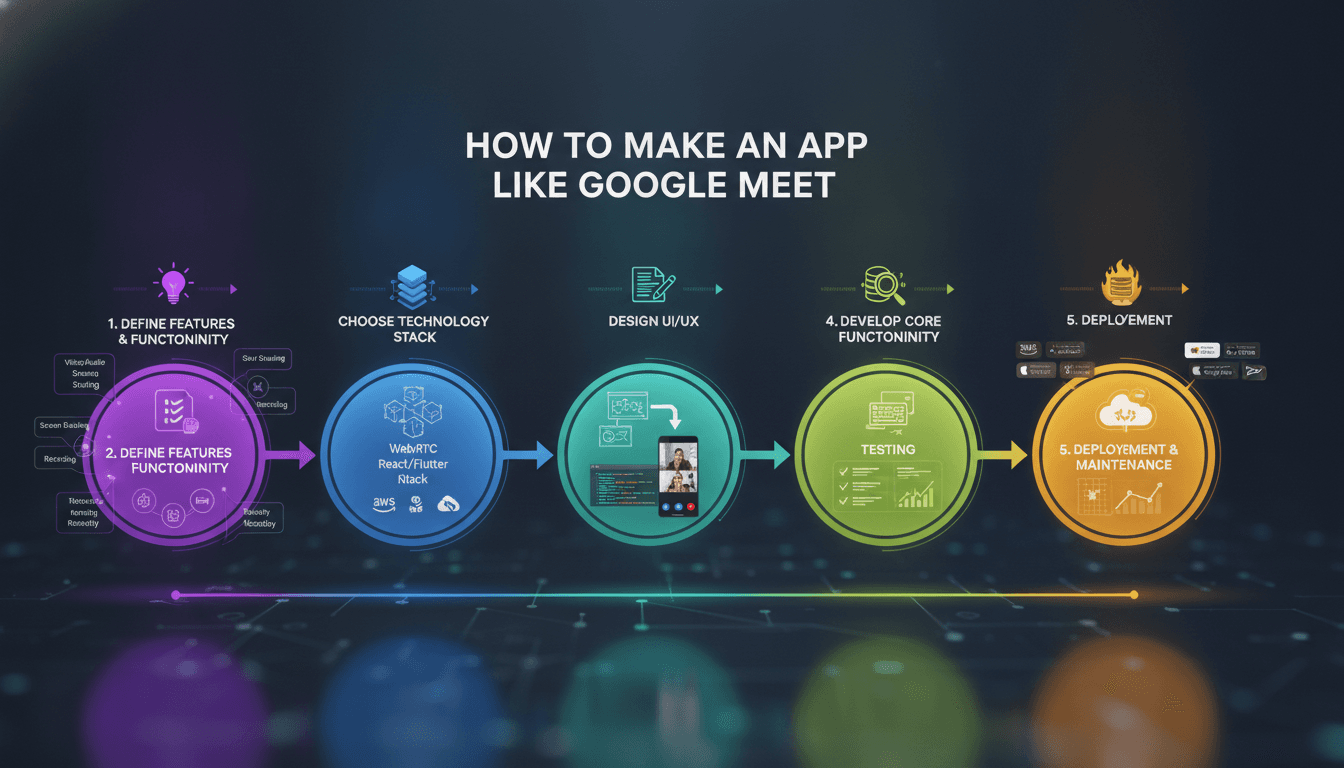
How to Make an App Like Google Meet
Video conferencing went from a "nice-to-have" business tool to core digital infrastructure in the space of a few years. Google Meet, Zoom, Microsoft Teams, and Webex now handle billions of minutes of conversation every month — and the market still has room for focused challengers serving telehealth, online education, remote hiring, fitness coaching, and internal enterprise communication.
If you're planning to build a video conferencing app like Google Meet, this guide walks through the features, architecture, technology stack, cost drivers, and pitfalls you need to understand before writing a line of code.
You may also find our article on How to Make an App Like Zoom useful.
Why Build a Google Meet Alternative?
The obvious question first: why compete with a product Google gives away?
The answer is that general-purpose conferencing tools are deliberately generic. They don't know that a doctor needs HIPAA-compliant recording tied to a patient record, that a tutor needs a shared whiteboard with homework submission, or that a recruiter needs interview scoring built into the call window. Vertical video platforms win by embedding the meeting inside a workflow.
You may also find our article on How to Make an App Like GoToMeeting useful.
Common motivations for building your own:
- Vertical specialisation — telemedicine, e-learning, legal depositions, remote inspections.
- Data sovereignty — regulated industries that cannot route media through third-party clouds.
- White-labelling — agencies and SaaS vendors who want conferencing under their own brand.
- Embedded video — adding calls to an existing CRM, LMS, ERP, or marketplace rather than sending users to an external link.
- Cost control at scale — per-seat licensing gets expensive; self-hosted media servers can be cheaper past a certain volume.
Core Features of a Google Meet–Style App
Must-Have (MVP) Features
User accounts and authentication. Email/password, SSO via Google or Microsoft, and magic links. Guest join via link is essential — friction at the door kills adoption.
Meeting creation and scheduling. Instant meetings, scheduled meetings with calendar integration (Google Calendar, Outlook), recurring meetings, and unique shareable links with optional passcodes.
Real-time audio and video. The heart of the product. Multi-party calls with adaptive bitrate, echo cancellation, noise suppression, and automatic device selection.
Screen sharing. Full screen, single window, or browser tab — with the option to share audio alongside.
In-meeting chat. Text messages, links, and file attachments scoped to the meeting, with optional persistence after the call ends.
Participant controls. Mute/unmute, camera toggle, raise hand, host controls to mute all, remove participants, and lock the meeting.
Layouts. Grid/gallery view, speaker view, pinning, and a sidebar for presentations.
Cross-platform clients. Browser (WebRTC), iOS, Android, and ideally desktop apps for Windows and macOS.
Advanced Features That Differentiate
- Cloud recording and transcription with searchable transcripts
- AI meeting summaries, action items, and follow-up emails
- Live captions and real-time translation
- Breakout rooms for workshops and classrooms
- Virtual backgrounds and background blur using on-device segmentation models
- Whiteboard and collaborative annotation
- Polls, Q&A, and reactions
- Live streaming to YouTube, LinkedIn, or a custom RTMP endpoint
- Noise cancellation powered by ML models
- Waiting rooms and knocking for controlled entry
- Analytics dashboards — attendance, talk time, engagement, call quality scores
- End-to-end encryption for sensitive conversations
The Technology Behind Video Conferencing
WebRTC Is the Foundation
WebRTC (Web Real-Time Communication) is the open standard that powers Google Meet itself. It's built into every modern browser and available as native SDKs on iOS and Android. WebRTC handles media capture, encoding, encryption (DTLS-SRTP is mandatory), and peer-to-peer transport.
What WebRTC does not give you is signalling — the process of letting two clients discover each other and exchange session descriptions. You build that yourself, typically over WebSockets.
Choosing a Media Architecture
This decision shapes your cost, quality, and scalability more than anything else.
Mesh (P2P). Every participant sends their stream directly to every other participant. Simple and server-free, but bandwidth and CPU scale quadratically. Practical only up to about four participants.
MCU (Multipoint Control Unit). The server decodes all incoming streams, composites them into a single video, and sends one stream to each client. Very light on clients, very heavy on servers — transcoding is expensive and adds latency. Useful for legacy device interop and live streaming.
SFU (Selective Forwarding Unit). The server receives each participant's stream and forwards it to others without transcoding. Clients upload once and download several streams. Combined with simulcast or SVC, the SFU can forward the right quality layer to each receiver based on their bandwidth. This is the architecture Google Meet, Zoom, and virtually every serious platform uses.
For anything beyond a handful of participants, build on an SFU.
STUN, TURN, and NAT Traversal
Most users sit behind NATs and firewalls. STUN servers help clients discover their public address. When direct connection is impossible — roughly 10–20% of sessions, higher on corporate networks — traffic must be relayed through a TURN server. TURN bandwidth is a real, recurring cost that teams routinely forget to budget for.
Build vs. Buy: Media Infrastructure
Open-source media servers:
- mediasoup — lightweight, Node.js-friendly SFU, excellent control
- Janus — modular, plugin-based, battle-tested
- LiveKit — modern, Kubernetes-native, with a generous SDK ecosystem
- Jitsi Videobridge — powers Jitsi Meet, proven at scale
- Pion — Go implementation, great for custom builds
Managed CPaaS providers:
- Agora, Twilio Video (sunsetting — check current status), Daily.co, Vonage/OpenTok, 100ms, Amazon Chime SDK, Zoom Video SDK
Managed services get you to market in weeks and handle global edge infrastructure, but per-minute pricing compounds as you grow. Self-hosting demands DevOps expertise and real-time systems knowledge, but gives you unit economics you control. A pragmatic path: launch on a CPaaS, instrument everything, and migrate to self-hosted infrastructure once volume justifies it.
Suggested Technology Stack
Frontend (Web): React or Next.js, TypeScript, Zustand or Redux for state, Tailwind for UI, WebRTC APIs directly or via an SDK wrapper.
Mobile: React Native or Flutter for shared codebases; Swift and Kotlin for maximum control over camera, audio session, and background behaviour. Native is usually worth it for the video pipeline specifically.
Desktop: Electron or Tauri wrapping the web client.
Backend: Node.js (NestJS) or Go for signalling and API services — both handle high concurrency well. Python or Go for AI/transcription workers.
Real-time signalling: WebSockets (Socket.IO, or raw ws with a custom protocol), Redis Pub/Sub for multi-node coordination.
Databases: PostgreSQL for users, meetings, and org data; Redis for presence and session state; S3-compatible object storage for recordings; ClickHouse or similar for call quality telemetry.
Media: LiveKit, mediasoup, or a CPaaS.
AI layer: Whisper or Deepgram for transcription, an LLM for summarisation, MediaPipe or TensorFlow Lite for on-device background segmentation.
Infrastructure: Kubernetes, Docker, Terraform, multi-region deployment, CDN for static assets, Prometheus and Grafana for monitoring.
Step-by-Step Development Process
1. Define Scope and Validate
Pick a niche. Interview twenty potential users. Decide precisely which meetings your product improves and what "better than Google Meet" means for them. Write down the maximum participant count you'll support at launch — it determines your architecture.
2. Design the Experience
Video UI is deceptively hard. You're designing for variable participant counts, poor lighting, interrupted speech, and people joining from phones on trains. Prototype the grid behaviour at 2, 4, 9, and 25 participants. Design the "something went wrong" states first — reconnecting, permission denied, no camera found — because users will see them often.
3. Build Signalling and Authentication
Get two browsers to establish a call before you build anything else. Implement room creation, join tokens, ICE candidate exchange, and offer/answer negotiation. This is the skeleton everything hangs off.
4. Integrate the Media Layer
Stand up your SFU or wire in your CPaaS SDK. Implement publish/subscribe, simulcast layers, and dynamic quality adaptation. Test on throttled networks from day one — not just on office Wi-Fi.
5. Layer On Collaboration Features
Screen sharing, chat, reactions, recording, breakout rooms. Each is a self-contained increment once the media plumbing works.
6. Build Mobile Clients
Handle the platform-specific realities: audio session categories on iOS, foreground services on Android, CallKit and ConnectionService integration, push notifications for incoming calls, and graceful behaviour when the app backgrounds.
Related reading: How to Make an App Like BlueJeans.
7. Test Relentlessly
Automated load tests with headless clients simulating hundreds of participants. Network simulation for packet loss, jitter, and bandwidth caps. Device matrix testing across old Androids and low-end laptops. Measure mean opinion score (MOS), join time, and freeze rate.
8. Launch, Monitor, Iterate
Ship with full observability. Track per-session quality metrics, correlate drop-offs with network conditions, and build a dashboard your support team can actually use when a customer says "the call was bad."
Security and Compliance
Video calls carry some of the most sensitive data an organisation produces. Non-negotiables:
- Encryption in transit — DTLS-SRTP is built into WebRTC; TLS everywhere else
- Encryption at rest for recordings and transcripts
- End-to-end encryption as an option for high-security tiers (note: E2EE breaks server-side recording and transcription)
- Access control — unique tokens, expiring links, waiting rooms, host approval
- Prevention of "meeting bombing" — random long meeting IDs, rate limiting on join attempts
- Compliance — GDPR for EU users, HIPAA for healthcare, FERPA for education, SOC 2 for enterprise sales
- Data residency — regional media servers and storage for customers who require it
- Consent and recording notices — legally mandatory in many jurisdictions
Monetisation Models
- Freemium — free tier with time limits or participant caps, paid tiers for longer meetings, recording, and admin controls (the Zoom and Google Meet playbook)
- Per-seat SaaS — standard for B2B, priced per host per month
- Usage-based — per participant-minute, common for embedded video and API products
- Enterprise licensing — annual contracts with SSO, SLAs, and on-premise options
- Vertical bundling — video included in a broader telehealth or LMS subscription
Development Cost and Timeline
Costs vary enormously with scope, region, and whether you self-host media. Rough guidance:
| Scope | Timeline | Indicative Cost |
|---|---|---|
| MVP (web only, up to ~8 participants, CPaaS-backed) | 3–4 months | $40,000 – $70,000 |
| Standard product (web + iOS + Android, recording, chat, scheduling) | 5–8 months | $80,000 – $160,000 |
| Enterprise-grade (self-hosted SFU, E2EE, AI features, compliance, admin console) | 9–15 months | $180,000 – $400,000+ |
Ongoing costs to plan for: TURN relay bandwidth, media server compute, recording storage and egress, transcription/AI API usage, and a DevOps function that genuinely understands real-time systems.
Common Mistakes to Avoid
Underestimating the network. Your app will be judged on how it behaves at 3% packet loss, not at full bars. Build adaptive bitrate, graceful degradation to audio-only, and fast reconnection early.
Skipping simulcast. Sending one high-resolution stream to everyone wastes bandwidth and punishes weak clients. Simulcast or SVC is essential.
Treating mobile as a port. Background audio, interruptions from phone calls, battery drain, and thermal throttling are mobile-specific problems that need mobile-specific engineering.
No observability. Without per-session WebRTC stats, debugging a quality complaint is guesswork. Collect getStats() data from day one.
Competing on parity. You will not out-feature Google. Win on workflow integration, vertical depth, and support.
Final Thoughts
Building an app like Google Meet is genuinely hard engineering — real-time media, global infrastructure, and unforgiving user expectations. But the tooling has matured dramatically. Open-source SFUs and mature CPaaS platforms mean a small, focused team can ship a credible product in a few months rather than a few years.
The winning strategy isn't cloning Google Meet. It's identifying a group of people for whom generic video conferencing is a poor fit, and building the meeting experience their work actually needs. Start narrow, obsess over call quality, and expand from a base of users who'd be genuinely annoyed if your product disappeared.
Have a project in mind? Contact Sodio Technologies to discuss your requirements and explore the right technology solution for your business.
/// Work with us
Talk to the engineers who'd build it
You'll get a technical scope, timeline and cost estimate from the people doing the work, not an account manager. In-house team, no subcontracting, since 2016.