

How to Make an App Like Zoom
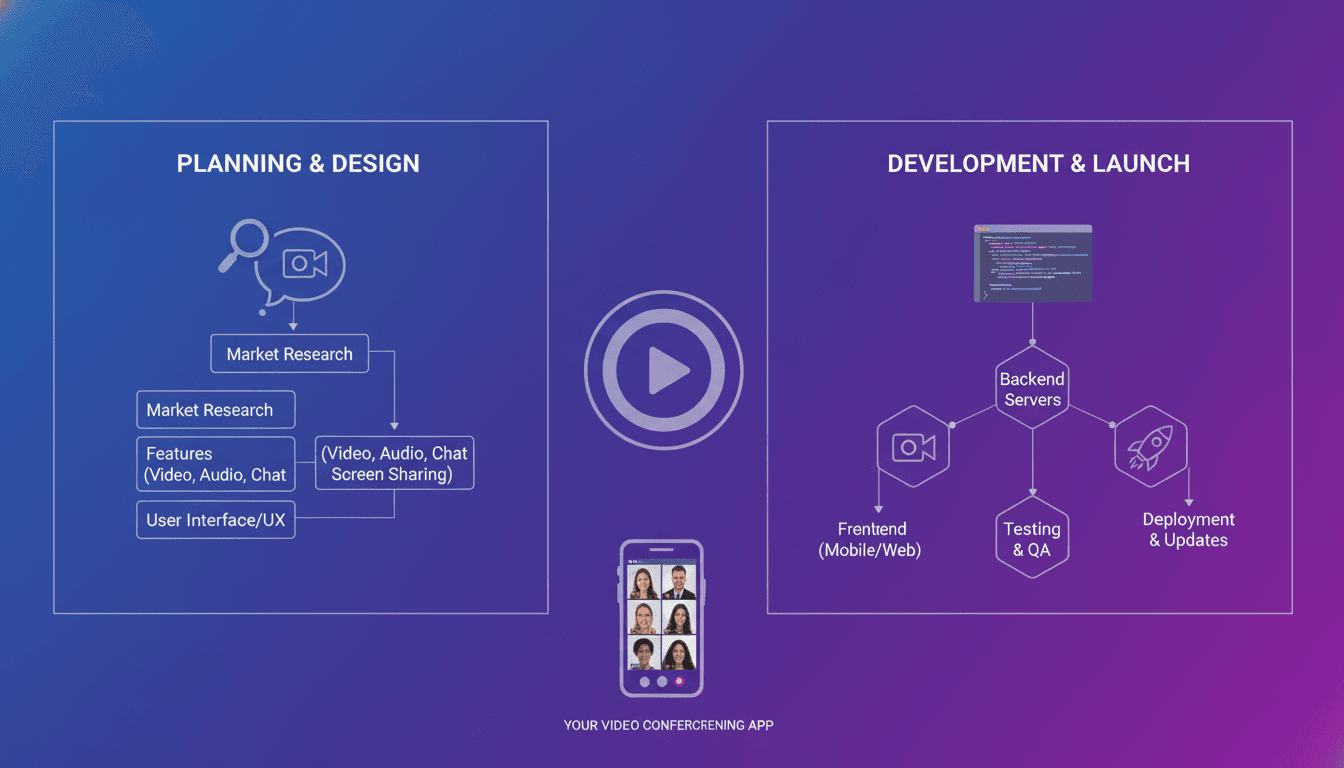
Video calling went from "nice to have" to "how my business runs" in the space of a single year. Zoom sits at the center of that shift, and it has become the reference point for anyone building a communication product. If you are wondering how to make an app like Zoom, this guide walks through the features, architecture, tech stack, team, timeline, and costs involved — plus the strategic decisions that determine whether your app survives contact with real users.
Why Build a Video Conferencing App at All?
Zoom is big, but the market is far from closed. Most successful video apps launched in the last few years did not try to beat Zoom at being Zoom. They went narrow:
- Vertical-specific platforms — telehealth consults with EHR integration, virtual classrooms with attendance and grading, remote court hearings with evidence sharing, or fitness classes with live leaderboards.
- Embedded video — video that lives inside an existing product (a CRM, a marketplace, a banking app) rather than a standalone destination.
- Region-first products — apps built for local data residency laws, local languages, and local low-bandwidth network conditions.
- Privacy-forward alternatives — end-to-end encrypted, self-hostable meetings for legal, defense, or healthcare buyers.
The lesson: define your wedge before you write a line of code. "A better Zoom" is not a product strategy. "HIPAA-compliant video visits for solo-practice therapists, with scheduling and insurance billing built in" is.
Core Features of a Zoom-Like App
MVP Feature Set
Your first release should do a small number of things extremely reliably. Video quality problems kill apps faster than missing features do.
Accounts and authentication
- Email, phone, and social/SSO sign-in
- User profiles, avatars, display names
- Role management (host, co-host, participant)
Meeting lifecycle
- Instant meetings and scheduled meetings
- Unique meeting IDs and shareable join links
- Passcodes and waiting rooms
- Calendar integration (Google, Outlook)
Real-time audio and video
- One-to-one and group calls
- Mute/unmute, camera on/off
- Active speaker detection and grid/gallery layouts
- Device selection for mic, camera, and speakers
In-meeting collaboration
- Screen sharing (full screen, window, or tab)
- Text chat with direct messages and file attachments
- Raise hand, reactions, and emoji
- Participant list with host controls (mute all, remove, promote)
Notifications
- Push notifications for invites and meeting start reminders
- In-app and email invites
Phase Two Features
Once the core is stable, these are the features users start asking for:
- Recording — local and cloud recording, with storage management
- Breakout rooms — splitting participants into sub-sessions
- Virtual backgrounds and filters — segmentation models running on-device
- Whiteboard and annotation — collaborative drawing over shared screens
- Live captions and transcripts — speech-to-text in real time
- Polls, Q&A, and webinars — one-to-many broadcast modes
- Live streaming — pushing a meeting out to YouTube, Facebook, or a custom RTMP endpoint
- Dial-in by phone — PSTN bridges for participants without internet
- Admin dashboard — usage analytics, seat management, policy enforcement
AI Features Users Now Expect
AI has raised the baseline. Meeting intelligence is quickly becoming table stakes:
- Automatic meeting summaries and action items
- Speaker-attributed transcripts and searchable meeting archives
- Real-time translation and multilingual captions
- Noise suppression and echo cancellation via neural audio models
- Smart framing and auto-zoom on the active speaker
- Sentiment and engagement analytics for sales or training use cases
How the Technology Actually Works
This is where most projects underestimate the effort. Video conferencing is a real-time systems problem, not a CRUD app problem.
Related reading: How to Make an App Like GoToMeeting.
WebRTC as the Foundation
WebRTC is the open standard that handles peer-to-peer audio, video, and data exchange in browsers and native apps. It gives you media capture, codecs, encryption (DTLS-SRTP), and adaptive bitrate handling out of the box. You will still need supporting infrastructure:
- Signaling server — WebRTC does not define how peers find each other. You build this yourself, usually over WebSockets, to exchange session descriptions (SDP) and ICE candidates.
- STUN servers — help clients discover their public-facing IP and port.
- TURN servers — relay media when direct connections are blocked by strict NATs or corporate firewalls. Expect 10–20% of your traffic to need TURN, and budget bandwidth accordingly.
Choosing a Media Topology
Mesh (peer-to-peer) Every participant sends their stream directly to every other participant. Cheap and low-latency, but upload bandwidth and CPU scale quadratically. Practical only up to about four participants.
SFU (Selective Forwarding Unit) Each client sends one stream up to a server, which forwards streams to other participants without decoding them. This is what Zoom-scale apps use. Combined with simulcast or SVC, an SFU lets you send different quality layers to different participants based on their bandwidth. Popular open-source SFUs include mediasoup, Janus, Jitsi Videobridge, Pion, and LiveKit.
MCU (Multipoint Control Unit) The server decodes all streams, composites them into a single mixed stream, and sends one stream down to each client. Easy on clients, brutally expensive on servers. Useful for recording, streaming, and legacy device support.
Most production apps end up with an SFU for live meetings and an MCU-style pipeline for recording and RTMP output.
Scaling Considerations
- Geographic distribution — deploy SFUs in multiple regions and route participants to the nearest node to keep round-trip latency under 150ms.
- Cascading — link SFUs across regions so a global meeting does not force everyone through one data center.
- Simulcast and layer switching — drop participants to lower resolutions gracefully instead of freezing.
- Bandwidth estimation — use congestion control (GCC/transport-cc) to adapt before the call degrades.
- Autoscaling — media servers are stateful and CPU-bound; you need capacity planning and warm pools, not just horizontal pod autoscaling.
Build vs. Buy
You do not have to build the media layer yourself. Three paths:
| Approach | Pros | Cons |
|---|---|---|
| CPaaS APIs (Agora, Twilio, Daily, Vonage, LiveKit Cloud, 100ms) | Fastest to market, handles global infra, SDKs for every platform | Per-minute costs scale with success, limited low-level control |
| Open-source self-hosted (mediasoup, Janus, LiveKit, Jitsi) | Full control, no per-minute fees, customizable | You own DevOps, scaling, and on-call |
| Fully custom | Maximum optimization and IP ownership | Longest timeline, highest cost, needs specialist engineers |
For most companies, the right move is to launch on a CPaaS to validate the product, then migrate to self-hosted infrastructure once minute volumes make the economics obvious.
Related reading: How to Make an App Like Google Meet.
Recommended Tech Stack
Frontend (web)
- React, Next.js, or Vue with TypeScript
- WebRTC browser APIs, Web Audio API
- WebAssembly for virtual backgrounds and noise suppression
Mobile
- Native: Swift/SwiftUI for iOS, Kotlin/Jetpack Compose for Android — best access to camera pipelines, hardware codecs, and background modes
- Cross-platform: Flutter or React Native with WebRTC plugins, viable for most use cases and faster to ship
Desktop
- Electron for speed of delivery, or Tauri/native for lower memory footprint and better screen-capture performance
Backend
- Node.js (NestJS) or Go for signaling and real-time services; Go and Rust shine under high concurrent connection counts
- Python for AI/ML services (transcription, summarization)
- gRPC or REST for internal services, WebSockets for signaling
Data and infrastructure
- PostgreSQL for users, meetings, and org data
- Redis for presence, session state, and pub/sub
- S3-compatible object storage for recordings, plus a CDN for playback
- Kafka or NATS for events and analytics pipelines
- Kubernetes with Terraform; media servers on dedicated compute-optimized nodes
- Prometheus, Grafana, and OpenTelemetry for observability — plus WebRTC-specific metrics (jitter, packet loss, freeze rate, join success rate)
Security, Privacy, and Compliance
The security failures of early pandemic-era video apps are a cautionary tale. Bake this in from day one.
- Encryption in transit — DTLS-SRTP is mandatory for WebRTC; use TLS everywhere else
- End-to-end encryption — offer E2EE meetings using insertable streams; note that E2EE breaks server-side recording, transcription, and cloud features, so make the tradeoff explicit to users
- Access controls — unique non-sequential meeting IDs, passcodes, waiting rooms, host-only screen sharing, domain-restricted joins, and lock-meeting controls
- Data residency — regional storage and processing for GDPR and local regulations
- Compliance — SOC 2 Type II for enterprise sales, HIPAA and BAAs for healthcare, FERPA for education, GDPR/CCPA for consumer
- Recording consent — clear in-meeting indicators and audit logs of who recorded what
- Abuse prevention — rate limiting, bot detection, and reporting flows
Monetization Models
- Freemium with time limits — the Zoom playbook: free meetings capped at 40 minutes, paid tiers remove the cap
- Per-host seat licensing — standard for B2B; price per host, not per participant
- Usage-based pricing — per participant-minute, attractive for developers embedding video
- Webinar and event add-ons — larger capacity, registration pages, streaming
- Storage tiers — cloud recording minutes and retention
- Vertical bundles — video plus scheduling, billing, or EHR/LMS integration commands far higher price points than raw minutes
- White-label and API licensing — sell your infrastructure to other builders
Team and Timeline
A realistic core team:
- Product manager
- UI/UX designer
- 1–2 frontend/web engineers
- 1 iOS and 1 Android engineer (or 1–2 Flutter/React Native engineers)
- 1–2 backend engineers
- 1 WebRTC/media specialist (the most important and hardest-to-hire role)
- 1 DevOps/SRE
- 1–2 QA engineers with real-device and network-condition testing experience
Indicative timeline
| Phase | Duration |
|---|---|
| Discovery, architecture, and design | 3–5 weeks |
| MVP build (1:1 and small group calls, chat, screen share) | 10–16 weeks |
| Beta hardening, load testing, network testing | 4–6 weeks |
| Phase two features (recording, breakouts, AI) | 8–16 weeks |
Cost Estimates
Costs vary widely with scope, region, and whether you build or buy the media layer.
| Scope | Typical range |
|---|---|
| Lean MVP on a CPaaS, web + one mobile platform | $50,000 – $90,000 |
| Full-featured MVP, web + iOS + Android, CPaaS media | $90,000 – $180,000 |
| Self-hosted SFU, multi-region, recording, admin console | $180,000 – $350,000+ |
| Enterprise-grade with E2EE, compliance certifications, AI suite | $350,000 – $700,000+ |
Do not forget recurring costs: TURN relay bandwidth, media server compute, recording storage and egress, transcription and LLM API usage, app store fees, compliance audits, and ongoing engineering for browser and OS updates. Video apps have materially higher run-rate costs than typical SaaS.
We cover a closely related subject in How to Make an App Like BlueJeans.
Common Pitfalls to Avoid
- Optimizing features over reliability. Users forgive a missing whiteboard. They do not forgive a call that drops.
- Testing only on office Wi-Fi. Simulate 3G, packet loss, jitter, and network handoffs from Wi-Fi to cellular.
- Ignoring echo and noise. Audio quality matters more than video quality. Invest in AEC, AGC, and noise suppression early.
- Skipping mobile background handling. Interruptions from calls, backgrounding, and battery optimization break naive implementations.
- No observability. Without per-call quality metrics you cannot diagnose the "it was laggy yesterday" reports that dominate support tickets.
- Underestimating accessibility. Captions, keyboard navigation, screen reader support, and high-contrast modes are requirements, not extras.
- Launching horizontally. Competing head-on with free, ubiquitous incumbents without a vertical wedge is the most common way these projects fail.
A Practical Roadmap
- Pick your wedge. One industry, one workflow, one clear buyer.
- Prototype fast. Ship a 1:1 call with a CPaaS SDK in two to three weeks and put it in front of real users.
- Harden the core. Group calls, screen sharing, chat, and rock-solid reconnection logic.
- Layer in differentiation. The workflow integrations and AI features that make your vertical choose you.
- Measure quality obsessively. Join success rate, time-to-first-frame, freeze ratio, mean opinion score.
- Optimize unit economics. Migrate hot paths to self-hosted media once volume justifies it.
- Earn enterprise trust. SOC 2, SSO, admin controls, data residency.
Final Thoughts
Building an app like Zoom is entirely achievable — the standards are open, the SDKs are mature, and the infrastructure is rentable. The hard parts are not the ones that look hard on a feature list. They are call reliability across bad networks, audio quality, scaling stateful media servers, and finding a use case where being different beats being bigger.
Start narrow, obsess over quality, instrument everything, and grow your infrastructure in step with your revenue. That is how a new video app earns a place in a market everyone assumes is already won.
Have a project in mind? Contact Sodio Technologies to discuss your requirements and explore the right technology solution for your business.
/// Work with us
Talk to the engineers who'd build it
You'll get a technical scope, timeline and cost estimate from the people doing the work, not an account manager. In-house team, no subcontracting, since 2016.