

How to Make an App Like Google Workspace
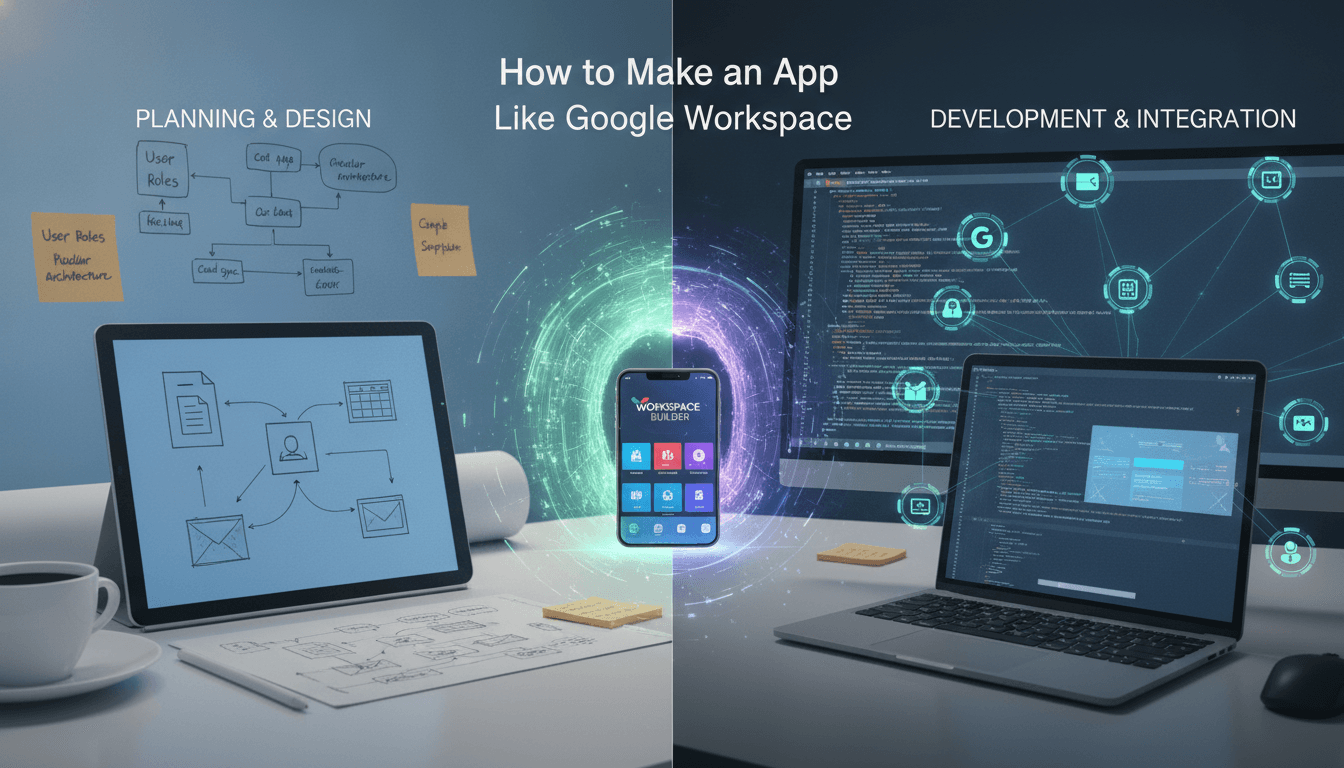
How to Make an App Like Google Workspace
Google Workspace changed the way teams work. Instead of juggling separate tools for email, documents, spreadsheets, video calls, and file storage, millions of businesses now live inside a single, connected suite. That success has not gone unnoticed — startups and enterprises alike are building their own productivity suites for niche industries, regional markets, privacy-conscious sectors, and internal enterprise use.
Building an app like Google Workspace is ambitious, but it is absolutely achievable when you approach it as a platform rather than a single product. This guide walks through what Workspace actually is under the hood, the features you need, the architecture that makes it work, the tech stack, timelines, costs, and the mistakes that sink most productivity suite projects.
To explore this further, see How to Make an App Like Mattermost.
What Exactly Is an App Like Google Workspace?
Google Workspace is not one app. It is a bundle of tightly integrated applications sharing a single identity layer, storage layer, and permission model. At minimum, a Workspace-style product includes:
- Communication: email, chat, and video conferencing
- Content creation: documents, spreadsheets, presentations, forms
- Storage and sharing: cloud drive with folders, permissions, and versioning
- Coordination: calendar, scheduling, task management
- Administration: user provisioning, organisation-wide policies, billing, audit logs
The magic is not any individual app — it is the glue. A file in Drive can be attached in Gmail, previewed in Chat, linked in a Calendar invite, and co-edited by five people simultaneously, all governed by one permission system. That glue is where the real engineering effort lives.
Related reading: How to Make an App Like Smartsheet.
Step 1: Choose Your Wedge Instead of Cloning Everything
Nobody beats Google at being Google. The suites that succeed win by owning a specific angle:
Vertical specialisation. A productivity suite for law firms with matter-based file organisation, billable-hour tracking, and privileged-document controls. Or one for construction with drawing markup, RFI workflows, and site-photo management.
Data sovereignty and privacy. Many European, Middle Eastern, and government organisations legally cannot store data on US-owned infrastructure. Self-hosted or region-locked suites have real, funded demand.
Regional and language-first. Suites built for specific markets with local languages, local payment methods, local compliance, and offline-tolerant performance on slower networks.
Lightweight and affordable. Small businesses often pay for a full suite and use 10% of it. A stripped-down, genuinely cheap alternative is a viable business.
Internal enterprise tooling. Large organisations build private suites integrated with their ERP, HR systems, and proprietary data.
Pick one. Your first release should do three things brilliantly rather than twelve things adequately.
Step 2: Define the Core Feature Set
Identity and Organisation Management
Everything starts here. You need:
- Organisation (tenant) creation with custom domains
- User accounts, groups, and organisational units
- Role-based access control with granular admin roles
- Single sign-on via SAML and OpenID Connect
- Two-factor authentication and passkey support
- Directory sync from Active Directory, Okta, or LDAP
- Session management and device-level revocation
Get this wrong and every other feature inherits the flaw. Build identity as a standalone service from day one.
Cloud Storage and File Management
- Hierarchical folders plus shared team drives
- Granular sharing: private, link-based, domain-restricted, per-user roles
- Version history with restore
- Trash, retention windows, and permanent deletion
- Full-text search across file contents and metadata
- Desktop sync clients and mobile offline caching
- Chunked, resumable uploads for large files
Real-Time Collaborative Editing
This is the hardest part of the entire product. Multiple users editing one document simultaneously requires conflict resolution that never loses data and never diverges between clients.
Two proven approaches:
Operational Transformation (OT) — what Google Docs itself uses. A central server sequences and transforms incoming operations. Efficient and battle-tested, but the transformation logic is notoriously difficult to implement correctly.
Conflict-Free Replicated Data Types (CRDTs) — data structures that merge automatically regardless of order. Libraries like Yjs and Automerge make this dramatically more approachable, support peer-to-peer and offline-first editing, and are the pragmatic choice for most teams today.
Whichever you pick, layer on presence indicators, live cursors, inline comments with threads and mentions, suggestion mode, and a revision timeline.
Documents, Spreadsheets, and Presentations
Each is its own significant product:
- Documents: rich text, styles, tables, images, headers, footnotes, page layout, export to DOCX and PDF
- Spreadsheets: a formula engine with hundreds of functions, dependency graph recalculation, charts, pivot tables, conditional formatting, data validation, import and export of XLSX
- Presentations: slide layouts, themes, transitions, speaker notes, presenter mode
A spreadsheet formula engine alone is a multi-month project. Be honest about scope. Many teams start by building the document editor in-house and licensing or open-sourcing the spreadsheet layer initially.
Email is deceptively brutal. Beyond the inbox UI you need SMTP, IMAP, and POP servers, spam and phishing filtering, DKIM, SPF, and DMARC configuration, IP reputation warm-up, aliasing, distribution lists, and archival. Many suites integrate an existing mail infrastructure provider rather than building mail transport from scratch — a sensible decision.
Calendar and Scheduling
- Multiple calendars per user with sharing and delegation
- Recurring events with exception handling
- Free/busy lookup and meeting-time suggestions
- Room and resource booking
- Timezone-correct storage and display
- CalDAV and iCalendar interoperability
- Automatic video-meeting links on invites
Chat and Video Conferencing
- One-to-one and group messaging with threads
- Channels or spaces with membership controls
- File sharing, reactions, read receipts, typing indicators
- Message search and retention policies
- WebRTC-based audio and video calls
- Screen sharing, recording, virtual backgrounds, breakout rooms
- An SFU (selective forwarding unit) media server for group calls — mesh topology collapses beyond four participants
Search Across Everything
Users expect one search box that returns emails, files, messages, and calendar events, ranked by relevance and filtered by permissions. This requires a dedicated search service with permission-aware indexing — you must never return a document the searcher cannot access.
Admin Console
- User and licence provisioning
- Security policies: password rules, 2FA enforcement, session limits
- Data loss prevention rules and sharing restrictions
- Audit logs and compliance exports
- Usage analytics and storage reporting
- Billing, plans, and seat management
AI Assistance
Modern expectations have shifted. Users now assume:
- Document drafting, rewriting, and summarisation
- Email reply suggestions and thread summaries
- Meeting transcription with action-item extraction
- Natural-language formula generation in spreadsheets
- Semantic search across organisational content using vector embeddings
Retrieval-augmented generation over the customer's own documents, with strict permission filtering at retrieval time, is now a baseline differentiator rather than a nice-to-have.
Step 3: Architect for Multi-Tenancy and Scale
Microservices, Not a Monolith
Split along clear boundaries: identity, storage, documents, collaboration, mail, calendar, chat, media, search, notifications, billing, and admin. Each owns its data and communicates through well-defined APIs and an event bus. This lets you scale the collaboration service independently of billing, and lets separate teams ship without stepping on each other.
Multi-Tenancy Strategy
- Shared database with tenant IDs: cheapest, best density, requires disciplined query filtering
- Schema per tenant: better isolation, harder migrations at scale
- Database per tenant: strongest isolation, ideal for enterprise and regulated clients, highest operational cost
A hybrid model works well: shared infrastructure for self-serve and SMB tiers, dedicated instances for enterprise contracts.
Storage Layer
Object storage (S3, GCS, Azure Blob) for file blobs. Relational databases for metadata, permissions, and structured records. Redis for sessions, presence, and caching. A search engine like Elasticsearch or OpenSearch for the index. A CDN for static assets and file delivery.
Related reading: How to Make an App Like Scoro.
Real-Time Infrastructure
WebSocket connections for presence, live editing, and chat. You will need a connection gateway that handles hundreds of thousands of persistent connections, with pub/sub (Redis, NATS, or Kafka) fanning messages to the right nodes. Plan for connection recovery, message ordering, and graceful degradation to polling.
The Permission Engine
Build a centralised authorisation service. Every other service asks it "can user X do action Y on resource Z?" Model it on a relationship-based system like Google's own Zanzibar design — it handles inherited folder permissions, group membership, and link sharing without each service reimplementing the logic. This single decision prevents an enormous class of security bugs.
Step 4: Pick the Tech Stack
Frontend: React or Vue with TypeScript. The editors benefit from ProseMirror, Slate, or Lexical as a foundation for rich text. Canvas or virtualised grid rendering for spreadsheets.
Mobile: React Native or Flutter for speed across platforms; native Swift and Kotlin if you need deep OS integration, background sync, and best-in-class offline behaviour.
Desktop: Electron or Tauri for sync clients and offline apps.
Backend: Node.js with NestJS for real-time-heavy services, Go for high-throughput gateways and media routing, Python for AI and data services, Java or Kotlin for large enterprise integrations.
Databases: PostgreSQL as the primary store, Redis for caching and ephemeral state, ClickHouse or BigQuery for analytics, a vector database such as pgvector, Pinecone, or Qdrant for semantic search.
Real-time and media: Yjs or ShareDB for collaborative state, mediasoup or LiveKit for WebRTC SFU.
Infrastructure: Kubernetes, containerisation, Terraform for infrastructure as code, GitHub Actions or GitLab CI for pipelines, and OpenTelemetry with Prometheus and Grafana for observability.
Step 5: Security and Compliance
Enterprise buyers will audit you before they sign. Prepare for it:
- TLS 1.3 in transit, AES-256 at rest
- Customer-managed encryption keys for enterprise tiers
- Optional end-to-end encryption for sensitive workspaces
- SOC 2 Type II, ISO 27001, GDPR, and where relevant HIPAA and FedRAMP
- Data residency options by region
- Comprehensive, immutable audit logging
- Regular penetration testing and a bug bounty programme
- Data loss prevention: block sensitive patterns from leaving the organisation
- Mobile device management and remote wipe
Security is not a feature you add in year two. It is the foundation of your sales motion.
Step 6: Design for Adoption
Productivity tools live or die on friction. A few principles that matter more than they sound:
Speed is a feature. Keystroke-to-render latency in an editor must be imperceptible. Optimistic local updates with background sync are mandatory.
Offline must work. Users on planes, trains, and bad hotel Wi-Fi need to keep working. Local-first architecture with conflict-free merge on reconnect is the gold standard.
Familiar patterns win. This is not the place for radical interface experiments. Users bring decades of muscle memory. Meet them where they are and differentiate on capability, not novelty.
Migration is the real onboarding. If a team cannot import their existing files, emails, and calendars in one click, they will not switch. Build importers for Google Workspace, Microsoft 365, Dropbox, and Slack before you build your fifth chart type.
Keyboard shortcuts and accessibility. Power users demand shortcuts. Enterprises demand WCAG 2.1 AA compliance. Both are non-negotiable.
Step 7: Build an Ecosystem
Google Workspace's moat is its integration graph. Yours needs one too:
- Public REST and GraphQL APIs covering every core resource
- Webhooks for event subscriptions
- OAuth 2.0 for third-party app authorisation
- An add-on framework and marketplace with revenue sharing
- Open standards support: CalDAV, IMAP, WebDAV, SCIM, OpenAPI specs
- SDKs in popular languages
Partners and developers extend your product for free. Make that easy.
Development Roadmap and Timeline
Phase 1 — Foundation (2–3 months): identity service, tenant model, permission engine, admin skeleton, infrastructure and CI/CD.
Phase 2 — Storage and sharing (2–3 months): drive, upload pipeline, folder structure, sharing UI, versioning, search indexing.
Phase 3 — First collaborative editor (3–4 months): document editor with real-time co-editing, comments, revision history, export.
Phase 4 — Communication (3–4 months): chat, then calendar, then video conferencing. Email if it is core to your wedge.
Phase 5 — Expansion (4–6 months): spreadsheets, presentations, forms, mobile and desktop apps.
Phase 6 — Enterprise readiness (ongoing): compliance certifications, SSO integrations, data residency, admin depth, AI features, marketplace.
A credible MVP focused on storage plus one collaborative editor plus chat takes roughly six to nine months with a strong team. A genuine multi-app suite is an eighteen-to-thirty-month journey.
What It Costs
Cost scales with scope more sharply here than in most product categories.
- Focused MVP (drive, one editor, chat, admin basics): $120,000 – $250,000
- Multi-app suite (documents, spreadsheets, calendar, chat, video, mobile apps): $300,000 – $700,000
- Enterprise-grade platform (email infrastructure, compliance certifications, marketplace, AI layer, global regions): $800,000 – $2,000,000+
Ongoing costs are substantial and often underestimated. Budget for cloud infrastructure that grows with storage and bandwidth, media server costs for video calls, AI inference costs per user, compliance audits renewed annually, and a dedicated security and SRE function.
Monetisation Models
- Per-seat subscriptions with tiered feature sets — the industry standard
- Storage-based tiers layered on top of seat pricing
- Freemium for individuals and tiny teams to drive bottom-up adoption
- Self-hosted licensing for organisations with sovereignty requirements
- Marketplace revenue share from third-party add-ons
- Usage-based AI credits for generative features
Mistakes to Avoid
Trying to match Google feature for feature. You will run out of money before you run out of features. Depth in one area beats breadth everywhere.
Treating collaborative editing as a sprint task. It is the single most technically demanding component. Prototype it early, load-test it with fifty simultaneous editors, and budget accordingly.
Bolting on permissions later. Retrofitting a proper authorisation model into a shipped product is one of the most painful refactors in software.
Ignoring migration and interoperability. If your documents cannot round-trip to DOCX and XLSX reasonably well, enterprises will not adopt you.
Underestimating email. Deliverability, reputation, and spam filtering are specialist disciplines. Partner unless email is your entire value proposition.
Skipping offline support. Cloud-only editors feel fragile. Local-first is now the expectation.
Neglecting the admin experience. IT administrators are your buyers. A weak admin console loses deals no matter how beautiful your editor is.
Final Thoughts
Building an app like Google Workspace is less about copying a competitor and more about assembling a platform: one identity layer, one permission engine, one storage substrate, and a family of applications that feel like they were designed together because they were.
Start narrow. Nail identity and permissions before anything else. Ship storage plus a single exceptional collaborative editor, prove that teams stick, then expand outward. Choose a wedge — an industry, a region, a compliance requirement, a price point — where the incumbents are weakest and your understanding is deepest.
The productivity software market is enormous and, contrary to appearances, far from settled. Teams everywhere are frustrated by tools that were not built for how they specifically work. That frustration is your opportunity.
Have a project in mind? Contact Sodio Technologies to discuss your requirements and explore the right technology solution for your business.
/// Work with us
Talk to the engineers who'd build it
You'll get a technical scope, timeline and cost estimate from the people doing the work, not an account manager. In-house team, no subcontracting, since 2016.