

How to Make an App Like PicsArt
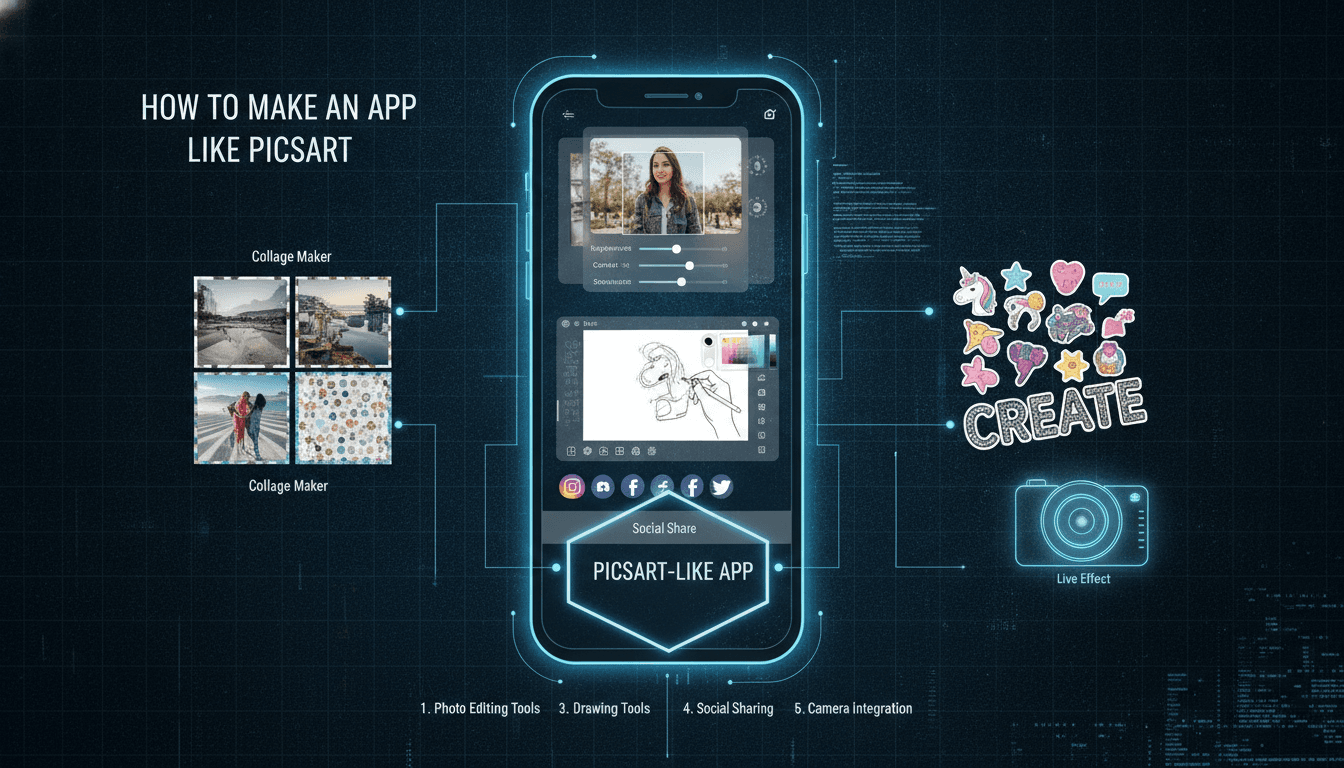
How to Make an App Like PicsArt
Photo editing has moved from desktop software into everyone's pocket. PicsArt, with hundreds of millions of downloads and a thriving creator community, proved that a mobile editing tool can be more than a set of filters — it can be a social network, a marketplace, and a creative operating system all at once.
If you're planning to build something similar, this guide walks through what PicsArt actually is under the hood, the features you need, the technology that powers them, and what it realistically takes to ship.
What Makes PicsArt Work
Before writing a line of code, it's worth understanding why PicsArt succeeded where dozens of filter apps faded away.
It lowered the skill barrier. Complex editing operations — background removal, object cloning, blending modes — were repackaged into taps and sliders.
It gave users content to start from. Templates, stickers, fonts, and backgrounds mean a user never faces a blank canvas.
It built a community. Users remix each other's work, follow creators, and participate in challenges. That social layer creates retention that a standalone editor can never match.
It monetised patiently. A generous free tier drives volume; a premium subscription unlocks the tools power users actually want.
Any app in this category needs at least three of those four pillars to compete.
Core Feature Set
1. Photo Editing Engine
This is the non-negotiable foundation:
- Crop, rotate, straighten, flip, and perspective correction
- Exposure, contrast, saturation, highlights, shadows, temperature, and tint adjustments
- Curves and selective colour tools for advanced users
- Filters and presets, ideally with adjustable intensity
- Healing, clone stamp, and blemish removal
- Layers with opacity and blend modes
2. AI-Powered Tools
AI is now the differentiator, not a bonus feature:
- Background removal — one-tap subject cutout
- Object removal — generative fill to erase unwanted elements
- AI image generation — text-to-image and image-to-image
- AI avatars and portrait enhancement — skin smoothing, relighting, style transfer
- Sky replacement and automatic scene detection
- Upscaling for low-resolution source images
3. Creative Assets Library
- Stickers, overlays, and clipart (user-generated and licensed)
- Typography with a broad font catalogue and text effects
- Templates for social formats — stories, reels covers, posts, thumbnails
- Frames, borders, and collage layouts
4. Video Editing
PicsArt expanded into video because short-form content demanded it. At minimum:
- Timeline trimming and splitting
- Music and audio tracks with licensing sorted
- Transitions, text overlays, and speed control
- Export presets for each social platform
5. Social and Community Layer
- User profiles, following, and feeds
- Remix — letting others build on your published image
- Challenges and contests
- Comments, likes, and reporting/moderation tools
6. Account and Monetisation
- Social and email sign-in, guest mode for first-run experience
- Cloud sync of projects across devices
- Subscription management with free trials
- In-app purchases for asset packs or AI credits
Technology Stack
Mobile Clients
Native (Swift / Kotlin) gives you the best performance for real-time image manipulation, direct access to Metal and Vulkan, and the smoothest camera integration. For a graphics-heavy app, this is usually the right call.
Cross-platform (Flutter or React Native) can work if you push the heavy rendering into native modules and use the framework only for UI and navigation. It saves time on the social and settings screens.
A hybrid approach is common: native rendering core, shared UI shell.
Image Processing
- Core Image and Metal on iOS
- RenderScript replacement / Vulkan / OpenGL ES on Android
- GPUImage or a custom shader pipeline for filters
- OpenCV for computer vision operations
- libjpeg-turbo / libwebp for efficient encode and decode
Real-time preview at a lower resolution with full-resolution processing on export is the standard pattern. Never make a user wait on a 48-megapixel render just to see a slider move.
To explore this further, see How to Make an App Like Pixlr.
AI and Machine Learning
Decide early what runs on-device versus in the cloud.
On-device (Core ML, TensorFlow Lite, ONNX Runtime) is ideal for segmentation, face detection, and lightweight enhancement. It's instant, works offline, and costs you nothing per invocation.
Cloud (your own GPU inference servers or third-party APIs) is necessary for diffusion models, high-resolution generative fill, and anything requiring large model weights. Budget carefully — GPU inference is the single largest variable cost in an app like this.
Backend
- API layer: Node.js, Go, or Python (FastAPI)
- Database: PostgreSQL for relational data, Redis for caching and sessions
- Storage: S3 or equivalent object storage with a CDN in front
- Queue: RabbitMQ, SQS, or Kafka for asynchronous render jobs
- Search: Elasticsearch or Meilisearch for the asset library and discovery feed
- Architecture: Microservices make sense here — editing, assets, social feed, billing, and AI inference all scale differently
Infrastructure
Containerised services on Kubernetes, GPU node pools for inference, autoscaling tied to queue depth, and aggressive CDN caching for the asset catalogue. Media delivery costs will surprise you if you don't plan for it.
Design and User Experience
A creative tool lives or dies on its interface.
Progressive disclosure. Show five tools by default, not fifty. Let power users dig deeper.
Non-destructive editing. Every operation should be undoable, and the original file should never be overwritten.
Immediate feedback. Sliders must respond at 60fps. If a tool takes time, show progress, not a spinner.
Onboarding through doing. Rather than a carousel of screenshots, drop the user straight into a template they can edit and export in thirty seconds.
Thumb-friendly layout. Editing happens one-handed on a phone. Keep the primary controls in the lower third.
Development Roadmap
Phase 1: Discovery and Design (4–6 weeks)
Competitor teardown, feature prioritisation, wireframes, design system, and clickable prototype.
Phase 2: MVP Build (12–16 weeks)
Core editor, a curated filter set, one or two AI tools, basic asset library, account system, and export. Ship this. Get it in front of users.
Phase 3: Social and Content (8–12 weeks)
Feeds, profiles, remix, challenges, moderation tooling, and creator uploads.
Phase 4: Video and Advanced AI (10–16 weeks)
Video timeline, generative features, batch processing, and desktop or web companion.
Phase 5: Scale and Optimise (ongoing)
Performance tuning, localisation, A/B testing on paywalls, and cost optimisation on inference.
Monetisation Models
Freemium subscription is the dominant model. Free users get the basics; subscribers unlock premium filters, unlimited AI generations, no watermark, and cloud storage. Weekly, monthly, and annual tiers with a trial period convert best.
Credit packs work well for expensive generative features, letting casual users pay for what they use without committing to a subscription.
Advertising on the free tier — rewarded video in exchange for a single AI generation is a proven pattern.
Creator marketplace where designers sell sticker packs, templates, and presets, with the platform taking a revenue share.
Business tier with brand kits, team collaboration, and commercial licensing.
Cost Considerations
The build cost varies enormously with scope, but the drivers are consistent:
- Number of platforms (iOS, Android, web)
- Depth of the editing engine — a curves tool is not the same effort as a preset filter
- Whether you train custom AI models or license existing ones
- Complexity of the social layer and its moderation requirements
- Volume and licensing of the initial content library
A focused MVP with a strong editor and two or three AI features is achievable in three to four months. A full PicsArt equivalent is a multi-year, multi-team programme.
Ongoing costs deserve equal attention: GPU inference, storage, CDN bandwidth, content licensing, app store commission, and moderation staffing.
Related reading: How to Make an App Like VSCO.
Common Pitfalls
Feature parity chasing. You will not out-feature an app with a decade of development. Pick a niche — a specific aesthetic, a specific audience, a specific workflow — and own it.
Ignoring performance on mid-range devices. Most of your users are not on the newest flagship. Test on three-year-old hardware.
Underestimating content moderation. The moment users can publish, you need reporting, review, and enforcement. Plan for it before launch, not after the first incident.
Weak asset library at launch. An empty template gallery makes the app feel abandoned. Commission a starter set.
Unbounded AI costs. Rate limits, credit systems, and caching of identical requests are essential from day one.
Getting Started
Build the editor first and make it genuinely good. Add one AI feature that solves a real problem people already have. Get it into users' hands, watch what they actually reach for, and let that data drive the roadmap.
You may also find our article on How to Make an App Like Facetune useful.
The market for photo editing apps is crowded, but it isn't closed. Apps continue to break through by being faster, more focused, or better tuned to a specific community than the incumbents. That's the gap worth aiming at.
Have a project in mind? Contact Sodio Technologies to discuss your requirements and explore the right technology solution for your business.
/// Work with us
Talk to the engineers who'd build it
You'll get a technical scope, timeline and cost estimate from the people doing the work, not an account manager. In-house team, no subcontracting, since 2016.