

How to Make an App Like Facetune
How to Make an App Like Facetune
Selfie culture isn't slowing down. Every day, billions of photos are captured, retouched, and posted — and a large share of them pass through a photo editing app before anyone else sees them. Facetune, built by Lightricks, turned that habit into one of the most commercially successful paid apps on the App Store, with tens of millions of downloads and a subscription business behind it.
If you're considering building a photo retouching app of your own, this guide walks through what actually goes into it: the feature set, the AI and computer vision under the hood, the tech stack, the monetisation model, and the realistic cost and timeline.
If this is relevant to your project, check out How to Make an App Like YouCam Makeup.
Why the Photo Editing Market Is Still Wide Open
The instinct is to assume this space is saturated. It isn't — it's crowded at the generic end and thin at the specialised end.
- The global photo editing app market continues to grow at double digits, driven by creator economy participation and social commerce.
- Generic filter apps are commoditised. Instagram and TikTok give those away free. Purpose-built retouching, on the other hand, still commands paid subscriptions.
- Niche verticals are underserved. Professional headshots, e-commerce product photography, dating profile optimisation, wedding and event photography, and beauty brand try-on all have distinct needs.
- On-device AI has gotten cheap and fast. What required a server round-trip three years ago now runs in real time on a mid-range phone.
The opportunity isn't "build another Facetune." It's "build a Facetune for a specific audience, with a workflow they can't get elsewhere."
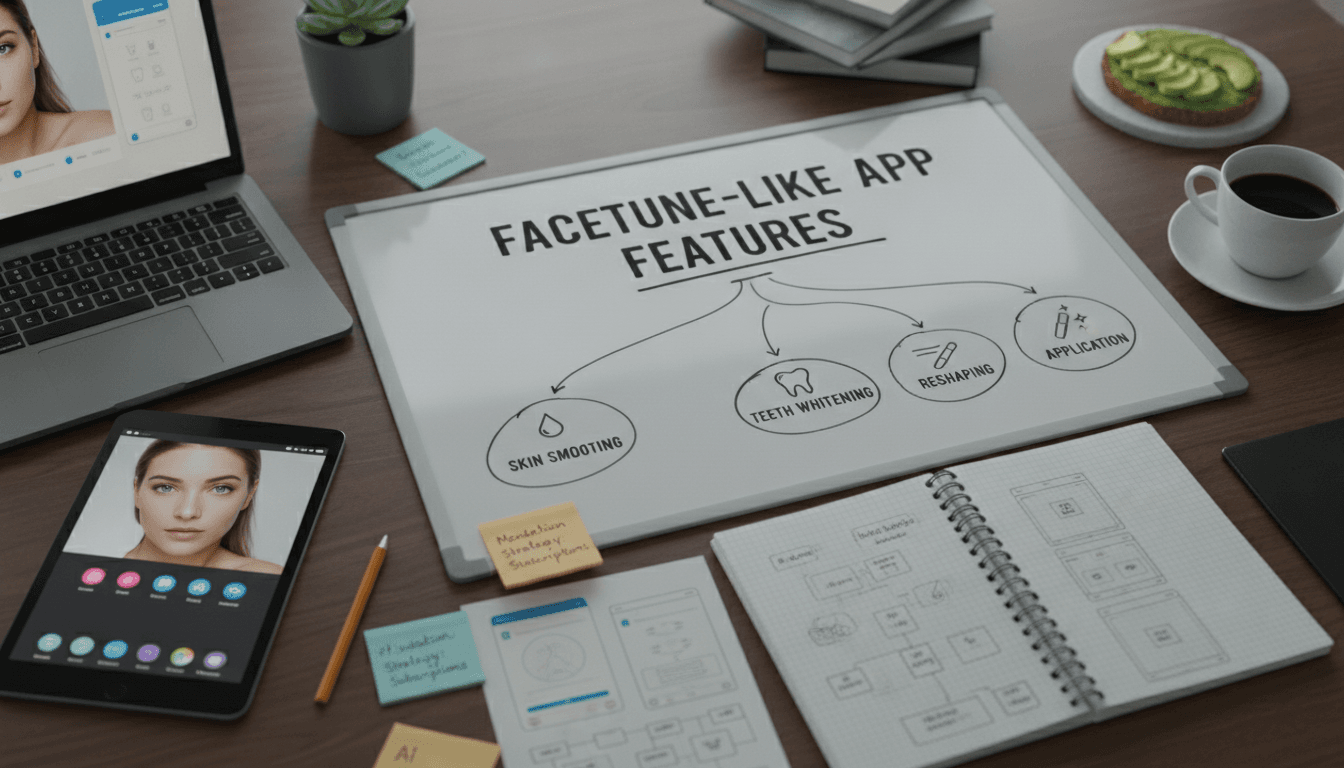
Deconstructing Facetune: What It Actually Does
Before scoping your own product, it helps to break the original into its functional layers.
Portrait Retouching
Smoothing, blemish removal, skin tone evening, and texture preservation. The hard part isn't blurring skin — it's blurring skin without turning faces into plastic. Good implementations preserve high-frequency detail like pores and fine hair while suppressing low-frequency blotchiness.
Facial Reshaping
Jawline, nose, eye size, lip fullness, and face slimming. This relies on facial landmark detection followed by mesh warping. Quality here is about subtlety and avoiding warped backgrounds around the head.
Teeth and Eye Enhancement
Whitening, brightening, and sharpening — localised adjustments driven by semantic segmentation of specific facial regions.
Makeup and Hair
Virtual lipstick, eyeliner, blush, foundation, and hair recolouring. These require precise segmentation masks and blend modes that respect lighting and skin texture.
Body Editing
Height, slimming, and posture adjustments using body pose estimation and liquify-style warping.
Background Tools
Background removal, replacement, blur (bokeh simulation), and object removal via generative inpainting.
AI Generative Features
The newer frontier: AI headshots, style transfer, expression editing, and text-prompted edits. This is where most competitive differentiation now lives.
Core Feature Set for an MVP
Resist the urge to ship everything. A focused v1 that does five things beautifully beats a bloated one that does thirty things adequately.
Essential:
- Photo import from camera roll and live capture
- Automatic face detection and one-tap enhance
- Manual retouch brush (smooth, heal, patch)
- Facial reshape sliders with landmark-driven warping
- Teeth whitening and eye brightening
- Basic adjustments — exposure, contrast, saturation, warmth
- Non-destructive editing with undo/redo history
- Before/after comparison toggle
- Export at full resolution with quality options
- Onboarding that demonstrates value within 30 seconds
Strong second-phase additions:
- Background removal and replacement
- Virtual makeup and hair colour
- Body reshaping
- AI object removal
- Preset packs and saved "looks"
- Batch editing
- Video retouching
- Cloud sync across devices
Worth skipping early: social feed, in-app community, collaborative editing. These add enormous complexity and rarely drive early retention in a utility app.
The AI and Computer Vision Layer
This is the engineering core, and it's where most teams underestimate effort.
Face Detection and Landmark Tracking
You need dense facial landmarks — typically 468+ points — not the 68-point models of a decade ago. Google MediaPipe Face Mesh is the pragmatic default: it's fast, accurate, free, and runs on-device across iOS and Android. Apple's Vision framework offers native face landmark detection on iOS with excellent performance.
Semantic Segmentation
To apply lipstick only to lips or recolour only hair, you need pixel-level masks. Options include:
- Fine-tuned U-Net or DeepLabv3+ models trained on face parsing datasets like CelebAMask-HQ
- Apple Vision's person segmentation for background separation on iOS
- MediaPipe Selfie Segmentation for cross-platform background masks
Mask quality around hair edges and semi-transparent regions is the single biggest visual quality differentiator. Budget real time for it.
Skin Smoothing Algorithms
The classic approach is frequency separation: split the image into low-frequency (colour and tone) and high-frequency (texture and detail) layers, smooth only the low-frequency layer, and recombine. Bilateral filtering and guided filtering are edge-preserving alternatives that run efficiently on GPU.
Mesh Warping for Reshaping
Facial landmarks drive a deformation grid. Moving Least Squares deformation and thin-plate spline warping both produce natural results. The implementation detail that matters: constrain the warp so it falls off smoothly and doesn't distort the background behind the subject.
Generative Inpainting and AI Features
For object removal and generative fill, you're looking at diffusion-based models. Realistically, these run server-side unless you're targeting only the newest flagship devices. Stable Diffusion inpainting, LaMa for object removal, or commercial APIs from providers like Replicate, Clipdrop, or Adobe Firefly are all viable starting points.
To explore this further, see How to Make an App Like PicsArt.
On-Device vs. Cloud
| Consideration | On-Device | Cloud |
|---|---|---|
| Latency | Instant, real-time preview | Network-dependent |
| Cost per edit | Zero | Recurring GPU cost |
| Privacy | Photos never leave the phone | Requires trust and clear policy |
| Model size | Constrained | Unlimited |
| Offline use | Works fully | Doesn't work |
The winning pattern for most apps is hybrid: run all real-time preview and standard retouching on-device with Core ML and TensorFlow Lite, and route heavy generative operations to the cloud with clear progress indication.
Technical Architecture
Rendering Pipeline
Photo editing is fundamentally a GPU problem. CPU-based image manipulation will feel sluggish the moment users hit high-resolution images.
- iOS: Metal, Metal Performance Shaders, and Core Image for the render graph
- Android: Vulkan or OpenGL ES, with RenderScript replacements like the GPU delegate in TFLite
- Cross-platform: Flutter with custom platform channels to native rendering code, or React Native with a native module layer
Build a non-destructive edit stack: every operation is a parameter set applied to the original, not a baked pixel change. This enables undo, re-editing, preset saving, and quality-preserving export. Render a downscaled proxy for interactive preview and apply the full stack at full resolution only on export.
Technology Stack Summary
Mobile front end: Swift/SwiftUI (iOS), Kotlin/Jetpack Compose (Android), or Flutter for a shared codebase where the heavy lifting sits in native modules.
ML runtime: Core ML, TensorFlow Lite, ONNX Runtime Mobile, or MediaPipe.
Backend: Node.js or Python (FastAPI) for API layer; Python for ML services.
Cloud infrastructure: AWS, GCP, or Azure with GPU instances for generative workloads; consider serverless GPU providers to avoid paying for idle capacity.
Storage and CDN: S3 or Cloud Storage with CloudFront or Cloudflare for asset delivery.
Analytics and experimentation: Amplitude or Mixpanel, plus a feature flag service for paywall and onboarding tests.
Subscriptions: RevenueCat or Adapty to abstract away StoreKit and Google Play Billing complexity.
Design and User Experience
Photo editors live or die on UX. A few principles that separate the good from the abandoned:
Show the result immediately. The first screen after import should present an auto-enhanced version. Users need to see value before they invest effort.
Sliders need haptics and live preview. Every adjustment should update at 60fps. Lag here reads as "cheap app."
Give people an easy escape. Undo, reset, and before/after comparison must be one tap away and always visible.
Design for one-handed use. Controls belong in the lower third. The image belongs above them, unobstructed.
Make subtlety the default. Set slider defaults conservatively. Over-processed results are the main reason people delete retouching apps — they don't want to look fake, they want to look like themselves on a good day.
Handle the ethics visibly. Consider an intensity cap, a "natural" mode, or gentle nudges away from extreme edits. Several markets are moving toward regulation requiring disclosure of digitally altered images, and building responsibly now is cheaper than retrofitting later.
Monetisation Strategy
Facetune moved from a one-time paid app to subscription and grew revenue substantially. That's the pattern worth studying.
You may also find our article on How to Make an App Like L'Oreal Makeup Genius useful.
Freemium Subscription (Recommended)
Free tier gives access to basic tools with watermarked or resolution-limited export. Premium unlocks everything.
- Weekly, monthly, and annual tiers, with annual positioned as the anchor value
- A 3-to-7 day free trial converts significantly better than a hard paywall
- Typical pricing: $7–10/month or $35–70/year in Western markets, with regional price adjustment elsewhere
Supporting Revenue Streams
- Consumable credits for expensive generative operations like AI headshots
- Preset and filter packs sold individually or bundled
- Lifetime unlock for users who resist subscriptions — often 5–8% of buyers
- Brand partnerships with cosmetics companies for virtual try-on placements
- B2B licensing of your SDK to e-commerce or dating platforms
Metrics That Matter
Track trial start rate, trial-to-paid conversion, day-1/day-7/day-30 retention, edits per session, and export rate. Export rate is the truest proxy for satisfaction — people who export are people who liked the result.
Development Cost and Timeline
Costs vary enormously by region and scope. These are realistic ranges for a competent team.
| Scope | Timeline | Estimated Cost |
|---|---|---|
| MVP, single platform, core retouching | 3–4 months | $45,000 – $80,000 |
| MVP, both platforms, core retouching | 4–6 months | $70,000 – $130,000 |
| Full-featured with AI generative tools | 7–10 months | $150,000 – $280,000 |
| Market-leading with custom ML models | 12+ months | $300,000+ |
Ongoing costs to plan for: GPU inference (if cloud-based), storage and bandwidth, app store commission of 15–30%, user acquisition, and continuous model retraining and improvement.
The largest hidden cost is quality iteration. Getting retouching to look genuinely good — not uncanny — takes many rounds of tuning with real photos across a wide range of skin tones, lighting conditions, and face shapes. Budget for it explicitly.
Development Roadmap
Phase 1 — Discovery and Design (3–4 weeks) Competitive teardown, target audience definition, feature prioritisation, wireframes, and high-fidelity UI. Validate the core value proposition with a clickable prototype.
Phase 2 — Technical Foundation (4–6 weeks) Set up the GPU rendering pipeline, non-destructive edit stack, image import/export, and ML model integration. This is unglamorous plumbing that determines everything downstream.
Phase 3 — Core Features (6–8 weeks) Build and tune the retouching toolset. Iterate heavily on visual quality with a diverse test image library.
Phase 4 — Monetisation and Polish (3–4 weeks) Paywall, subscription plumbing, onboarding, analytics, and performance optimisation.
Phase 5 — Beta and Launch (3–4 weeks) TestFlight and Play Console beta, crash and performance monitoring, App Store optimisation, and a staged rollout.
Phase 6 — Post-Launch Conversion optimisation, feature expansion based on usage data, and continuous model improvement.
Common Pitfalls
Shipping unnatural results. The default output must look believable. If the first edit a user makes looks fake, they're gone.
Ignoring skin tone diversity. Models trained on narrow datasets fail visibly on darker skin. Test across the full range from the beginning — this is a quality issue and an ethical one.
Underestimating performance. A 12-megapixel image with ten stacked operations will grind a poorly architected app to a halt. Proxy rendering isn't optional.
Copying the competition's feature list. Differentiation comes from serving a specific audience better, not from having more sliders.
Weak privacy posture. Photos are intimate data. Be explicit about what's processed locally, what goes to a server, how long it's retained, and whether it's used for training. Publish it clearly and honour it.
Deferring monetisation. Retrofitting a paywall into a mature free app is painful. Design the free/paid boundary during discovery.
Ways to Differentiate
- Vertical focus: professional LinkedIn headshots, e-commerce product shots, real estate photography, dating profiles
- Video-first retouching: far fewer credible players than in still photography
- Real-time camera retouching rather than post-capture editing
- Collaborative workflows for agencies, photographers, and brand teams
- Radical authenticity positioning: subtle-only edits with transparency labels, aimed at users uncomfortable with heavy filtering
- SDK-as-a-product: license your engine to other apps rather than fighting for consumer attention
Final Thoughts
Building an app like Facetune is a genuine engineering challenge — real-time GPU rendering, on-device machine learning, and an interface that makes complex operations feel effortless. But the technical pieces are more accessible than they've ever been. Pre-trained models, mature ML runtimes, and subscription infrastructure that used to take months now take weeks.
The differentiator is craft. The apps that succeed in this category are the ones where someone obsessed over whether skin still looks like skin, whether the jawline warp bends the background, whether the paywall appears at the moment of delight rather than the moment of frustration. Start focused, obsess over output quality, pick an audience that isn't already well served, and iterate relentlessly on the numbers that reveal whether people actually love what you've built.
Have a project in mind? Contact Sodio Technologies to discuss your requirements and explore the right technology solution for your business.
/// Work with us
Talk to the engineers who'd build it
You'll get a technical scope, timeline and cost estimate from the people doing the work, not an account manager. In-house team, no subcontracting, since 2016.