

How to Make an App Like Snapseed
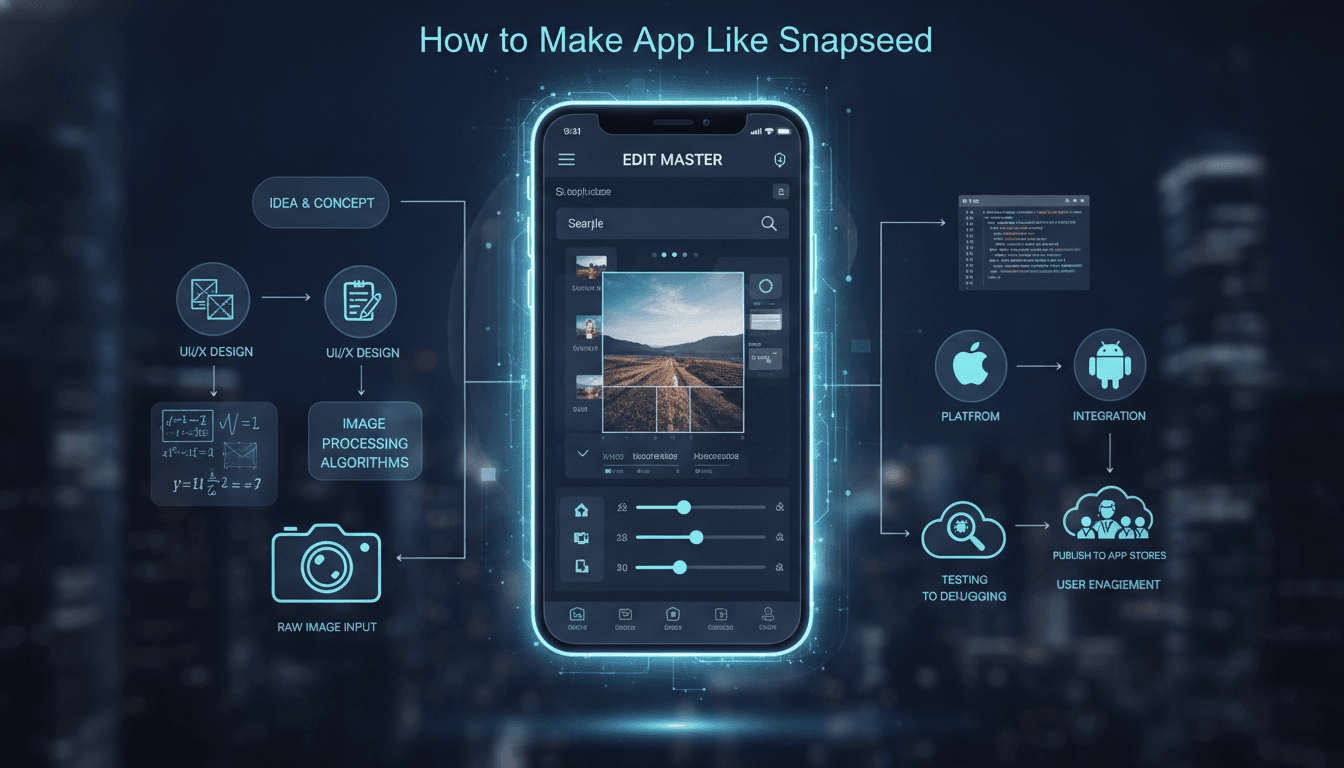
How to Make an App Like Snapseed
Photo editing has become one of the most crowded — and most lucrative — categories on mobile app stores. Yet Snapseed still stands out. Google's free, professional-grade editor has racked up hundreds of millions of downloads by doing something deceptively hard: packing desktop-class editing tools into an interface that a first-time user can figure out in under a minute.
If you're planning to build a photo editing app like Snapseed, this guide walks you through the features, tech stack, development process, timeline, and costs involved — plus the strategic decisions that separate a me-too filter app from a product people actually keep on their home screen.
You may also find our article on How to Make an App Like Afterlight useful.
What Makes Snapseed Snapseed?
Before writing a single line of code, it's worth understanding why Snapseed succeeded where thousands of filter apps didn't.
We cover a closely related subject in How to Make an App Like Adobe Lightroom.
Non-destructive editing. Every adjustment Snapseed makes is stored as a "stack" of edits rather than baked into the pixels. Users can go back three steps, change the exposure on step two, and keep everything after it intact. This is the single most technically demanding feature in the app — and the most beloved.
Selective editing with control points. Drop a control point on a subject's face, and Snapseed intelligently masks a region based on color and luminance similarity, letting you brighten just that area. It feels like magic. It's really a clever region-growing algorithm.
Gesture-first UI. No sliders cluttering the screen. Swipe vertically to pick a parameter, horizontally to change its value. The photo stays front and center.
Genuinely free. No watermarks, no subscription walls, no ads. That's a luxury afforded by Google's business model — and something you'll need to plan around.
Core Features to Build
Must-Have (MVP)
- Image import and export — camera roll, direct capture, cloud storage, and support for high-resolution files including RAW formats (DNG, CR2, NEF)
- Basic adjustments — exposure, contrast, saturation, highlights, shadows, warmth, ambiance
- Crop, rotate, straighten, and perspective correction
- Filter/look presets with adjustable intensity
- Non-destructive edit stack with undo, redo, and per-step revisiting
- Export options — quality settings, format selection, resolution control
- Save and share to social platforms and local storage
Differentiators (Phase 2)
- Selective/local adjustments via control points or brush masking
- Healing and object removal — content-aware fill for spots and distractions
- Portrait tools — face detection, skin smoothing, eye enhancement, relighting
- HDR, glamour glow, grunge, and other creative looks
- Text and overlay tools with typography controls
- Custom preset creation and sharing — a strong community hook
- Batch processing for users editing shoots, not snapshots
AI-Powered Features (The 2024+ Baseline)
Modern users expect intelligence. Consider:
- Generative fill and object removal using diffusion models
- Auto-enhance trained on professionally edited image pairs
- Sky replacement with automatic horizon segmentation
- Background removal via semantic segmentation
- Style transfer that mimics a reference photo's grade
- Smart cropping using saliency detection
These are increasingly the reason people choose one editor over another.
Technical Architecture
The Rendering Engine Is Everything
A photo editor lives or dies by how fast it responds to a dragged slider. CPU-based image processing on a 48-megapixel photo will feel sluggish. You need GPU acceleration.
You may also find our article on How to Make an App Like Pixlr useful.
iOS options:
- Core Image — Apple's built-in framework with a large catalog of GPU-accelerated filters and custom kernel support
- Metal — maximum control and performance for custom shaders
- Metal Performance Shaders for optimized common operations
Android options:
- OpenGL ES / Vulkan — the workhorses for custom GPU pipelines
- RenderScript — deprecated; avoid for new projects
- Android GPU Image libraries as a starting point
Cross-platform:
- Flutter with custom platform channels to native rendering code
- React Native with native modules
- C++ core shared between platforms via JNI and Objective-C++ bridges — this is what most serious editors do
A common architecture: write your image processing pipeline once in C++ with OpenGL/Vulkan/Metal backends, then wrap it in thin native UI layers for each platform. Higher upfront cost, dramatically lower long-term maintenance.
The Non-Destructive Edit Stack
Model each edit as an immutable operation object:
Edit {
  id
  type: "exposure" | "curves" | "healing" | ...
  parameters: { ... }
  mask: optional region data
  timestamp
}
The final image is the result of applying the ordered stack to the original. To keep the UI responsive:
- Render a downsampled proxy (e.g., screen resolution) for live preview
- Apply the full stack to the full-resolution original only on export
- Cache intermediate results so editing step five doesn't require recomputing steps one through four
- Store the stack as lightweight JSON alongside the source file
This is also how you enable features like copy/paste of edit stacks between photos.
Performance Considerations
- Memory management is the number one crash source. A 50MP image at 16-bit float RGBA is roughly 1.6 GB uncompressed. Tile large images and process in chunks.
- Color management — work in a linear color space, handle Display P3 and sRGB correctly, and don't clip highlights during intermediate operations.
- Threading — keep all heavy work off the main thread, with cancellable operations so rapid slider drags don't queue up stale renders.
- On-device AI — use Core ML (iOS) and TensorFlow Lite / ML Kit (Android) to run models locally. Users hate uploading photos, and latency kills the experience.
Backend (Only If You Need One)
Snapseed works almost entirely offline. That's a feature. Only build a backend if you need:
- User accounts and cross-device preset sync
- A community marketplace for presets or looks
- Heavy AI inference that can't run on-device
- Analytics and A/B testing infrastructure
If you do, a serverless approach (AWS Lambda, Cloud Functions) with object storage (S3, Cloud Storage) keeps costs proportional to usage.
The Development Process
1. Discovery and positioning (1–2 weeks). Decide who you're for. "Snapseed but for food bloggers" or "Snapseed with a subscription-free pro tier" is a strategy. "Snapseed but ours" is not.
2. UX design and prototyping (3–4 weeks). Photo editors are UI-dense. Prototype the gesture model early and test it with real users on real photos. Get the preview-to-control ratio right.
3. Rendering engine spike (2–4 weeks). Before full development, build a throwaway prototype that loads a 40MP image, applies three chained filters, and renders at 60fps. If you can't hit that, your architecture is wrong and you need to know now.
4. MVP development (10–16 weeks). Build the edit stack, core adjustments, crop tools, and export pipeline.
5. Advanced features (8–12 weeks). Selective editing, healing, AI tools.
6. QA and device testing (ongoing, 3–4 weeks concentrated). Test across device tiers. A flagship Pixel and a three-year-old budget Android are different planets. Test with huge images, weird aspect ratios, corrupted files, and low-memory conditions.
7. Launch and iterate. Ship, watch crash logs obsessively, and let usage data tell you which tools to deepen.
Cost and Timeline
Rough ranges for a quality build:
| Scope | Timeline | Estimated Cost |
|---|---|---|
| MVP, single platform | 4–6 months | $60,000 – $110,000 |
| MVP, both platforms | 5–7 months | $90,000 – $160,000 |
| Full-featured with AI tools | 8–12 months | $180,000 – $350,000+ |
Costs vary widely by team location, seniority, and how much custom shader work you need. The rendering engine is where budgets tend to overrun — it's specialized work and hard to estimate precisely.
Monetization Without Google's Budget
Snapseed is free because it feeds Google's ecosystem. You probably need revenue.
- Freemium — core editing free, advanced tools (healing, AI, batch export) behind a subscription. This is the dominant model.
- One-time pro unlock — less lucrative long-term but converts better with users burned out on subscriptions.
- Preset packs — sell curated looks, ideally from named photographers who bring their own audience.
- Credits for AI features — generative operations have real compute costs; pay-per-use is honest and scalable.
Avoid watermarks on exports if you can. Nothing generates one-star reviews faster.
Mistakes to Avoid
Building every filter before nailing one. Ten excellent tools beat fifty mediocre ones.
Ignoring low-end devices. Your target market probably isn't all on flagships.
Baking edits destructively. Retrofitting non-destructive editing into an app that wasn't designed for it is close to a rewrite.
Cluttering the interface. Snapseed's restraint is its competitive advantage. Every control you add costs clarity.
Skipping color management. Users will notice when their edited photo looks different in Instagram than it did in your app.
Final Thoughts
Building an app like Snapseed isn't primarily a design challenge or a feature-list challenge — it's an engineering challenge wrapped in a simplicity challenge. The hard parts are invisible: a rendering pipeline fast enough to feel instant, a memory model that doesn't crash on large files, and an edit architecture flexible enough to support non-destructive workflows.
Get those foundations right and you can add features for years. Get them wrong and you'll be rebuilding in month eight.
If you're evaluating whether to build in-house or partner with a team that's shipped GPU-accelerated mobile imaging before, start with the rendering engine spike. It's the cheapest way to find out what you're really signing up for.
Have a project in mind? Contact Sodio Technologies to discuss your requirements and explore the right technology solution for your business.
/// Work with us
Talk to the engineers who'd build it
You'll get a technical scope, timeline and cost estimate from the people doing the work, not an account manager. In-house team, no subcontracting, since 2016.