

How to Make an App Like Urban Company
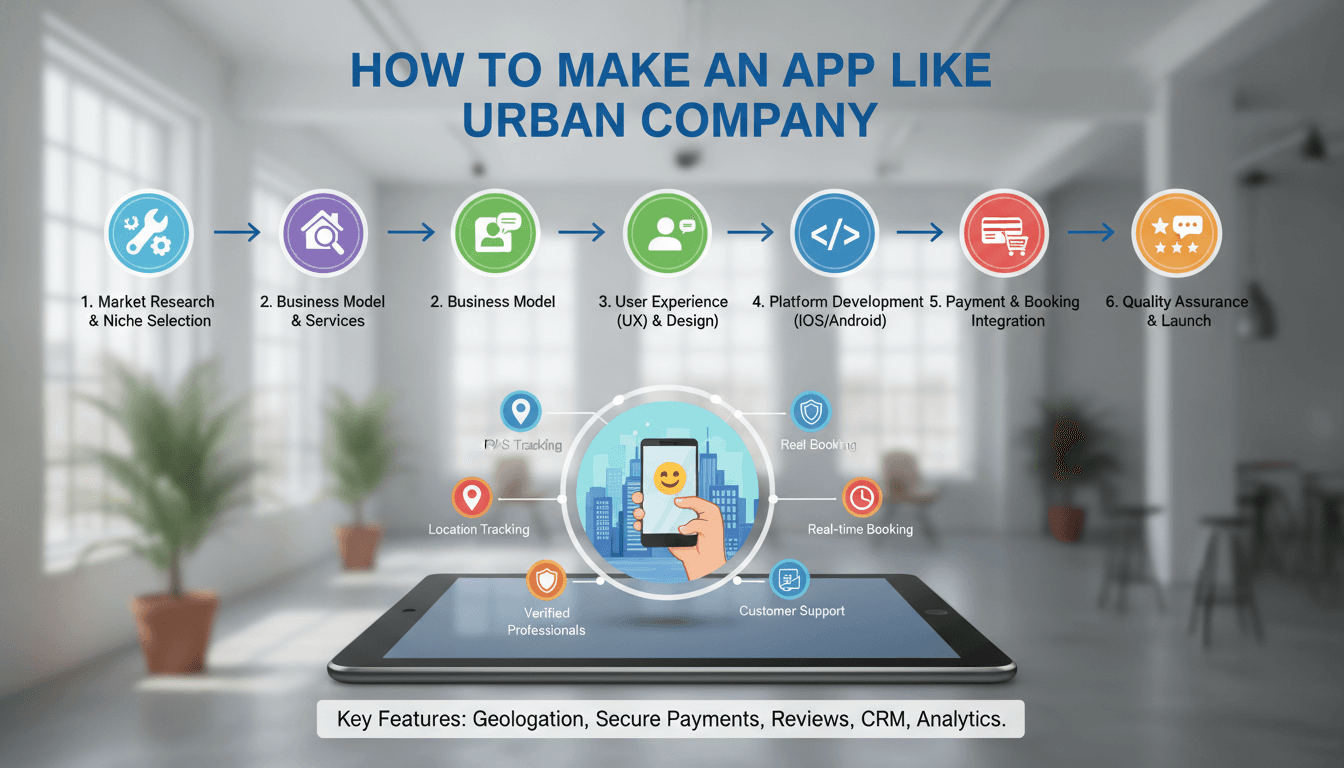
How to Make an App Like Urban Company
Urban Company (formerly UrbanClap) turned a simple idea — "book a trusted professional for any home service in a few taps" — into one of the most recognisable on-demand brands in Asia and the Middle East. Salon services at home, appliance repair, deep cleaning, plumbing, painting, pest control: all bookable with the same ease as ordering food.
If you're planning to build something similar, this guide walks you through the business model, the feature set, the tech stack, the timeline, and the costs involved in building a home services marketplace.
If this is relevant to your project, check out How to Make an App Like TaskRabbit.
Understanding the Urban Company Model
Before writing a single line of code, it's worth being precise about what kind of marketplace you're building. Urban Company is not a pure listing directory — it's a managed marketplace.
If this is relevant to your project, check out How to Make an App Like Thumbtack.
In a listing directory, you connect a customer with a provider and step away. In a managed marketplace, you control the experience end-to-end:
- Professionals are vetted, trained, and often certified by the platform
- Pricing is set by the platform, not negotiated between parties
- Products and consumables are supplied through the platform
- Service quality is monitored through ratings, and poor performers are removed
- The platform owns the customer relationship and the warranty
This is the reason Urban Company earned trust in a category historically dominated by unreliable local vendors. It's also why the model is operationally heavy — and why your app needs to support a lot more than a booking button.
For a closer look at a related topic, read our guide on How to Make an App Like Serviz.
How the Money Works
The primary revenue stream is a commission on each completed job, typically ranging from 15% to 30% of the service value. Additional streams include:
- Lead or subscription fees charged to professionals for access to the platform
- Product sales — selling kits, tools, and consumables to providers
- Training and onboarding fees for certification programmes
- Featured placement for providers in search results
- Membership plans for customers offering discounted rates and priority booking
- Cancellation and convenience fees
Most successful platforms blend two or three of these rather than relying on commission alone.
Validate Before You Build
The biggest risk in a services marketplace isn't technical — it's supply. Customers will not return if a professional cancels, arrives late, or does poor work. Before investing in a full build:
Pick a narrow wedge. Launch with two or three service categories in a single city, or even a handful of neighbourhoods. Urban Company itself started narrow and expanded category by category.
Solve supply first. Recruit 30–50 reliable professionals manually. Talk to them. Understand how they currently find work, what they earn, and what frustrates them. If you can't recruit fifty providers with a phone and a spreadsheet, an app won't fix it.
Run a manual pilot. Take bookings over WhatsApp or a simple form. Dispatch by hand. You'll learn more about scheduling edge cases in two weeks of manual operations than in two months of planning.
Define your unit economics. Know your customer acquisition cost, average order value, repeat rate, and commission per job. A home services business only works if customers book repeatedly.
Core Features: The Three Applications
An Urban Company-style platform is really three connected products.
1. The Customer App
Onboarding and profiles Phone-number-based signup with OTP verification, social login options, saved addresses with map pinning, and multiple saved profiles for family members.
Service discovery Category and subcategory browsing, search with autocomplete, rich service detail pages showing what's included and excluded, duration estimates, and transparent pricing. Photo galleries and before/after imagery convert well in categories like cleaning and beauty.
Booking and scheduling Date and time slot selection based on real professional availability, address selection, add-ons and package upgrades, promo code entry, and a clear price breakdown before confirmation.
Payments Multiple payment methods — cards, wallets, UPI or local equivalents, net banking, and cash on delivery. Support for partial payments, wallet credits, and refunds.
Live tracking and communication Real-time professional location once they're en route, ETA updates, masked calling or in-app chat so phone numbers stay private, and status notifications at each stage.
Post-service Ratings and reviews, service warranty claims, rebooking a favourite professional, invoice downloads, and a support ticket flow.
Retention features Membership plans, referral programmes, loyalty credits, and scheduled recurring bookings for services like monthly cleaning.
2. The Professional App
This is the app people underestimate. Your professionals are your product, and if their app is painful, they'll leave.
Onboarding and verification Document upload for ID, address, and skill certificates; background check status tracking; bank account details for payouts; training module completion and quiz gating.
Availability management Working hours, service areas, days off, and capacity per day. Providers need granular control or they'll get bookings they can't honour.
Job management New job notifications with an accept/decline window, job details with address and customer notes, navigation handoff to maps, and status updates — on the way, arrived, started, completed.
Earnings and payouts A clear daily and weekly earnings dashboard, commission breakdown per job, payout schedule and history, and incentive or bonus tracking.
Inventory Ordering consumables and kits through the app, tracking stock, and deducting costs from earnings.
Performance Ratings, completion rate, acceptance rate, cancellation penalties, and a visible tier or badge system that unlocks better jobs or lower commissions.
3. The Admin Panel
The operational nerve centre. It needs to handle:
- Service catalogue management — categories, pricing, durations, city-level variations
- Professional onboarding pipeline, verification queue, and suspension controls
- Booking oversight, manual reassignment, and dispute resolution
- Dynamic pricing rules, surge logic, and promo campaign management
- Commission configuration by category, city, or provider tier
- Payout processing and reconciliation
- Customer support console with full booking and chat history
- Analytics — demand heatmaps, fill rates, cancellation reasons, cohort retention, and provider utilisation
Skimping here is a classic mistake. Operations teams end up working from spreadsheets, and the business can't scale.
The Hard Problem: Matching and Scheduling
The feature list is straightforward. The genuinely difficult engineering is in allocation.
When a customer books a two-hour deep clean for Thursday at 3pm in a specific neighbourhood, your system must figure out which professional to assign. That decision depends on:
- Skill and certification match for the specific service
- Geographic proximity and travel time between consecutive jobs
- Existing bookings and buffer time
- Provider rating and acceptance history
- Fairness — distributing work so good providers stay engaged
- Batching — clustering jobs geographically to reduce dead travel time
Start simple. A rules-based allocator that filters by skill and area, sorts by proximity and rating, and offers the job to providers sequentially will carry you a long way. Add optimisation later when you have data volume to justify it.
Equally important is handling the failure cases: nobody accepts, the provider cancels last minute, the customer isn't home, the job runs long and cascades into the next booking. Design these flows deliberately — they're where trust is won or lost.
Technology Stack
Mobile applications React Native or Flutter for cross-platform delivery gives you both iOS and Android from one codebase, which suits a startup budget. Native Swift and Kotlin make sense if you need deep platform integration or maximum performance.
Backend Node.js with NestJS, Python with Django or FastAPI, or Go for high-throughput services. Begin with a well-structured monolith; extract services for booking, matching, payments, and notifications as load demands.
Databases PostgreSQL with PostGIS for relational data and geospatial queries, Redis for caching, session state, and real-time availability, and Elasticsearch for service search.
Real-time infrastructure WebSockets or MQTT for live location streaming, Firebase Cloud Messaging and APNs for push notifications, and a queue like Kafka or RabbitMQ for event-driven workflows.
Third-party services Google Maps or Mapbox for geolocation, routing, and ETAs; Stripe, Razorpay, or a regional gateway for payments and split payouts; Twilio for SMS, masked calling, and OTPs; an identity verification provider for background checks.
Infrastructure AWS, GCP, or Azure with containerised deployment, CI/CD pipelines, and observability through tools like Datadog or the open-source Prometheus and Grafana stack.
Design Considerations
Build for low-literacy and low-bandwidth users. Many professionals will be using entry-level Android devices on patchy connections. Use icons alongside text, support regional languages, keep screens light, and make key flows work offline with queued syncing.
Reduce booking friction. Every extra tap between intent and confirmation costs conversions. Pre-fill addresses, remember payment preferences, and surface popular slots first.
Be radically transparent about price. Hidden charges are the number one complaint in home services. Show the full breakdown — base price, add-ons, taxes, visit fee — before the customer commits.
Design for trust. Show the professional's photo, name, rating, number of jobs completed, and verification badges. Send an OTP the customer shares with the professional at the door. Offer a service warranty.
Building a Trust and Safety Layer
This is non-negotiable in a business where strangers enter homes.
- Multi-stage verification: government ID, address proof, police background check, and skill assessment
- Mandatory training and periodic recertification
- In-app SOS button with emergency contacts and location sharing
- Masked phone numbers so personal contact details are never exposed
- Job-start OTP verification
- Insurance coverage for damage and injury
- Automated rating thresholds that trigger review or removal
- Clear escalation paths for harassment or safety complaints
Development Timeline and Cost
A realistic phased approach:
Phase 1 — Discovery and design (4–6 weeks) Market research, feature prioritisation, user flows, wireframes, and high-fidelity UI.
Phase 2 — MVP build (12–16 weeks) Customer app, professional app, and a basic admin panel covering one or two service categories in one city. Manual or simple rules-based matching.
Phase 3 — Pilot and iterate (8–12 weeks) Live operations in a limited area, fixing the operational gaps you discover, tuning allocation, and establishing unit economics.
Phase 4 — Scale (ongoing) Additional categories, multi-city support, advanced matching, memberships, and operational automation.
Indicative costs
- Basic MVP: $40,000 – $70,000
- Full-featured platform: $80,000 – $150,000
- Enterprise-grade with advanced matching, multi-city, and deep analytics: $150,000 – $300,000+
Figures vary considerably by region and team composition. Budget an additional 15–20% of build cost annually for maintenance, infrastructure, and third-party service fees.
Mistakes to Avoid
Launching in too many cities at once. Marketplace liquidity is local. Ten cities with thin supply is worse than one city with dense supply.
Treating the provider app as an afterthought. Provider churn destroys service quality and forces you back into expensive recruitment.
Ignoring cancellation dynamics. Track why bookings fail on both sides and design specific interventions. Cancellations are the silent killer of retention.
Over-engineering the matching algorithm too early. With fifty providers, a sorted list works fine. Build the optimiser when you have the data to train it.
Neglecting the admin tools. Your operations team will make or break the early business. Give them proper software.
Competing on price alone. Urban Company won on reliability and trust, not on being cheapest. Discount-driven customers don't repeat.
Final Thoughts
Building an app like Urban Company is only partly a software project. The technology is well-understood and entirely achievable — booking flows, real-time tracking, payments, and allocation logic have proven patterns. What separates the platforms that succeed is the operational discipline behind the app: rigorous provider vetting, consistent service quality, honest pricing, and relentless focus on repeat bookings.
Start narrow, solve supply before demand, get the professional experience right, and let the product expand as your operations prove they can hold the quality bar. Do that, and you have a genuinely defensible business.
Have a project in mind? Contact Sodio Technologies to discuss your requirements and explore the right technology solution for your business.
/// Work with us
Talk to the engineers who'd build it
You'll get a technical scope, timeline and cost estimate from the people doing the work, not an account manager. In-house team, no subcontracting, since 2016.