

How to Make an App Like VR Chat
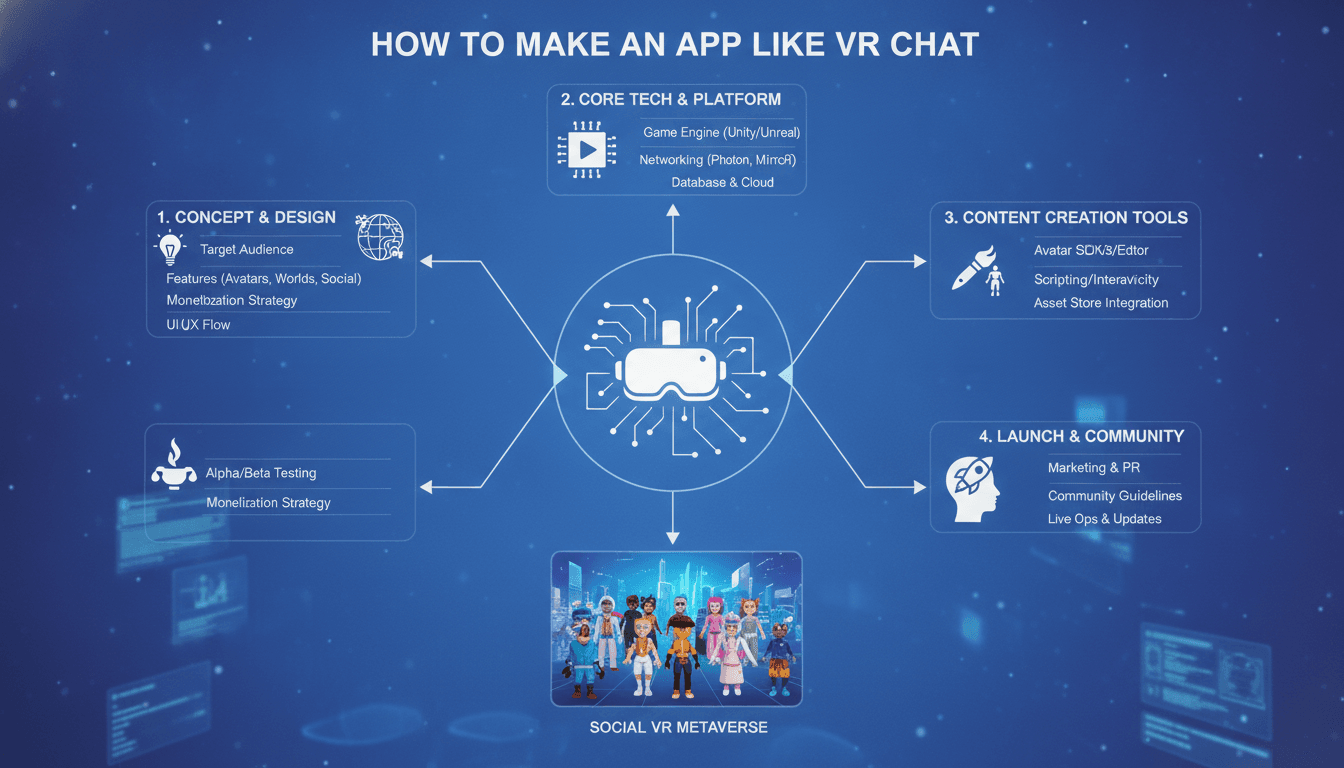
How to Make an App Like VRChat
Social VR has moved from a niche experiment to a genuine cultural phenomenon. VRChat, with its millions of registered users and peak concurrent counts in the hundreds of thousands, proved that people don't just want to play in virtual worlds — they want to live in them. They want to hang out, perform, teach, date, host conferences, and build identities out of avatars that look nothing like their physical selves.
If you're considering building an app like VRChat, this guide walks through what the product actually is under the hood, the technology stack required, the features that matter, the realistic cost and timeline, and the traps that sink most social VR projects before launch.
To explore this further, see How to Make an App Like AltspaceVR.
What Makes VRChat, VRChat?
Before writing a line of code, it helps to understand that VRChat is not really "a VR game." It's three products fused together:
- A real-time multiplayer networking platform that keeps dozens of avatars synchronized in shared 3D spaces with sub-100ms latency.
- A user-generated content pipeline that lets anyone upload custom avatars and worlds built in a third-party engine.
- A social network with friends lists, instances, moderation, and discovery.
Most teams underestimate the second and third pillars. Building a room where four headsets can see each other is a weekend prototype. Building a platform where 50,000 creators upload assets that run safely on a Quest 3 without crashing anyone's session is a multi-year engineering effort.
If this is relevant to your project, check out How to Make an App Like Oculus.
Core Feature Set
Avatar System
The avatar is the user's identity, and it's the single most important feature in the product.
- Full-body and half-body tracking — head and two hands at minimum, with optional trackers for hips and feet
- Inverse kinematics (IK) to infer natural body posture from limited tracking points
- Facial expression and lip sync driven by microphone input (viseme mapping) or eye/face tracking hardware
- Custom avatar uploads with automated validation for polygon count, material count, texture size, and rig compatibility
- Avatar performance ranking so users can block or fall back to simplified versions of heavy avatars
World System
- User-created environments with spawn points, collision, portals, and interactive objects
- A safe scripting layer (VRChat uses Udon; you'll need your own sandboxed equivalent)
- Instance types: public, friends-only, invite-only, and group instances
- Streaming and level-of-detail systems so worlds load fast on mobile-class hardware
Real-Time Communication
- Positional voice chat — volume and direction based on avatar proximity, which is what makes VR socializing feel real
- Voice activity detection, noise suppression, and per-user mute
- Text chat, quick emotes, and gesture triggers
- Optional lip-sync driving from the voice stream
Social Layer
- Accounts, profiles, friends, blocking, and trust/reputation levels
- World and avatar discovery feeds with trending, recent, and recommended sections
- Groups, events calendars, and recurring meetups
- Notifications and invites that work across desktop and headset
Safety and Moderation
This is not optional, and it cannot be bolted on later.
- Personal space bubbles and avatar hiding
- Report flows with evidence capture (audio clips, screenshots)
- Automated content scanning on upload
- Tiered trust systems that gate what new users can do
- Human moderation tooling and appeal processes
Monetization
- Cosmetic marketplaces and avatar stores
- Creator revenue sharing
- Subscription tiers (priority instance access, larger upload limits, exclusive cosmetics)
- Event ticketing and sponsored worlds
Technology Stack
Game Engine
Unity is the pragmatic default. It has the deepest XR plugin ecosystem, works on Quest's Android build target, and is what the overwhelming majority of VR content creators already know — which matters enormously if you want user-generated content. Unreal Engine 5 delivers better out-of-the-box visual fidelity and Nanite/Lumen, but its mobile VR story is weaker and its creator community is smaller.
XR Integration
- OpenXR as the base abstraction layer
- Meta XR SDK for Quest-specific features (hand tracking, passthrough, Guardian)
- SteamVR / OpenVR for PC headsets
- Hand tracking and eye tracking SDKs where hardware supports them
Networking
This is where projects live or die. Options include:
- Photon Fusion / Quantum — mature, widely used, good for fast prototyping
- Unity Netcode for GameObjects — first-party, improving, fewer licensing costs
- Normcore — purpose-built for social VR, handles avatar sync and voice elegantly
- Custom authoritative servers on a dedicated stack (C++/Rust/Go) — expensive, but necessary at scale
Expect to use a hybrid: relay servers for state sync, dedicated servers for instances that need authority, and a separate voice pipeline.
If this is relevant to your project, check out How to Make an App Like Bigscreen VR.
Voice
LiveKit, Agora, Vivox, or Photon Voice. You need spatialization, echo cancellation, and the ability to scale to dozens of simultaneous speakers per instance without saturating mobile bandwidth.
Backend
- APIs: Node.js, Go, or .NET behind a gateway
- Databases: PostgreSQL for relational data, Redis for presence and session state, S3-compatible object storage for assets
- Asset pipeline: automated build servers that compile uploaded avatars and worlds into platform-specific asset bundles
- Infra: Kubernetes with autoscaling game server fleets (Agones is purpose-built for this)
- CDN: aggressive edge caching for asset delivery — users will download hundreds of avatars per session
Analytics and Observability
Frame time telemetry, crash reporting, network quality metrics, and per-instance health dashboards. In social VR, "the app feels laggy" is a retention killer, and you can't fix what you can't see.
The Development Process
Phase 1: Discovery and Prototype (4–8 weeks)
Define your differentiator. "VRChat but with X" needs a very good X. Build a bare prototype: two headsets, one room, positional voice, basic avatars. Validate that the core social loop feels good.
Phase 2: Vertical Slice (8–12 weeks)
One polished world, a working avatar system, friends and invites, and a functioning instance manager. This is what you show investors and early testers.
Phase 3: Content Pipeline (12–20 weeks)
Build the SDK creators will use. Upload validation, asset bundle compilation, sandboxed scripting, and a creator dashboard. This phase is invisible to users and consumes far more time than teams budget for.
Phase 4: Social and Safety Systems (8–16 weeks)
Trust levels, moderation tooling, reporting, and discovery. Run in parallel with content pipeline work where possible.
Phase 5: Closed Beta and Optimization (12+ weeks)
Performance passes for standalone headsets, load testing, and community seeding. Recruit creators early — an empty social platform is a dead social platform.
Phase 6: Launch and Live Ops
Social VR is a live service. Plan for continuous events, content drops, and a moderation team from day one.
Realistic Costs
Figures vary enormously by region and team composition, but as a planning baseline:
| Scope | Timeline | Approximate Cost |
|---|---|---|
| MVP (single world, basic avatars, voice, 20 users/instance) | 4–6 months | $80,000 – $150,000 |
| Mid-tier platform (UGC avatars, multiple worlds, social graph, moderation) | 9–14 months | $200,000 – $500,000 |
| Full-scale VRChat competitor (creator SDK, marketplace, cross-platform, scale infra) | 18–30 months | $700,000 – $2,000,000+ |
Ongoing costs are substantial and frequently forgotten: server and bandwidth bills scale with concurrent users, asset CDN costs scale with avatar diversity, and human moderation scales with community size.
Hard Problems You Will Hit
Performance on standalone headsets. The Quest line is a mobile GPU. A room with 20 user-uploaded avatars can trivially blow past your draw call and texture memory budget. You need avatar performance ranking, aggressive LODs, dynamic bone limits, and a fallback avatar system — all enforced automatically.
Cross-platform parity. PCVR users want fidelity; standalone users need efficiency; desktop users need mouse-and-keyboard controls; mobile users need everything to work on a phone screen. Every feature must be designed for the lowest common denominator or gracefully degraded.
Motion sickness and comfort. Snap turning, vignetting during locomotion, teleport options, and a hard commitment to stable frame rates. A single dropped frame budget is a user you never see again.
Moderation at scale. Harassment in embodied VR feels qualitatively worse than text harassment. Personal space bubbles, easy blocking, and rapid report handling are product-critical, not compliance checkboxes.
The cold start problem. Social products are worthless without people in them. Seed with scheduled events, partner with existing VR creator communities, and design instances so that small crowds still feel alive rather than empty.
Content safety and IP. Users will upload copyrighted avatars. You need takedown workflows, hash-based detection, and clear terms before you have a legal problem.
Differentiation Strategies That Actually Work
Competing with VRChat head-on is unwise. Winning approaches tend to narrow the focus:
- Vertical social VR — education, corporate training, therapy, fitness, or live music, where a specific use case justifies a purpose-built platform
- Creator economics — better revenue share and tooling to attract the creators who drive everything
- Cross-reality access — first-class mobile and desktop clients so users can join without a headset
- Persistence and ownership — worlds that remember state, player-owned spaces, and portable identity
- Moderation as a feature — a genuinely safer platform is a real market gap, particularly for younger and enterprise audiences
Final Thoughts
An app like VRChat is not one build — it's a networking platform, a content pipeline, and a community product stacked on top of each other. The technical challenges are real, but they're solvable with a team that has shipped real-time multiplayer before. The harder problem is the human one: giving people a reason to show up, a reason to create, and a reason to come back tomorrow.
Start narrow. Ship a prototype that proves your core social loop is fun with real people in real headsets. Build the creator tooling only once you know what creators in your niche actually need. And budget for moderation and live operations from the very first planning session — because on the day your platform succeeds, that's the bill that comes due first.
Have a project in mind? Contact Sodio Technologies to discuss your requirements and explore the right technology solution for your business.
/// Work with us
Talk to the engineers who'd build it
You'll get a technical scope, timeline and cost estimate from the people doing the work, not an account manager. In-house team, no subcontracting, since 2016.