

Product Lifecycle Management (PLM): Managing Product Data
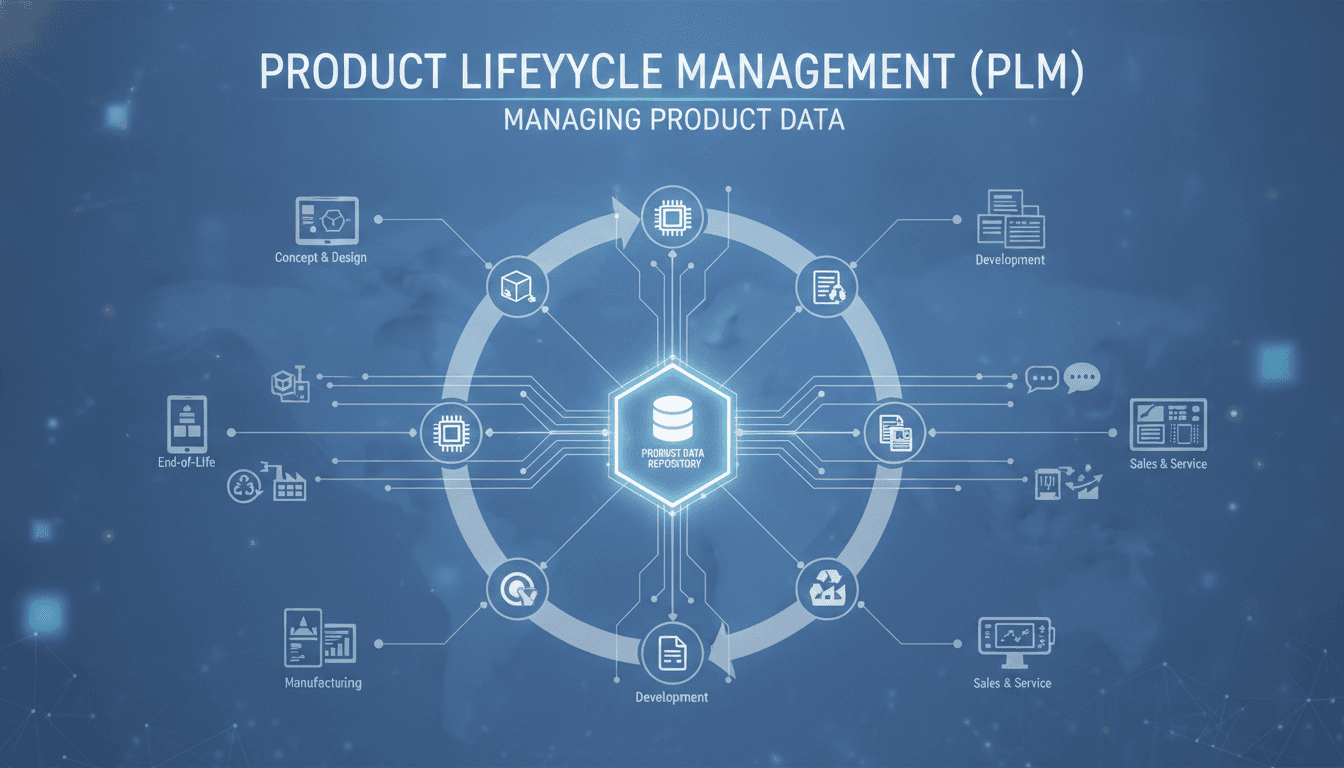
Product data is deceptively hard to manage well. Most teams underestimate it until they're dealing with a product recall, a failed regulatory audit, or a manufacturing line running off a spec sheet that was superseded six months ago. This post covers how PLM systems handle product data structurally, where they fall short, and what you need to think about before building or buying one.
What PLM Actually Does with Product Data
PLM is not a document management system with a product-shaped wrapper. At its core, a PLM platform maintains a single authoritative representation of a product across its entire lifecycle, from concept through to decommission.
Related reading: Rotables Break Generic Inventory Systems.
That means managing:
- Bill of Materials (BOM): Engineering BOM, manufacturing BOM, and service BOM are often structurally different documents even when they describe the same product. PLM systems track all three and the relationships between them.
- Part master data: Every component with a unique identifier, revision history, approved manufacturer list, and lifecycle state.
- Changemanagement records: Engineering Change Orders (ECOs), Engineering Change Notices (ECNs), and their approval workflows.
- CAD and document vaults: Native files tied to specific revisions, not just PDFs floating in a shared drive.
The data model underneath a mature PLM system is a directed acyclic graph, not a flat file structure. Components relate to assemblies, which relate to configurations, which relate to variants. Managing that graph correctly is most of the engineering challenge.
What Does "Single Source of Truth" Actually Require?
Everyone says they want a single source of truth for product data. Few organisations have one. The gap is usually not vision; it's governance and integration.
A genuine single source of truth for product data requires four things working together:
- Item master synchronisation with ERP. Your PLM and ERP (SAP, Oracle, or otherwise) need to agree on part numbers, units of measure, and lifecycle states. When they don't, procurement buys parts that engineering has already obsoleted.
- Revision-controlled document association. A drawing or spec attached to a part needs to be linked to a specific revision of that part, not just the part in general.
- Role-based access with audit trail. Regulatory frameworks like ISO 13485 (medical devices) and AS9100 (aerospace) require you to demonstrate who changed what, when, and why. That means immutable change logs, not just version history.
- Release workflow enforcement. Data should only flow downstream (to manufacturing, procurement, or suppliers) once it has cleared a defined approval state. This sounds obvious. It is routinely bypassed with email attachments.
The technical implication is that your PLM system needs bidirectional integrations, not one-way exports. That usually means an integration layer sitting between PLM and ERP, handling transformation and conflict resolution.
/// Not sure where to start?
Get the architecture before you commit
Tell us what you're building and we'll map the technical approach, stack, and rough timeline. No cost, no obligation, no sales call required.
How Revision and Configuration Management Work in Practice
Revision control in PLM is more granular than in source code. A part can exist in multiple lifecycle states simultaneously: a Rev A in production, a Rev B in validation, and a Rev C in design. The system must track all three without conflating them.
Effectivity
Effectivity defines when a revision becomes active. You can express it as a date, a serial number range, or a lot number. For complex assemblies, you need unit effectivity: the ability to say that unit 1 through 47 of a product uses one BOM and units 48 onward use a different one. Most mid-market PLM tools handle date effectivity well. Unit effectivity is harder and is often where teams fall back to spreadsheets.
Configuration Management
A configuration is a defined, approved combination of parts and assemblies that describes a specific product variant at a specific point in time. Configuration management is the discipline of tracking which configuration was shipped to which customer, and then managing changes against that baseline.
This becomes critical during warranty claims, field service, or regulatory inspections. Without it, you are answering "what exactly did we ship?" with guesswork.
Tools like Windchill, Teamcenter, and Arena PLM handle configuration management differently. Windchill and Teamcenter are better suited to complex multi-level BOM scenarios with enterprise ERP integrations; Arena is simpler and works well for electronics and hardware startups that need faster onboarding.
For a closer look at a related topic, read our guide on Enterprise Resource Planning (ERP) in Manufacturing.
Where PLM Data Models Break Down
PLM vendors don't advertise their weak spots, so here are the common ones.
Multi-site BOM variants. When the same product is manufactured at two facilities using locally sourced components with different part numbers, you need site-specific BOMs that still trace back to a common engineering BOM. Many PLM systems handle this poorly, and teams end up maintaining parallel spreadsheets outside the system.
Software component tracking. Hardware PLM tools were not designed with software in mind. Tracking firmware versions, software BOMs (SBOMs as defined in NTIA guidance and SPDX 2.3 format), and their relationship to hardware revisions is a genuine gap. Most teams bolt on a separate tool like Jira or a custom integration rather than solving it inside PLM.
Supplier collaboration. Sharing design data with contract manufacturers requires controlled external access. Most PLM platforms offer a supplier portal of some kind, but the user experience is poor enough that suppliers default to email. This defeats the purpose.
Data migration. If you are replacing a legacy PDM system or moving off spreadsheets, data migration is where projects go over budget. Part numbers, BOMs, and documents need to be validated, deduplicated, and loaded in the right sequence. A 50,000-part catalogue with 10 years of revision history is a multi-month effort even with good tooling.
Should You Build Custom PLM Tooling or Buy a Platform?
| Factor | Buy (Windchill / Teamcenter / Arena) | Build custom |
|---|---|---|
| Time to basic function | 3–9 months implementation | 12–24 months minimum |
| BOM complexity | Handled out of the box | Must be designed and built |
| ERP integration | Pre-built connectors exist | Custom integration required |
| Regulatory compliance features | Built in for major standards | Must be validated and documented |
| Flexibility for unusual data models | Low to medium | High |
| Total cost (5-year horizon) | Licence + implementation | Engineering + maintenance |
Build custom only if your product data model is genuinely unusual, your regulatory environment is highly specific, or you are building PLM capability as a product in itself. For most manufacturers, a configured commercial platform with a well-designed integration layer is faster and cheaper over a five-year horizon.
We cover a closely related subject in Most Companies Should Not Build a Custom ERP.
The exception is when you are in a domain like aerospace or defence where your customer mandates a specific data exchange format (PLCS ISO 10303-239, for example), and no commercial tool handles it without significant custom development anyway.
Conclusion
Get the data model right before you get the software right. Understand which BOMs you actually need, how revision and effectivity should work for your product, and what integrations are non-negotiable on day one. That analysis takes weeks, not days, and it determines whether your PLM implementation works or becomes another system people work around.
If you are scoping a PLM implementation or designing a custom product data platform, map your BOM structure and lifecycle states first, then evaluate tools against that map rather than the vendor's feature list.
FAQ
What is the difference between an engineering BOM and a manufacturing BOM? An engineering BOM (eBOM) represents the product as designed, grouped by functional assemblies. A manufacturing BOM (mBOM) represents how the product is actually built, often restructured by assembly sequence and work centre. They can differ significantly for complex products. PLM systems track both and the transformation between them.
How does PLM handle product variants and configurations? Most PLM systems use a combination of part options, rules, and effectivity to define valid configurations. A configurator module generates valid BOMs from a set of customer-selected options. The approved configuration is then baselined and tied to the specific units or orders it applies to.
What integration does PLM need with ERP systems? At minimum: item master synchronisation, BOM transfer on release, and engineering change notification. In practice, you also need procurement status feeds back into PLM so engineers know what is actually available. The integration is typically bidirectional and event-driven rather than a nightly batch job.
Is PLM necessary for software products or only for physical goods? PLM originated in hardware and manufacturing. For pure software products, it is generally not used. The overlap is in embedded systems and hardware-software products, where firmware and software BOMs need to be tied to hardware revisions. That use case is still underserved by most commercial PLM tools.
How long does a typical PLM implementation take? A focused implementation covering core BOM management, document control, and one ERP integration typically takes 6 to 12 months for a mid-sized manufacturer. Enterprise rollouts across multiple sites and product lines run 18 to 36 months. Data migration from legacy systems is usually the longest single task.
Have a project in mind? Contact Sodio Technologies to discuss your requirements and explore the right technology solution for your business.
/// Work with us
Talk to the engineers who'd build it
You'll get a technical scope, timeline and cost estimate from the people doing the work, not an account manager. In-house team, no subcontracting, since 2016.