

How to Make an App Like Apple Podcasts
Introduction
Podcasting has grown from a niche hobby into a global media industry worth billions. At the center of that growth sits Apple Podcasts — the app that, for many listeners, defined what podcast consumption should feel like: a clean directory, painless subscriptions, offline downloads, and playback that just works across every device you own.
If you're planning to build a podcast app of your own, Apple Podcasts is the obvious benchmark. But copying a mature product feature-for-feature is a trap. The smarter approach is to understand why each feature exists, what it costs to build, and where there's room to do something better.
We cover a closely related subject in How to Make an App Like Google Podcasts.
This guide walks through the full process: the feature set, the technical architecture, the content pipeline, monetisation, timelines, and budget.
Why Build a Podcast App in 2025?
The podcast market is still expanding, and the competitive landscape is less locked-down than it looks:
- Audience growth is steady. Hundreds of millions of people listen to podcasts monthly, and listening hours per user keep climbing.
- Discovery is still broken. Most apps rely on charts and editorial picks. Genuinely good recommendation engines are rare.
- Niche verticals are underserved. Podcast apps for language learners, religious communities, true-crime obsessives, corporate training, or specific regional languages barely exist.
- Creators want better tools. Analytics, dynamic ad insertion, and direct monetisation are still fragmented across multiple services.
- Audio is a low-friction medium. Compared to video, bandwidth and storage costs are modest, which keeps unit economics friendly.
You don't have to beat Apple at being Apple. You have to be the best option for a specific group of listeners.
Understanding How Apple Podcasts Actually Works
Before writing code, it helps to understand the architecture of the thing you're imitating.
It's a Directory, Not a Host
This is the single most important thing to grasp. Apple doesn't host podcast audio files. Creators host their episodes elsewhere — on Libsyn, Buzzsprout, Megaphone, Anchor, or their own servers — and submit an RSS feed URL to Apple.
Apple crawls that feed, indexes the metadata, and displays it. When a user hits play, the audio streams directly from the creator's host.
This means:
- Your storage and bandwidth costs for open podcasts are near zero.
- You need a robust crawler and parser, not a massive media CDN.
- Your value comes from discovery, UX, and playback quality — not from owning files.
The RSS Feed Is the Contract
Podcast RSS is an XML format extended with Apple's itunes: namespace. A typical feed contains:
Channel level: title, description, author, artwork URL, language, categories, explicit flag, copyright, owner email.
Item level (per episode): title, description/show notes, publication date, GUID, enclosure URL (the actual MP3), duration, episode number, season number, episode type.
Newer standards under the Podcasting 2.0 namespace add transcripts, chapters, funding links, person tags, and cross-app comments. Supporting these is a cheap way to differentiate.
If this is relevant to your project, check out How to Make an App Like Castbox.
Core Feature Set
Discovery and Browse
- Curated homepage with editorial collections
- Top charts by category and country
- Category browsing (True Crime, Business, Comedy, News, etc.)
- "New and Noteworthy" style sections for fresh shows
- Search across show titles, episode titles, descriptions, and — if you invest in transcription — spoken content
Full-text search inside episode audio is a genuine differentiator. It requires transcription infrastructure, but it makes your app dramatically more useful than the competition.
We cover a closely related subject in How to Make an App Like Pocket Casts.
Show and Episode Pages
- Show artwork, description, host info, category, episode count
- Episode list with sort and filter options
- Ratings and reviews
- Subscribe/follow toggle
- Share links with proper deep linking and Open Graph previews
The Player
This is where apps live or die. Users spend almost all their time here.
- Play, pause, skip forward/back with configurable intervals (10s, 15s, 30s, 45s)
- Variable playback speed (0.5x through 3x) with pitch correction
- Sleep timer, including "end of episode"
- Chapter markers with artwork and jump-to navigation
- Volume boost and silence trimming
- Lock screen and notification shade controls
- CarPlay and Android Auto integration
- Bluetooth and headphone button handling
- AirPlay, Chromecast, and Bluetooth speaker output
- Background playback that survives app suspension
Silence trimming and volume normalisation require real DSP work. They're also the features power users rave about.
Library and Queue
- Saved/followed shows
- Up Next queue with drag-to-reorder
- Downloaded episodes with storage management
- Played/unplayed filtering
- Custom playlists and smart playlists (rules-based)
- Archive for finished episodes
Downloads and Offline
- Manual download per episode
- Auto-download for new episodes of followed shows
- Wi-Fi-only download setting
- Auto-delete after playback with configurable grace period
- Storage usage dashboard
- Download queue with pause/resume and retry
Cross-Device Sync
Playback position sync is table stakes. A user pauses on their phone during a commute and resumes on a laptop at their desk — the position should be exact, not approximate.
Sync targets: playback positions, subscriptions, queue order, played status, playback speed preferences, and downloads-intent.
Notifications
- New episode alerts per show
- Weekly digest of unplayed episodes
- Recommendation pushes
- Granular per-show notification controls
Podcast apps are notorious for over-notifying. Default to conservative settings.
Technical Architecture
System Overview
A production podcast app has five main subsystems:
- Client apps — iOS, Android, and optionally web
- API layer — the backend your clients talk to
- Ingestion pipeline — crawlers that fetch and parse RSS feeds
- Search and recommendation services — indexing and ML
- Analytics and data warehouse — usage tracking and creator-facing stats
Mobile Client Options
Native (Swift + Kotlin). Best audio performance, deepest OS integration, first access to new APIs. Most expensive. Choose this if playback quality is your core differentiator.
Flutter. Strong shared UI layer with just_audio and audio_service handling most playback needs. You'll still write platform channels for CarPlay, Android Auto, and advanced audio processing. Good balance for most teams.
React Native. Viable with react-native-track-player, which handles background audio and lock screen controls reasonably well. Slightly more friction for complex audio features.
For a media app where playback is the product, budget for native modules regardless of framework choice.
Backend Stack
A workable, boring, scalable setup:
- API: Node.js with NestJS, Go, or Python with FastAPI
- Primary database: PostgreSQL for shows, episodes, users, subscriptions
- Cache: Redis for hot feeds, charts, and session data
- Search: Elasticsearch or OpenSearch for full-text and faceted search
- Queue: Kafka or RabbitMQ for crawl jobs and event streams
- Object storage: S3 for cached artwork, transcripts, and user-uploaded content
- CDN: CloudFront or Cloudflare for artwork and any self-hosted media
The Ingestion Pipeline
This is the hardest backend problem. At scale you're polling millions of feeds, most of which rarely change.
Adaptive scheduling. Track each feed's historical publishing cadence. A daily news show gets checked every 15 minutes. A dormant show from 2019 gets checked weekly.
Conditional requests. Send If-Modified-Since and If-None-Match headers. A 304 Not Modified response costs almost nothing and saves enormous bandwidth.
Tolerant parsing. Real-world podcast RSS is a mess — malformed XML, missing namespaces, broken dates, HTML in plain-text fields, duplicate GUIDs. Your parser must never crash and should log anomalies for review.
Deduplication. Match on GUID first, fall back to enclosure URL, then title plus publish date. Feeds get migrated between hosts and GUIDs change; your logic needs to handle it without creating duplicate episodes.
Change detection. Compare a content hash of the parsed feed against the last known state. Only write to the database and fire notifications when something genuinely changed.
Failure handling. Exponential backoff on errors, dead-letter queue for persistent failures, and an alerting threshold so a mass outage at a major host doesn't go unnoticed.
Building the Catalogue
You have three options for populating your directory:
Third-party APIs. Listen Notes, Podcastindex.org (free and open), or Taddy provide ready-made indexes. Fastest route to launch. Podcast Index is particularly attractive for bootstrapped projects.
Build your own crawler. Seed from public directories and OPML exports, then discover new feeds through links and submissions. Full control, more work.
Hybrid. Start with a third-party API to launch, build your own index in parallel, migrate when it's ready. This is what most teams should do.
Playback Position Sync
Naive sync breaks constantly. Do it properly:
- Store positions as
(user_id, episode_id, position_seconds, updated_at, device_id) - Write locally first, sync in the background
- Use last-write-wins with a server timestamp, but ignore updates older than the current stored value
- Batch position updates every 10–30 seconds during playback rather than streaming every tick
- Flush the current position on pause, app background, and episode completion
- Queue updates while offline and replay them on reconnect
Search That Doesn't Disappoint
Basic title matching is a poor experience. A good podcast search:
- Indexes show titles, episode titles, descriptions, author names, and categories with different field weights
- Handles typos through fuzzy matching
- Supports partial and prefix matching for as-you-type suggestions
- Boosts popular and recently active shows
- Optionally indexes transcripts for in-episode search
Transcription via Whisper or a commercial speech-to-text API unlocks the transcript search feature. Costs scale with audio hours, so start with the top few thousand shows rather than the entire catalogue.
Recommendations
Start simple and layer complexity:
- Rules-based: "Listeners of X also follow Y" from co-subscription data
- Collaborative filtering: matrix factorisation over user-show interactions
- Content-based: embeddings from show descriptions and transcripts for cold-start coverage
- Hybrid ranking: blend all signals, weight by recency and completion rate
Completion rate is your best quality signal. A show people finish is better than a show people start.
Design and UX Considerations
Podcast apps are used in cars, at the gym, while cooking, and half-asleep at night. Design accordingly.
- Big touch targets. Play/pause and skip buttons need to be hittable without looking.
- High contrast. Sunlight, car dashboards, and dark bedrooms are all common contexts.
- Dark mode. Non-negotiable for a night-listening app.
- Minimal taps to play. From cold launch to audio in under three taps.
- Persistent mini player. Always visible, always tappable, swipe-to-expand.
- Offline clarity. Users must instantly see what's downloaded versus streaming.
- Accessibility. Full VoiceOver and TalkBack support, dynamic type, reduced motion respect.
Monetisation
Freemium subscription. Free tier with core playback, paid tier for advanced features: unlimited smart playlists, transcript search, cloud sync across unlimited devices, ad-free browsing.
Dynamic ad insertion. Insert audio ads into the stream and share revenue with creators. Requires ad-server integration and careful handling of downloads.
Premium show subscriptions. Take a cut of creator-sold subscriptions for bonus and early-access content. This is Apple's own model.
Creator tools. Sell analytics dashboards, hosting, and distribution to podcasters as a separate B2B product.
White-label licensing. Sell your platform to media companies and enterprises who want branded audio apps.
Legal and Compliance
- Copyright. You're linking to publicly distributed feeds, which is generally acceptable — but honour takedown requests and respect any
itunes:blocktags in feeds. - App Store and Play Store rules. Both platforms have specific requirements for media apps and for any subscription flows. Budget time for review cycles.
- Privacy. GDPR, CCPA, and similar regimes apply to listening data, which is personal and sometimes sensitive. Publish a clear privacy policy and honour deletion requests.
- Explicit content. Respect the explicit flag, implement content filtering, and provide parental controls.
- Accessibility law. Depending on your market and customer base, accessibility compliance may be a legal requirement, not just good practice.
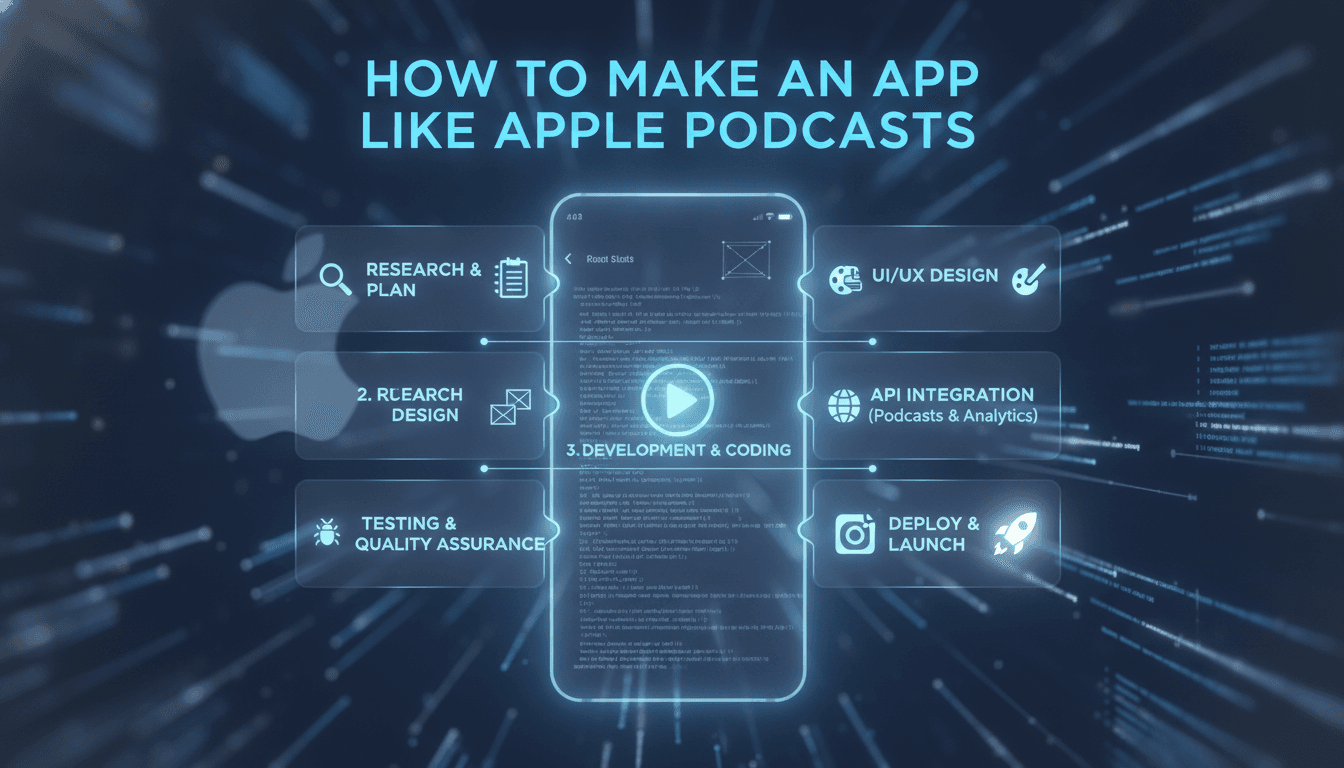
Development Roadmap
Phase 1 — Discovery and Planning (2–4 weeks)
Market research, competitor analysis, feature prioritisation, technical architecture, wireframes.
Phase 2 — Design (3–5 weeks)
Design system, high-fidelity screens, player interaction states, prototype testing.
Phase 3 — Backend Foundation (5–8 weeks)
API scaffolding, database schema, authentication, RSS ingestion pipeline, search indexing.
Phase 4 — Mobile MVP (8–12 weeks)
Browse, search, show and episode pages, core player, subscriptions, downloads, basic sync.
Phase 5 — Polish and Integration (4–6 weeks)
CarPlay and Android Auto, chapters, sleep timer, playback speed, notifications, analytics.
Phase 6 — Beta and Launch (3–4 weeks)
TestFlight and Play Console beta, performance tuning, store listings, submission, launch.
A realistic MVP timeline is five to seven months for a capable team.
Budget Expectations
Lean MVP (single platform, third-party catalogue API): $45,000 – $80,000
Standard cross-platform app (iOS + Android, own ingestion pipeline): $90,000 – $170,000
Full-featured platform (native apps, transcripts, recommendations, creator tools, web): $200,000 – $400,000+
Ongoing costs to plan for: cloud infrastructure ($500–$5,000/month depending on scale), transcription ($0.006–$0.02 per audio minute), third-party API licensing, app store fees, and maintenance at roughly 15–20% of build cost annually.
Common Mistakes to Avoid
Underestimating the ingestion pipeline. Teams consistently budget two weeks for RSS parsing and spend two months on it. Real feeds are broken in creative ways.
Neglecting background audio. Both iOS and Android have aggressive background execution limits. Audio interruptions, route changes, and app suspension all need explicit handling. Test with actual phone calls, alarms, and Bluetooth disconnections.
Treating sync as an afterthought. Bolting sync onto a local-only data model later is a painful rewrite. Design for it from the schema up.
Shipping without CarPlay or Android Auto. A large share of podcast listening happens while driving. Launching without in-car support caps your addressable audience.
Copying Apple exactly. If your app is Apple Podcasts with a different logo, nobody has a reason to switch. Find the niche, the feature, or the audience that Apple isn't serving well.
Ignoring battery and data usage. Aggressive polling, unthrottled downloads, and chatty analytics will get your app deleted.
Ways to Differentiate
- Full transcript search across every episode
- AI-generated episode summaries and key takeaways
- Clip creation and social sharing with audiograms
- Cross-app comments via the Podcasting 2.0 namespace
- Language learning features — synchronised transcripts, vocabulary saving, adjustable speed
- Superior recommendation quality based on completion behaviour
- Creator-first analytics and direct listener support
- Genuinely excellent offline and low-bandwidth performance for emerging markets
Final Thoughts
Building an app like Apple Podcasts is technically approachable — RSS is an open standard, the catalogue is public, and the core playback problem is well understood. The hard parts are the ones users never see: a resilient ingestion pipeline, flawless background audio, and sync that never loses someone's place.
The strategic challenge is harder than the technical one. Apple Podcasts ships preinstalled on a billion devices. You won't win on distribution, so you have to win on being better for someone specific — a language, a niche, a feature set, or a creator relationship that the incumbents don't care about.
Get the fundamentals right, pick your audience deliberately, and build the thing they can't get anywhere else.
Have a project in mind? Contact Sodio Technologies to discuss your requirements and explore the right technology solution for your business.
/// Work with us
Talk to the engineers who'd build it
You'll get a technical scope, timeline and cost estimate from the people doing the work, not an account manager. In-house team, no subcontracting, since 2016.