

How to Make an App Like Craftgawker
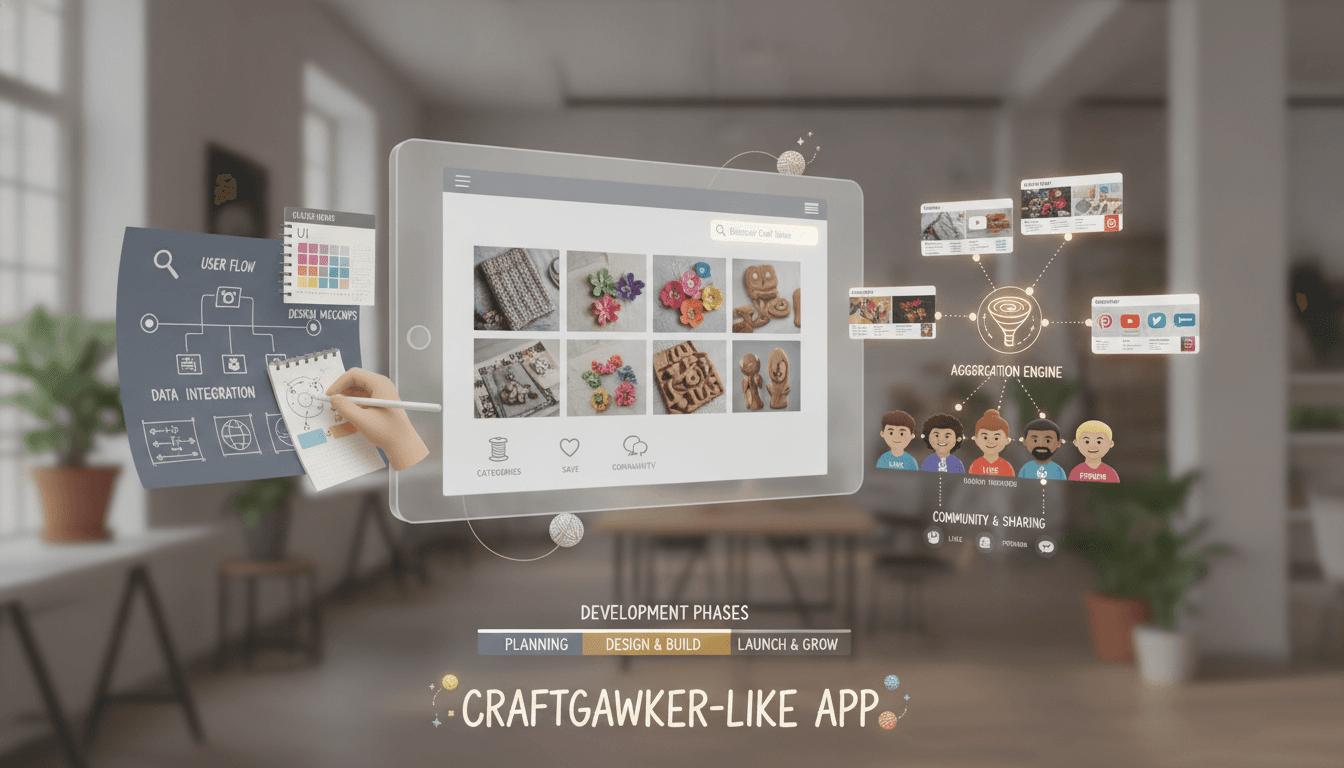
How to Make an App Like Craftgawker
Craftgawker built a loyal following by doing one thing exceptionally well: curating beautiful, hand-picked craft and DIY photography into an endlessly scrollable visual feed. No clutter, no noise — just inspiring imagery that links back to the creator's original tutorial or blog post.
If you're planning to build something similar — whether for crafts, interior design, food, fashion, or any visually-driven niche — this guide walks through the product thinking, feature set, tech stack, and budget you'll need to get there.
You may also find our article on How to Make an App Like Flipboard useful.
What Makes Craftgawker Work
Before writing a single line of code, it's worth understanding why the model succeeds.
It's a discovery engine, not a hosting platform. Craftgawker doesn't host tutorials. It showcases a single striking image, credits the creator, and drives traffic back to the source. That keeps storage costs low and makes creators eager to submit.
Curation is the product. Unlike open-submission platforms drowning in low-quality uploads, every image is reviewed before publishing. That editorial filter is the entire value proposition — users trust that anything they see will be worth their time.
The layout does the selling. A tight masonry grid of high-resolution photography creates a browsing experience that feels more like flipping through a magazine than using an app.
Your app needs to replicate all three: a submission-and-review pipeline, a beautiful grid, and a traffic-back-to-creator model.
To explore this further, see How to Make an App Like Houzz.
Core Features to Build
For Users (Browsers)
- Masonry / staggered grid feed with infinite scroll and lazy-loaded images
- Category and tag browsing — knitting, woodworking, paper crafts, home décor, seasonal projects
- Search with autocomplete across titles, tags, and creator names
- Image detail view showing full-size photo, short description, creator credit, and a prominent outbound link to the original tutorial
- Save / collections so users can build personal boards of projects to try later
- Social sharing to Pinterest, Instagram, WhatsApp, and native share sheets
- Personalised recommendations based on saves, taps, and dwell time
- Push notifications for new posts in followed categories or from followed creators
- Offline caching of saved items for browsing without a connection
For Creators (Submitters)
- Submission form with image upload, title, description, source URL, and category selection
- Image guideline enforcement — minimum resolution, aspect ratio hints, file size limits
- Submission status tracking (pending, approved, rejected with reason)
- Creator profile pages aggregating all approved posts plus links to their site or shop
- Basic analytics — impressions, taps, and outbound clicks per submission
For Admins (Curators)
- Moderation queue with fast approve/reject keyboard shortcuts
- Bulk actions and scheduling so the feed publishes at a steady drip rather than in bursts
- Duplicate and reverse-image detection to catch reposts and stolen content
- Content flagging and DMCA workflow
- Analytics dashboard for engagement, retention, and top-performing categories
- Ad and sponsored post management
Designing the Experience
Visual apps live and die by their UI. A few principles that matter more here than in most projects:
Let the images breathe. Minimal chrome, small gutters, no heavy borders or shadows competing with the photography. Your interface should be nearly invisible.
Optimise perceived speed. Use blurhash or dominant-colour placeholders so the grid renders instantly and images fade in. Serve responsive image sizes — never push a 4000px original to a phone.
Make attribution obvious. Creators submit because they get traffic. A clear, tappable credit line and source link is both an ethical requirement and a growth lever.
Support dark mode properly. Images look dramatically different against dark backgrounds. Test your grid in both themes.
Design for the thumb. Save, share, and source-link actions should sit in the lower third of the screen where they're easy to reach.
Recommended Tech Stack
Mobile Frontend
- Flutter or React Native for a single codebase across iOS and Android — both handle staggered grids and image caching well
- Swift / Kotlin if you want maximum scroll performance and native feel, at roughly double the build cost
Backend
- Node.js (NestJS) or Python (Django / FastAPI) for the API layer
- PostgreSQL for structured content, users, and submissions
- Redis for feed caching, session storage, and rate limiting
- Elasticsearch or Algolia for fast, typo-tolerant search
Media Pipeline
- S3 or Cloudflare R2 for object storage
- Cloudinary, imgix, or a custom Sharp-based service for on-the-fly resizing, format conversion (WebP/AVIF), and compression
- CDN delivery — image-heavy apps are bandwidth-heavy apps, and CDN caching is the difference between a snappy feed and a frustrating one
Supporting Services
- Firebase Cloud Messaging for push notifications
- Auth0 or Firebase Auth for social and email login
- Mixpanel or Amplitude for product analytics
- AWS Rekognition or Google Vision API for automated NSFW screening before human review
The Curation Pipeline
This is the part most teams underestimate. A sustainable content operation needs automation doing the heavy lifting so human curators only handle judgement calls.
A practical flow looks like this:
- Submission received — validated for resolution, file type, and required fields
- Automated screening — NSFW detection, reverse-image duplicate check, broken-link check on the source URL
- Auto-reject obvious failures with a templated explanation
- Human review queue for everything that passes, sorted by submission date
- Approved items enter a scheduling buffer and publish on a cadence
- Creator notified and the post goes live with full attribution
As volume grows, add a machine learning model trained on your own past approve/reject decisions to pre-sort the queue by likely approval. Curators still make the final call, but they spend their time on borderline cases instead of obvious ones.
To explore this further, see How to Make an App Like WikiHow.
How These Apps Make Money
Display advertising. Native ad units slotted into the grid every 10–15 items. Works well at scale but requires meaningful traffic.
Sponsored posts. Craft brands, tool manufacturers, and material suppliers pay for placement in the feed. Higher CPMs than programmatic ads and less disruptive to the experience.
Affiliate links. Materials and tool recommendations on project pages convert well with a DIY audience.
Premium subscription. Ad-free browsing, unlimited collections, advanced search filters, and offline downloads.
Creator tools tier. Paid analytics, priority review, and featured placement for professional makers and small shops.
Marketplace. Longer term, let creators sell patterns, templates, and kits directly, with a platform commission.
Development Timeline and Cost
A realistic phased approach:
Discovery and design (3–4 weeks) — user research, wireframes, design system, clickable prototype.
MVP build (10–14 weeks) — feed, categories, search, detail views, saves, submission flow, and an admin moderation panel. Roughly $35,000–$70,000 with a cross-platform stack.
Beta and content seeding (4–6 weeks) — you need a few thousand quality posts before launch. An empty grid kills retention instantly. Budget for a part-time curator and creator outreach.
Launch and iterate (ongoing) — recommendations engine, creator analytics, monetisation, and platform-specific polish. Expect $15,000–$40,000 for a substantial second phase.
Native iOS and Android built separately will push the MVP toward $70,000–$120,000. Costs also vary widely by team location and seniority.
Legal and Ethical Considerations
Curation platforms sit in a sensitive spot around copyright, so get this right from day one.
- Require explicit rights confirmation in the submission form — the submitter must affirm they own or are licensed to share the image
- Publish a clear DMCA takedown policy with a named agent and a responsive process
- Use thumbnails and link out rather than republishing full tutorials or article text
- Never strip attribution — creator credit and source link should be non-removable fields
- Handle EXIF data carefully, stripping GPS coordinates before publishing to protect creator privacy
- Comply with GDPR and CCPA for account data, analytics consent, and deletion requests
Growing the Platform
Recruit creators first. Reach out directly to craft bloggers and makers with a clear pitch: free exposure and traffic back to your site. Their existing audiences become your first users.
Lean on Pinterest and Instagram. Your content is natively shareable on both. Build sharing that produces attractive, properly-credited cards.
Build SEO-indexed web pages for every post and category. Craft searches have enormous long-tail volume, and web traffic feeds app installs.
Publish seasonal collections. Holiday crafts, back-to-school projects, and spring décor drive predictable traffic spikes — plan editorial calendars around them.
Highlight creators. Weekly maker features and interviews give submitters a reason to keep contributing and give users a reason to keep coming back.
Common Pitfalls
- Launching with an empty feed. Seed content before you open the doors.
- Letting quality slip to hit volume targets. The curation standard is the brand.
- Ignoring image performance. A janky, slow-loading grid is unforgivable in a visual app.
- Treating creators as a content supply chain. They're partners — give them tools, data, and credit.
- Over-building the MVP. Ship the grid, search, saves, and submissions. Everything else can wait.
Final Thoughts
An app like Craftgawker is deceptively simple on the surface and genuinely demanding underneath. The visible product is a grid of pretty pictures. The real product is a curation operation, a fast media pipeline, and a creator relationship model that keeps quality submissions flowing.
Get the taste level right, invest in image performance, and treat your creators well — the technology is the straightforward part.
Planning a visual discovery platform of your own? Talk to a team that's built content-heavy, media-intensive mobile apps before, and start with a discovery phase that pins down your niche and curation strategy before development begins.
Have a project in mind? Contact Sodio Technologies to discuss your requirements and explore the right technology solution for your business.
/// Work with us
Talk to the engineers who'd build it
You'll get a technical scope, timeline and cost estimate from the people doing the work, not an account manager. In-house team, no subcontracting, since 2016.