

How to Make an App Like WikiHow
How to Make an App Like WikiHow
WikiHow has quietly become one of the most recognizable how-to brands on the internet. With hundreds of thousands of step-by-step guides, quirky illustrations, and a community-driven editing model, it attracts tens of millions of visitors every month. That success has inspired a wave of founders who want to build their own version — whether that's a general-purpose how-to platform or a niche instructional app for cooking, home repair, fitness, coding, or crafts.
Building an app like WikiHow is entirely achievable, but it's less about copying a design and more about engineering three things well: a content system, a contribution system, and a discovery system. This guide walks through what that actually takes.
Related reading: How to Make an App Like Instructables.
Understanding What Makes WikiHow Work
Before jumping into features, it helps to understand the mechanics behind the product.
It's a wiki, not a blog. Articles are collaboratively written and edited. Multiple contributors can improve the same guide, and every change is versioned and reviewable. This is fundamentally different from a CMS where one author publishes one post.
Content is highly structured. Every article follows a predictable format: a title phrased as a task ("How to..."), an intro, numbered steps, images per step, tips, warnings, and related articles. That structure is what makes the content scannable, translatable, and SEO-friendly.
Search is the front door. The vast majority of traffic arrives from search engines looking for a specific answer. The app experience has to satisfy that intent in seconds.
Trust is a feature. Expert review badges, citations, and moderation workflows exist to make the content credible. Without them, a how-to platform quickly fills with noise.
Step 1: Pick Your Niche and Positioning
Competing with WikiHow head-on across every topic is a losing proposition — they have two decades of content and enormous domain authority. Successful newer entrants almost always specialize.
For a closer look at a related topic, read our guide on How to Make an App Like Snapguide.
Consider positioning around:
- A vertical: home DIY, auto repair, pet care, gardening, beauty, parenting, software tutorials
- A format: short-form video guides, AR-assisted walkthroughs, audio instructions for hands-busy tasks
- An audience: seniors, students, tradespeople, new immigrants navigating local bureaucracy
- A language or region: markets that are underserved by English-first how-to content
A narrower scope also makes your content strategy tractable. You can realistically seed 300 excellent guides in a niche; you cannot seed 300,000 across all of human activity.
To explore this further, see How to Make an App Like Craftgawker.
Step 2: Define Your Core Feature Set
Reader-Facing Features
| Feature | Why it matters |
|---|---|
| Search with autocomplete | Primary discovery path; must handle typos and natural questions |
| Category and topic browsing | Supports exploration and internal linking |
| Step-by-step article viewer | Numbered steps, progress indicator, per-step media |
| Save / bookmark and offline reading | How-to content is often consumed away from Wi-Fi |
| Text-to-speech and hands-free mode | Users are often physically doing the task |
| Ratings, "did this help?" feedback | Cheap signal for content quality |
| Comments and Q&A | Community value and long-tail content |
| Share and export (PDF, print) | Common behavior for checklists and instructions |
Contributor-Facing Features
- Structured editor that enforces the step format rather than offering a blank rich-text box
- Draft, submit, and review pipeline with clear states (draft → in review → published)
- Revision history and diffs so edits can be compared and reverted
- Discussion pages attached to each article
- Reputation and permission tiers — new contributors propose, trusted contributors publish, moderators arbitrate
- Image and video upload with license tagging
Admin and Moderation Features
- Content queues for new submissions, flagged content, and reported comments
- Bulk actions, taxonomy management, and redirect handling for renamed articles
- Spam and abuse detection
- Analytics on article performance, contributor activity, and search queries with no results (a goldmine for content gaps)
Step 3: Design the Content Model
This is the most important architectural decision you'll make. A rough schema looks like:
Article
  id, slug, title, locale, status, category_ids[]
  current_revision_id
  expert_reviewed_by, last_reviewed_at

Revision
  id, article_id, author_id, created_at
  summary, intro, tips[], warnings[], references[]
  steps[]  ->  { order, text, media_id, sub_steps[] }
  change_note, parent_revision_id

Contributor
  id, display_name, reputation, roles[], locale_prefs

Media
  id, type, url, alt_text, license, attribution
Key principles:
Store revisions, not just current state. Immutable revisions with a pointer to the current one gives you history, rollback, and diffs for free.
Treat steps as first-class data, not HTML. If a step is a row in a table rather than a <li> in a blob, you can render it as a card, a video chapter, a voice prompt, or a checklist item without reparsing anything.
Plan for localization from day one. Link translations as sibling articles under a shared concept ID rather than bolting language support on later.
Step 4: Choose Your Tech Stack
There's no single right answer, but here's a stack that works well for this category.
Mobile apps
- React Native or Flutter for a single codebase across iOS and Android. Both handle content-heavy, list-and-detail UIs very well and dramatically reduce cost versus two native teams.
- Go native (Swift / Kotlin) if you need heavy AR walkthroughs, advanced camera work, or platform-specific performance.
Backend
- Node.js (NestJS), Python (Django/FastAPI), or Go for the API layer
- PostgreSQL as the primary store — relational fits the article/revision/contributor model cleanly, and JSONB columns give you flexibility for step payloads
- Redis for caching hot articles and rate limiting
- Elasticsearch / OpenSearch / Typesense for search, synonyms, and fuzzy matching
- S3 + CloudFront (or equivalent) for media and CDN delivery
Web
- Next.js with server-side rendering or static generation. This is non-negotiable if SEO matters — and for a how-to platform, SEO is the growth strategy.
Infrastructure
- Containerized services on ECS/EKS or a managed platform, CI/CD pipelines, and an image pipeline that generates responsive variants and WebP/AVIF on upload
Step 5: Build Search and Discovery Properly
Users arrive with an intent phrased as a question. Your search has to handle that.
- Index more than titles — steps, tips, synonyms, and common phrasings
- Support typo tolerance and stemming so "how to fix leeking faucet" still works
- Add semantic search using vector embeddings so "my sink is dripping" surfaces the faucet repair guide even without keyword overlap
- Log zero-result queries and turn them into your content roadmap
- Build strong internal linking via related articles, prerequisite guides, and next-step suggestions
Step 6: Layer in AI Where It Actually Helps
AI is genuinely useful in this product category, but it should assist the content system rather than replace it.
- Draft assistance: generate a first-pass step outline that a human contributor refines and verifies
- Editorial QA: flag vague steps, missing safety warnings, unsupported claims, or steps without images
- Summarization: produce a "quick version" for experienced users alongside the full guide
- Translation at scale: machine-translate then route to human reviewers per locale
- Conversational help: let users ask a question and get an answer grounded in your own articles, with citations back to the source guide
- Alt-text and tagging: automate accessibility metadata and taxonomy suggestions
The critical guardrail: never publish unreviewed AI content on a platform whose entire value is trustworthiness. Search engines and users both punish it.
Step 7: Plan Your Content Seeding Strategy
An empty wiki is a dead wiki. Community contribution is a growth-stage mechanic, not a launch mechanic. Before you open the doors:
- Commission 200–500 high-quality guides in your niche from freelance writers and subject-matter experts
- Nail the visual style — WikiHow's illustrations are a big part of its identity. Decide whether you're doing custom illustration, photography, or video, and be consistent
- Build the contribution funnel gradually — start with comments and suggested edits, then open full article creation once you have moderators in place
- Recruit early moderators from your most engaged users and give them real tools and recognition
Step 8: Monetization
How-to platforms typically combine several revenue streams:
- Display and native advertising — the default model at scale, but requires serious traffic
- Premium subscription — ad-free reading, offline libraries, video courses, expert Q&A
- Affiliate commerce — tools, parts, and ingredients referenced in the steps convert unusually well because intent is high
- Sponsored and branded guides — clearly labeled, produced with brand partners
- B2B licensing — selling structured instructional content or an API to other platforms
- Expert consultations — paid access to professionals for tasks users can't finish themselves
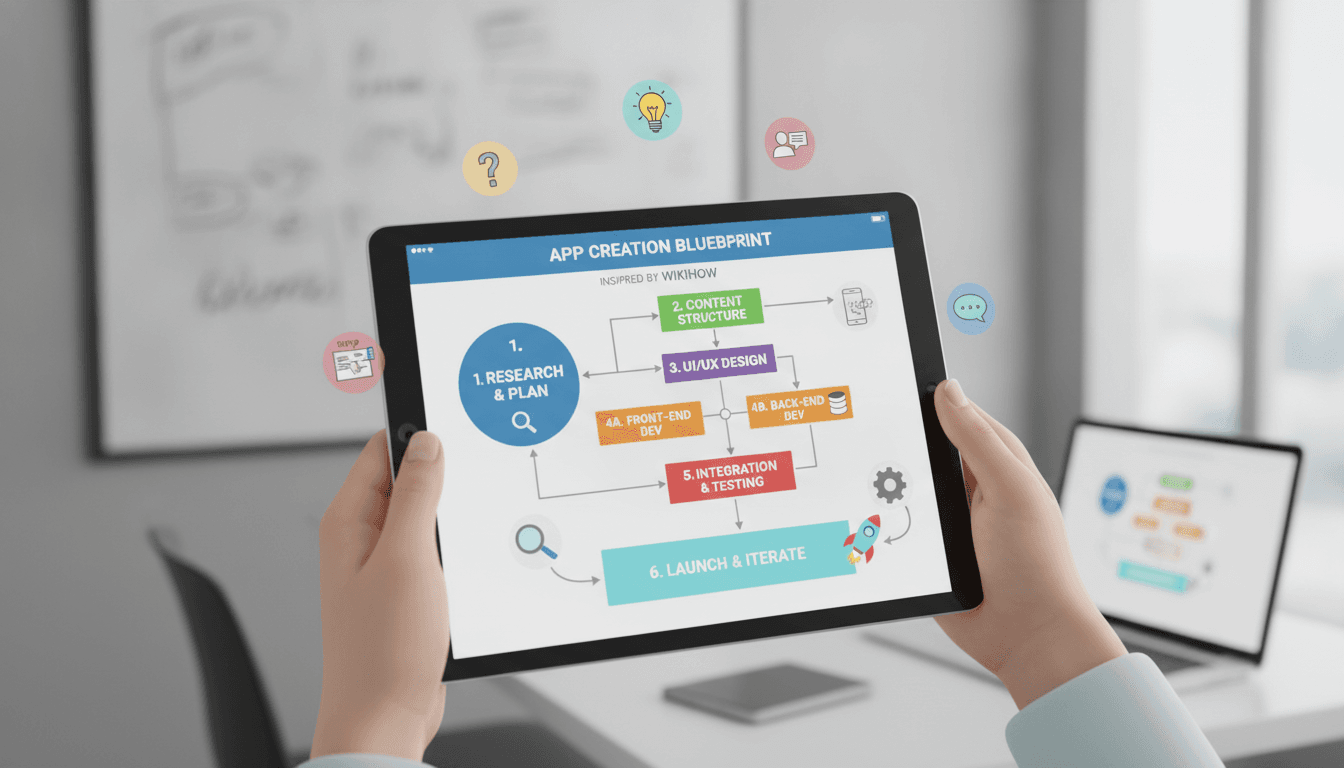
Step 9: Development Roadmap and Cost
A realistic phased approach:
Phase 1 — MVP (10–14 weeks) Article viewer, search, categories, bookmarks, admin CMS, seeded content, basic analytics.
Phase 2 — Community (8–12 weeks) Accounts, comments, suggested edits, revision history, moderation queues, reputation system.
Phase 3 — Scale (ongoing) Localization, video guides, AI assistance, offline sync, personalization, monetization, and possibly AR walkthroughs.
Indicative budget ranges (highly dependent on region and team composition):
- Lean MVP, one platform + web: $40,000 – $70,000
- Full cross-platform product with community features: $80,000 – $160,000
- Enterprise-grade, multi-language, AI-enhanced platform: $200,000+
Budget separately and generously for content production and illustration — on this kind of product, content is often the larger line item over the first year.
Common Pitfalls to Avoid
- Launching with a blank slate and hoping the community shows up
- Using a free-form rich text editor, which destroys the structural consistency that makes the format work
- Skipping SSR on web, which cripples the SEO channel that drives most traffic
- Underinvesting in moderation, leading to spam, misinformation, and liability
- Ignoring safety-critical content — electrical, medical, legal, and automotive guides need expert review and clear disclaimers
- Treating images as optional — visual steps are what separate a usable guide from a wall of text
Key Metrics to Track
- Task completion rate ("did this guide work for you?")
- Time to first useful step
- Search success rate and zero-result query volume
- Contributor activation and retention
- Edit acceptance rate and moderation turnaround time
- Organic traffic per published article
- Return visitor rate
Final Thoughts
An app like WikiHow is deceptively complex. The reading experience is simple, but underneath it sits a versioned content model, a moderation workflow, a serious search engine, and a content supply chain. Get the data model and the editorial standards right early, start narrow enough to actually be the best resource in your category, and use AI to accelerate your contributors rather than replace them.
Do that, and you're not just building another content app — you're building a durable, compounding library of useful knowledge that gets more valuable every year.
Have a project in mind? Contact Sodio Technologies to discuss your requirements and explore the right technology solution for your business.
/// Work with us
Talk to the engineers who'd build it
You'll get a technical scope, timeline and cost estimate from the people doing the work, not an account manager. In-house team, no subcontracting, since 2016.