

How to Make an App Like Evernote
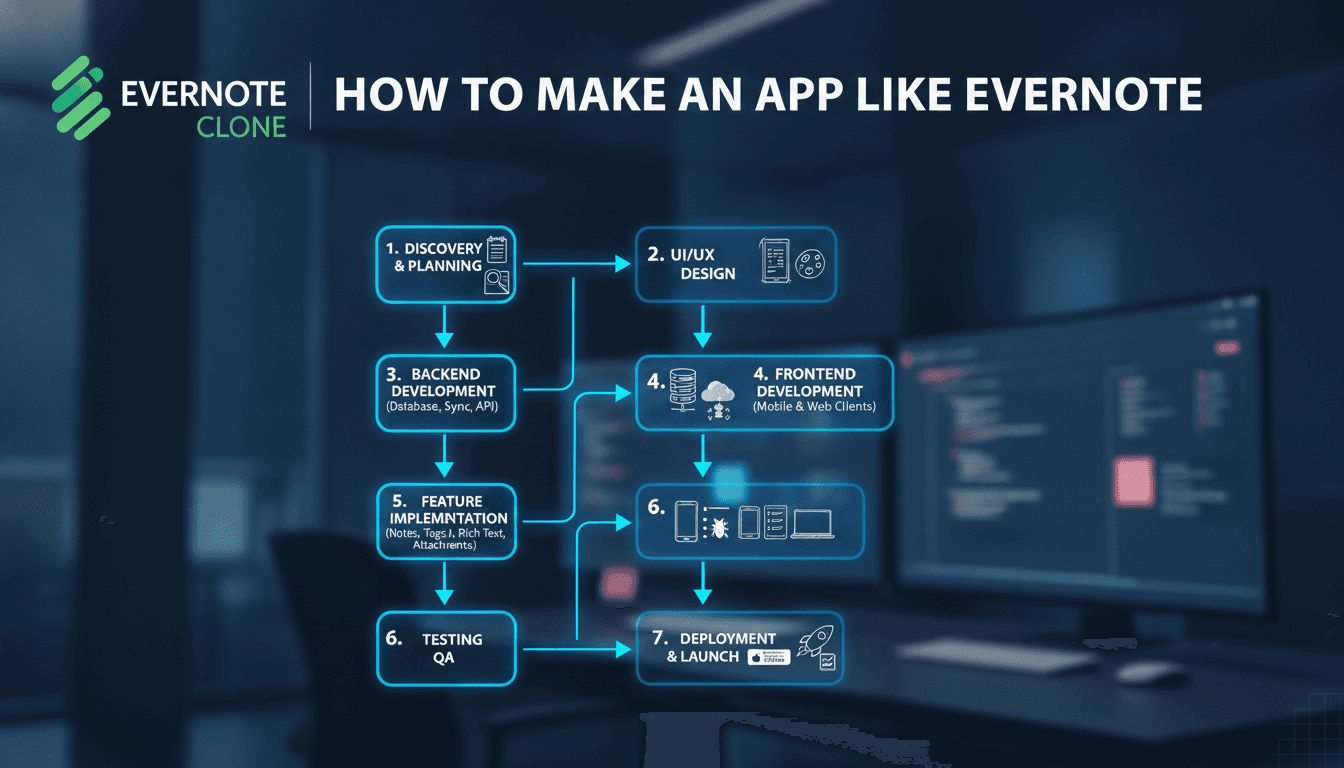
Building a note-taking app that competes with Evernote is a non-trivial engineering problem. The feature surface looks simple from the outside — notes, notebooks, tags, search — but the implementation details underneath are where most teams underestimate the work.
This post walks through the architecture, core features, and technical decisions you'll need to make if you're serious about building something in this space.
For a closer look at a related topic, read our guide on How to Make an App Like Wunderlist.
What Does an Evernote-Like App Actually Need to Do?
Strip away the marketing and you're left with a handful of hard problems:
- Rich-text editing that works consistently across web, iOS, and Android
- Real-time sync across devices with conflict resolution
- Full-text search across potentially hundreds of thousands of notes
- OCR on images and handwritten content
- Offline-first data access with eventual consistency
- File attachments (PDFs, images, audio) with storage at scale
Each of these is independently solvable. Getting all of them to work together, reliably, is the actual challenge.
Choosing the Right Tech Stack
Editor
The editor is the core of the product. Getting it wrong is expensive to fix later.
Most teams reach for Quill or ProseMirror on the web. ProseMirror is the better choice if you need a document model that travels across platforms — it gives you a tree-structured document that you can serialise cleanly to JSON. Quill is easier to get started with but the delta format becomes a liability when you're syncing across clients.
For mobile, you have two options. Build a native editor using UITextView (iOS) and the equivalent on Android, or embed a WebView with your web editor inside it. The WebView route saves time early on but creates performance and UX problems, particularly around cursor behaviour and keyboard interactions. If you're targeting professional users, invest in native editors from the start.
Tiptap, built on ProseMirror, has become a practical default for teams that want extensibility without building from scratch. It supports collaborative editing via Yjs CRDT, which you'll need anyway.
Sync and Conflict Resolution
This is where most note-taking apps either spend years or cut corners.
The production-grade approach is CRDTs (Conflict-free Replicated Data Types). Yjs and Automerge are the two libraries worth evaluating. Yjs is more mature for text-heavy documents. Automerge 2.0, rewritten in Rust with WASM bindings, is worth watching but still has rough edges in production.
If full CRDT sync feels like overkill for your MVP, Operational Transformation (OT) is the older alternative. Google Docs used OT. It works, but the implementation complexity is high and debugging merge failures is painful. Most new systems choose CRDTs.
If this is relevant to your project, check out How to Make an App Like Google Keep.
For the sync transport layer, WebSockets for real-time updates and a REST or GraphQL API for initial loads and bulk operations is a straightforward split. Use a queue (RabbitMQ or Kafka depending on your scale expectations) to handle sync events asynchronously and avoid data loss on disconnection.
Storage
Notes themselves are small. Attachments are not.
Store note content in PostgreSQL (with JSONB for the document tree) and attachments in object storage — S3 or Google Cloud Storage. A note with ten PDF attachments could easily sit at 50–100 MB in total. Multiply that across hundreds of thousands of users and your storage costs become a real budget line.
For full-text search, Elasticsearch or OpenSearch is the standard choice. Index note content, attachment text (post-OCR), and metadata. A basic setup for a few million notes handles sub-100ms query times without much tuning.
OCR
Evernote's OCR is one of its most-cited differentiators. You have two realistic options:
| Option | Accuracy | Cost | Latency |
|---|---|---|---|
| Google Cloud Vision API | High | ~$1.50 per 1,000 images | 1–3 seconds |
| AWS Textract | High | ~$1.50 per 1,000 pages | 2–5 seconds |
| Tesseract (self-hosted) | Medium | Infra cost only | Variable |
For most teams building an MVP, Google Cloud Vision is the right call. Self-hosting Tesseract makes sense only at significant scale or with strict data residency requirements.
/// Not sure where to start?
Get the architecture before you commit
Tell us what you're building and we'll map the technical approach, stack, and rough timeline. No cost, no obligation, no sales call required.
How Much Does It Cost to Build?
Cost depends heavily on scope and team structure. Here is a rough breakdown for a cross-platform app with web, iOS, and Android clients, plus a backend, from scratch.
| Phase | Scope | Estimated Duration |
|---|---|---|
| MVP (core notes, sync, search) | Web + API | 3–4 months |
| Mobile clients | iOS + Android native | 3–5 months |
| OCR + attachments | Async pipeline | 1–2 months |
| Collaborative editing | CRDT integration | 2–3 months |
| Production hardening | Infra, monitoring, DR | Ongoing |
A team of four to five engineers (one backend, one frontend, one each for iOS and Android, one for infra/DevOps) is a realistic minimum for hitting an MVP within six months. Add a product designer and a QA engineer to that and you're looking at a team of seven.
Cloud infrastructure costs for an early-stage product with 10,000 active users typically run between $800 and $2,000 per month, depending on your attachment storage volume and search query load.
What Are the Hardest Engineering Problems?
Offline-First Architecture
Offline support sounds straightforward. In practice, it means every client must maintain a local database (SQLite on mobile, IndexedDB on web), track a sync state for every entity, and handle cases where the server has moved forward while the client was disconnected.
WatermelonDB is a solid choice for the mobile local database layer. It is built for React Native and handles lazy loading well, which matters when a user has thousands of notes. For web, RXDB with an IndexedDB adapter covers similar ground.
Permissions and Shared Notebooks
The moment you add sharing, you need a proper authorisation model. Role-based access control (RBAC) with resource-level permissions (not just route-level) is the minimum. If you're using PostgreSQL, Row-Level Security (RLS) is worth enabling — it keeps your authorisation logic close to the data rather than scattered across application code.
Search Relevance
Users expect search to understand intent, not just match strings. At minimum, implement stemming and stop-word filtering in your Elasticsearch index. If you want to go further, OpenAI embeddings or a self-hosted model like sentence-transformers/all-MiniLM-L6-v2 can power semantic search. The latency trade-off is real — vector search adds 50–200ms depending on index size — but for a notes app targeting knowledge workers, it is often worth it.
To explore this further, see How to Make an App Like Notion.
Conclusion
Building an Evernote-like app is a multi-year investment if you want feature parity. If your goal is a focused tool for a specific workflow rather than a general-purpose note-taking app, the scope becomes manageable in six to nine months.
The clearest next step is to define your sync strategy before you write a single line of product code. The rest of the architecture follows from that decision. If you are evaluating CRDT libraries or designing your sync protocol and want a second opinion from engineers who have built this type of system, reach out to the team at Sodio.
FAQ
How long does it take to build a basic note-taking app? A web-only MVP with note creation, rich-text editing, search, and user accounts typically takes three to four months with a small team. Adding mobile clients and real-time sync across devices pushes the timeline to nine to twelve months. Scope is the primary variable, not team skill.
Can I use React Native to build the mobile clients? Yes, React Native works for this use case. The main limitation is the editor: native text editing performance on React Native is weaker than fully native implementations. For a consumer app targeting high-volume note-takers, this matters. For internal tools or lower-frequency use cases, React Native is a reasonable trade-off that saves significant development time.
What database should I use for storing notes? PostgreSQL with JSONB columns for document content is the most practical choice for most teams. It handles structured metadata well, supports full-text search natively (though Elasticsearch is better at scale), and has strong tooling. MongoDB is an alternative if your document schema is highly variable, but the operational overhead is higher.
Do I need to build collaborative editing from day one? No. Collaborative editing via CRDTs adds significant complexity. Build single-user sync first, validate that your data model is sound, and layer in collaboration later. Trying to build both simultaneously is a common source of delays. Most successful note apps shipped collaboration well after their initial launch.
How should I handle note attachments at scale? Store attachments in object storage (S3 or equivalent) and reference them from your database by key. Generate signed URLs for client access rather than proxying through your API. Apply lifecycle policies to move infrequently accessed attachments to cheaper storage tiers (S3 Glacier, for example) automatically. Set upload size limits early — 25 MB per file is a reasonable default to enforce at both client and API layers.
Have a project in mind? Contact Sodio Technologies to discuss your requirements and explore the right technology solution for your business.
/// Work with us
Talk to the engineers who'd build it
You'll get a technical scope, timeline and cost estimate from the people doing the work, not an account manager. In-house team, no subcontracting, since 2016.