

How to Make an App Like Google Keep
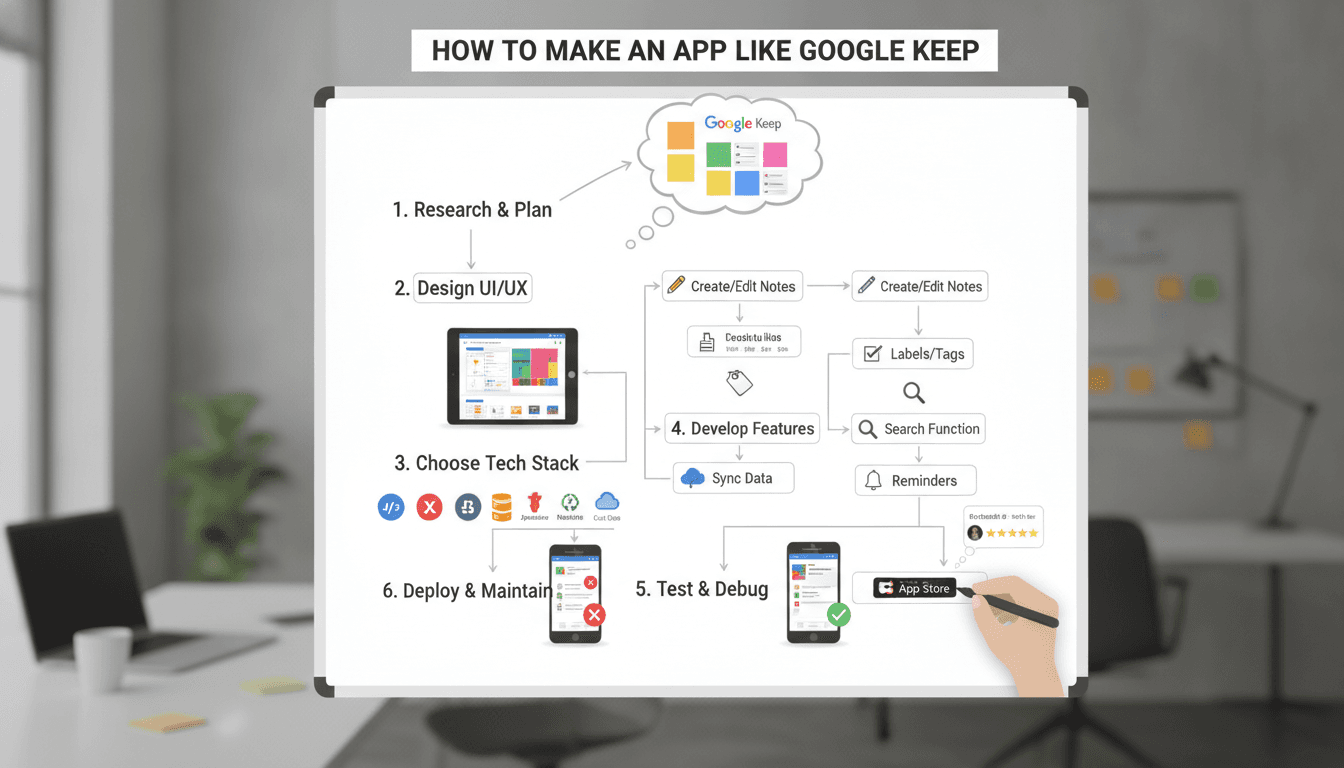
A practical breakdown of the architecture, feature set, and engineering decisions behind a Google Keep-style note-taking app — from data sync to offline support.
What Does a Google Keep Clone Actually Need to Do?
"Clone" is a loose word. Most teams asking this question don't want a pixel-perfect copy. They want the core experience: quick note capture, labels, reminders, rich media attachments, and real-time sync across devices. Some want a white-label product for their own users. Others are building an internal knowledge tool.
Related reading: How to Make an App Like Zoho Notebook.
The feature surface looks small until you start building. Notes with text, images, audio, checklists, and colour coding. Labels and search. Pinning. Archive and trash with restore. Reminders with push notifications. Multi-device sync that resolves conflicts without data loss. Collaboration where multiple users edit the same note.
That last one is where things get interesting from an engineering standpoint.
Choosing the Right Tech Stack
The stack choice affects build time, sync complexity, and long-term maintainability more than most teams admit upfront.
Frontend and Mobile
For cross-platform delivery, Flutter is the most practical choice today. A single Dart codebase targeting Android, iOS, and web is a real advantage when your team is small. The trade-off is that Flutter's web output still lags native web performance for text-heavy applications, and some platform-specific integrations (widget APIs on iOS, for instance) require native code anyway.
React Native is a reasonable alternative if your team already has strong JavaScript experience, but the bridging overhead shows up in scroll-heavy, animation-rich UIs. For a note-taking app with drag-to-reorder, that matters.
Related reading: How to Make an App Like Evernote.
If you're building desktop-first or your users are predominantly on web, a React + TypeScript SPA backed by a PWA service worker gives you offline capability without a native app at all. Google Keep's own web app works this way.
Backend
Node.js with Express or Fastify handles the API layer well for this use case. The I/O-bound nature of a note-syncing workload means Node's concurrency model is genuinely appropriate here, not just a default choice.
You may also find our article on How to Make an App Like Simplenote useful.
For real-time sync, you have two main options:
| Approach | Latency | Complexity | Good For |
|---|---|---|---|
| WebSockets (Socket.io or raw ws) | Very low | Medium | Collaborative editing, live presence |
| Firebase Realtime Database / Firestore | Low | Low | Rapid MVP, managed infra |
| Server-Sent Events | Low | Low | One-way updates, simpler use cases |
| Polling | High | Very low | Low-frequency sync, not recommended |
Firebase Firestore is the fastest path to a working sync layer. You get offline persistence, conflict resolution, and real-time listeners out of the box. The cost scales predictably for moderate user counts. At high scale (millions of active users), the per-read pricing and data modelling constraints become real concerns.
If you're building on your own backend, implement a vector-clock or last-write-wins strategy for conflict resolution early. Bolting it on later is painful.
Database
For a self-hosted backend, PostgreSQL with JSONB columns for note content is a solid foundation. You get structured querying for metadata (user ID, timestamps, labels, archived status) and flexible storage for note bodies that change shape as you add content types.
If full-text search is a priority, add pgvector for semantic search or use Elasticsearch alongside Postgres. Keep in mind that running Elasticsearch adds operational overhead that Firebase or Algolia eliminates at a cost.
How Do You Handle Offline Sync Without Losing Data?
This is the hardest engineering problem in the whole app.
The naive approach is to write to local storage and sync on reconnect. That works until two devices edit the same note offline. When they reconnect, one of them overwrites the other. Users notice. They complain loudly.
The correct approach is a CRDT (Conflict-free Replicated Data Type) or operational transforms. Yjs is the most production-ready CRDT library available right now. It handles concurrent edits, merges them deterministically, and integrates with TipTap or ProseMirror for rich text. Automerge is an alternative with a different performance profile.
For checklist and colour-state fields, last-write-wins with a server timestamp is acceptable. The risk of a conflict there is low and the consequence is minor. For note body text, use Yjs.
Store Yjs update payloads in your database rather than derived HTML or Markdown. Recomputing the final document from the CRDT log gives you a reliable source of truth and a full edit history for free.
/// Not sure where to start?
Get the architecture before you commit
Tell us what you're building and we'll map the technical approach, stack, and rough timeline. No cost, no obligation, no sales call required.
What Core Features Actually Take the Most Time to Build?
Teams consistently underestimate three areas:
Reminders with push notifications. This sounds trivial. It isn't. You need a reliable job scheduler (BullMQ or Temporal work well), a push notification pipeline (Firebase Cloud Messaging for Android and APNs for iOS), and logic that handles timezone changes, device changes, and note deletion. Budget more time here than you think.
Image and audio attachments. Storing files in S3 or GCS is straightforward. The work is in thumbnail generation (use Sharp for images), audio waveform previews, and lazy loading that keeps the note list performant when a user has hundreds of image-heavy notes.
Search. Users expect Google-quality search because they're comparing it to Google Keep. Basic ILIKE queries on Postgres are adequate in early stages. As note volume grows, you need proper full-text indexing. If you add AI-assisted search or semantic search via embeddings, you're looking at a meaningful integration effort with something like pgvector and an embeddings model.
Collaboration. Real-time collaborative editing requires WebSockets, a sync server (you can run Yjs's y-websocket), and careful permission modelling. Who can view? Who can edit? Can a collaborator share further? Model this before you write a line of sync code.
Security and Data Privacy Considerations
Notes often contain sensitive information. Users know this. Your architecture should reflect it.
Encrypt note content at rest using AES-256. If you want to go further, implement client-side encryption where the server never sees plaintext. This is a strong privacy guarantee but it means you cannot do server-side search or AI features without shipping the key to the server, which partially defeats the purpose.
Use JWTs with short expiry (15 minutes) and refresh tokens stored in HttpOnly cookies. Avoid localStorage for auth tokens.
For attachment storage, generate pre-signed URLs with short TTLs rather than making S3 buckets public. This prevents unauthorised access to files even if a note ID leaks.
Conclusion
A Google Keep-style app is a well-understood product with genuinely difficult engineering underneath: offline conflict resolution, real-time collaboration, cross-platform delivery, and search at scale. The MVP is achievable in 12 to 16 weeks for a focused team. The production-grade version with collaboration, semantic search, and solid offline support is closer to 6 to 9 months.
The single most important decision you'll make early is how you handle offline sync. Get that architecture right before you build anything else, because changing it later means rewriting your data model.
If you're mapping out the architecture for your own note-taking product and want a second opinion on the approach, reach out to the team at Sodio.
FAQ
How long does it take to build an app like Google Keep? A functional MVP with notes, labels, image attachments, and basic sync typically takes 12 to 16 weeks with a team of 3 to 4 engineers. Adding real-time collaboration, semantic search, and robust offline support pushes the timeline to 6 to 9 months depending on team size and scope.
What is the best database for a note-taking app? PostgreSQL with JSONB columns handles most use cases well. It gives you structured querying for metadata and flexible storage for note content. Add pgvector if you need semantic search. Firebase Firestore is the better choice if you want managed real-time sync without running your own backend.
How do you handle offline sync in a note-taking app? Use a CRDT library like Yjs for note body text. It resolves concurrent edits deterministically without data loss. For simpler fields like colour or pinned state, last-write-wins with a server timestamp is sufficient. Store CRDT update payloads, not derived content, as your source of truth.
Should you use Flutter or React Native to build a note-taking app? Flutter is generally the better choice for a note-taking app. It produces consistent UI across Android, iOS, and web from a single codebase and handles animations and drag-to-reorder well. React Native is a reasonable alternative if your team has strong JavaScript experience, but bridging overhead can affect scroll-heavy UI performance.
How much does it cost to build an app like Google Keep? Costs vary significantly by team location, seniority, and feature scope. A focused MVP built by a mid-sized offshore team typically ranges from $40,000 to $80,000. A full-featured product with collaboration, AI search, and cross-platform native apps can exceed $200,000. Cloud infrastructure costs at launch are modest but scale with active user count and storage usage.
Have a project in mind? Contact Sodio Technologies to discuss your requirements and explore the right technology solution for your business.
/// Work with us
Talk to the engineers who'd build it
You'll get a technical scope, timeline and cost estimate from the people doing the work, not an account manager. In-house team, no subcontracting, since 2016.