

How to Make an App Like Wunderlist
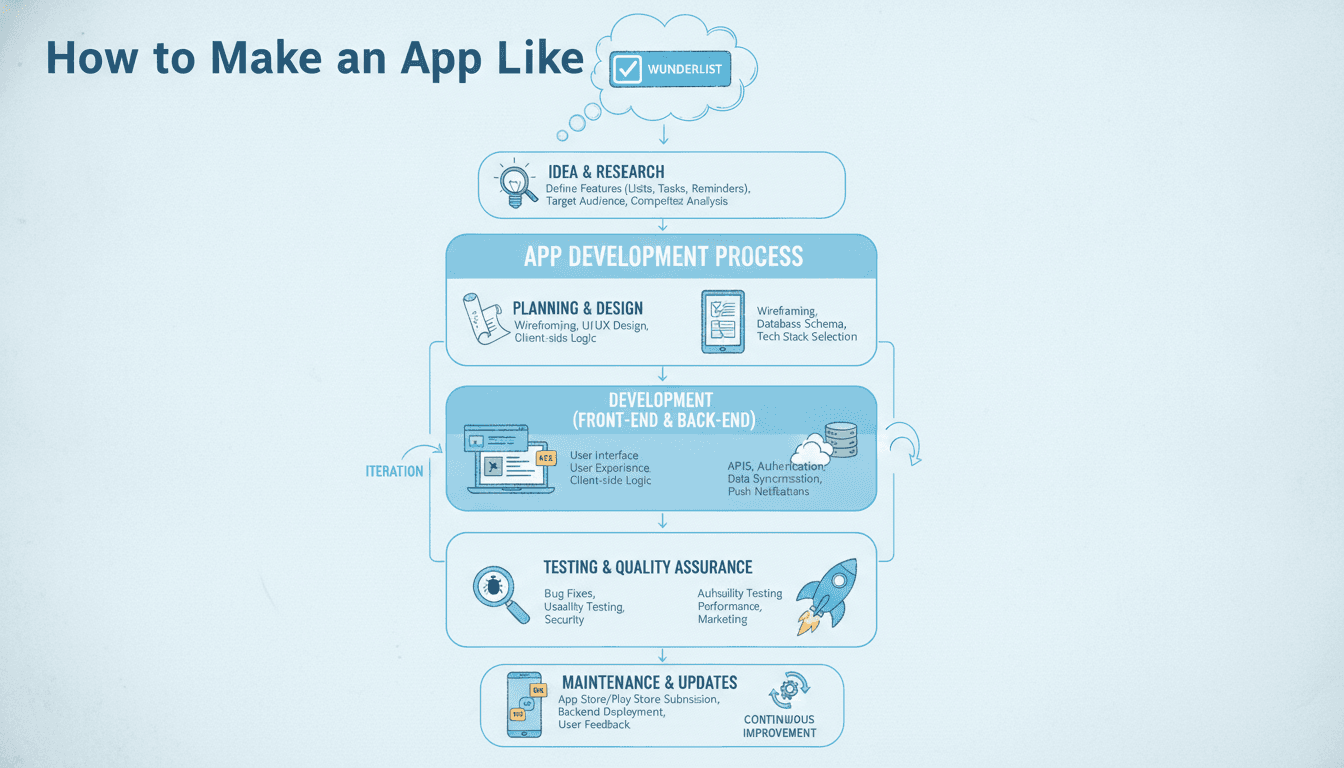
A practical breakdown of the architecture, feature set, and engineering decisions behind building a task management app like Wunderlist — from data sync to offline support.
What Made Wunderlist Worth Replicating?
Wunderlist wasn't technically impressive by 2024 standards. It was a list manager. But it had two things that most productivity apps still get wrong: it synced reliably across devices, and it stayed out of your way.
Microsoft acquired it in 2015 for a reported $200 million and eventually shut it down in 2020, replacing it with Microsoft To Do. That gap left a loyal user base looking for alternatives. Apps like Todoist, TickTick, and Any.do filled it. If you're building in this space, you're competing with tools that have had years of iteration.
If this is relevant to your project, check out How to Make an App Like Microsoft To-Do.
Knowing that upfront shapes your decisions. You're not building something novel. You're building something that has to be reliable, fast, and well-synced — or users will leave within a week.
What Does the Core Feature Set Actually Look Like?
Strip Wunderlist down and you get a specific, bounded set of features. The complexity is in the implementation, not the feature list.
If this is relevant to your project, check out How to Make an App Like Evernote.
Task and list management: Users create lists, add tasks to lists, and organise tasks with due dates, reminders, subtasks, and notes. That's the core loop.
Collaboration: Shared lists with per-list membership. Task assignment to specific users. Comment threads on individual tasks.
Cross-device sync: This is where most teams underestimate effort. A user creates a task on iOS offline, opens the Android app on Wi-Fi, and expects both to agree instantly. Getting that right takes real architecture work.
Notifications: Due date reminders, collaborator activity, assignment changes. Push notifications via APNs (Apple Push Notification Service) and FCM (Firebase Cloud Messaging).
File attachments: Wunderlist allowed attaching files to tasks. Simple to describe, annoying to build securely at scale.
| Feature | Complexity | Common Failure Mode |
|---|---|---|
| Task CRUD | Low | Poor offline handling |
| Real-time sync | High | Conflict resolution gaps |
| Push notifications | Medium | Silent failures on Android |
| File attachments | Medium | Storage costs at scale |
| Shared lists | High | Permission edge cases |
| Recurring tasks | Medium | Timezone bugs |
Recurring tasks deserve a special mention. They look simple. They are not. Timezone handling, daylight saving shifts, and "last day of the month" logic all create edge cases that will appear in support tickets within weeks of launch.
How Should You Architect the Backend?
A monolith is fine to start. Don't let anyone talk you into microservices before you have paying users.
The data model is the part worth spending time on early. Tasks belong to lists. Lists belong to users or shared workspaces. That shared workspace concept is where it gets interesting — you need an entity that acts as a container for multiple users with different permission levels.
Database choice: PostgreSQL handles this well. You get JSONB for flexible task metadata, row-level security for multi-tenancy, and reliable transaction support for the sync operations. At Wunderlist's scale (13 million users at peak), you'd shard, but you won't start there.
Sync architecture: The two main patterns are operational transforms (OT) and CRDTs (Conflict-free Replicated Data Types). For a task manager, CRDTs are overkill — the data model is simple enough that a last-write-wins strategy with vector clocks works. Each task carries a version counter. When two clients push conflicting updates, the server uses the version counter to detect the conflict and resolve it, either automatically (for non-destructive changes like appending a note) or by surfacing it to the user.
Real-time: WebSockets via Socket.IO or a managed service like Ably give you live updates when a collaborator checks off a task. Long polling is a fallback, not a default.
Offline support: On mobile, SQLite via Room (Android) or Core Data (iOS) acts as the local store. On web, IndexedDB. The sync layer pushes local changes to a queue and flushes them when connectivity returns. The tricky part is merging the queue with changes that arrived from other devices while offline.
/// Not sure where to start?
Get the architecture before you commit
Tell us what you're building and we'll map the technical approach, stack, and rough timeline. No cost, no obligation, no sales call required.
Which Stack Should You Build On?
This depends on your team and your timeline more than any inherent technical superiority.
Mobile: Flutter gets you to both iOS and Android from one codebase. The trade-off is that platform-specific behaviours (notification handling, background sync, widget support) require more effort than native would. React Native is a viable alternative, but Flutter's widget consistency across platforms is genuinely better for a UI-heavy productivity app.
Web: React with a state management layer like Zustand or Redux Toolkit. The offline story on web is weaker than mobile — Service Workers and IndexedDB work, but browser support and storage limits vary.
Backend: Node.js with TypeScript is a reasonable default. Django REST Framework is a good choice if your team is Python-heavy. GraphQL fits this domain well because clients can fetch exactly the task fields they need, which matters for mobile bandwidth.
Infrastructure: Start on a single AWS region. Use RDS for PostgreSQL, ElastiCache for Redis (session management and sync queues), and S3 for file attachments with pre-signed URLs for upload and download. CloudFront in front of S3 handles global delivery without meaningful additional cost at early scale.
How Much Does It Cost to Build?
A realistic MVP with task management, shared lists, cross-device sync, and push notifications takes a team of three to four engineers around four to five months. That assumes a Flutter mobile app, a React web app, and a Node.js or Django backend.
We cover a closely related subject in How to Make an App Like Todoist.
What adds time:
- Offline sync with conflict resolution: two to three weeks of dedicated work
- Recurring tasks with proper timezone support: one to two weeks
- File attachments with virus scanning: one week, longer if you need compliance (GDPR, SOC 2)
- End-to-end encryption: significant additional complexity; Wunderlist didn't have it, but users now expect it
Infrastructure costs at launch are negligible. At 100,000 active users, you're looking at roughly $800 to $1,200 per month on AWS depending on your storage and compute choices.
Conclusion
Building a Wunderlist-equivalent is a well-understood engineering problem. The feature surface is bounded. The real work is in offline sync, recurring task logic, and making the collaboration model feel fast.
Start with the data model. Get sync right before you add features. Build the mobile app in Flutter if you want to move fast across platforms. And resist the temptation to build microservices until you have a reason to.
If you're planning a build and want a technical review of your architecture before you start, reach out to the team at Sodio.
FAQ
How long does it take to build an app like Wunderlist? A functional MVP with task management, shared lists, cross-device sync, and push notifications takes roughly four to five months with a team of three to four engineers. Offline conflict resolution and recurring tasks add complexity. A full production release with proper testing and security review typically runs six to eight months.
What is the best tech stack for a task management app? Flutter for mobile covers iOS and Android from one codebase. React for web. PostgreSQL as the primary database for its JSONB support and reliable transactions. Redis for queuing sync operations. The backend language matters less than your team's familiarity with it — Node.js with TypeScript and Django both work well.
How do you handle offline sync in a task management app? Store tasks locally using SQLite (mobile) or IndexedDB (web). Queue all writes with a version counter. When connectivity returns, flush the queue to the server and merge incoming changes. Use last-write-wins with vector clocks for conflict resolution. Surface genuine conflicts to the user rather than silently overwriting data.
Do you need a separate backend for iOS and Android? No. One backend serves both. The platform differences are on the client side — APNs for iOS push notifications, FCM for Android. Your backend sends to both through a notification service layer, so the core API stays unified.
What are the biggest technical mistakes teams make when building this type of app? Underestimating offline sync complexity is the most common one. Teams also tend to get recurring task logic wrong because of timezone edge cases. Starting with microservices too early adds operational overhead before product-market fit. And skipping proper permission modelling on shared lists creates security issues that are expensive to fix later.
Have a project in mind? Contact Sodio Technologies to discuss your requirements and explore the right technology solution for your business.
/// Work with us
Talk to the engineers who'd build it
You'll get a technical scope, timeline and cost estimate from the people doing the work, not an account manager. In-house team, no subcontracting, since 2016.