

How to Make an App Like Gemini
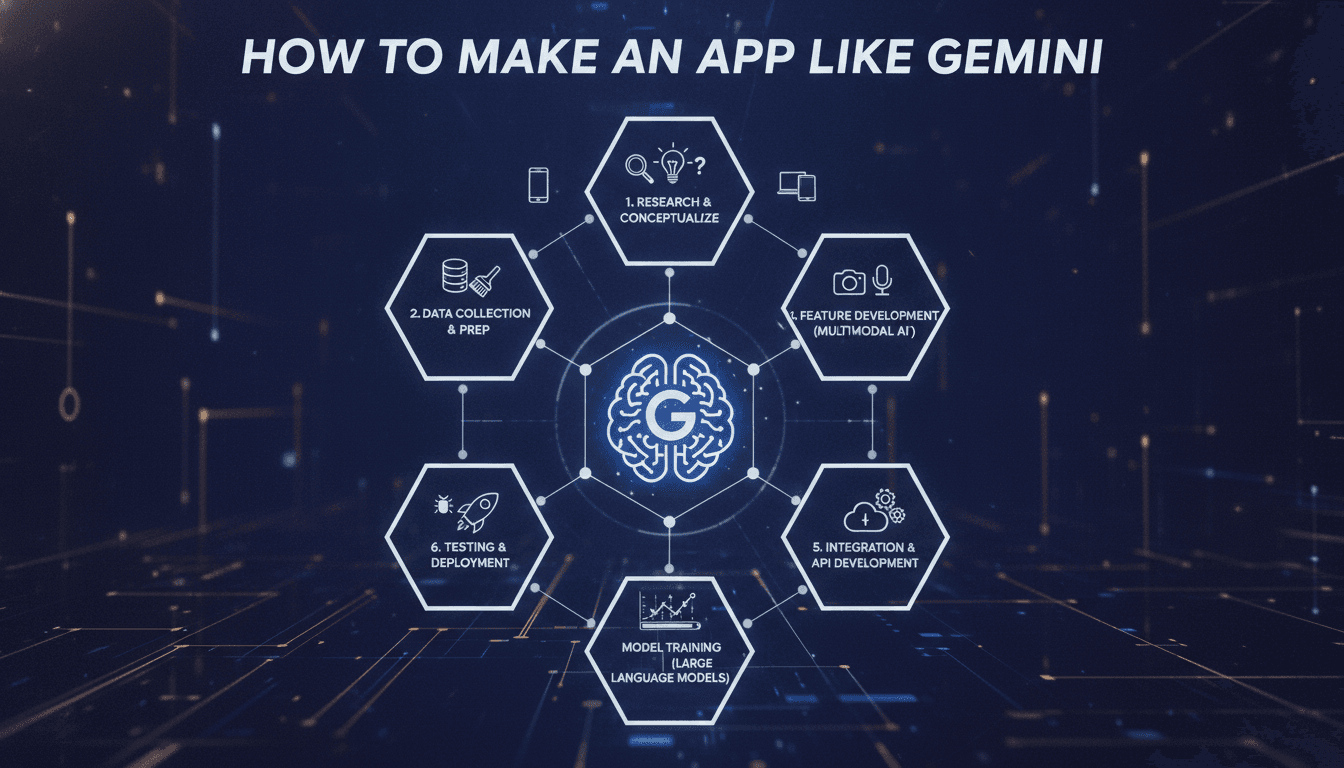
How to Make an App Like Gemini
Google's Gemini set a new bar for what people expect from a consumer AI assistant: multimodal input, conversational memory, real-time reasoning, and a clean interface that hides an enormous amount of complexity. If you're planning to build something similar — whether it's a general-purpose assistant or a vertical AI companion for healthcare, legal, or education — this guide walks through what actually goes into it.
What Makes Gemini "Gemini"
Before estimating budgets or picking a tech stack, it helps to break the product down into the capabilities users actually notice:
- Multimodal understanding — text, images, audio, video, and documents processed in a single conversation thread.
- Contextual memory — the assistant remembers earlier turns in a conversation, and optionally across sessions.
- Streaming responses — tokens appear as they're generated rather than after a long spinner.
- Tool use and grounding — the model can search the web, run code, or call external APIs to produce accurate, current answers.
- Cross-platform continuity — the same conversation history available on Android, iOS, and web.
- Safety and moderation layers — filtering on both input and output.
You don't need all of these on day one. In fact, you shouldn't try.
Step 1: Define a Narrow, Defensible Use Case
Competing head-on with Google, OpenAI, and Anthropic on general-purpose assistants is not a viable plan for most teams. The winning strategy is vertical depth.
To explore this further, see How to Make an App Like Lyra.
Ask yourself:
- Which industry or workflow has painful, repetitive knowledge work?
- What proprietary data or domain expertise do you have access to?
- What does "good enough" look like for your users, and how will you measure it?
A radiology report summarizer, a contract-clause negotiator, or a curriculum-building assistant for teachers will each beat a generic chatbot in its own lane — because you can tune retrieval, prompts, evaluation, and UX around one job.
We cover a closely related subject in What an AI Feature Costs After Launch.
Step 2: Choose Your Model Strategy
You have three broad options, and most production apps end up blending them.
Use a Commercial API
Calling Gemini, GPT, or Claude via API is the fastest path to a working product. You get frontier-level reasoning without owning any GPUs.
Pros: days to first prototype, no ML ops burden, continuous model improvements. Cons: per-token costs that scale with usage, vendor dependency, data residency questions.
Host an Open-Weight Model
Models like Llama, Mistral, Qwen, and Gemma can be self-hosted on cloud GPUs or on-prem hardware.
Pros: full data control, predictable costs at scale, ability to fine-tune deeply. Cons: significant infrastructure and MLOps investment, and you own uptime.
Hybrid Routing
Route simple queries to a small, cheap model and escalate complex reasoning to a frontier model. This is how mature AI products control unit economics — often cutting inference spend by 50–70% without users noticing.
Step 3: Build the Retrieval Layer
Raw model output is only as useful as the context you feed it. Retrieval-Augmented Generation (RAG) is what turns a generic model into something that knows your domain.
A typical pipeline looks like:
- Ingest — pull in PDFs, docs, database records, or API data.
- Chunk — split content into semantically coherent segments, usually 200–800 tokens with overlap.
- Embed — convert chunks to vectors using an embedding model.
- Store — write to a vector database such as Pinecone, Weaviate, Qdrant, or pgvector.
- Retrieve — on each query, run hybrid search (semantic + keyword), then rerank the top results.
- Augment — inject the best passages into the prompt with source citations.
Reranking is the step teams most often skip and most often regret. A cross-encoder reranker over your top 50 candidates dramatically improves answer quality for very little latency cost.
Related reading: How Much Does AI Agent Development Cost in 2027?.
Step 4: Design the Multimodal Pipeline
If you want Gemini-style image and audio handling, plan for these components:
- Image input: client-side compression and resizing before upload, then a vision-capable model call. Cache results by image hash to avoid reprocessing.
- Audio input: speech-to-text via Whisper or a cloud STT service, with voice activity detection to trim silence.
- Voice output: a text-to-speech layer with streaming synthesis so playback starts before the full response is generated.
- Document handling: OCR for scanned files, layout-aware parsing for tables, and page-level citation anchors.
Each modality adds latency, cost, and failure modes. Ship text first, prove the core value, then layer modalities in based on real usage data.
Step 5: Get the UX Right
An AI app lives or dies on interaction design. The model is a commodity; the experience isn't.
Stream everything. Users tolerate a 12-second answer if tokens start appearing in 400ms. They abandon a 5-second silent spinner.
Show your work. Display retrieved sources, tool calls, and reasoning steps when relevant. Transparency builds trust and makes errors diagnosable.
Design for failure. Models hallucinate, APIs time out, and rate limits hit. Have graceful fallbacks, editable prompts, and easy regeneration.
Make feedback frictionless. Thumbs up/down, inline corrections, and "this was wrong because..." inputs become your evaluation dataset.
Respect the thread. Conversation history, branching, renaming, search, and export are table stakes for anything people use daily.
Step 6: Pick the Tech Stack
A pragmatic, battle-tested setup:
| Layer | Options |
|---|---|
| Mobile | Flutter or React Native for cross-platform; Swift/Kotlin for native performance |
| Web | Next.js or React with server-sent events for streaming |
| Backend | Python (FastAPI) or Node.js (NestJS) |
| Orchestration | LangChain, LlamaIndex, or a custom lightweight layer |
| Vector DB | pgvector, Qdrant, Pinecone, or Weaviate |
| Primary DB | PostgreSQL |
| Cache / queue | Redis |
| Infra | AWS, GCP, or Azure with containerized services |
| Observability | LangSmith, Langfuse, or OpenTelemetry-based tracing |
A note on orchestration frameworks: they accelerate prototyping but can obscure what's actually happening in production. Many teams start with a framework and progressively replace it with thin, explicit code as requirements harden.
Step 7: Evaluation and Guardrails
This is the difference between a demo and a product.
Build an eval set early. Collect 100–300 representative queries with expected behaviors. Run them on every prompt or model change. Without this, you're guessing.
Use LLM-as-judge carefully. Automated scoring scales well for relevance and tone, but pair it with periodic human review to catch judge drift.
Layer safety. Input moderation, output moderation, prompt-injection defenses, and PII redaction. If you're handling regulated data, add audit logging from day one.
Track the metrics that matter: time to first token, total latency, cost per conversation, retrieval hit rate, deflection/resolution rate, and thumbs-down rate.
Cost and Timeline Realities
Rough planning ranges for a well-scoped product:
- MVP (text-only, single platform, API-based model): 8–14 weeks, modest team of 3–5.
- Multimodal cross-platform product with RAG and auth: 4–7 months.
- Self-hosted models with fine-tuning and enterprise compliance: 8–12+ months.
Ongoing inference cost is the variable most founders underestimate. Model it per active user per month before you set pricing — and instrument token usage from your very first deployment.
Common Mistakes to Avoid
- Building the assistant before the use case. A chat box with no opinion about what it's for gets tried once and abandoned.
- Ignoring context window economics. Stuffing every document into the prompt is expensive and often reduces accuracy.
- Skipping evaluation. You cannot improve what you don't measure, and vibes don't scale past ten users.
- Treating prompts as final. Prompts are code. Version them, test them, and review changes.
- Over-engineering agents too early. Multi-step autonomous agents compound failure rates. Start with single-turn, tightly scoped tasks.
Final Thoughts
Building an app like Gemini isn't about replicating Google's model — it's about replicating the experience of a fast, trustworthy, context-aware assistant within a domain you understand better than anyone else. The frontier models are available to everyone through an API. Your differentiation lives in the data you connect, the workflows you automate, the evaluation discipline you maintain, and the interface you design.
Start narrow, ship fast, instrument everything, and let real usage tell you which capability to build next.
Have a project in mind? Contact Sodio Technologies to discuss your requirements and explore the right technology solution for your business.
/// Work with us
Talk to the engineers who'd build it
You'll get a technical scope, timeline and cost estimate from the people doing the work, not an account manager. In-house team, no subcontracting, since 2016.