

How to Make an App Like Google Assistant
How to Make an App Like Google Assistant
Voice assistants have quietly become one of the most used interfaces on the planet. People ask their phones for directions, set reminders while cooking, dictate messages while driving, and control lights without getting off the couch. Google Assistant sits at the centre of that behaviour shift — and it has inspired a generation of founders to ask a simple question: how do we build something like that?
The honest answer is that you don't need Google's budget to build a genuinely useful voice assistant. What you need is a clear scope, the right stack, and a realistic understanding of where the hard problems live. This guide walks through all three.
What Google Assistant Actually Does
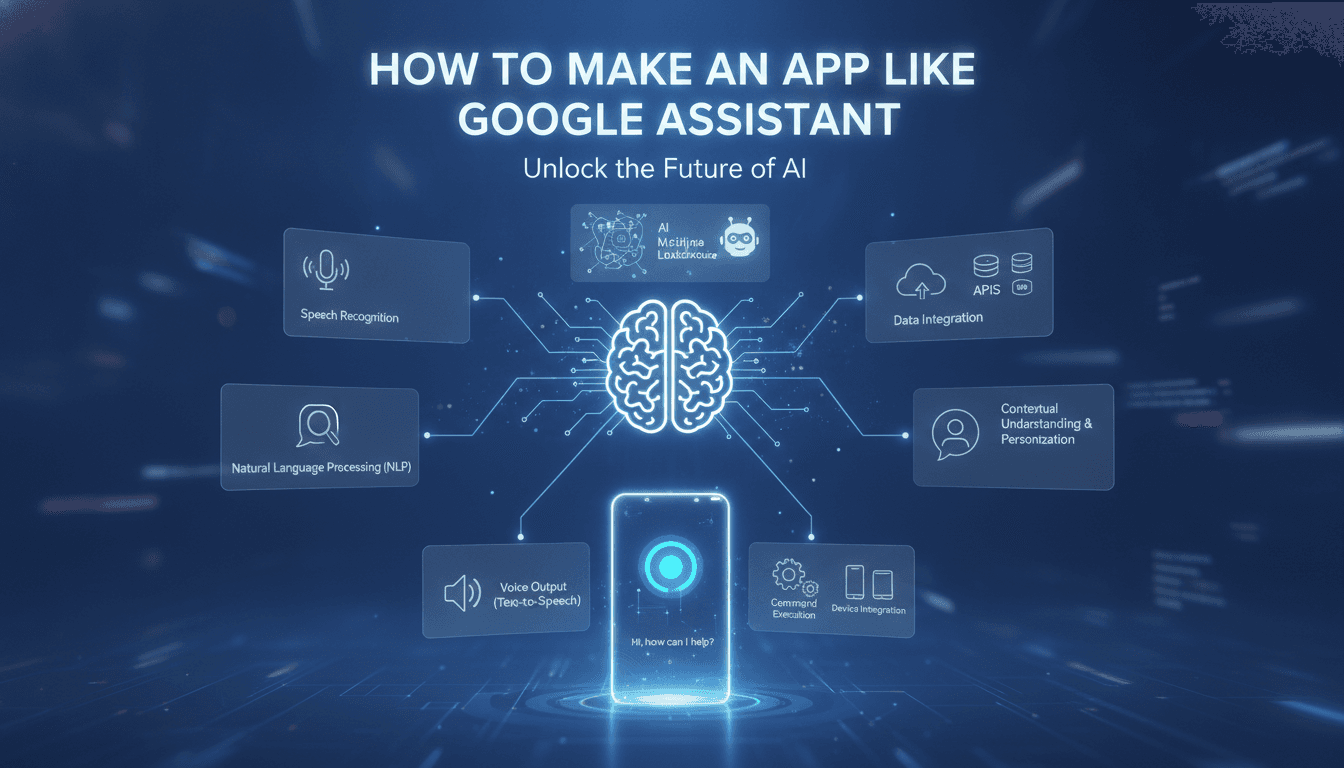
Before writing a single line of code, it helps to break the product into its functional layers. What feels like magic to a user is really a pipeline of specialised components handing work to each other.
If this is relevant to your project, check out How to Make an App Like Siri.
- Wake word detection — a lightweight, always-listening model that recognises a trigger phrase ("Hey Google") without streaming audio to the cloud.
- Speech-to-text (ASR) — converting the captured audio into a text transcript.
- Natural language understanding (NLU) — extracting intent ("set a timer") and entities ("for 10 minutes") from that transcript.
- Dialogue management — tracking conversational context so follow-ups like "make it 15 instead" make sense.
- Fulfilment — actually executing the request by calling an internal service or a third-party API.
- Response generation — composing a natural-sounding reply.
- Text-to-speech (TTS) — turning that reply into audio.
Every assistant app is some combination of these seven stages. Your product decisions determine which ones you build, which ones you buy, and which ones you skip entirely.
For a closer look at a related topic, read our guide on How to Make an App Like Bixby.
Step 1: Narrow Your Scope Ruthlessly
The single biggest mistake in this category is trying to build a general-purpose assistant. Google Assistant answers nearly anything because Google spent over a decade and billions of dollars indexing the world's information. You cannot out-general Google.
What you can do is out-specialise it. The most successful assistant apps are vertical:
- A healthcare assistant that helps patients log symptoms and understand medication schedules.
- A field service assistant that lets technicians log work orders hands-free while under a machine.
- An in-car assistant tuned for a specific vehicle's controls and noisy cabin acoustics.
- A finance assistant that answers "how much did I spend on groceries last month?" against the user's own transaction data.
- An enterprise assistant that searches internal documentation, CRM records, and ticketing systems.
Pick a domain where you have proprietary data or workflow access that Google doesn't. That's your moat.
Step 2: Choose Your Technology Stack
Wake Word Detection
Options here include Picovoice Porcupine, Snowboy derivatives, or training a small custom keyword-spotting model with TensorFlow Lite. Key requirements: it must run entirely on-device, consume minimal battery, and hold a low false-accept rate. A wake word that triggers randomly in conversation will get your app deleted within a day.
Speech Recognition
You have three realistic paths:
| Approach | Best For | Trade-offs |
|---|---|---|
| Cloud APIs (Google STT, Azure Speech, AWS Transcribe, Deepgram) | Fast time-to-market, broad language support | Ongoing per-minute cost, network dependency |
| Open models (Whisper, Wav2Vec2) | Cost control at scale, self-hosting, privacy | You own the infrastructure and latency tuning |
| On-device engines (Whisper.cpp, Vosk, Apple/Android native APIs) | Offline use, zero-latency, privacy-first products | Lower accuracy on rare vocabulary, device constraints |
Many production apps use a hybrid: on-device recognition for common commands, cloud escalation for complex queries.
Natural Language Understanding
Historically this meant intent classifiers and slot-filling models built in tools like Dialogflow, Rasa, or Amazon Lex. Today, large language models have largely absorbed this layer. An LLM with well-designed function-calling schemas can handle intent detection, entity extraction, and dialogue management in a single call — with far better tolerance for phrasing you never anticipated.
We cover a closely related subject in How to Make an App Like Amazon Alexa.
A pragmatic modern architecture looks like this:
- Define your capabilities as tools/functions with typed parameters.
- Pass the transcript plus conversation history to the LLM.
- Let the model decide which function to call and with what arguments.
- Execute, then feed the result back for a natural-language response.
Keep deterministic rules for high-frequency, high-stakes commands ("call mum", "stop the alarm"). You don't want a model round-trip — or a hallucination — standing between the user and a critical action.
Text-to-Speech
Voice quality shapes perceived product quality more than almost anything else. Evaluate ElevenLabs, Google Cloud TTS, Azure Neural TTS, Amazon Polly, or on-device engines like Piper. Prioritise streaming synthesis so audio starts playing before the full sentence is generated — it dramatically reduces perceived latency.
Front End and Platform
- Native (Swift / Kotlin) gives you the deepest access to audio pipelines, background execution, Siri Shortcuts, and Android App Actions. For a serious assistant, this is usually the right call.
- Flutter or React Native works well if voice is one feature among many and you need a shared codebase across iOS and Android.
- Embedded / IoT targets — speakers, wearables, car head units — typically mean a Linux-based stack with a lightweight local wake word and cloud inference.
Step 3: Design the Conversation, Not Just the Screen
Voice UX is a discipline of its own. A few principles that consistently separate good assistants from frustrating ones:
Be brief. Spoken responses should be one or two sentences. If there's more detail, show it on screen and summarise aloud.
Confirm destructive actions. "Delete all my notes?" deserves a confirmation step. "What's the weather?" does not.
Fail gracefully. Never say "I don't understand" twice in a row. Offer a suggestion: "I can set reminders or check your schedule — which would you like?"
Handle interruption. Users will barge in mid-response. Your audio pipeline needs to stop playback and start listening immediately.
Support multimodality. The best assistants speak and display. A list of five restaurants is miserable to hear and easy to read.
Preserve context. "What's the weather in Lisbon?" → "And tomorrow?" should just work. Maintain a rolling conversation state with a sensible expiry window.
Step 4: Build the Backend
A typical architecture for an assistant app:
- API gateway handling authenticated requests from mobile clients.
- Orchestration service managing the ASR → NLU → fulfilment → TTS pipeline, ideally over WebSockets or gRPC streaming for low latency.
- Skill/integration services, each encapsulating one capability — calendar, messaging, smart home, internal search — deployed as independent microservices so you can add skills without redeploying the core.
- Context store (Redis or similar) for short-lived session state.
- Vector database (Pinecone, Weaviate, pgvector) if you're doing retrieval-augmented answers over your own knowledge base.
- Analytics and logging capturing transcripts, detected intents, confidence scores, and failures — this is your product roadmap.
Treat latency as a feature. Target under 1.5 seconds from end-of-speech to start-of-audio-response. Achieve it with streaming at every stage, regional deployment near your users, connection pre-warming, and aggressive caching of common queries.
Step 5: Take Privacy Seriously From Day One
Nothing kills a voice product faster than a privacy scandal. Users are inherently suspicious of an always-listening microphone, and regulators are increasingly attentive.
- Process wake word detection exclusively on-device. Stream nothing until the trigger fires.
- Show an unmistakable visual indicator whenever the mic is active.
- Give users a one-tap way to review and delete their voice history.
- Get explicit, granular consent before using recordings for model training.
- Encrypt audio in transit and at rest; minimise retention windows.
- Map your obligations under GDPR, CCPA, and — if you touch health data — HIPAA.
- Consider on-device inference as a genuine differentiator. "Your voice never leaves your phone" is a powerful marketing line and an honest engineering commitment.
Step 6: Test the Way People Actually Talk
Lab testing with clear-spoken English in a quiet room will mislead you badly. Build a test suite that covers:
- Accents and dialects across your target markets.
- Background noise — traffic, kitchens, offices, music.
- Speech variation — fast talkers, mumbling, stutters, code-switching between languages.
- Adversarial phrasing — incomplete sentences, corrections mid-sentence, slang.
- Edge intents — requests just outside your supported skills, to verify graceful fallbacks.
Track word error rate (WER) for ASR, intent accuracy for NLU, task completion rate end-to-end, and time-to-first-audio for latency. Instrument every failure and review transcripts weekly.
Cost and Timeline Expectations
A focused, single-domain assistant with solid voice UX, five to ten skills, and cloud AI services typically takes four to seven months with a small team: two mobile developers, one or two backend engineers, an ML engineer, a voice UX designer, and QA.
Ongoing costs are usage-based and easy to underestimate. Model ASR, LLM, and TTS spend per active user per month early, then revisit the build-versus-buy question once volume justifies self-hosting.
An MVP that proves the core loop — wake, understand, do, respond — can often be shipped in eight to twelve weeks if you constrain skills to three or four high-value use cases.
Common Pitfalls to Avoid
- Feature sprawl. Ten skills that work beautifully beat fifty that half-work.
- Ignoring latency. Users forgive a wrong answer faster than a slow one.
- No offline story. Basic commands should work without a connection.
- Over-reliance on the LLM. Wrap it with validation, guardrails, and deterministic paths for critical actions.
- Skipping analytics. Without transcript review you're guessing at what to fix next.
- Voice-only thinking. Screens and voice together are more capable than either alone.
Final Thoughts
Building an app like Google Assistant is no longer a moonshot engineering project. The hard components — recognition, understanding, synthesis — are available as APIs or open models. What remains genuinely difficult is product judgement: choosing a narrow domain where you can be dramatically better than a generalist, designing conversations that feel effortless, and engineering a pipeline fast enough that users stop thinking about the technology at all.
Start small, measure obsessively, and let real usage tell you which skill to build next. That's how a focused assistant becomes indispensable — not by matching Google feature for feature, but by being the one voice your users actually reach for.
Have a project in mind? Contact Sodio Technologies to discuss your requirements and explore the right technology solution for your business.
/// Work with us
Talk to the engineers who'd build it
You'll get a technical scope, timeline and cost estimate from the people doing the work, not an account manager. In-house team, no subcontracting, since 2016.