

How to Make an App Like Zoho Notebook
Introduction
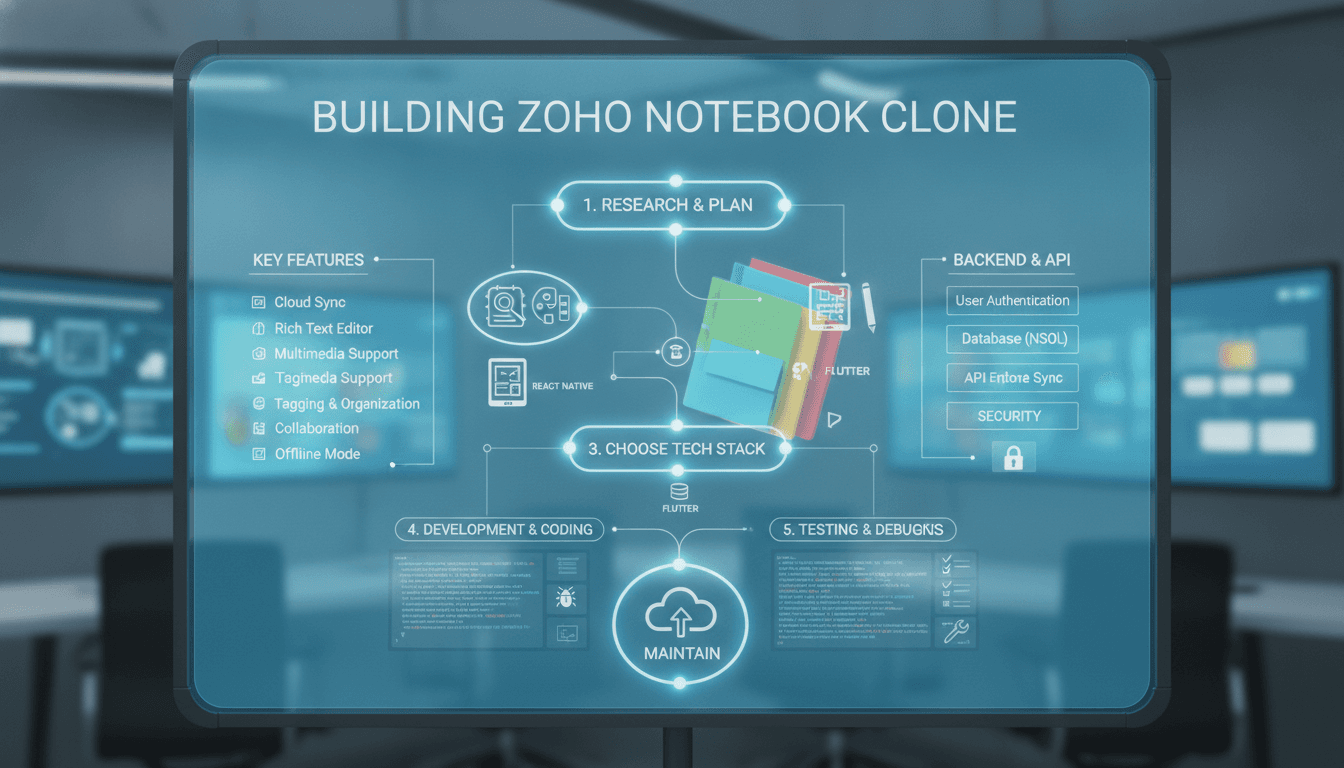
Note-taking apps have quietly become one of the most-used categories on mobile devices. Among them, Zoho Notebook stands out for its clean card-based interface, rich note types, cross-device sync, and a generous free tier. If you've been wondering how to make an app like Zoho Notebook, this guide breaks down the features, architecture, tech stack, timeline, and costs involved — and the product decisions that separate a forgettable notes app from one people actually keep on their home screen.
What Makes Zoho Notebook Work
Before writing a line of code, it helps to understand why Zoho Notebook resonates with users:
- Card-based notes. Every note is a visual card, not a row in a list. Text, checklists, audio, sketches, files, and photos each get their own card type.
- Notebook metaphor. Notes live inside notebooks with customisable covers, which makes organisation feel tactile rather than bureaucratic.
- Frictionless capture. Users can create a note in one or two taps from the home screen, a widget, or a share sheet.
- Sync that just works. Notes appear across phone, tablet, desktop, and web without the user thinking about it.
- No aggressive monetisation. The core experience is free, which builds trust and drives adoption.
Your app doesn't need to clone all of this. But it does need to nail capture speed, organisation, and sync reliability. Those three things are the product.
For a closer look at a related topic, read our guide on How to Make an App Like OneNote.
Core Feature Set
Must-have features (MVP)
| Feature | Why it matters |
|---|---|
| User accounts & auth | Identity for sync; support email, Google, and Apple sign-in |
| Rich text notes | Bold, italic, headings, lists, links — the baseline expectation |
| Checklists / to-dos | The single most requested note type after plain text |
| Notebooks & tags | Two-layer organisation: containers plus flexible labels |
| Search | Full-text search across titles, bodies, and tags |
| Cloud sync | Multi-device sync with conflict resolution |
| Offline mode | Notes must be readable and editable without a connection |
| Media attachments | Photos, files, and audio recordings |
| Trash / recovery | Soft delete with a restore window |
Features that create differentiation
- Sketch and handwriting notes with stylus pressure support
- Audio notes with transcription using on-device or cloud speech-to-text
- Document scanning with edge detection and OCR so scanned text becomes searchable
- Web clipper browser extension and a mobile share-sheet target
- Smart cards — recipes, links, and locations that auto-format based on pasted content
- Widgets and quick actions for one-tap capture
- Reminders and location-based alerts
- Collaboration with shared notebooks and comments
- End-to-end encrypted notes for sensitive content
- AI assistance for summarising long notes, generating titles, extracting action items, and semantic search
AI features are now table stakes for new entrants. A semantic search that finds "the thing I wrote about the landlord" without exact keyword matches is a genuine reason for someone to switch apps.
Architecture and Data Model
Data model essentials
Keep the schema simple and let the client do the heavy lifting:
User— profile, plan, settingsNotebook— title, cover, owner, sort orderNote— type, title, content blocks, notebook reference, tags, timestamps, version vectorAttachment— file reference, MIME type, thumbnail, parent noteTag— name, colour, user referenceReminder— note reference, trigger time or geofence
Store note content as structured blocks (JSON) rather than raw HTML. A block-based document model makes rich text, checklists, images, and embeds composable, and it makes conflict resolution far easier than diffing HTML strings.
Offline-first sync
This is the hardest engineering problem in a notes app, and getting it wrong is the fastest way to lose users.
- Local database as source of truth. The app reads and writes to a local store (SQLite, Realm, or WatermelonDB) instantly. The UI never waits on the network.
- Operation queue. Every change becomes a queued mutation with a client-generated ID and timestamp.
- Delta sync. On reconnect, push queued operations and pull changes since the last sync cursor.
- Conflict resolution. Use CRDTs (Yjs or Automerge) for collaborative text, or last-write-wins per field with a preserved conflict copy for simpler cases. Never silently discard a user's words.
- Attachment handling. Sync metadata immediately, blobs lazily in the background with resumable uploads.
Backend components
- API layer — REST or GraphQL for CRUD and sync endpoints
- Auth service — JWT with refresh tokens, plus OAuth providers
- Object storage — S3 or equivalent with signed URLs and a CDN for media
- Search index — Elasticsearch, Typesense, or Postgres full-text; add a vector index for semantic search
- Background workers — OCR, transcription, thumbnail generation, reminder dispatch
- Push notifications — FCM and APNs for reminders and sync triggers
Choosing a Tech Stack
Cross-platform mobile: Flutter or React Native. Flutter gives you a highly consistent custom UI and excellent rendering performance for a card-grid interface. React Native is a strong choice if your team is JavaScript-heavy and you plan to share logic with a web app.
Native mobile: Swift/SwiftUI and Kotlin/Jetpack Compose if stylus input, widgets, and platform-specific polish are central to your positioning.
Web and desktop: React or Next.js for the web client; Electron or Tauri to reuse it on desktop.
Backend: Node.js with NestJS, or Python with FastAPI. Both have mature ecosystems for background jobs and AI integrations.
Database: PostgreSQL for relational data and full-text search, Redis for caching and queues, pgvector or Pinecone for embeddings.
Designing the Experience
The UI is the product in this category. A few principles worth following:
- One tap to capture. A persistent floating action button that expands into note types, plus home-screen widgets and share-sheet integration.
- Visual hierarchy through cards. Masonry or staggered grids let notes of different lengths coexist without whitespace waste.
- Fast, forgiving editing. Autosave on every keystroke, undo history, and no "save" button anywhere.
- Progressive disclosure. Hide tagging, reminders, and sharing behind a single overflow action so the editor stays clean.
- Dark mode and accessibility. Dynamic type, sufficient contrast, screen reader labels, and keyboard shortcuts on web.
Prototype the capture flow and the search flow before anything else. If those two feel slow, no amount of feature breadth will save the app.
We cover a closely related subject in How to Make an App Like Simplenote.
Development Roadmap
Phase 1 — Discovery and design (3–4 weeks). Competitive research, feature prioritisation, wireframes, high-fidelity UI, and a clickable prototype.
Phase 2 — Backend foundation (4–5 weeks). Auth, data model, sync API, storage, and CI/CD.
Phase 3 — MVP client (8–10 weeks). Note CRUD, notebooks, tags, rich text editor, offline store, and sync.
Phase 4 — Rich note types and search (4–6 weeks). Checklists, media, audio, sketches, and full-text search.
Phase 5 — Differentiators (4–8 weeks). OCR, transcription, AI summarisation, semantic search, web clipper, collaboration.
Phase 6 — QA, beta, and launch (3–4 weeks). Device matrix testing, sync stress testing, store submission, analytics, and crash reporting.
A realistic MVP lands at 4–5 months; a feature-complete competitor to Zoho Notebook is closer to 8–10 months.
Cost Estimate
Costs vary by region and team composition, but as a planning benchmark:
- Lean MVP (one platform, core features): $35,000 – $60,000
- Cross-platform MVP with web: $60,000 – $95,000
- Full-featured product with AI, OCR, and collaboration: $110,000 – $200,000+
Add ongoing costs for hosting, object storage, push services, AI inference, app store fees, and maintenance — typically 15–25% of initial build cost annually.
If this is relevant to your project, check out How to Make an App Like Google Keep.
Monetisation Options
Zoho Notebook is free because it feeds a broader software ecosystem. If notes are your whole business, you need a revenue model:
- Freemium with storage caps — free tier with limited attachment storage, paid tiers unlock more
- Premium features — AI summarisation, OCR page limits, version history, encrypted notebooks
- Team plans — shared notebooks, admin controls, SSO
- One-time lifetime purchase — appeals to privacy-conscious users tired of subscriptions
Avoid ads. In a category built on trust and personal data, ads are a churn engine.
Pitfalls to Avoid
- Underestimating sync. Budget more time than feels reasonable. Data loss bugs destroy reputation permanently.
- Feature bloat before retention. Ship a fast, reliable core before adding smart cards and integrations.
- Ignoring import paths. Users have years of notes in Evernote, Apple Notes, Notion, or Markdown files. Importers are a growth feature.
- Weak privacy posture. Publish a clear policy, encrypt at rest and in transit, and offer full data export.
- Neglecting search relevance. People forget where they put things. Search is how they find them again.
Final Thoughts
Building an app like Zoho Notebook is less about replicating a feature list and more about engineering trust: instant capture, invisible sync, and search that actually finds things. Get the offline-first foundation and block-based data model right, layer AI-assisted organisation on top, and you have a product that can hold its own against incumbents. Start with a tightly scoped MVP, put it in front of real users early, and expand based on what they actually reach for every day.
Have a project in mind? Contact Sodio Technologies to discuss your requirements and explore the right technology solution for your business.
/// Work with us
Talk to the engineers who'd build it
You'll get a technical scope, timeline and cost estimate from the people doing the work, not an account manager. In-house team, no subcontracting, since 2016.