

How to Make an App Like Instructables
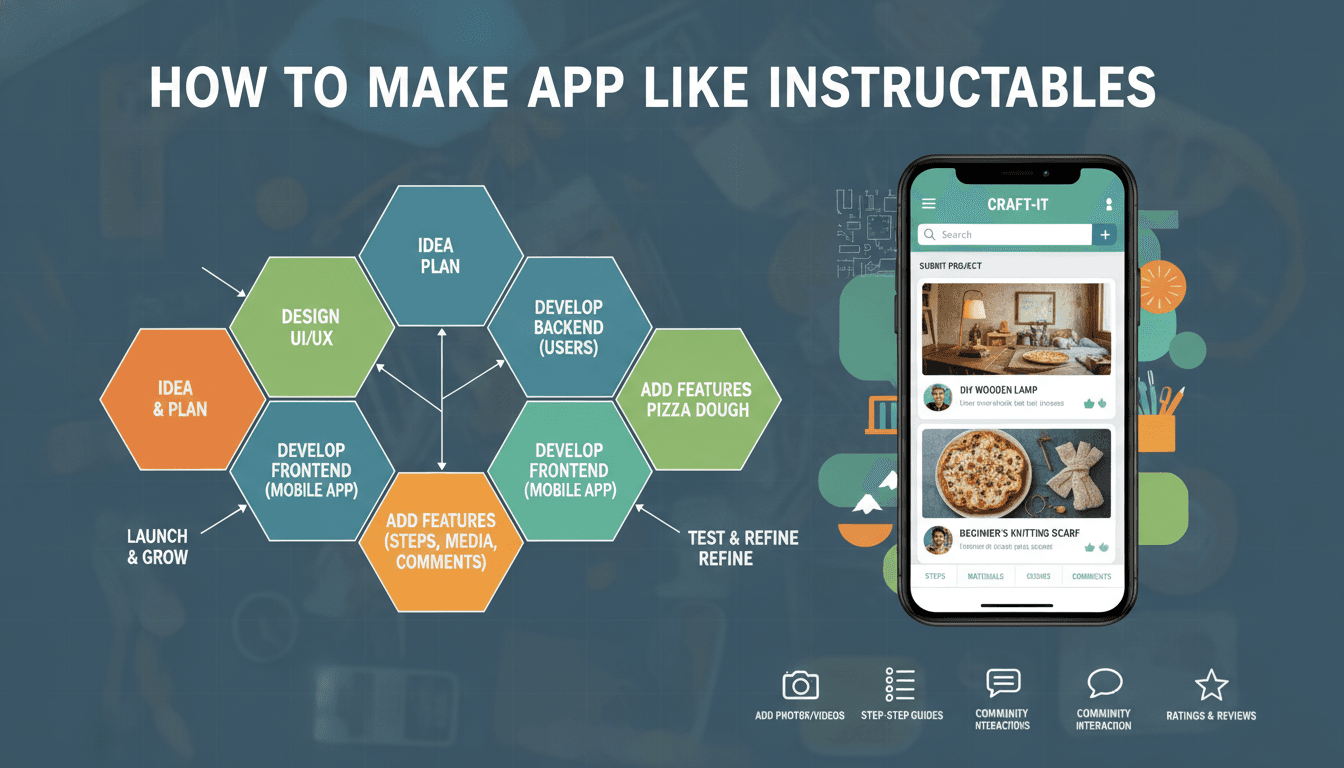
How to Make an App Like Instructables
DIY culture has moved from garage workbenches and dog-eared magazines to smartphones. Instructables proved that people will happily spend hours reading, watching, and publishing step-by-step guides on everything from woodworking joints to Raspberry Pi robots. If you're planning to build a how-to platform of your own — whether for a general maker audience or a tightly focused niche like home repair, crafting, or electronics — this guide walks through what actually goes into it.
What Makes Instructables Work
Before writing a line of code, it helps to understand why the platform succeeded. Instructables isn't just a content library; it's a community-powered publishing engine.
To explore this further, see How to Make an App Like WikiHow.
- User-generated content at scale. Almost everything on the platform is created by members, not staff. The company's job is to make publishing easy and to keep quality high.
- Structured, step-based format. Every guide follows the same skeleton: intro, materials list, numbered steps with photos, and a finished result. That consistency makes content skimmable and reproducible.
- Recognition loops. Contests, featured placements, badges, and comment threads give creators a reason to keep posting.
- Discovery by interest, not by follower graph. Categories, tags, and search matter more than who you follow.
Any app you build in this space needs to nail those four things, or it will end up as a nice-looking but empty content shell.
To explore this further, see How to Make an App Like Snapguide.
Step 1: Pick a Niche Before You Pick a Feature Set
Competing with a decade-old general DIY platform head-on is difficult. Narrowing your focus makes content seeding, marketing, and moderation far more manageable.
Strong niche angles include:
- Home improvement and repair tutorials
- Crafting, sewing, and textile arts
- Electronics, robotics, and IoT builds
- 3D printing and CNC projects
- Cooking and food preservation techniques
- Automotive and motorcycle maintenance
- Gardening and permaculture
- Cosmetics, skincare, and natural products
A narrow niche also sharpens your data model. A woodworking app can add cut lists and lumber calculators; an electronics app can embed circuit diagrams and parts-sourcing links. Generic platforms can't do that well.
If this is relevant to your project, check out How to Make an App Like Makezine.
Step 2: Define the Core Feature Set
For Readers
- Onboarding with interest selection so the first feed is relevant instead of random
- Search and filtering by category, difficulty, time required, cost, and required tools
- Step-by-step viewer with swipeable steps, pinch-to-zoom images, and inline video
- Offline saving — people build in garages and basements with bad signal
- Progress tracking so users can check off completed steps and resume later
- Collections and bookmarks for saving projects to themed lists
- Comments and Q&A on individual steps, not just the whole guide
- "I Made It" posts where users share their own results on someone else's guide
For Creators
- A guided authoring flow that walks through title, cover image, materials, tools, and steps
- Draft autosave and cross-device editing — long guides take multiple sessions
- Bulk photo upload with drag-to-reorder steps
- Materials and tools list builder with optional affiliate or store links
- Analytics dashboard showing views, saves, completions, and comments
- Monetization options such as contest prizes, tipping, ad revenue share, or premium guides
For Admins
- Moderation queue with reporting and escalation
- Featured content and homepage curation tools
- Contest creation and judging workflows
- Category and tag taxonomy management
- Spam, duplicate, and plagiarism detection
- User management, roles, and bans
Step 3: Design the Content Model Carefully
This is where most how-to apps succeed or fail. Treating a guide as a single blob of rich text is tempting and almost always a mistake. Model it as structured data instead:
Project
  ├─ title, summary, cover media
  ├─ category, tags
  ├─ difficulty, estimated time, estimated cost
  ├─ Materials[]  (name, quantity, unit, optional link)
  ├─ Tools[]      (name, optional link)
  ├─ Steps[]
  │    ├─ order, title, body
  │    ├─ Media[] (images, video, 3D model, PDF)
  │    └─ Notes / warnings / tips
  └─ License, author, timestamps, version history
Structured content lets you do things a text blob never will: generate printable material lists, power "projects you can build with the tools you own" recommendations, translate steps individually, feed a recommendation engine, and syndicate to voice assistants or smart displays.
Step 4: Choose Your Tech Stack
Mobile
- React Native or Flutter if you want one codebase across iOS and Android and your UI is mostly content-driven. Both handle this category of app well.
- Native (Swift / Kotlin) if you need heavy camera work, AR overlays, on-device ML, or best-in-class media performance.
Backend
- Node.js (NestJS), Python (Django/FastAPI), or Go all work fine. Pick what your team knows.
- PostgreSQL as the primary store — relational structure suits projects, steps, and materials.
- Elasticsearch or Algolia for search and faceted filtering. Database
LIKEqueries will not cut it once you have real content volume. - Redis for caching feeds, session data, and rate limiting.
Media
Media is the heaviest part of a DIY app. Plan for it from day one:
- Object storage (S3, GCS, or equivalent) with a CDN in front
- Server-side image resizing and modern formats (WebP/AVIF)
- Transcoding pipeline for user-uploaded video
- Direct-to-storage uploads with presigned URLs so your API servers aren't proxying large files
- Aggressive thumbnail generation for feeds and grids
Supporting Services
- Push notifications (FCM / APNs) for comments, contest results, and new guides in followed categories
- Analytics and event tracking
- Email for digests and transactional messages
- Feature flags for safe rollout
Step 5: Nail the Authoring Experience
Ask anyone who runs a UGC platform what their hardest problem is, and they'll say: getting people to publish. A great authoring flow is your growth engine.
Things that measurably help:
- Start from photos. Let creators dump a camera roll of build photos and auto-generate step placeholders in chronological order. Writing captions is far easier than starting from a blank page.
- Save drafts relentlessly. Every keystroke, every upload, on every device.
- Show a live preview. Creators should see exactly what readers will see.
- Offer templates. A "recipe" template, a "repair" template, a "build" template — each with sensible prompts.
- Use AI assistance carefully. Suggested titles, tag recommendations, grammar cleanup, and alt-text generation are genuinely useful. Auto-writing whole guides is not — it floods your platform with low-trust content.
- Never lose work. Handle backgrounding, connection loss, and app crashes gracefully.
Step 6: Solve the Cold Start Problem
An empty how-to app is worthless. Strategies that work:
- Seed content yourself. Commission 100–300 high-quality guides in your niche before launch. This sets the quality bar.
- Recruit existing creators. Find people already posting DIY content on YouTube, Reddit, or blogs and offer them a better home, revenue share, or exposure.
- Run a launch contest. Prizes drive submissions faster than almost anything else. Instructables built an entire community habit around contests.
- Import with permission. Offer tooling to migrate guides from blogs or other platforms.
- Be search-friendly. DIY queries are enormous organic traffic drivers. Ship a fast, crawlable web version with proper structured data markup alongside your app.
Step 7: Plan Moderation and Trust From the Start
How-to content carries real-world consequences. Bad electrical, chemical, power tool, or food safety advice can hurt people.
Build in:
- Clear community guidelines and a category-specific safety policy
- Mandatory safety warnings on high-risk categories
- Automated screening for spam, nudity, and plagiarism
- Human review for featured and contest content
- Easy reporting plus visible resolution
- Version history so edits are auditable
- Explicit content licensing so creators know their rights
Step 8: Monetization Options
- Advertising — straightforward with content volume, but hurts UX if overdone
- Affiliate links on materials and tools — a natural fit for DIY, and often the strongest earner
- Premium subscription — ad-free reading, offline packs, printable plans, advanced filters
- Paid guides or creator tipping — with a revenue split
- Brand-sponsored contests — tool and material companies actively want this audience
- Marketplace — sell kits, plans, or bundled materials for popular projects
Most successful platforms combine two or three of these rather than betting on one.
Rough Scope and Timeline
| Phase | Scope | Typical Duration |
|---|---|---|
| Discovery & UX | Research, niche validation, wireframes, design system | 3–5 weeks |
| MVP build | Auth, feed, search, project viewer, authoring flow, basic admin | 10–16 weeks |
| Beta & seeding | Closed beta, content seeding, moderation tuning | 4–6 weeks |
| Public launch | Store submission, marketing site, analytics | 2–3 weeks |
| Post-launch V2 | Contests, monetization, recommendations, offline mode | Ongoing |
An MVP with clean authoring, solid search, and a good reading experience is achievable in roughly four to six months with a small focused team. Adding contests, personalization, and a marketplace extends that meaningfully.
Metrics That Actually Matter
- Creator conversion rate — what percentage of readers publish something
- Guide completion rate — how many people actually reach the last step
- "I Made It" rate — the strongest possible signal that your content works
- Time to first publish — how long from signup to a creator's first guide
- Search success rate — how often a search leads to an opened project
- Return rate for creators — one-guide wonders don't build a platform
Common Mistakes to Avoid
- Building a general DIY app with no niche focus and no seeded content
- Treating guides as unstructured rich text
- Underinvesting in search and discovery
- Making the authoring flow desktop-only or too tedious for mobile
- Ignoring offline use when your users are literally in workshops
- Launching without moderation tooling and then drowning in spam
- Copying Instructables' entire feature set instead of its core loop
Final Thoughts
An app like Instructables isn't technically exotic — it's a content platform with media handling and search. The hard parts are product and community: structuring content so it's genuinely reproducible, making publishing easy enough that people actually do it, and giving creators enough recognition to keep coming back.
Start narrow, seed real content, obsess over the authoring experience, and expand into contests and monetization once you have a community worth monetizing. Get that order right and the technology becomes the easy part.
Have a project in mind? Contact Sodio Technologies to discuss your requirements and explore the right technology solution for your business.
/// Work with us
Talk to the engineers who'd build it
You'll get a technical scope, timeline and cost estimate from the people doing the work, not an account manager. In-house team, no subcontracting, since 2016.