

How to Make an App Like Lynda.com
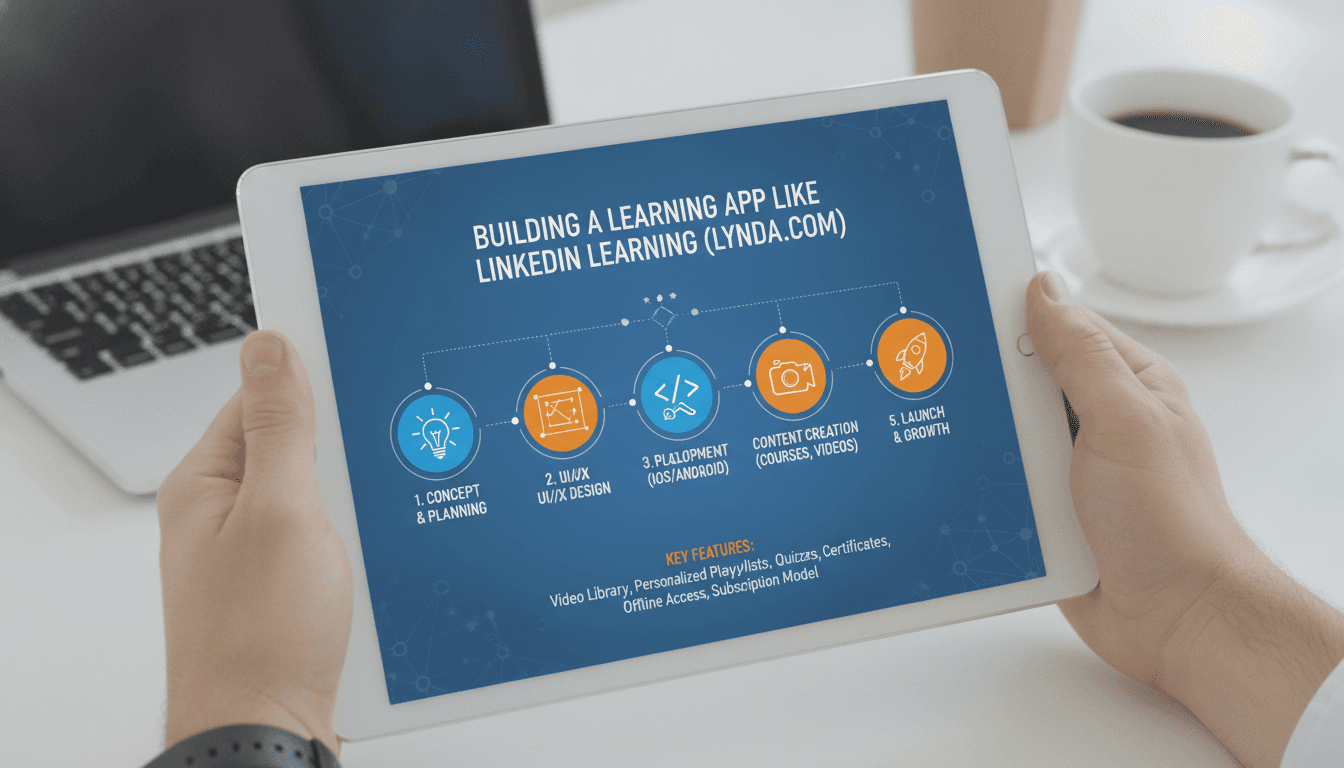
How to Make an App Like Lynda.com
Online learning has moved from a "nice to have" to a core part of how professionals grow their careers. Lynda.com — now folded into LinkedIn Learning — helped pioneer the subscription-based video course model, serving millions of learners with expert-led tutorials in software, business, design, and creative skills.
If you're planning to build an e-learning platform of your own, Lynda.com is a strong blueprint to study. This guide breaks down what makes the model work, the features you need, the tech stack behind it, and what it realistically takes to launch.
Understanding the Lynda.com Model
Before writing a line of code, it helps to understand why Lynda.com succeeded.
Subscription-first monetisation. Instead of selling individual courses, Lynda charged a flat monthly or annual fee for unlimited access to the entire library. This lowered the decision barrier for learners and created predictable recurring revenue.
Curated, not crowdsourced. Unlike open marketplaces where anyone can upload a course, Lynda commissioned and produced content with vetted industry experts. Quality was consistent, which built trust.
Skill-oriented, career-driven. Courses were structured around practical outcomes — learn Photoshop, master Excel formulas, understand project management — not academic theory.
Bite-sized video structure. Long courses were broken into short, individually navigable lessons, making it easy to learn in short sessions or jump straight to a specific topic.
Your platform doesn't have to copy all of this. Many successful competitors differentiated by going niche (a platform only for data science, or only for healthcare compliance training) or by changing the monetisation model.
Step 1: Define Your Niche and Positioning
The e-learning space is crowded. Competing head-on with LinkedIn Learning, Coursera, and Udemy as a general-purpose library is expensive and difficult. Narrowing your focus is usually the smarter play.
We cover a closely related subject in How to Make an App Like Coursera.
Consider positioning around:
- A specific industry — construction safety training, medical continuing education, legal compliance
- A specific audience — enterprise teams, K-12 educators, career switchers
- A specific format — live cohort-based courses, project-based learning, micro-learning for mobile
- A specific region or language — underserved markets often have far less competition
Validate demand before building. Talk to potential learners, run landing page tests, and check whether people are already paying for an inferior solution.
Step 2: Choose Your Business Model
Your monetisation approach shapes nearly every product decision, so settle it early.
Subscription (SaaS-style). Monthly or annual access to the whole library. Best for large content catalogues and high engagement. Requires continuous content investment to justify renewals.
Pay-per-course. Learners buy individual courses and keep lifetime access. Easier to launch with a small catalogue, but revenue is lumpy.
Freemium. Free tier with limited courses or features, paid upgrade for full access, certificates, or downloads. Great for growth, but conversion rates need careful tuning.
B2B / enterprise licensing. Sell seat-based licences to companies for employee training. Higher contract values, longer sales cycles, and additional feature requirements like admin dashboards, team reporting, and SSO.
Hybrid. Many platforms combine consumer subscriptions with an enterprise tier. This is where most mature players end up.
Step 3: Core Features to Build
For Learners
- Onboarding and skill assessment — capture goals and current skill level to personalise recommendations
- Course catalogue with strong search and filtering — by topic, skill level, duration, instructor, and rating
- Video player built for learning — variable playback speed, chapter markers, resume-where-you-left-off, captions and transcripts, picture-in-picture
- Learning paths — curated sequences of courses that build toward a role or skill
- Progress tracking — completion percentages, streaks, time-spent stats
- Exercise files and downloadable resources — a major part of Lynda's value proposition
- Quizzes and assessments — knowledge checks between lessons, final exams
- Certificates of completion — shareable to LinkedIn and other profiles
- Notes and bookmarks — timestamped notes tied to specific moments in a video
- Offline download — essential for mobile learners and commuters
- Search inside transcripts — lets users jump to the exact second a concept is explained
For Instructors and Content Teams
- Course authoring tools — upload video, structure modules and lessons, attach resources
- Draft, review, and publish workflow — critical if you're maintaining editorial quality
- Analytics dashboard — views, completion rates, drop-off points, ratings and feedback
- Revenue reporting — payouts, royalty splits, per-course earnings
For Administrators
- Content management and moderation
- User and subscription management
- Pricing, coupons, and promotional campaigns
- Platform-wide analytics — retention, churn, MAU, most popular content
- Enterprise account management — team seats, bulk enrolment, compliance reporting
For Enterprise Customers
- Team dashboards with per-employee progress
- Assigned learning and due dates
- SSO / SAML integration
- SCIM user provisioning
- Exportable compliance reports
Step 4: Plan the Technology Stack
Frontend
For web, React or Next.js gives you a fast, SEO-friendly experience — important because course pages are a major organic traffic source. Vue or Angular are reasonable alternatives.
For mobile, React Native or Flutter lets you ship iOS and Android from one codebase, which is usually the right trade-off for an e-learning app. Go native (Swift / Kotlin) only if you need deep platform-specific video or DRM behaviour.
We cover a closely related subject in How to Make an App Like Pluralsight.
Backend
Node.js, Python (Django or FastAPI), or Go all work well. A microservices approach is worth considering as you scale, splitting concerns like:
- Identity and authentication
- Catalogue and search
- Video processing and delivery
- Progress and analytics tracking
- Billing and subscriptions
- Notifications
Start monolithic if you're pre-product-market-fit; break it apart when scaling pressure justifies the complexity.
Video Infrastructure
This is the heart of the product and the biggest technical cost driver.
- Storage: Amazon S3, Google Cloud Storage, or Azure Blob Storage
- Transcoding: AWS Elemental MediaConvert, Mux, or FFmpeg-based pipelines to generate adaptive bitrate renditions
- Streaming: HLS or DASH for adaptive bitrate playback
- CDN: CloudFront, Cloudflare, or Akamai to keep latency low globally
- DRM and protection: Widevine, FairPlay, PlayReady, plus signed URLs and watermarking to deter piracy
- Players: Video.js, Shaka Player, or a managed option like Mux Player
Managed services like Mux, Cloudflare Stream, or Vimeo OTT cost more per minute but dramatically reduce engineering effort — often the right call for a first release.
Related reading: How to Make an App Like edX.
Search
Course discovery makes or breaks engagement. Use Elasticsearch, OpenSearch, Algolia, or Typesense. Index transcripts alongside metadata so learners can search spoken content.
Database and Caching
PostgreSQL for relational data (users, courses, subscriptions), Redis for sessions and caching, and a data warehouse like BigQuery or Snowflake for analytics once you have volume.
Payments
Stripe is the default choice for subscription billing, handling trials, proration, dunning, and tax. Add RevenueCat or native in-app purchase handling if you sell subscriptions inside iOS and Android apps — remember that Apple and Google take a commission.
AI and Personalisation
Modern learners expect smart features. Consider:
- Recommendation engines based on viewing history and stated goals
- Automatic transcript generation and translation (Whisper or cloud speech APIs)
- AI-generated course summaries and quiz questions
- Conversational tutors that answer questions about lesson content
- Adaptive learning paths that adjust difficulty based on assessment results
Step 5: Design for Learning, Not Just Looks
Good e-learning UX is about reducing friction between intent and progress.
- Make resuming effortless. The home screen should surface "continue watching" above everything else.
- Show progress everywhere. Visible completion indicators are powerful motivators.
- Keep lessons short. Five to ten minutes per video respects attention spans and creates frequent wins.
- Respect mobile constraints. Large tap targets, portrait-friendly layouts, audio-only mode, and reliable downloads.
- Prioritise accessibility. Captions, transcripts, keyboard navigation, screen reader support, and adequate colour contrast aren't optional — in many markets they're legally required.
Step 6: Content Strategy
Technology is only half the product. A beautiful platform with thin content will not retain subscribers.
Decide how content gets made. In-house production gives you quality control but is expensive. Instructor partnerships with revenue sharing scale faster. Licensing existing catalogues can seed your library quickly.
Set production standards. Consistent audio quality, lighting, screen recording resolution, and lesson structure make a library feel professional.
Plan a release cadence. Subscribers renew because new content keeps arriving. Budget for ongoing production, not just a launch catalogue.
Refresh aggressively. Software courses go stale fast. Build a review cycle that flags outdated content.
Step 7: Development Approach and Timeline
A realistic phased plan looks something like this:
Phase 1 — Discovery and design (4–6 weeks). Market research, feature prioritisation, wireframes, UI design, technical architecture.
Phase 2 — MVP build (12–16 weeks). Authentication, course catalogue, video playback, basic progress tracking, payments, admin panel. Web first, or web plus one mobile platform.
Phase 3 — Beta and iteration (4–8 weeks). Limited release, gather usage data, fix drop-off points, tune onboarding and pricing.
Phase 4 — Scale features (ongoing). Mobile apps, offline downloads, certificates, learning paths, recommendations, enterprise tier, additional languages.
Step 8: Cost Considerations
Budgets vary enormously based on scope and team location, but the main cost buckets are consistent:
- Design and development — the largest line item; a credible MVP typically lands in the mid five figures to low six figures
- Video production — often underestimated; per-course production costs add up quickly
- Infrastructure — storage, transcoding, and especially CDN bandwidth scale directly with viewership
- Third-party services — payments, DRM, search, email, analytics
- Ongoing maintenance — expect 15–25% of initial build cost annually
- Marketing and acquisition — in a crowded market, this can rival development spend
Keeping the MVP tight is the single most effective way to control cost. Ship the core learning loop first; add certificates, gamification, and enterprise features once you've proven people will pay.
Common Pitfalls to Avoid
Building every feature before launch. You'll spend a year shipping things nobody uses. Validate the core loop first.
Ignoring video delivery costs. Bandwidth bills surprise a lot of founders. Model your unit economics per active user early.
Underinvesting in content. A platform is a distribution mechanism. Without compelling content it has no value.
Neglecting mobile. A large share of learning happens on phones, often offline during commutes.
Skipping analytics. You need to know where learners drop off, which courses drive retention, and what causes churn. Instrument from day one.
Forgetting piracy. Without signed URLs, DRM, and monitoring, premium content leaks quickly.
Ways to Differentiate
If you're entering this market now, consider where incumbents are weak:
- Hands-on practice environments — in-browser code editors, sandboxes, and simulations beat passive video
- Community and cohorts — peer accountability dramatically improves completion rates
- Verified, employer-recognised credentials — partnerships that make certificates actually mean something
- AI tutoring — instant, contextual answers to learner questions
- Deep niche expertise — being the definitive platform for one field beats being mediocre in fifty
Final Thoughts
Building an app like Lynda.com is genuinely achievable, but it's a content business wearing a technology product's clothing. The engineering challenges — adaptive streaming, DRM, search, subscription billing — are well understood and solvable with mature tooling. The harder work is picking a defensible niche, producing content people will pay for repeatedly, and designing an experience that turns casual sign-ups into committed learners.
Start narrow, ship a focused MVP, measure relentlessly, and expand based on what your learners actually do rather than what you assumed they'd want.
Have a project in mind? Contact Sodio Technologies to discuss your requirements and explore the right technology solution for your business.
/// Work with us
Talk to the engineers who'd build it
You'll get a technical scope, timeline and cost estimate from the people doing the work, not an account manager. In-house team, no subcontracting, since 2016.