

How to Make an App Like Measure
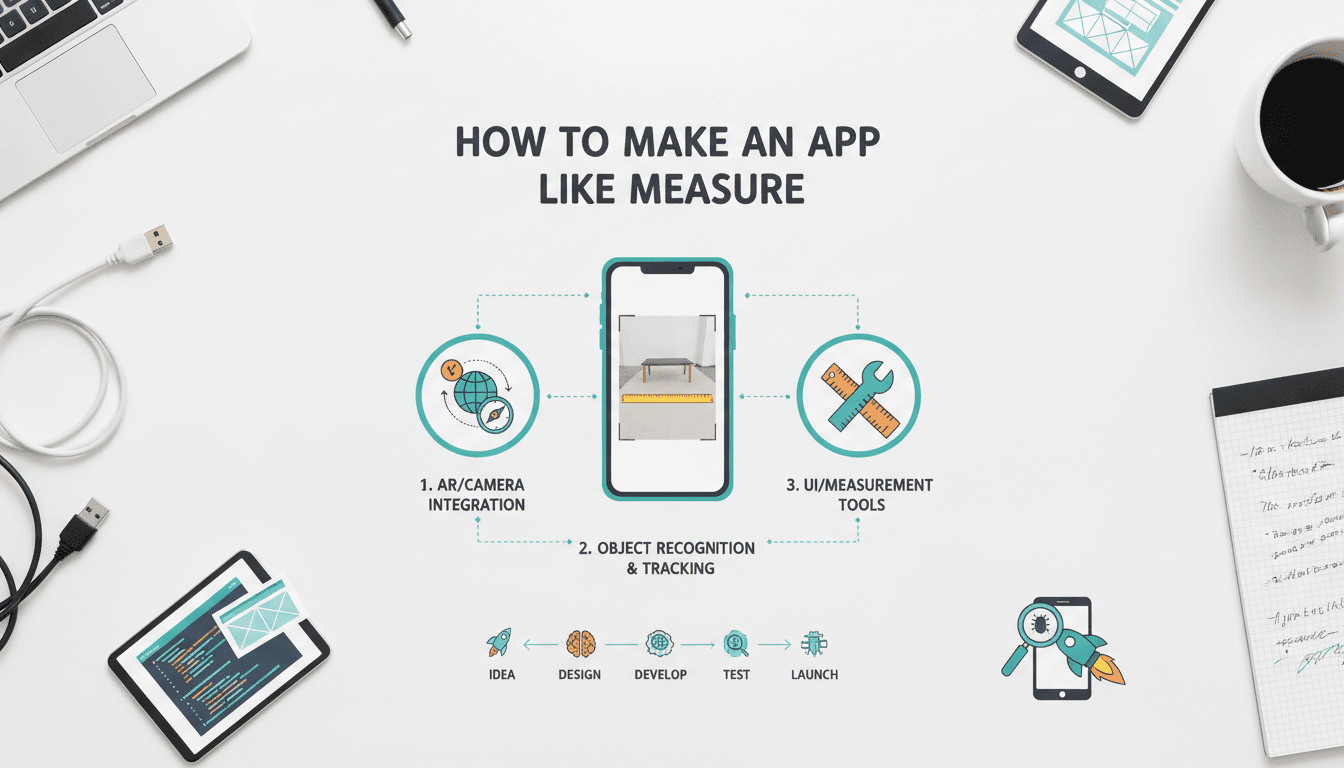
How to Make an App Like Measure
Apple's Measure app turned a phone camera into a tape measure, and it quietly became one of the most convincing demonstrations of consumer augmented reality. Point your device at a doorway, tap two points, and you get a dimension accurate enough for most everyday purposes. No hardware, no calibration cards, no special training.
If you're planning to build something similar — whether as a standalone utility, a feature inside a furniture retail app, or a field tool for contractors — this guide walks through what's actually involved: the technology, the architecture, the features that matter, and the costs you should expect.
If this is relevant to your project, check out How to Make an App Like ARKit.
What an App Like Measure Actually Does
Before writing a line of code, it's worth being precise about the product. "An app like Measure" usually means some combination of the following:
- Point-to-point linear measurement — the core interaction. Place an anchor, move the device, place a second anchor, read the distance.
- Rectangle and surface detection — automatically snapping to the edges of tables, picture frames, doors, and windows.
- Area and volume calculation — chaining measurements to compute square footage or cubic capacity.
- Level and angle tools — using the device's IMU rather than the camera.
- Person height detection — a newer capability that uses body-tracking models to estimate human height instantly.
- Saving, annotating, and exporting — screenshots with dimension overlays, measurement history, and export to PDF or CSV.
The first two items are the product. Everything else is differentiation.
The Technology Stack Underneath
AR Frameworks
You have two primary options on mobile, and they are not interchangeable.
ARKit (iOS) is the more mature platform for this specific use case. It provides scene reconstruction, plane detection, raycasting against detected geometry, and — critically — access to LiDAR depth data on Pro-tier iPhones and iPads. LiDAR is what allows Apple's own app to feel nearly instant.
ARCore (Android) offers plane detection, Depth API, and Raw Depth for devices without dedicated depth sensors. Accuracy on Android is more variable because the hardware landscape is fragmented. You'll need a device support matrix and graceful degradation for phones with weaker camera and IMU combinations.
If you want a single codebase, Unity with AR Foundation wraps both and is a reasonable choice when your app is measurement-heavy and UI-light. For apps where measurement is one feature among many, native implementations with a shared business layer usually produce a better result.
To explore this further, see How to Make an App Like MagicPlan.
How the Measurement Math Works
The underlying technique is visual-inertial odometry (VIO). The device fuses camera frames with accelerometer and gyroscope data to continuously estimate its own position and orientation in 3D space. Once you know where the camera is, and you can raycast from a screen tap into the reconstructed scene, you get a 3D world coordinate.
Two world coordinates give you a Euclidean distance. That's the whole trick.
distance = √((x₂-x₁)² + (y₂-y₁)² + (z₂-z₁)²)
The difficulty isn't the formula — it's making the coordinates trustworthy.
Depth Sensing and Accuracy
Accuracy comes from three sources, in descending order of reliability:
- LiDAR or time-of-flight sensors — direct depth measurement, typically accurate within 1% at short range.
- Stereo or multi-frame depth estimation — good, but degrades with low texture and poor lighting.
- Plane-based raycasting — assumes the point lies on a detected flat surface. Fast, but wrong the moment your assumption breaks.
A production app uses all three, choosing the best available method per device and per tap. Users should be told, subtly, when confidence is low.
Core Feature Breakdown
Onboarding and Surface Detection
New users will point the camera at a wall and expect an instant result. It won't happen — the session needs a few seconds of motion to build a map. Good apps handle this with an animated coaching overlay ("move your device slowly"), which both ARKit and ARCore provide hooks for. Skipping this step is the single most common cause of one-star reviews.
The Measurement Interaction
Design decisions here matter more than engineering ones:
- Reticle vs. tap-anywhere. A center reticle with a snap indicator is far more precise than free tapping.
- Edge snapping. Detecting and snapping to strong visual edges makes measurements feel magical. It's also where most of your computer vision effort will go.
- Undo and drag-to-adjust. Users will misplace points constantly. Let them fix it without starting over.
- Unit switching. Metric, imperial, and fractional inches. Contractors want sixteenths.
Persistence and Export
Store measurements locally first — the app must work in a basement with no signal. Sync opportunistically to a backend when connectivity returns. Export formats worth supporting include annotated images, PDF reports, CSV, and for professional users, DXF or USDZ.
Room Scanning as an Upgrade Path
RoomPlan on iOS can produce a parametric floor plan from a walkthrough. If your audience is real estate, insurance, or interior design, this is a natural premium tier and a strong differentiator over a simple ruler.
Architecture
A sensible structure separates concerns cleanly:
Client layer — Native AR session management, rendering, and measurement UI. This is where the majority of complexity lives.
Local persistence — SQLite or Core Data / Room for measurement records, projects, and cached assets. Offline-first, always.
Backend services — Authentication, project sync, team sharing, PDF generation, and subscription entitlement checks. A lightweight REST or GraphQL API on a managed cloud platform is more than sufficient; there's no need for anything exotic.
Optional ML services — If you're doing custom object recognition or dimension estimation beyond what the AR frameworks offer, on-device inference via Core ML or TensorFlow Lite keeps latency low and preserves privacy. Reserve cloud inference for heavy batch work like point cloud processing.
Privacy and Permissions
Camera-based apps invite scrutiny, and rightly so. Be explicit:
- Request camera access with a clear, contextual explanation rather than on first launch.
- Process frames on-device by default. Never upload camera imagery without unambiguous consent.
- Strip location metadata from exported images unless the user asks for it.
- Publish a plain-language privacy summary. App Store reviewers and enterprise buyers both look for it.
For construction, insurance, or healthcare deployments, you may also face data residency and audit requirements. Design for them early rather than retrofitting.
Testing an AR Measurement App
Traditional QA doesn't cover this. You'll need:
- A physical test kit — a laser distance meter, a steel tape, and a set of reference objects with known dimensions.
- Environment matrix testing — bright daylight, dim indoor, glossy floors, white walls with no texture, cluttered rooms, outdoors at distance.
- Device matrix testing — LiDAR and non-LiDAR iOS devices, plus a tiered spread of Android hardware.
- Drift testing — walk a long loop and return to the origin. Measure how far the app thinks you've moved. This is where poor implementations fall apart.
Set an accuracy target and publish it. "Within 1% under good lighting at distances under 3 meters" is honest and defensible. Vague claims invite disappointment.
Monetisation Models
| Model | Best for | Notes |
|---|---|---|
| Free with ads | Broad consumer utility | Low ARPU; ads clash badly with a camera UI |
| One-time purchase | Simple ruler apps | Hard to fund ongoing AR platform maintenance |
| Freemium subscription | Pro tools, exports, cloud sync | Most common and most sustainable |
| B2B licensing | Construction, insurance, retail | Highest revenue per seat; longer sales cycle |
| Embedded feature | Furniture, flooring, e-commerce | Measurement drives conversion rather than revenue directly |
The last row deserves attention. Many of the most valuable measurement features never ship as standalone apps at all — they live inside retail apps where "will this fit?" is the last objection before checkout.
Development Timeline and Cost
Rough estimates for a competent team:
MVP — single platform, point-to-point measurement, save and share: 8 to 12 weeks. Roughly $25,000 to $50,000.
Full product — both platforms, edge snapping, area/volume, PDF export, accounts and sync: 4 to 6 months. Roughly $60,000 to $120,000.
Professional tier — room scanning, CAD export, team collaboration, enterprise SSO: 6 to 9 months and up. $120,000 and beyond.
Ranges vary widely with team location and seniority. The variable that moves the number most is accuracy expectations — getting from "roughly right" to "trusted by a contractor" is where the budget goes.
Common Mistakes to Avoid
Underestimating lighting. A measurement app that fails in a dim garage fails in the exact situation people need it.
Hiding uncertainty. If the app isn't confident, say so. Users forgive a warning; they don't forgive a wrong number they acted on.
Overloading the AR view. Every extra button competes with the reticle for attention. Keep the camera screen almost empty.
Ignoring Android. It's harder, but abandoning it halves your market. Ship a tiered experience instead of no experience.
Treating it as a one-off project. ARKit and ARCore ship meaningful updates annually. A measurement app needs ongoing maintenance to stay accurate on new hardware.
Should You Build One?
A standalone ruler app is a crowded, low-margin market — Apple ships one for free. The opportunity lies in specialisation: measurement tools built for a specific trade, integrated into a specific workflow, or embedded in a commerce experience where dimensions remove purchase friction.
Related reading: How to Make an App Like AR Ruler.
If you can name the user, the job, and the decision your measurement unblocks, the technology is well within reach. The AR frameworks have matured to the point where the hard part is no longer computer vision — it's product judgement.
Getting Started
The practical first step is a two-week technical spike: build a bare-bones AR session on your target platform, implement raycast-based point placement, and measure twenty real objects against a laser meter. You'll learn more about the feasibility of your idea from that exercise than from any amount of planning, and the results will tell you exactly how much engineering effort your accuracy target demands.
From there, scope the MVP narrowly, ship to a small group of real users in their real environments, and let their feedback decide what gets built next.
Have a project in mind? Contact Sodio Technologies to discuss your requirements and explore the right technology solution for your business.
/// Work with us
Talk to the engineers who'd build it
You'll get a technical scope, timeline and cost estimate from the people doing the work, not an account manager. In-house team, no subcontracting, since 2016.