

How to Make an App Like ARKit
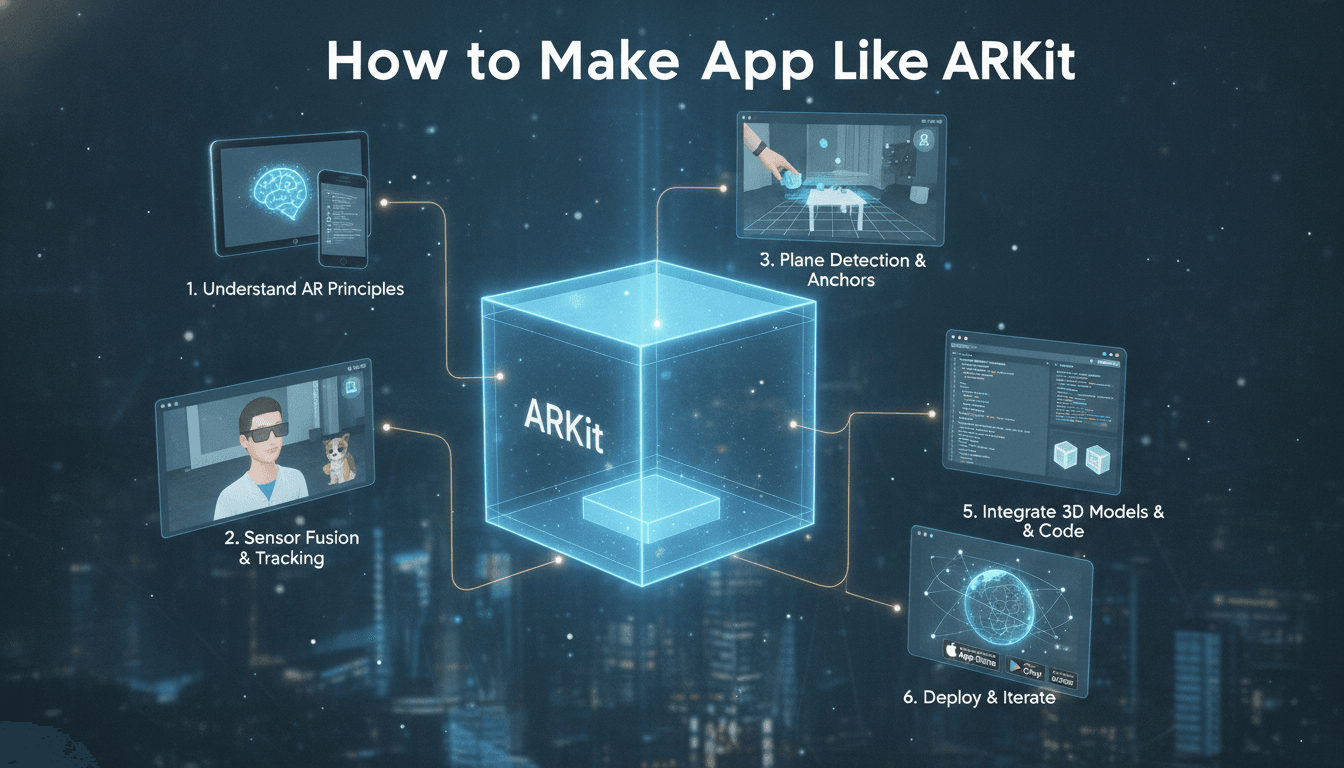
How to Make an App Like ARKit
Augmented reality has moved from novelty to necessity. Furniture retailers let shoppers place a sofa in their living room, fitness apps overlay form corrections on a user's body, and navigation tools paint arrows onto the street ahead. Behind most of these experiences on iOS sits ARKit — Apple's augmented reality framework.
But what does it actually take to build something like ARKit? Whether you want to create your own AR framework, or build a polished consumer app powered by one, this guide breaks down the architecture, the technology stack, the timeline, and the budget.
To explore this further, see How to Make an App Like AR Ruler.
First, Understand What ARKit Actually Is
ARKit isn't an app. It's a software development kit — a set of tools and APIs that handle the hard math of augmented reality so developers don't have to reinvent it.
At its core, ARKit solves one very difficult problem: understanding where a device is in physical space, and what's around it. Everything else — placing virtual objects, casting realistic shadows, recognizing faces — builds on top of that foundation.
ARKit's main capabilities include:
- World tracking — knowing the device's position and orientation in 3D space
- Plane detection — identifying floors, tables, and walls
- Scene understanding — measuring depth and geometry of a room
- Light estimation — matching virtual lighting to real-world conditions
- Face and body tracking — mapping facial expressions and human poses
- Image and object anchors — recognizing specific real-world markers
- Persistence and sharing — saving AR sessions and syncing them across devices
If you're building "an app like ARKit," you need to decide which of these you actually need. Very few projects require all of them.
You may also find our article on How to Make an App Like Augment useful.
The Technology That Makes AR Work
Visual-Inertial Odometry (VIO)
This is the engine room. VIO fuses two data streams:
- Camera frames — the software identifies distinctive visual features (corners, textures, edges) in each frame and tracks how they move between frames.
- Inertial measurement unit (IMU) data — accelerometer and gyroscope readings that report motion hundreds of times per second.
Neither source is reliable alone. Camera tracking fails in low light or against blank walls. IMU data drifts badly within seconds. Combined through a sensor fusion algorithm — typically a Kalman filter or a factor-graph optimizer — they produce a stable, drift-resistant estimate of device pose.
SLAM (Simultaneous Localization and Mapping)
While VIO tracks the device, SLAM builds a map of the environment at the same time. The system maintains a sparse point cloud of tracked features and continuously refines both the map and the device's position within it.
Key components you'll need to implement or integrate:
- Feature detection and description — ORB, FAST, or learned descriptors
- Feature matching across frames
- Keyframe selection to limit computational load
- Bundle adjustment to refine the map and reduce accumulated error
- Loop closure to correct drift when the user returns to a previously seen location
- Relocalization to recover tracking after it's lost
Depth Sensing and Scene Reconstruction
Modern AR benefits enormously from depth data. On devices with LiDAR, depth comes almost for free. Without it, you'll need monocular depth estimation — typically a neural network trained to infer depth from a single image — or multi-view stereo from consecutive frames.
Depth enables the two things that make AR feel real:
- Occlusion — a virtual ball rolling behind a real chair leg
- Physics collisions — objects that land on the actual floor, not a guessed plane
Rendering
Tracking gives you a camera pose. Rendering turns that into pixels. You'll need a renderer that supports:
- Physically based rendering (PBR) materials
- Environment probes and image-based lighting
- Real-time shadow casting onto detected surfaces
- Camera feed compositing with correct color grading and grain matching
The rendering layer is often where AR apps win or lose. Perfect tracking with flat, plasticky rendering still feels fake.
Choosing Your Build Path
There are three realistic approaches, and picking the right one saves months.
Path 1: Build on Top of Existing Frameworks
Best for: 95% of projects.
You use ARKit on iOS, ARCore on Android, or a cross-platform layer like Unity's AR Foundation. You focus entirely on your app's unique value — the furniture catalog, the measurement UX, the multiplayer game logic.
Related reading: How to Make an App Like Measure.
Timeline: 3–6 months for a solid product.
Path 2: Build a Hybrid — Custom Layers on a Standard Base
Best for: Apps needing capability the platform SDKs don't offer.
You use ARKit for tracking but layer your own computer vision on top: custom object recognition, specialized measurement algorithms, proprietary 3D reconstruction, or domain-specific ML models.
Timeline: 6–12 months.
Path 3: Build a True AR Engine From Scratch
Best for: Companies whose entire business is AR infrastructure, or teams targeting hardware the platform SDKs don't support.
You implement VIO, SLAM, calibration, and rendering yourself. This requires PhD-level computer vision expertise and serious optimization work.
Timeline: 18–36 months with a specialist team.
The Technology Stack
Native iOS
- Swift, ARKit, RealityKit or SceneKit, Metal for custom shaders
- Vision and Core ML for on-device inference
Native Android
- Kotlin, ARCore, Sceneform or Filament, Vulkan/OpenGL ES
- ML Kit or TensorFlow Lite
Cross-Platform
- Unity with AR Foundation — the most common choice for 3D-heavy AR
- Unreal Engine — stronger rendering, heavier builds
- Flutter or React Native with native AR modules — good when AR is one feature in a larger app
Custom Computer Vision
- OpenCV for image processing
- Ceres Solver or g2o for bundle adjustment
- Eigen for linear algebra
- PyTorch or TensorFlow for training, converted to Core ML / TFLite for deployment
Backend
- Cloud anchor storage and multi-user session sync
- 3D asset CDN with LOD variants
- Analytics for tracking-quality telemetry
- WebRTC or a real-time database for shared AR sessions
Step-by-Step Development Process
1. Define the AR Job to Be Done
Vague goals kill AR projects. "We want AR in our app" is not a spec. "Users should be able to place a to-scale 3D product in their room and see accurate dimensions within 2cm" is a spec.
Write down the exact interaction, the environment it happens in, and the accuracy required.
2. Prototype Fast and Ugly
Build a throwaway prototype in Unity or Swift within two weeks. Use placeholder assets. The goal is to answer: does this interaction actually feel good in AR, or is it a 2D screen idea wearing a costume?
Many AR ideas die here, and that's a success — you saved six months.
3. Design the AR-Specific UX
AR UX has its own rules:
- Onboarding matters more than anywhere else. Users must be taught to move the device slowly to initialize tracking.
- Communicate tracking state visually. A scanning animation, a detected-plane grid, a warning when lighting is poor.
- Keep UI out of the world when possible. Screen-space controls are easier to hit than floating 3D buttons.
- Design for arm fatigue. Nobody holds a phone up for fifteen minutes. Sessions should be short or seated.
- Handle failure gracefully. Tracking will be lost. Have a recovery flow ready.
4. Build the Core Tracking Integration
Set up the AR session, configure plane detection, implement raycasting for placement, and build your anchor management system. Anchors are how virtual content stays attached to the real world — get this architecture right early.
5. Optimize Your 3D Assets
This is where teams underestimate the work. Mobile AR demands:
- Polygon budgets in the low tens of thousands per object
- Texture atlasing and compressed formats (ASTC, ETC2)
- Draw call minimization
- Level-of-detail models for distant objects
- USDZ for iOS Quick Look, glTF/GLB for cross-platform
A photorealistic 2-million-polygon product model from your CAD team is useless until it's been retopologized and baked.
6. Add Occlusion and Realistic Lighting
Take your device's light estimation data and feed it into your rendering pipeline. Use environment probes to reflect the room in shiny surfaces. Enable people occlusion and depth-based occlusion where hardware supports it.
The difference between "object floating on screen" and "object in my room" is almost entirely these two features.
7. Test in the Real World, Relentlessly
Lab testing is insufficient. You need to test in:
- Bright sunlight and dim evening light
- Rooms with reflective floors and glass walls
- Blank white walls with no trackable features
- Cluttered and empty spaces
- On low-end devices, not just the newest flagship
Build telemetry that reports tracking quality, initialization time, and session drop rates from real users.
8. Optimize Thermals and Battery
AR is brutal on hardware. The camera, the neural engine, the GPU, and the IMU all run continuously. Devices throttle within minutes.
Mitigations include:
- Reducing render resolution during heavy processing
- Pausing plane detection once surfaces are found
- Lowering frame rate for static scenes
- Offering a "lite" mode on older devices
Cost and Timeline Estimates
Costs vary widely by region and team composition. These are rough ranges for a professional development team:
Simple AR Viewer (place a model, rotate, scale)
- 2–3 months, $30,000 – $60,000
Full AR Commerce or Utility App (catalog, measurement, save/share, backend)
- 4–8 months, $80,000 – $200,000
AR App With Custom Computer Vision (proprietary recognition or reconstruction)
- 8–14 months, $200,000 – $450,000
Custom AR Engine/SDK
- 18–36 months, $600,000+
Add 20–40% for 3D asset production if you need a large model library — this is frequently the forgotten line item.
Common Mistakes to Avoid
Treating AR as a marketing gimmick. If the AR feature doesn't solve a real problem better than a 2D interface, users try it once and never return.
Ignoring the asset pipeline. Great AR software with bad 3D models produces a bad app. Budget for modeling, retopology, texturing, and optimization.
Skipping onboarding. Users who don't understand they need to move the device will conclude your app is broken.
Targeting too many devices. AR performance varies enormously across hardware. Define a clear minimum spec and enforce it.
Building for the demo, not the daily user. A 30-second demo is easy. An experience someone uses weekly is a completely different engineering problem.
Monetization Models That Work
- Commerce conversion — AR preview as a funnel step, measured by return-rate reduction and cart lift
- B2B licensing — selling your AR viewer to retailers or manufacturers
- Subscription — for professional tools like measurement, design, or training apps
- In-app purchases — additional content, filters, or effects
- White-label SDK — licensing your AR capability to other developers
Where AR Development Is Heading
Several shifts are reshaping how these apps get built:
- Depth sensors becoming standard across mid-range devices, making occlusion universal rather than premium
- Neural rendering and Gaussian splatting replacing traditional photogrammetry for capturing real objects
- Persistent cloud anchors enabling shared AR content tied to real locations
- WebAR maturing, removing the app-install barrier for lightweight experiences
- Headset convergence — Vision Pro, Quest, and Android XR mean AR apps increasingly need to work beyond the phone
Building with a platform-agnostic content pipeline today makes the jump to headsets far cheaper tomorrow.
Final Thoughts
Building an app like ARKit means being honest about which layer you're building. Very few teams need to write their own SLAM system — and the ones that do usually know it already.
For everyone else, the real work sits above the tracking layer: crafting an interaction that genuinely benefits from being anchored in physical space, producing 3D content that holds up under real lighting, and engineering an experience that stays stable on a three-year-old phone in a badly lit room.
Get those right and the AR framework underneath becomes an implementation detail. Get them wrong and no amount of tracking precision will save the product.
Have a project in mind? Contact Sodio Technologies to discuss your requirements and explore the right technology solution for your business.
/// Work with us
Talk to the engineers who'd build it
You'll get a technical scope, timeline and cost estimate from the people doing the work, not an account manager. In-house team, no subcontracting, since 2016.