

How to Make an App Like MyLife Meditation
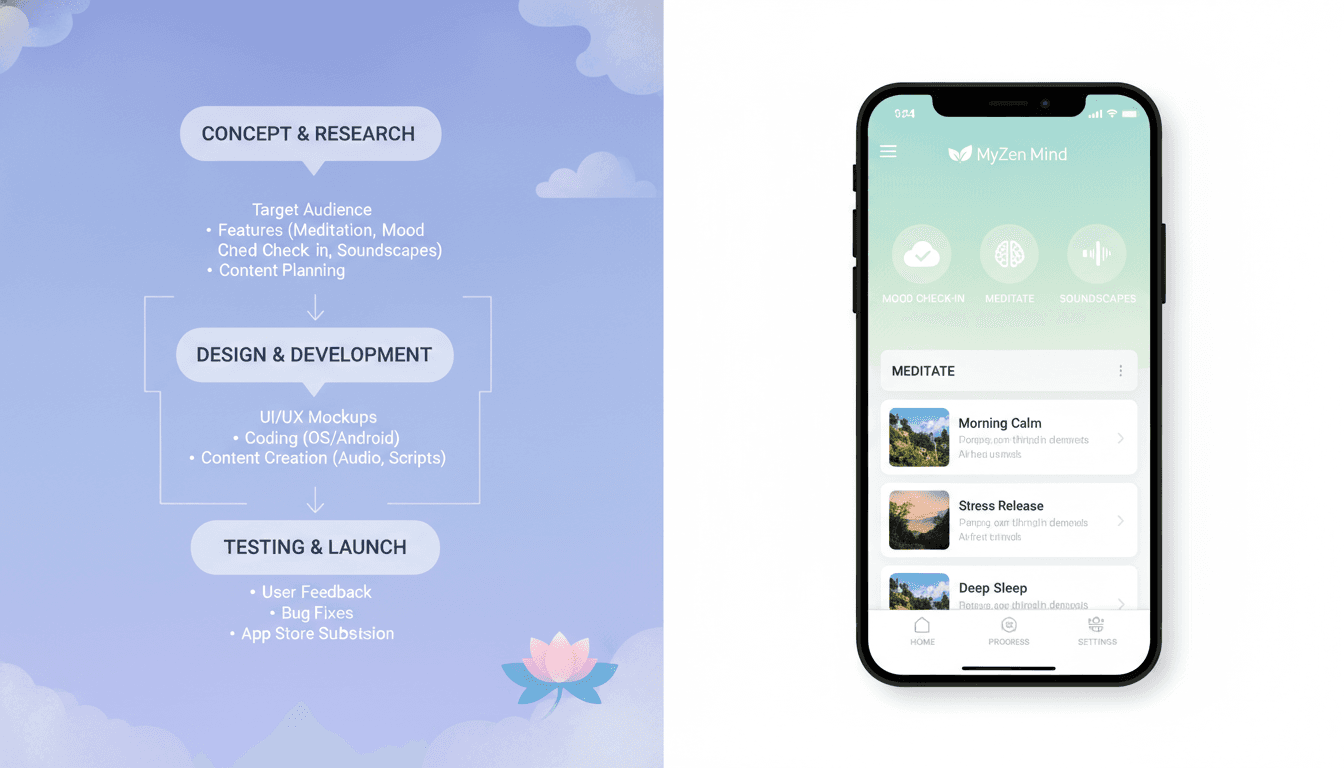
How to Make an App Like MyLife Meditation
Mindfulness has moved from a niche wellness trend to a mainstream daily habit. Apps like MyLife Meditation (formerly Stop, Breathe & Think) have shown that there's real demand for tools that check in on how users feel and then recommend something helpful — a short breathing exercise, a guided meditation, a yoga sequence, or an acupressure routine.
If you're planning to build something similar, this guide walks through the product thinking, feature set, tech stack, monetisation models, and cost considerations involved in creating a meditation app that people actually return to.
If this is relevant to your project, check out How to Make an App Like The Mindfulness App.
What Makes MyLife Meditation Different
Most meditation apps hand you a library and let you browse. MyLife Meditation starts with a question: how are you feeling, mentally and physically, right now?
Users tag their emotions and body state, and the app responds with a curated set of short activities matched to that check-in. Over time, it builds an emotional history that users can look back on.
We cover a closely related subject in How to Make an App Like Headspace.
That single mechanic — emotional check-in driving personalised recommendations — is the differentiator. If you're building in this space, your app needs a similarly strong hook. Copying a content library isn't a product; the intelligence layer on top of it is.
Step 1: Define Your Niche and Positioning
The meditation market is crowded with well-funded incumbents. Competing head-on with Calm or Headspace on general mindfulness content is expensive and unlikely to work. Narrower positioning performs better:
- Audience-specific: meditation for teens, new parents, shift workers, athletes, or people in recovery
- Use-case specific: sleep only, anxiety relief only, focus and deep work
- Context specific: corporate wellness, schools, therapy adjunct, insurance-backed programmes
- Modality specific: breathwork-first, somatic practices, sound baths, faith-based meditation
Pick a lane before you write a line of code. It shapes your content strategy, tone of voice, onboarding, and pricing.
Step 2: Map Your Core Feature Set
Must-Have Features (MVP)
Onboarding and goal setting Ask a handful of questions — experience level, goals (sleep, stress, focus), preferred session length, reminder times. Use the answers immediately so onboarding feels valuable rather than extractive.
Emotional and physical check-in A tappable grid or wheel of mood states and body sensations. Keep it fast — under 15 seconds. This is your data engine and your differentiator.
Personalised recommendations Map check-in inputs to content. Start with a rules-based engine (mood tags → content tags) before investing in machine learning. A well-designed taxonomy beats a bad model.
Guided meditation player Audio streaming with offline download, background playback, lock-screen controls, playback speed, sleep timer, and resume-where-you-left-off. Audio playback quality is where amateur apps get exposed — get this right.
Content library Organised by category, duration, teacher, and goal. Support filtering and search. Include very short sessions (1–3 minutes) — they drive habit formation far better than 30-minute sits.
Streaks, stats, and mood history Total minutes, sessions completed, current streak, and a visual mood timeline. Be careful with streaks: aggressive streak mechanics can create guilt, which is the opposite of what a wellness app should do. Consider forgiving streaks or weekly goals instead.
Reminders and notifications Local push notifications tied to user-chosen times, with smart suppression if they've already practised that day.
Features for Version 2 and Beyond
- Breathing exercises with animated visual pacing and haptic feedback
- Yoga and movement sequences (video)
- Sleep stories and soundscapes with mixable ambient layers
- Courses and multi-day programmes with progressive unlocking
- Wearable integration (Apple Health, Google Fit, HRV and sleep data)
- Live sessions and community challenges
- Journaling with prompts tied to check-in results
- Family and group plans
- B2B admin dashboard for corporate wellness clients
- AI-generated or AI-narrated personalised meditations
Step 3: Design for Calm
UI/UX carries unusual weight in this category. The interface itself should lower the user's heart rate.
Principles that work:
- Generous whitespace and large touch targets. Nothing cramped or busy.
- Soft, muted palettes with gentle gradients. Avoid high-saturation alert colours.
- Slow, eased animations (300–500ms) rather than snappy micro-interactions.
- Minimal text per screen. One idea at a time.
- Dark mode as a first-class citizen, not an afterthought — a huge share of usage happens at bedtime.
- Reduced-motion and accessibility support, including transcripts and captions for all audio content.
Avoid dark patterns. Hard paywalls after every tap, fake urgency, and hidden cancellation flows destroy trust fast in a wellness context, and app store reviewers are increasingly unforgiving about them.
If this is relevant to your project, check out How to Make an App Like Simple Habit.
Step 4: Choose Your Tech Stack
Mobile Front End
| Approach | Best For | Trade-off |
|---|---|---|
| Flutter | Fast cross-platform delivery, custom animated UI | Larger binary; some native audio work needed |
| React Native | JS teams, strong library ecosystem | Bridging for advanced audio/background playback |
| Native (Swift / Kotlin) | Best audio, background, and wearable integration | Two codebases, higher cost |
For a meditation app, cross-platform with Flutter or React Native is usually the pragmatic choice, with platform-specific native modules for audio session management, background playback, and health data.
Backend
- API layer: Node.js (NestJS) or Python (FastAPI/Django)
- Database: PostgreSQL for users, subscriptions, and content metadata
- Cache/queue: Redis for sessions, leaderboards, and job queues
- Auth: Firebase Auth, Auth0, or Cognito with Apple/Google sign-in
- Analytics: Amplitude or Mixpanel for behavioural funnels; Firebase for crash and performance
Media Delivery
This is the part teams underestimate. You need:
- Object storage (S3, GCS) with a CDN (CloudFront, Cloudflare) for low-latency audio worldwide
- HLS adaptive streaming for longer files and variable connections
- Encrypted local caching for offline downloads so content can't be trivially extracted
- Signed, expiring URLs to protect premium content
Subscriptions
Use RevenueCat or a similar layer over StoreKit and Google Play Billing. Building receipt validation, entitlement syncing, and renewal webhooks yourself is weeks of work you don't need to spend.
Step 5: Build the Personalisation Engine
Start simple and earn your way to complexity.
Phase 1 — Rules and taxonomy. Tag every piece of content with emotion tags, goals, duration, intensity, and teacher. Map check-in states to tag combinations. Add variety logic so users don't see the same three sessions repeatedly.
Phase 2 — Collaborative filtering. Once you have enough completion data, recommend based on what similar users finished and rated highly.
Phase 3 — Contextual and predictive. Factor in time of day, day of week, recent streak behaviour, and wearable signals (poor sleep last night → shorter, gentler session this morning).
Phase 4 — Generative AI. LLM-driven script generation plus high-quality TTS can produce meditations tailored to a user's exact situation. Tread carefully: quality control, voice warmth, and safety guardrails matter enormously here. A poorly generated meditation is worse than no meditation.
Step 6: Handle Content Production
Your app is a delivery mechanism; the content is the product.
- Hire qualified teachers. Credentials matter for credibility and for any B2B or healthcare partnership.
- Invest in audio production. Clean recording, consistent loudness normalisation (target around -16 LUFS for mobile), and quality music beds.
- Write for the ear, not the page. Scripts need pacing, pauses, and natural phrasing.
- Plan a content calendar. Regular new releases are a major retention driver.
- Nail your licensing. Music and voice rights need to be cleared for commercial use in all your territories, in perpetuity if possible.
Step 7: Take Privacy and Compliance Seriously
Mood data and mental-health signals are among the most sensitive categories of personal data.
- GDPR / CCPA compliance: explicit consent, data export, and deletion on request
- HIPAA if you're partnering with healthcare providers or insurers
- Encryption at rest and in transit; consider on-device storage for raw journal entries
- Data minimisation: don't collect what you don't use
- App store health disclosures and honest privacy nutrition labels
- Crisis safeguards: if a user reports severe distress, surface region-appropriate helplines. Do not let an algorithm handle a crisis silently.
- Avoid medical claims unless you have the clinical evidence and regulatory clearance to back them
Step 8: Choose a Monetisation Model
Freemium subscription is the dominant model and generally the right default. A small free library plus a paid tier at roughly $10–15/month or $60–90/year, with a 7-day trial.
Other options worth layering in:
- Lifetime access purchase for commitment-averse users
- B2B corporate wellness licensing — often higher margin and lower churn than consumer
- Education and healthcare institutional licences
- Family plans to raise ARPU and reduce churn
Key metrics to watch: trial-to-paid conversion, day-7 and day-30 retention, sessions per active user per week, and monthly churn. Retention in this category lives or dies on habit formation in the first two weeks.
Step 9: Plan Timeline and Budget
Rough ranges for a professionally built product:
| Scope | Timeline | Indicative Cost |
|---|---|---|
| MVP (check-in, library, player, subscriptions, one platform) | 3–4 months | $35k–$60k |
| Full v1 (both platforms, personalisation, breathing tools, stats) | 5–7 months | $70k–$130k |
| Advanced (AI personalisation, wearables, B2B dashboard, live sessions) | 8–12 months | $150k–$300k+ |
Budget separately for content production, licensing, and — critically — user acquisition. In a category this competitive, marketing spend often exceeds development spend in year one.
Common Mistakes to Avoid
- Launching with a huge library and no personalisation. Choice paralysis kills first sessions.
- Ignoring session length variety. Most people won't start with 20 minutes.
- Treating audio as "just a media player." Background playback, interruptions, Bluetooth handoff, and offline caching are genuinely hard.
- Guilt-based retention mechanics. They spike short-term engagement and destroy long-term trust.
- Skipping accessibility. Transcripts, captions, screen reader support, and reduced motion are table stakes.
- No content refresh plan. Static libraries churn users within two months.
Final Thoughts
Building an app like MyLife Meditation is less about replicating a feature list and more about nailing one loop: check in, get something genuinely helpful, feel better, come back tomorrow. Get that loop tight, keep the interface calm, treat sensitive data with respect, and invest continuously in content quality.
Start with a focused MVP for a clearly defined audience, instrument everything so you can see where the loop breaks, and expand into AI personalisation, wearables, and B2B once you've proven people actually return.
If you're exploring a mindfulness or wellness app and want help scoping the architecture, content pipeline, and roadmap, our team can help you move from concept to a launch-ready product.
Have a project in mind? Contact Sodio Technologies to discuss your requirements and explore the right technology solution for your business.
/// Work with us
Talk to the engineers who'd build it
You'll get a technical scope, timeline and cost estimate from the people doing the work, not an account manager. In-house team, no subcontracting, since 2016.