

How to Make an App Like Simple Habit
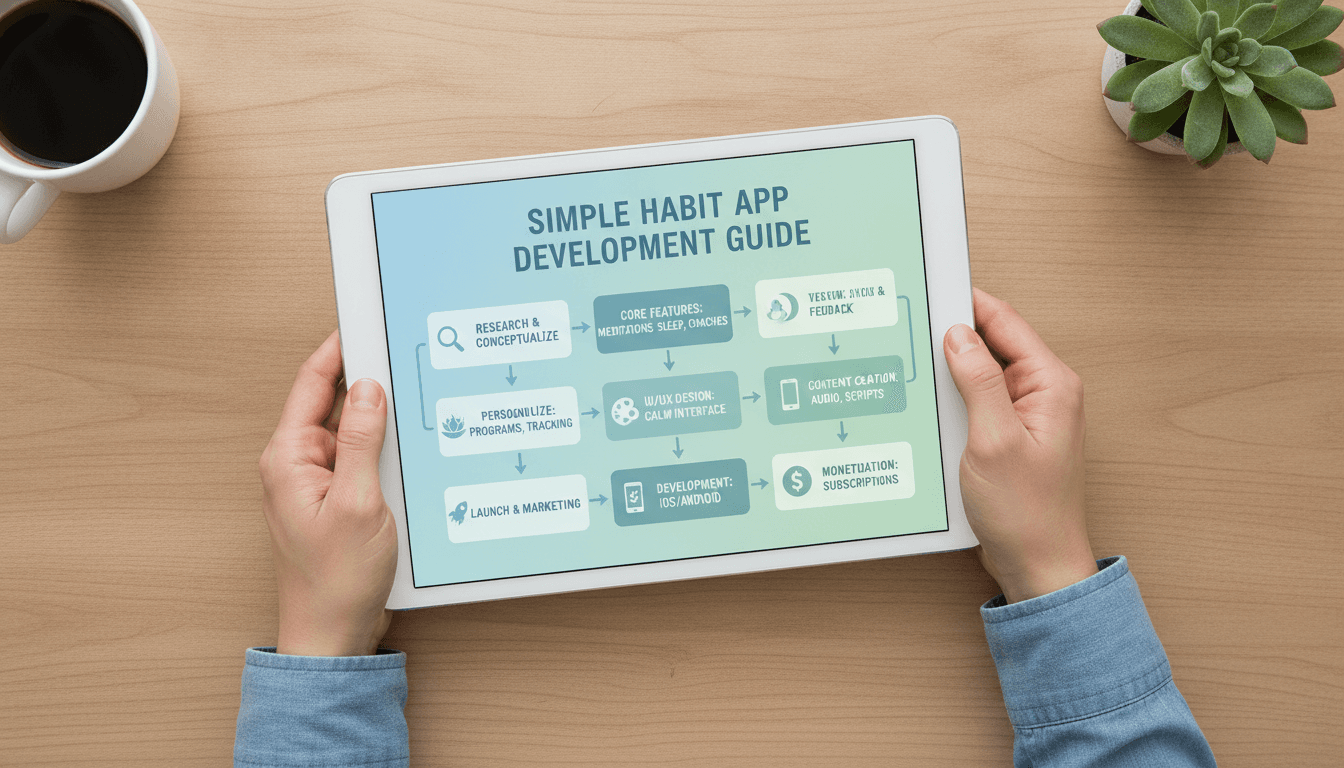
Meditation and mindfulness apps have moved from niche wellness tools to mainstream mental health companions. Simple Habit carved out its place in this crowded market with a clear promise: five-minute meditations designed for busy people who don't have an hour to sit on a cushion. If you're planning to build something similar, here's what it actually takes.
Why the Meditation App Market Is Still Worth Entering
The mindfulness app space looks saturated at first glance — Headspace, Calm, Insight Timer, Balance. But saturation at the top doesn't mean there's no room underneath. The market keeps growing because stress isn't going anywhere, employers are funding wellness benefits, and users churn constantly between apps looking for the one that finally sticks.
We cover a closely related subject in How to Make an App Like 10% Happier.
The opportunity isn't in cloning Simple Habit. It's in serving a segment the incumbents treat as an afterthought: new parents, shift workers, people in recovery, teenagers, a specific cultural or language community, or employees at a particular type of company. Narrow positioning beats broad imitation almost every time.
What Makes Simple Habit Work
Before writing a line of code, it's worth understanding the product decisions behind the app you're benchmarking against.
We cover a closely related subject in How to Make an App Like Breethe.
Short sessions as the core promise. Five minutes is the hook. It lowers the barrier to starting and makes daily use realistic.
Situational browsing. Instead of forcing users to know what they need, Simple Habit organises content around moments: commuting, before a big meeting, can't sleep, feeling anxious. This is a content architecture decision more than a technical one, and it's a big part of why the app feels useful.
Multiple teachers and voices. Users bond with specific instructors. Offering variety increases the odds someone finds a voice they'll return to.
Habit mechanics. Streaks, reminders, and progress stats do the unglamorous work of retention.
Core Features to Build
Onboarding and Personalisation
A short intake flow that asks why the user is here — stress, sleep, focus, anxiety — and what times of day they want to practise. Use those answers to populate a personalised home screen immediately. An empty or generic first screen is where most wellness apps lose people.
Content Library and Player
The heart of the app. You'll need:
- Categorised and tagged audio sessions
- Search and filtering by duration, topic, teacher, and goal
- A robust audio player with background playback, lock-screen controls, and scrubbing
- Offline downloads for commuters and travellers
- Resume-where-you-left-off behaviour
Guided Programs and Series
Multi-day courses ("7 Days to Better Sleep") give structure and give users a reason to come back tomorrow. Track completion per program, not just per session.
Habit Tracking and Streaks
Daily streak counters, total minutes meditated, session history, and gentle milestone celebrations. Be careful with streak pressure — breaking a 60-day streak shouldn't feel like failure. Consider streak freezes or forgiving weekly goals instead of rigid daily ones.
Smart Reminders
Push notifications tied to the user's stated schedule. Time-zone aware, snoozeable, and easy to tune. Badly timed notifications are the fastest route to an uninstall.
Sleep and Ambient Content
Sleep stories, soundscapes, and longer-form audio. Sleep content drives a huge share of engagement in this category and often has different technical requirements — long files, fade-out timers, dimmed UI.
Subscriptions and Paywalls
Freemium is the standard model. A free tier with limited sessions, a trial period, then monthly and annual plans. You'll need in-app purchase handling on both platforms, server-side receipt validation, and a plan for web-based subscription flows if you want to avoid platform fees where allowed.
Profile and Insights
Weekly and monthly summaries, mood check-ins before and after sessions, and simple charts showing progress. Insight screens are cheap to build and disproportionately good at making users feel invested.
Features Worth Considering Beyond the Basics
- Mood journaling with short text or emoji check-ins
- Live or scheduled group sessions for a sense of community
- Wearable integration with Apple Health, Google Fit, or Fitbit for heart rate and sleep data
- Corporate/B2B portals so employers can buy seats — often the most profitable channel in this space
- AI-assisted recommendations that surface the right session based on time of day, past behaviour, and recent mood entries
- Offline-first widgets and Apple Watch companions for one-tap sessions
Technology Stack
Mobile: React Native or Flutter will get you to both platforms faster and cheaper, which matters for a content-driven app where most of the complexity lives in the backend and the library. Choose native Swift and Kotlin if you're planning deep OS integrations, advanced audio processing, or heavy wearable work.
Backend: Node.js, Python (Django or FastAPI), or Go all work well. You mainly need a content API, user accounts, subscription state, and analytics ingestion.
Database: PostgreSQL for users, subscriptions, and progress data. Redis for caching hot content lists and session state.
Media delivery: Store audio in S3 or equivalent object storage and serve it through a CDN with signed URLs so paid content can't be hotlinked. Use adaptive bitrate or multiple encodings for poor network conditions.
CMS: Don't hard-code your library. Use a headless CMS (Strapi, Contentful, Sanity) so your content team can publish sessions, update metadata, and build programs without an app release.
Auth: Email, Apple Sign-In (mandatory if you offer other social logins on iOS), and Google Sign-In.
Analytics and messaging: Mixpanel or Amplitude for product analytics, RevenueCat for subscription management, and Braze or OneSignal for push and lifecycle messaging.
The Part Most Teams Underestimate: Content
The app is the easy half. A meditation product lives or dies on the quality, volume, and consistency of its audio library.
You may also find our article on How to Make an App Like MyLife Meditation useful.
You'll need to source teachers, write or commission scripts, record in a proper studio or with professional home setups, edit and master to consistent loudness levels, and keep publishing on a schedule. Budget for a content lead and an ongoing production pipeline, not a one-time recording sprint. Users churn when the library feels stale.
Also settle the licensing questions early: who owns the recordings, how teachers are compensated (flat fee, revenue share, per-play royalties), and what happens if a teacher leaves.
Design Principles That Matter Here
Calm by default. Soft palettes, generous whitespace, restrained typography, no aggressive gradients or dense dashboards. The UI should lower the user's heart rate, not raise it.
Fewest possible taps to audio. From cold launch to playing a session should be one or two taps. Everything else is secondary.
Dark mode is not optional. A large share of usage happens in bed with the lights off.
Accessibility. Proper contrast, scalable text, VoiceOver and TalkBack support, and transcripts or captions for guided content where feasible.
Monetisation Models
| Model | How it works | Best for |
|---|---|---|
| Freemium subscription | Limited free library, paid unlock | Most consumer apps |
| Free trial to paid | 7–14 days full access, then charge | Strong content libraries |
| Lifetime purchase | One-time high-ticket payment | Supplementing subscriptions |
| B2B/enterprise | Employers buy seats for staff | High margin, longer sales cycle |
| Teacher marketplace | Revenue share on individual creators | Community-driven platforms |
Most successful apps blend two or three. The annual plan with a trial is typically the workhorse, while enterprise deals provide the margin.
Development Timeline and Cost
A realistic breakdown for a cross-platform MVP:
- Discovery, research, and product definition: 2–3 weeks
- UI/UX design: 3–5 weeks
- Frontend and backend development: 10–16 weeks
- CMS setup and content ingestion: 2–3 weeks, in parallel
- QA, beta testing, and store submission: 3–4 weeks
That puts a solid MVP in the four-to-six month range. Cost varies enormously by region and team composition, but a competent cross-platform MVP with a custom backend and CMS typically lands somewhere between $50,000 and $120,000, before content production. Native-on-both-platforms, heavy personalisation, wearables, and live sessions push that higher.
Launch and Growth
Start with a niche. "Meditation for nurses on night shift" is a story the press will cover and an audience that will tell each other. "Another meditation app" is not.
App Store Optimisation matters more here than in most categories because a lot of discovery is search-driven. Invest in screenshots, keyword research, and a compelling preview video.
Use content as marketing. The same scripts and teachers producing in-app sessions can produce YouTube, Spotify, and podcast content that funnels users back to the app.
Measure the right things. Day 7 and Day 30 retention, sessions per active user per week, trial-to-paid conversion, and time-to-first-session. Downloads are vanity; weekly active meditators are the business.
Common Pitfalls
- Launching with a thin library — 30 sessions feels empty within a week
- Over-notifying users into uninstalling
- Building complex social features before core retention works
- Ignoring audio quality inconsistencies between teachers
- Treating the paywall as an afterthought and bolting it on late
- No plan for ongoing content, so the app stagnates three months post-launch
Final Thoughts
Building an app like Simple Habit is less of a technical moonshot and more of a product and content discipline challenge. The engineering — audio streaming, offline caching, subscriptions, a content API — is well-trodden ground with mature tooling. What separates the apps people keep from the ones they delete is a clear point of view about who it's for, a library that keeps growing, and an experience that gets someone from an anxious moment to a calming voice in under five seconds.
Get the niche and the content pipeline right, and the app becomes the easy part.
Have a project in mind? Contact Sodio Technologies to discuss your requirements and explore the right technology solution for your business.
/// Work with us
Talk to the engineers who'd build it
You'll get a technical scope, timeline and cost estimate from the people doing the work, not an account manager. In-house team, no subcontracting, since 2016.