

How to Make an App Like Paprika
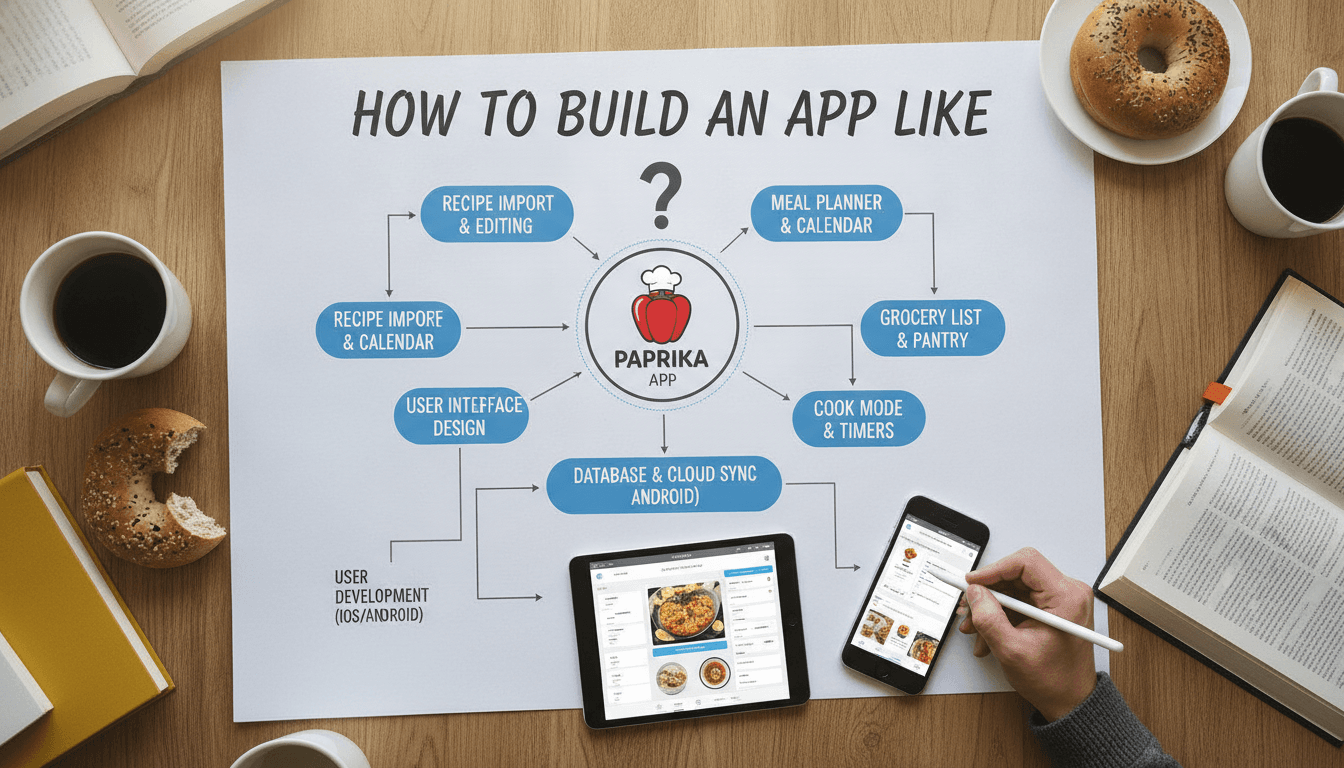
How to Make an App Like Paprika
Recipe management has quietly become one of the most sticky categories in mobile software. Paprika Recipe Manager proved it: a paid, no-subscription app that lets people clip recipes from any website, scale ingredients, build meal plans, and generate grocery lists — all of which works offline and syncs across every device a household owns.
If you're planning to build something similar, the hard parts aren't where most people expect. Below is a practical breakdown of what an app like Paprika actually requires, how to scope it, and what it costs.
If this is relevant to your project, check out How to Make an App Like Epicurious.
Why Paprika Works
Before copying features, it's worth understanding the product logic behind them.
- It solves a real workflow, not a hobby. Cooking dinner involves finding a recipe, deciding what to cook this week, buying the ingredients, and following steps in the kitchen. Paprika owns that entire chain.
- It respects the kitchen environment. Wet hands, bad lighting, no free attention. Hence the screen-stays-awake mode, big tappable ingredients, and step-by-step timers.
- It doesn't depend on its own content. Paprika never had to license a recipe database. Users bring their own recipes from the open web, which means zero content acquisition cost.
- It charges honestly. A one-time purchase per platform, with cloud sync as an optional add-on. That pricing model built a loyal base in a market drowning in subscriptions.
Replicating the feature list is easy. Replicating those four decisions is the actual product work.
Core Feature Set
1. Recipe Capture
This is the flagship feature and the single biggest engineering challenge.
- In-app browser with a "Save Recipe" button. Users browse a food blog inside your app and tap once to import.
- Structured data parsing. Most modern recipe sites publish schema.org/Recipe JSON-LD or microdata. Parse this first — it gives you title, ingredients, instructions, yield, prep time, and images cleanly.
- Heuristic fallback parsing. For sites without structured data, you need DOM heuristics: look for
<ol>near the word "Instructions," ingredient lists with measurement patterns, and so on. - AI-assisted extraction. An LLM pass over the cleaned page text is now a viable third tier for messy pages, and it handles photos of cookbook pages and handwritten cards too (paired with OCR).
- Manual entry and paste. Always available. Some recipes come from a grandmother, not a URL.
- Share sheet extension. iOS Share Extension and Android Intent Filters so users can import from Safari, Chrome, Instagram, or a messaging app without opening your app first.
2. Recipe Organization
- Categories and nested folders
- Tags, ratings, difficulty, source attribution
- Full-text search across titles, ingredients, and notes
- Smart filters ("chicken, under 30 minutes, no dairy")
- Favorites and "recently cooked"
- Personal notes and photos of your own results
3. Meal Planning
A calendar view where recipes get dragged onto days. Support for multiple meals per day, notes for non-recipe items ("leftovers," "takeout"), and the ability to plan several weeks ahead. Planned meals should flow directly into the grocery list.
Related reading: How to Make an App Like SideChef.
4. Grocery Lists
This is where a lot of competitors fall down.
- Add an entire recipe's ingredients in one tap
- Ingredient consolidation — "1 cup milk" plus "½ cup milk" should merge into "1½ cups milk," which requires unit parsing and normalization
- Automatic aisle categorization (produce, dairy, pantry)
- Manual items alongside recipe items
- Check-off mode designed for one-handed use in a store
- Multiple lists (weekly shop, Costco run, party)
5. Pantry Tracking
Track what's already at home so the grocery list can subtract it. Optional, but it's a strong retention feature and a natural upsell.
6. Cook Mode
- Screen stays awake
- Step-by-step instruction view with large text
- Tap an ingredient to cross it off
- Multiple concurrent timers parsed automatically from instruction text ("simmer for 20 minutes" becomes a tappable timer)
- Voice control and hands-free step advancement
7. Scaling and Conversion
Scale a recipe from 4 servings to 6 and have all quantities adjust, including fractions rendered readably. Convert between metric and imperial. This requires a proper ingredient parser that splits "1 ½ cups (180g) all-purpose flour, sifted" into quantity, unit, item, and preparation note.
8. Sync
Offline-first, multi-device, with conflict resolution. More on this below.
The Technical Architecture
Offline-First Is Non-Negotiable
Kitchens have bad Wi-Fi. Grocery stores have worse cell service. Your app must be fully functional with zero connectivity, which dictates the architecture:
- Local database as the source of truth. SQLite via Room (Android), Core Data or SwiftData (iOS), or Drift/Isar if you're on Flutter.
- A sync engine layered on top, not a client that reads from a server. Every write goes to local storage immediately and queues for upload.
- Conflict resolution strategy. Last-write-wins at the field level is usually acceptable for recipes; CRDTs are overkill unless you're building collaborative editing. Version vectors per record are a reasonable middle ground.
- Image handling. Recipe photos are the bulk of your storage. Store thumbnails locally, full-resolution in object storage, and download lazily.
Stack Recommendations
Mobile client: Native (Swift + Kotlin) gives you the best performance in Cook Mode, the cleanest share extensions, and proper widget support. Flutter is a strong alternative if budget matters more than platform polish, and it gets you desktop builds nearly free — which is relevant, since Paprika's Mac and Windows apps are a real part of its value.
Backend: A modest REST or GraphQL API is enough. Node.js, Go, or Python with PostgreSQL. The server mostly stores blobs of recipe data and manages sync tokens — it isn't doing heavy lifting.
Parsing service: Run recipe extraction server-side rather than on-device. It lets you fix broken parsers for all users instantly without an app update, and you can cache parses of popular URLs. Python with BeautifulSoup, extruct, and recipe-scrapers is the fastest path here.
Storage: S3-compatible object storage for images, with a CDN in front.
Sync layer options: Build your own on top of your API, or lean on CloudKit (Apple-only), Firebase, or Supabase if you want to move faster and accept the lock-in.
Design Considerations
A recipe app lives or dies on kitchen usability.
- Thumb-reachable controls. Users are holding a phone awkwardly or propping it against a canister.
- High contrast, large type. Assume a steamy screen and a user standing three feet away.
- Minimal chrome in Cook Mode. Recipe steps, timers, ingredients. Nothing else.
- Fast import feedback. Show the parsed recipe immediately with an edit screen, so users can correct a bad parse in five seconds instead of abandoning the app.
- Empty states that teach. A brand-new user with zero recipes needs a guided first import, not an empty list.
- Tablet and desktop layouts. Many people cook from an iPad. Master-detail layouts are worth the extra effort.
Monetization Models
| Model | Pros | Cons |
|---|---|---|
| One-time purchase (Paprika's model) | High trust, no churn management, strong word of mouth | No recurring revenue, funding ongoing sync costs is awkward |
| Freemium + subscription | Predictable revenue, funds infrastructure | Crowded market, users are subscription-fatigued |
| Free app, paid sync | Low barrier to entry, aligns cost with cost driver | Sync is the stickiest feature — gating it slows adoption |
| Hybrid (one-time app, optional cloud tier) | Best of both, proven | More complex billing and entitlement logic |
For a new entrant, a generous free tier with a subscription for sync, unlimited recipes, and AI import is the most realistic path. Paprika's one-time model works partly because it launched in 2011 with no infrastructure expectations.
Development Timeline and Cost
A realistic MVP — import, organize, search, grocery lists, cook mode, and single-platform release — takes roughly 4 to 6 months with a small team: one or two mobile developers, a backend developer, a designer, and QA.
Rough ranges:
- MVP, single platform: $45,000 – $80,000
- MVP, iOS + Android: $70,000 – $130,000
- Full-featured, cross-platform with sync, meal planning, and pantry: $130,000 – $250,000+
Add ongoing costs: cloud infrastructure, parser maintenance (recipe sites change constantly), app store fees, and support.
Related reading: How to Make an App Like Cookpad.
Common Pitfalls
- Underestimating the parser. Teams budget two weeks for recipe import and spend six months on it. Structured data covers maybe 70% of sites; the remaining 30% is a long tail of maintenance.
- Treating sync as a feature instead of an architecture. Bolting sync onto an online-only app later is a rewrite. Decide on day one.
- Ignoring ingredient parsing. Scaling and grocery consolidation both depend on it, and it's full of edge cases: ranges, alternatives, "to taste," parenthetical weights, non-English units.
- Building a recipe content library. Users want their recipes. Licensed content is expensive and rarely the reason someone stays.
- Skipping export. Users trust apps that let their data leave. Support export to standard formats and honor it.
- Neglecting legal basics. Recipe ingredient lists aren't copyrightable in the US, but headnotes, photos, and instructional prose often are. Import for personal use is defensible; republishing scraped recipes publicly is not. Get counsel before building any social or public sharing layer.
Where to Differentiate
Paprika is mature but deliberately conservative. There's room in:
- AI-native import — photograph a cookbook page, paste a TikTok link, or dictate a recipe from memory
- Nutrition and dietary intelligence — automatic macro calculation, allergen flagging, substitution suggestions
- Household collaboration — shared lists and plans that update in real time across a family
- Grocery delivery integration — push a list straight to Instacart or a local retailer's API
- Waste reduction — pantry expiry tracking with "use this up" recipe suggestions
- Smart appliance and voice assistant integration
Final Thoughts
An app like Paprika isn't technically exotic, but it is unforgiving about fundamentals. The parser has to work on the site your user actually visits. Sync has to be invisible. Cook Mode has to survive a wet thumb. Get those right and you have a product people keep on their home screen for a decade.
Start narrow: nail import and grocery lists for one platform, ship it to a small group of real cooks, and let their frustrations tell you what to build next.
Have a project in mind? Contact Sodio Technologies to discuss your requirements and explore the right technology solution for your business.
/// Work with us
Talk to the engineers who'd build it
You'll get a technical scope, timeline and cost estimate from the people doing the work, not an account manager. In-house team, no subcontracting, since 2016.