

How to Make an App Like ProofHub
How to Make an App Like ProofHub
Project management software has quietly become one of the most defensible categories in B2B SaaS. Teams adopt it, build their workflows around it, and rarely leave. ProofHub — an all-in-one work management platform used by teams at organizations like NASA, Netflix, and Disney — is a strong example of what happens when you replace a stack of disconnected tools with a single, flat-fee workspace.
If you're planning to build an app like ProofHub, this guide walks through what the product actually does, the features you need, the technology behind it, realistic costs, and the strategic decisions that separate a successful launch from an also-ran.
Related reading: How to Make an App Like ClickUp.
What Is ProofHub, Exactly?
ProofHub is a centralized work management and team collaboration platform. Instead of specializing in one thing, it bundles task management, project planning, proofing, file storage, chat, and reporting into one interface.
Its two biggest differentiators are worth understanding before you build anything:
- Flat-rate pricing. Most competitors charge per user per month. ProofHub charges a fixed monthly fee for unlimited users, which is enormously attractive to growing teams and agencies.
- Online proofing. Built-in markup and annotation tools for designs, documents, and files, with threaded feedback directly on the asset. This is a genuine differentiator against generic task trackers.
Everything else — Kanban boards, Gantt charts, time tracking, custom roles — is table stakes in this market.
Why Build in This Space?
The collaboration software market continues to expand as distributed and hybrid work become permanent fixtures rather than temporary arrangements. A few reasons the category remains attractive:
- High retention. Once a team's projects, files, and history live in your tool, switching costs are significant.
- Predictable revenue. Subscription pricing with annual plans produces clean, forecastable cash flow.
- Room for verticalization. The generalist tier is crowded, but purpose-built tools for construction firms, marketing agencies, law practices, or healthcare teams remain underserved.
- Expansion revenue. Add-ons like advanced reporting, storage tiers, and client portals create natural upsell paths.
The flip side: you're competing with Asana, Monday.com, ClickUp, Trello, Jira, Notion, and Basecamp. Entering as "a slightly cheaper Asana" is not a strategy. You need a wedge.
Core Features to Build
Think in tiers. Build the foundation flawlessly, then layer on differentiation.
1. Onboarding, Accounts, and Workspaces
- Email and SSO sign-up (Google, Microsoft, SAML for enterprise)
- Multi-tenant workspace architecture with strict data isolation
- Team invitations, bulk import, and domain-based auto-join
- Guest and client accounts with restricted visibility
2. Project and Task Management
The heart of the product. Get this wrong and nothing else matters.
- Projects with descriptions, owners, deadlines, and status
- Task lists, subtasks, dependencies, and recurring tasks
- Assignees, multiple assignees, watchers, labels, and priorities
- Custom fields so teams can model their own workflow
- Bulk actions, drag-and-drop reordering, and keyboard shortcuts
3. Multiple Project Views
Different roles want different lenses on the same data:
- List view for detail-oriented contributors
- Kanban board for stage-based workflows
- Gantt chart for dependency mapping and timeline planning
- Calendar view for deadline visibility
- Table/spreadsheet view for bulk editing
All views must read from the same underlying data model and update in real time.
4. Online Proofing and Annotation
This is where you can meaningfully differentiate. Users should be able to:
- Upload images, PDFs, videos, and design files
- Drop pinned comments directly onto specific coordinates
- Draw markup shapes and highlight regions
- Compare versions side by side
- Move a proof through review states (In Review → Changes Requested → Approved)
5. Communication
- Threaded comments on every task and project
- Real-time group chat and direct messages
- @mentions that trigger notifications
- Announcements for organization-wide updates
- Rich text, emoji reactions, and inline file attachments
6. Time Tracking and Timesheets
- Manual entry and live timers
- Time estimates versus actuals
- Billable and non-billable classification
- Exportable timesheets for invoicing and payroll
7. File Management
- Drag-and-drop uploads with version history
- Folder structures scoped to projects
- Integrations with Google Drive, Dropbox, OneDrive, and Box
- Preview support for common formats without downloading
8. Reporting and Analytics
- Project progress and burndown charts
- Resource utilization and workload distribution
- Time reports by person, project, or client
- Custom report builder with scheduled email delivery
- CSV, Excel, and PDF export
9. Permissions and Custom Roles
Enterprise buyers evaluate this closely. Support granular, role-based access control: who can create projects, view financials, delete content, invite users, or see client-facing areas.
If this is relevant to your project, check out How to Make an App Like Zoho Projects.
10. Notifications
- In-app notification center
- Configurable email digests
- Mobile push notifications
- Do-not-disturb schedules and per-project mute controls
11. Mobile Apps
Native or cross-platform apps for iOS and Android covering the essentials: viewing and updating tasks, commenting, approving proofs, logging time, and receiving notifications. Mobile is a companion experience, not a replacement for the desktop web app.
To explore this further, see How to Make an App Like Wrike.
12. Integrations and API
- Calendar sync (Google Calendar, Outlook, iCal)
- Slack, Microsoft Teams, and email-to-task
- Accounting tools like QuickBooks and FreshBooks
- Zapier or Make for the long tail
- A documented public REST API and webhooks
Recommended Tech Stack
Your choices should optimize for real-time collaboration, multi-tenancy, and cost-efficient scale.
Frontend (Web) React or Next.js with TypeScript. Use TanStack Query for server state, Zustand or Redux Toolkit for client state, and Tailwind CSS with a component library for speed. Virtualized lists are essential for projects with thousands of tasks.
Mobile React Native or Flutter to share logic across iOS and Android. Go native only if you need deep platform integrations or best-in-class performance in specific flows.
Backend Node.js with NestJS, or Python with Django/FastAPI, or Go for performance-critical services. Start with a well-structured modular monolith; extract microservices (notifications, search, file processing, reporting) only when scale genuinely demands it.
Database PostgreSQL as the primary store — it handles relational task hierarchies, JSONB custom fields, and full-text search well. Add Redis for caching, sessions, and queues. Elasticsearch or OpenSearch if search becomes a first-class feature.
Real-Time Layer WebSockets via Socket.IO, or a managed service like Ably or Pusher. For collaborative document editing, use CRDTs (Yjs or Automerge) rather than building conflict resolution from scratch.
File Storage and Processing S3-compatible object storage behind a CDN. Use background workers for thumbnail generation, PDF rasterization, and video transcoding for the proofing module.
Infrastructure AWS, GCP, or Azure with containerized services on ECS or Kubernetes. Infrastructure as code with Terraform. CI/CD through GitHub Actions. Observability via Datadog, Sentry, and structured logging from day one.
Architecture Considerations That Matter Early
Multi-tenancy model. Decide between shared schema with tenant IDs, schema-per-tenant, or database-per-tenant. Shared schema with rigorous row-level security is usually the right default; reserve isolated databases for enterprise customers who demand it.
Permission checks. Build a centralized authorization layer early. Scattering permission logic across controllers is one of the hardest things to untangle later.
Activity and audit logging. Every meaningful action should write an immutable event. This powers activity feeds, undo functionality, compliance requirements, and debugging.
Soft deletes and recovery. Users delete things by accident. A recoverable trash with a retention window prevents support nightmares.
Search from the start. Cross-project search over tasks, comments, and files becomes the primary navigation method for power users.
Development Process
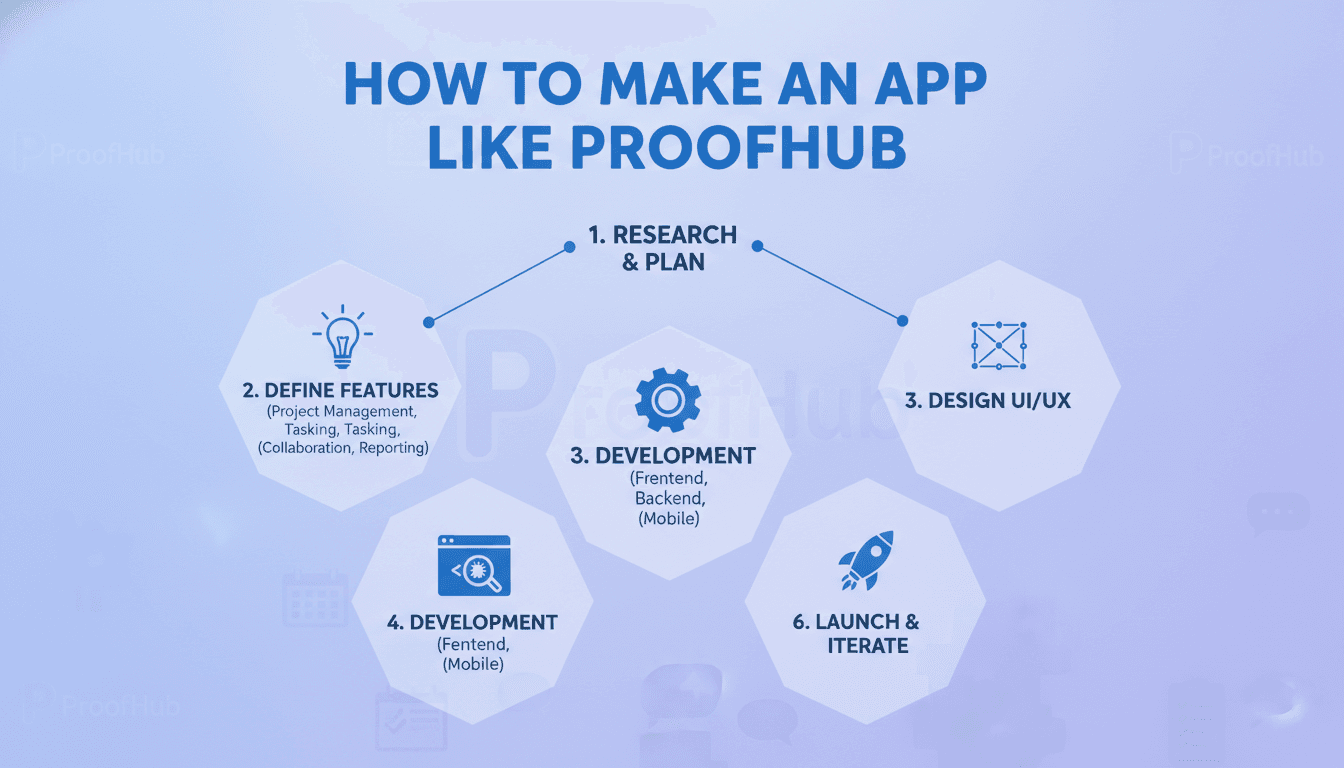
1. Discovery and Positioning (2–4 weeks) Interview target users. Identify the specific workflow that existing tools handle badly. Define your wedge, whether that's a vertical, a pricing model, or a standout feature like proofing.
2. UX Design (4–6 weeks) Information architecture, wireframes, interactive prototypes, and a design system. Project management tools live or die on information density and navigation clarity. Test prototypes with real teams before writing production code.
3. MVP Build (12–20 weeks) Scope ruthlessly. A credible MVP includes accounts and workspaces, projects and tasks, two views (list and board), comments with mentions, file attachments, and notifications. Everything else waits.
4. Beta with Design Partners (6–8 weeks) Recruit 10–20 teams who feel the pain acutely. Watch how they use it. Instrument everything. Expect to rewrite at least one core assumption.
5. Launch and Iterate Ship the differentiating features — proofing, Gantt charts, advanced reporting, mobile apps — in the order your beta users demand them.
Cost Estimates
Costs vary substantially by team location, scope, and quality bar. Rough ranges for a competent build:
| Scope | Timeline | Estimated Cost |
|---|---|---|
| MVP (web only, core task management) | 3–5 months | $50,000 – $90,000 |
| Full-featured web platform | 6–9 months | $100,000 – $200,000 |
| Web + iOS + Android + proofing + reporting | 9–14 months | $180,000 – $350,000+ |
Ongoing costs to budget for:
- Infrastructure: $500–$5,000+/month depending on usage and file storage volume
- Maintenance and support: roughly 15–20% of build cost annually
- Third-party services: email delivery, push notifications, error tracking, analytics
- Continuous development: a permanent line item, not a project phase
Offshore and nearshore teams can reduce these figures by 40–60%, though you should weigh that against communication overhead and domain expertise.
Monetization Models
Flat-rate subscription (the ProofHub approach). Fixed price, unlimited users. Extremely compelling for larger teams and a clean marketing message. Risk: your infrastructure costs scale with usage while revenue doesn't.
Per-seat pricing. Industry standard and predictable, but it discourages broad adoption and invites seat-sharing.
Tiered feature plans. Gate advanced capabilities — reporting, proofing, custom roles, SSO, API access — behind higher tiers.
Usage-based add-ons. Storage, guest seats, or automation runs billed on consumption.
Hybrid. A flat base fee plus paid add-ons often captures the best of both worlds.
Whatever you choose, offer a genuine free trial without a credit card. This category sells through hands-on evaluation, not demos.
How to Actually Compete
Being a cheaper clone will not work. Consider these angles:
- Go vertical. Build the definitive project management tool for architecture firms, video production studios, or clinical research teams — complete with their terminology, templates, and compliance needs.
- Own a workflow other tools ignore. ProofHub's proofing module is the template here. Find a similarly underserved step in your target market's process.
- Compete on simplicity. Many teams find ClickUp and Jira overwhelming. A deliberately constrained, opinionated tool has real appeal.
- Lead with AI. Automatic task breakdown, meeting-notes-to-tasks conversion, risk prediction on timelines, and intelligent workload balancing are increasingly expected rather than novel.
- Be honest about data ownership. Frictionless import and export builds trust and lowers the barrier for teams migrating from incumbents.
Common Mistakes to Avoid
- Feature parity chasing. Trying to match every competitor feature produces a bloated, mediocre product with no identity.
- Underestimating real-time complexity. Concurrent editing, presence indicators, and live updates are far harder than they look in a demo.
- Neglecting performance at scale. A board with 2,000 cards should feel as fast as one with 20. Test with realistic data volumes early.
- Skipping onboarding design. Empty-state experiences, templates, and guided setup drive activation more than any single feature.
- Deferring security and compliance. SOC 2, GDPR compliance, encryption at rest, and audit logs are prerequisites for enterprise deals, not afterthoughts.
- Ignoring the admin persona. The person who configures permissions and pays the invoice has very different needs from the daily contributor.
Final Thoughts
Building an app like ProofHub is entirely achievable, but the engineering is the easier half of the problem. The harder half is finding a group of teams whose work genuinely doesn't fit the tools they're currently using, and building something they'd feel a real loss without.
Start narrow. Build the core exceptionally well. Earn the right to expand.
If you're evaluating whether to build in-house or partner with a development team, the most useful next step is a discovery engagement — a few weeks of user research and technical scoping that turns a broad idea into a costed, sequenced roadmap.
Have a project in mind? Contact Sodio Technologies to discuss your requirements and explore the right technology solution for your business.
/// Work with us
Talk to the engineers who'd build it
You'll get a technical scope, timeline and cost estimate from the people doing the work, not an account manager. In-house team, no subcontracting, since 2016.