

How to Make an App Like Zoho Projects
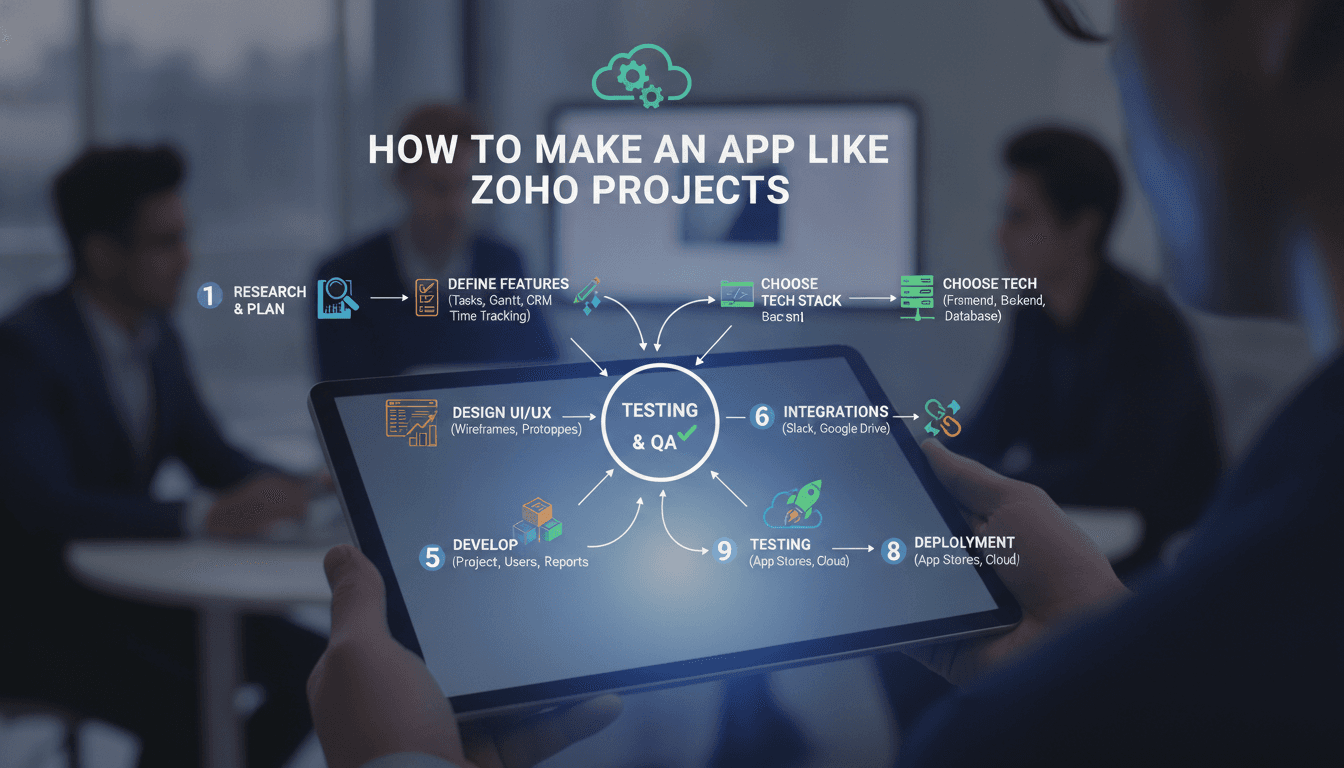
How to Make an App Like Zoho Projects
Project management software has quietly become one of the most competitive — and most profitable — categories in B2B SaaS. Zoho Projects sits comfortably in that category, serving millions of users with task management, Gantt charts, time tracking, and team collaboration wrapped into a single, affordable package.
If you're considering building something similar, the good news is that the underlying technology is well-understood. The challenge isn't inventing something new — it's executing well on a crowded set of expectations while finding a wedge that makes your product worth switching to.
This guide walks through what Zoho Projects actually does, how to scope your own version, which architecture decisions matter most, and what it realistically costs to get to market.
What Zoho Projects Actually Does
Before you can build a competitor, you need a clear-eyed inventory of the product surface. Zoho Projects is deceptively large. At its core, it offers:
Task and milestone management — Tasks, subtasks, dependencies, recurring tasks, and milestone grouping. Tasks carry owners, priorities, due dates, percentage completion, and custom fields.
Multiple project views — List view, Kanban boards, Gantt charts with critical path calculation, and calendar views. Each view reads from the same task data but renders it very differently.
Time tracking and timesheets — Timers, manual log entries, billable vs. non-billable hours, approval workflows, and export to invoicing.
Collaboration tools — Comments, @mentions, project feeds, forums, chat, wikis, and document sharing with version history.
Issue tracking — A bug-tracking module with custom workflows, severity levels, and SLA-style escalation rules.
Automation and blueprints — Visual workflow builders that move items between statuses, trigger notifications, and enforce field requirements.
Reporting — Burndown charts, resource utilization, planned vs. actual time, and custom report builders.
Integrations — Deep ties into the broader Zoho ecosystem, plus Google Workspace, Microsoft 365, Slack, GitHub, Jira, and Zapier.
That's a decade of engineering. You are not shipping all of it in version one, and you shouldn't try.
Step 1: Find Your Wedge
The project management market is saturated. Asana, Monday.com, ClickUp, Jira, Basecamp, Notion, Linear, Wrike, Smartsheet — all well-funded, all iterating fast. Building a generic clone is a losing proposition.
If this is relevant to your project, check out How to Make an App Like Basecamp.
Successful entrants almost always win by narrowing. Consider a few proven angles:
Vertical specialization. Build for construction, legal, architecture, healthcare, or marketing agencies. Industry-specific terminology, compliance requirements, and workflows are hard for horizontal tools to replicate. A construction PM tool that understands RFIs, submittals, and punch lists is genuinely differentiated.
Geographic or regulatory focus. Data residency requirements, local invoicing rules, and language support create real moats in specific markets.
A different philosophy. Linear won developers by being opinionated and fast in a market of configurable, sluggish tools. Basecamp won by being deliberately simple.
Price and packaging. Zoho competes on price. If you can serve a segment profitably at a lower price point — or with a fundamentally different pricing model like flat-rate instead of per-seat — that's a wedge.
Pick one. Write it down. Every scope decision that follows should be measured against it.
Step 2: Define Your MVP Scope
A realistic first release for a project management tool includes:
- User registration, authentication, and organization/workspace creation
- Team invitations with basic role assignment (admin, member, viewer)
- Projects containing tasks and subtasks
- Task attributes: assignee, due date, status, priority, description, attachments
- At least two views — a list and a Kanban board
- Comments with @mentions
- Notifications (in-app and email)
- A basic dashboard showing what's assigned to you and what's overdue
- Mobile-responsive web interface
Notably absent: Gantt charts, time tracking, automation builders, custom fields, reporting, and native mobile apps. Each of those is a meaningful engineering investment, and each should be validated by user demand before you build it.
Gantt charts in particular are a trap. Users ask for them constantly, then rarely use them. Build the data model to support dependencies from day one, but defer the rendering work until you have paying customers asking for it.
Step 3: Design the Data Model
Your data model will determine how easily you can add features later. Spend real time here.
The essential entities:
Organization — The billing and tenancy boundary. Everything belongs to an organization.
User — A person. Users can belong to multiple organizations, which means your membership table carries the role, not the user record.
Project — Belongs to an organization, has members, a status, dates, and settings.
Task — The core object. Belongs to a project, has an assignee, status, priority, dates, and a parent task reference for subtasks. Consider whether you want a strict hierarchy or arbitrary nesting — strict is easier to reason about and query.
TaskDependency — A join table linking predecessor and successor tasks with a dependency type (finish-to-start, start-to-start, etc.). Build this early even if you don't surface it yet.
Comment — Polymorphic, so it can attach to tasks, projects, or issues.
Activity — An append-only audit log of every state change. This powers activity feeds, notifications, and eventually reporting. Do not skip this.
TimeEntry — Even if you don't ship time tracking in v1, model it.
Two decisions deserve extra attention:
Multi-tenancy strategy. Shared database with an organization_id column on every table is the pragmatic default. It's simpler to operate and cheaper to run. Schema-per-tenant or database-per-tenant makes sense only if you're selling to enterprises with hard data isolation requirements — and you can migrate specific large customers to isolated databases later.
Custom fields. Every serious PM tool eventually needs them. The clean approach is a JSONB column on the task record paired with a field definitions table that stores schema and validation rules per project. This gives you flexibility without an entity-attribute-value nightmare.
Step 4: Choose Your Stack
There's no single correct answer, but here's a stack that works well for this category.
Backend. Node.js with NestJS, or Python with Django, or Go if your team leans that way. All three handle the CRUD-heavy, permission-heavy workload of a PM tool well. Django gives you an admin panel and auth for free, which accelerates early development considerably.
Database. PostgreSQL. It handles relational integrity, JSONB for custom fields, full-text search for a decent v1 search experience, and row-level security if you want defense-in-depth on tenancy. Add Redis for caching, session storage, and as a queue broker.
Real-time layer. Collaborative tools live or die on whether updates appear without a refresh. WebSockets via Socket.IO, or a managed service like Pusher or Ably if you'd rather not operate the infrastructure yourself. Start with server-pushed updates for task changes and comments; full operational-transform collaborative editing is a much larger project.
Frontend. React or Vue with TypeScript. State management matters more than usual here because you're syncing server state with optimistic local updates. TanStack Query or RTK Query handle this well. For the Kanban board, use a maintained drag-and-drop library rather than building it — dnd-kit is the current sensible choice.
Background jobs. Notifications, email digests, recurring task generation, report generation, and integration syncs all need to run outside the request cycle. BullMQ, Celery, or a managed queue.
File storage. S3 or equivalent, with presigned URLs for direct upload. Never proxy large file uploads through your application servers.
Search. Postgres full-text search is adequate for launch. Move to Elasticsearch or Typesense when users complain — they will, eventually.
Step 5: Get Permissions Right Early
Permissions are the single most common source of architectural pain in project management tools. Retrofitting a proper permission model onto a codebase that assumed simple admin/member roles is genuinely miserable work.
Design for at least three levels from the start:
Organization level — Owner, admin, member, guest. Controls billing access, user management, and workspace settings.
Project level — A user's role can differ per project. A member of the organization might be a viewer on one project and a manager on another. Client guests should see only specified projects.
Object level — Private tasks, restricted comments, confidential attachments.
Implement this as a centralized authorization service that every endpoint consults, not as scattered if statements in controllers. Cache permission lookups aggressively in Redis — you'll be checking them on nearly every request.
Step 6: Build the Notification System Carefully
Notifications are the most common reason users abandon collaboration tools. Too few and the tool feels dead; too many and people mute it permanently.
A well-designed system needs:
- Event generation decoupled from delivery. Write events to your activity log, then let subscribers decide what to deliver.
- Per-user preferences by event type and channel. Some people want email for assignments only. Respect that.
- Batching and digests. Twenty task updates in five minutes should become one email, not twenty.
- Deduplication. If a user is both assignee and watcher, they get one notification.
- Quiet hours respecting the user's timezone.
Get this right and your engagement metrics improve measurably. Get it wrong and your emails land in spam filters and your app gets muted.
You may also find our article on How to Make an App Like Teamwork useful.
Step 7: Plan for Integrations
Project management tools don't exist in isolation. Users expect their PM tool to talk to their calendar, their code repository, their chat tool, and their file storage.
Prioritize in this order:
- Calendar sync (Google Calendar, Outlook) — highest requested, moderate complexity
- Chat notifications (Slack, Microsoft Teams) — easy to build, high perceived value
- File storage (Google Drive, Dropbox, OneDrive) — moderate complexity
- Developer tools (GitHub, GitLab) — essential if you're targeting software teams
- Zapier / Make — one integration that unlocks hundreds
Also build a public REST API and webhook system early. It's a feature in its own right, it makes your own integrations easier to build, and it reduces the objection that your tool is a walled garden.
Step 8: Mobile Strategy
Zoho Projects has native iOS and Android apps. You probably shouldn't, at least not initially.
Mobile usage in project management skews heavily toward consumption and quick actions: checking what's assigned to you, marking things done, replying to comments, logging time. Deep planning work happens on desktop.
A well-built responsive web app covers most of this. When you do go mobile, React Native or Flutter lets you ship both platforms from one codebase — a reasonable trade-off for an app that's mostly lists, forms, and notifications. Reserve fully native development for cases where you need heavy offline support or deep OS integration.
To explore this further, see How to Make an App Like ProofHub.
Push notifications are the one genuinely compelling reason to ship a mobile app. If your users need them, that alone may justify the investment.
Step 9: Performance Considerations
Project management tools degrade in predictable ways as data grows.
Large project loads. A project with 5,000 tasks will kill a naive implementation. Paginate, virtualize long lists in the frontend, and never load an entire project's task tree in one query.
N+1 queries. Task lists that fetch assignee, project, tags, and comment counts per row will generate hundreds of queries. Use eager loading or DataLoader patterns religiously.
Activity feed growth. Your activity table will become your largest table by an order of magnitude. Partition it by date and archive old records.
Report generation. Anything that aggregates across a large date range should run as a background job with a download link, not a synchronous request.
Real-time fan-out. A change to a task in a project with 200 members means 200 WebSocket messages. Batch and throttle these.
Step 10: Security and Compliance
Business customers will ask hard questions during procurement. Be ready.
- Encryption in transit (TLS 1.3) and at rest
- SSO via SAML and OIDC — table stakes for anything sold to companies over roughly 100 employees
- Two-factor authentication
- Comprehensive audit logs with export
- Role-based access control with least-privilege defaults
- GDPR compliance: data export, right to deletion, documented processing agreements
- SOC 2 Type II — expensive and time-consuming, but frequently a hard requirement for enterprise deals
Budget for a penetration test before you start selling to companies that will ask for the report.
Cost and Timeline
Rough estimates for a competent development team:
MVP (3–5 months). Core task management, two views, comments, notifications, basic permissions, responsive web. Roughly $60,000–$120,000 depending on team location and composition.
Market-ready product (7–12 months). Add time tracking, Gantt charts, custom fields, reporting, integrations, a public API, and SSO. Cumulative $150,000–$350,000.
Feature parity with Zoho Projects (24+ months). Automation builders, issue tracking, wikis, forums, resource management, native mobile apps, enterprise compliance. Well north of $500,000.
Ongoing costs matter too: infrastructure (modest at first, but real-time connections and file storage add up), third-party services, and a support function. Collaboration tools generate support tickets at a higher rate than most SaaS categories because they're used by entire teams, not just power users.
Monetization
The dominant model is per-user, per-month tiered subscriptions with a free tier capped by project count or user count. Zoho prices aggressively — roughly $4–$9 per user per month — which sets a difficult anchor.
Alternatives worth considering:
- Flat-rate pricing per workspace, which appeals to growing teams tired of per-seat costs
- Usage-based pricing tied to projects or storage
- Free viewers, charging only for users who create and edit — a strong differentiator when clients and stakeholders need access
Whatever you choose, make the free tier genuinely useful. Collaboration tools spread through invitation; every free user is a distribution channel.
Common Mistakes
Building too much before launch. The feature list is effectively infinite. Ship narrow, learn, expand.
Ignoring onboarding. An empty project management tool is useless. Provide templates, sample projects, and import tools for Asana, Trello, and Jira. Migration friction is the main reason people don't switch.
Underestimating permissions. Covered above, but worth repeating. This is where teams lose months.
Treating notifications as an afterthought. They're a core product surface, not plumbing.
Neglecting speed. Linear's entire positioning is built on being fast. Users notice latency in tools they use dozens of times a day.
Final Thoughts
Building an app like Zoho Projects is an achievable engineering project with a well-understood architecture. The hard part isn't the code — it's earning attention in a market where the incumbents are competent, entrenched, and cheap.
Start narrow. Pick a specific audience whose needs are poorly served by generic tools. Build the unglamorous foundations — permissions, activity logging, notifications — properly from the beginning, because those are the pieces that are painful to fix later. Everything else can be added incrementally once you have users telling you what they actually need.
Have a project in mind? Contact Sodio Technologies to discuss your requirements and explore the right technology solution for your business.
/// Work with us
Talk to the engineers who'd build it
You'll get a technical scope, timeline and cost estimate from the people doing the work, not an account manager. In-house team, no subcontracting, since 2016.