

How to Make an App Like Teamwork
How to Make an App Like Teamwork
Project management software has quietly become the backbone of how modern companies operate. Teamwork — the all-in-one platform for task management, time tracking, client collaboration, and project reporting — has built a loyal following among agencies and service businesses that need to juggle dozens of client projects at once.
If you're planning to build something similar, whether it's a general-purpose competitor or a niche tool for a specific industry, this guide walks through what actually goes into making an app like Teamwork: the features, the architecture, the tech stack, the cost, and the mistakes worth avoiding.
You may also find our article on How to Make an App Like Wrike useful.
Why Build a Project Management App?
The collaboration software market is crowded but far from saturated. Asana, Monday.com, ClickUp, Jira, Basecamp, and Teamwork all coexist because teams have wildly different workflows. A construction firm doesn't manage projects the way a marketing agency does, and neither works like a software team running two-week sprints.
For a closer look at a related topic, read our guide on How to Make an App Like Zoho Projects.
That fragmentation is the opportunity. The winners in this space are increasingly vertical — tools built for legal teams, video production studios, healthcare administrators, or manufacturing operations. Generic tools force teams to bend their process to fit the software. A focused tool fits the process.
Before writing a line of code, get specific about three things:
- Who is the primary user — a project manager, a freelancer, an executive wanting dashboards?
- What broken workflow are you fixing that Teamwork doesn't handle well?
- How will the product be sold — self-serve subscriptions, sales-led enterprise deals, or both?
Core Features of an App Like Teamwork
1. Projects, Tasks, and Subtasks
The foundation. Users need to create projects, break them into tasks and subtasks, assign owners, set start and due dates, add priorities, attach files, and leave comments. Sounds simple, but the data model here determines everything downstream.
Key considerations:
- Support arbitrary task nesting (or deliberately limit it to two levels for simplicity)
- Task dependencies — "Task B can't start until Task A finishes"
- Recurring tasks for routine work
- Custom fields so teams can track what matters to them
- Bulk actions — nobody wants to update 40 tasks one at a time
2. Multiple Views of the Same Data
This is where modern PM tools win or lose. The same set of tasks should be viewable as:
- List view — dense, sortable, spreadsheet-like
- Board view — Kanban columns with drag-and-drop
- Gantt chart — timeline with dependencies and critical path
- Calendar view — deadlines in a monthly grid
- Table view — configurable columns and grouping
Each view is a different projection of a single data source. Build the data layer first and treat views as presentation, or you'll end up with five inconsistent implementations.
3. Time Tracking and Timesheets
Teamwork's differentiator against Asana and Trello is native time tracking. For agencies billing hourly, this isn't a nice-to-have — it's the reason they buy.
Include:
- Start/stop timers attached directly to tasks
- Manual time entry and editing
- Billable vs. non-billable flags
- Weekly timesheet approval workflows
- Time budgets per project with overrun alerts
4. Collaboration and Communication
Comment threads on tasks, @mentions that trigger notifications, file attachments with version history, and activity feeds that show what changed and who changed it. Many teams also expect a messaging layer or, at minimum, deep Slack and Microsoft Teams integration.
5. Client and Guest Access
Agencies live and die by client communication. Teamwork supports client users who see only what they're permitted to see. This requires a permissions model that's genuinely granular:
- Role-based access at the organisation, project, and task level
- Guest accounts that don't consume paid seats
- Ability to hide internal comments, budgets, and team discussions from clients
6. Resource Management and Workload
Managers need to know who's overloaded and who has capacity. That means capacity planning views, allocation by person and week, and skill or role tagging so work routes to the right people.
7. Reporting and Dashboards
Executives buy reporting. Project health summaries, budget burn rate, time utilisation per team member, overdue task counts, and exportable reports in PDF and CSV. Customisable dashboards with drag-and-drop widgets are increasingly table stakes.
8. Notifications and Automations
Rule-based automation — "when a task moves to Done, notify the client and log the time" — drives retention hard. Users who build automations don't churn, because their process now lives inside your product.
9. Integrations and Public API
No PM tool survives as an island. Prioritise:
- Google Workspace and Microsoft 365 (calendar, files, SSO)
- Slack and Teams
- GitHub, GitLab, Bitbucket
- QuickBooks, Xero, Stripe for invoicing
- Zapier or Make for the long tail
- A well-documented REST API plus webhooks
10. Mobile Apps
Mobile usage skews toward quick actions: checking assignments, replying to comments, logging time, uploading a photo from a site visit. Don't try to cram the full desktop experience into a phone. Optimise for the five things people actually do on the go.
Technical Architecture
Data Model
Get this right early because migrations at scale are painful. A typical hierarchy:
Organisation
 └── Workspace / Portfolio
      └── Project
           └── Task List / Section
                └── Task
                     └── Subtask
                          └── Comment, TimeEntry, Attachment
Cross-cutting entities: Users, Teams, Roles, Permissions, CustomFields, Tags, Automations, Notifications.
Decide upfront whether you're multi-tenant with shared tables and a tenant ID, or database-per-tenant. Shared-schema multi-tenancy is cheaper and easier to operate; database-per-tenant sells better to enterprise buyers with data isolation requirements.
Real-Time Collaboration
Users expect changes to appear instantly for everyone. Options:
- WebSockets (Socket.IO, Phoenix Channels, or a managed service like Pusher/Ably) for live updates
- Optimistic UI updates so the interface feels instant while the server confirms
- Conflict resolution — last-write-wins is usually acceptable for task fields; use CRDTs or operational transforms only if you're building collaborative rich-text documents
Backend
Common, proven choices:
- Node.js with NestJS or Express — great for real-time features and a shared TypeScript codebase
- Python with Django or FastAPI — fast to build, excellent for reporting and data work
- Ruby on Rails — still unbeaten for CRUD-heavy SaaS speed
- Go or Elixir — when concurrency and throughput matter most
Pair with PostgreSQL as the primary datastore, Redis for caching and job queues, Elasticsearch or OpenSearch for full-text search across tasks and comments, and S3-compatible object storage for attachments.
Frontend
React or Vue for the web app, with serious attention to performance. Project management UIs render thousands of rows, so you'll need virtualised lists, memoisation, and careful state management. A Gantt chart with 2,000 tasks and dependency lines will punish sloppy rendering.
For mobile, React Native or Flutter lets one team ship both platforms and share logic with the web app. Go native (Swift/Kotlin) only if you need deep OS integration or best-in-class offline behaviour.
To explore this further, see How to Make an App Like ClickUp.
Offline Support
Field teams and travelling users will open your app without connectivity. Local-first architecture with a sync engine — queuing mutations locally and reconciling on reconnect — is a meaningful differentiator, but it roughly doubles the complexity of your data layer. Decide deliberately.
Infrastructure
- Containerised services on AWS, GCP, or Azure
- Managed Postgres with read replicas for reporting queries
- Background job workers for notifications, report generation, and integrations
- CDN for static assets and attachments
- Observability from day one: structured logging, error tracking, APM, uptime alerts
Security and Compliance
B2B buyers will ask hard questions before signing:
- Encryption in transit (TLS 1.3) and at rest
- SSO via SAML and OAuth, plus SCIM provisioning for enterprise
- Two-factor authentication
- Detailed audit logs of who did what and when
- GDPR compliance including data export and deletion
- SOC 2 Type II — expect to need it for deals above a certain size
- Regular penetration testing and a documented vulnerability disclosure process
Building compliance in from the start is dramatically cheaper than retrofitting it during an enterprise sales cycle.
Where AI Fits
AI features have moved from novelty to expectation in this category. The genuinely useful applications:
- Task generation — turn a project brief or meeting transcript into a structured task list
- Smart scheduling — suggest realistic dates based on historical velocity and current workload
- Risk detection — flag projects likely to slip based on activity patterns and burn rate
- Summarisation — digest long comment threads and generate status updates for clients
- Natural language queries — "show me everything overdue on the Henderson account"
Resist bolting on a chatbot for its own sake. The AI features that retain users are the ones that remove recurring manual work.
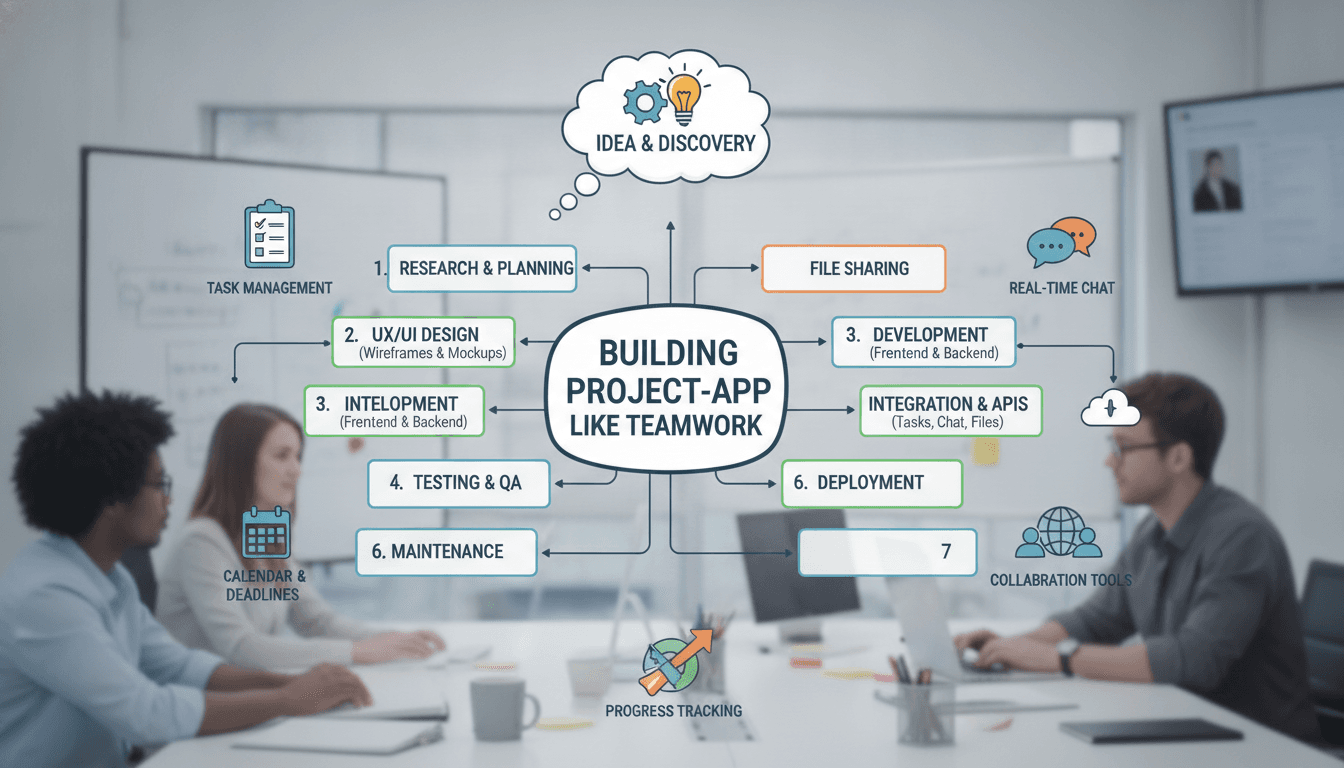
Development Timeline
A realistic phased plan for a capable team:
Phase 1 — Discovery and Design (4–6 weeks) User research, competitive teardown, information architecture, wireframes, high-fidelity UI, design system.
Phase 2 — MVP Build (3–4 months) Auth and onboarding, projects and tasks, list and board views, comments, file uploads, basic notifications, billing integration.
Phase 3 — Differentiation (2–3 months) Time tracking, Gantt view, permissions and client access, reporting dashboards, core integrations.
Phase 4 — Mobile and Scale (2–3 months) Mobile apps, automations, public API, performance hardening, security audit.
Roughly 9–14 months to a product that can credibly compete. An MVP aimed at a narrow vertical can ship in 4–5 months.
Cost Estimates
Costs vary enormously by region and team composition, but as a rough guide:
| Scope | Estimated Cost |
|---|---|
| Focused MVP (web only) | $60,000 – $120,000 |
| Full-featured web platform | $150,000 – $300,000 |
| Web + iOS + Android + integrations | $250,000 – $500,000+ |
| Enterprise-grade with compliance | $500,000+ |
Ongoing costs are easy to underestimate. Budget 15–25% of the initial build annually for maintenance, plus infrastructure (a few hundred to several thousand dollars monthly depending on scale), third-party services, and continuous development.
Monetisation
The established playbook:
- Per-seat subscriptions with tiered plans — the default for PM software
- Freemium with limits on projects, storage, or users to drive top-of-funnel growth
- Usage-based add-ons for storage, automation runs, or AI credits
- Enterprise contracts with SSO, dedicated support, custom SLAs, and annual billing
Price on value, not feature count. Teams paying $12 per user per month are buying recovered hours, not checkboxes.
Common Mistakes to Avoid
Building a worse version of an existing tool. If your pitch is "Teamwork but cheaper," you're competing on the one axis where incumbents can crush you.
Ignoring onboarding. Empty-state screens kill PM products. Ship templates, sample projects, and CSV/API importers from Asana, Trello, and Jira on day one.
Underestimating performance. Everything feels fast with 20 tasks. Test with 50,000 tasks, 200 users, and 10,000 comments before launch.
Over-configuring. Infinite customisation sounds powerful and paralyses new users. Opinionated defaults with escape hatches beat blank canvases.
Treating mobile as an afterthought. A bad mobile experience undermines trust in the whole product, even for desktop-first teams.
Skipping the API. Integrations are how you become infrastructure rather than another tab.
Getting Started
The path from idea to shipped product is less about copying Teamwork feature-for-feature and more about identifying a group of teams whose workflow nobody has properly served — then building the sharpest possible tool for them.
Start narrow. Get twenty teams genuinely dependent on your product. Expand from a position of real usage data rather than guesses about what a general-purpose PM tool should include.
If you're weighing up architecture decisions, scoping an MVP, or working out whether to go cross-platform or native, those choices compound quickly. Getting them right at the start saves months later.
Have a project in mind? Contact Sodio Technologies to discuss your requirements and explore the right technology solution for your business.
/// Work with us
Talk to the engineers who'd build it
You'll get a technical scope, timeline and cost estimate from the people doing the work, not an account manager. In-house team, no subcontracting, since 2016.