

How to Make an App Like Walmart Grocery
Introduction
Walmart Grocery changed the way millions of people buy their weekly essentials. Instead of walking store aisles, customers browse a catalog on their phone, add items to a cart, choose a pickup slot or delivery window, and get their groceries handed to them at the curb or dropped at their door. The app consistently ranks among the most downloaded shopping apps in the United States, and it has set the baseline expectation for what an online grocery experience should feel like.
If you are a grocery chain, a regional supermarket, a dark-store operator, or a startup founder eyeing the online grocery market, the question is not whether you need an app like Walmart Grocery. It is how you build one that can handle real inventory, real delivery logistics, and real customer expectations.
You may also find our article on How to Make an App Like Kroger useful.
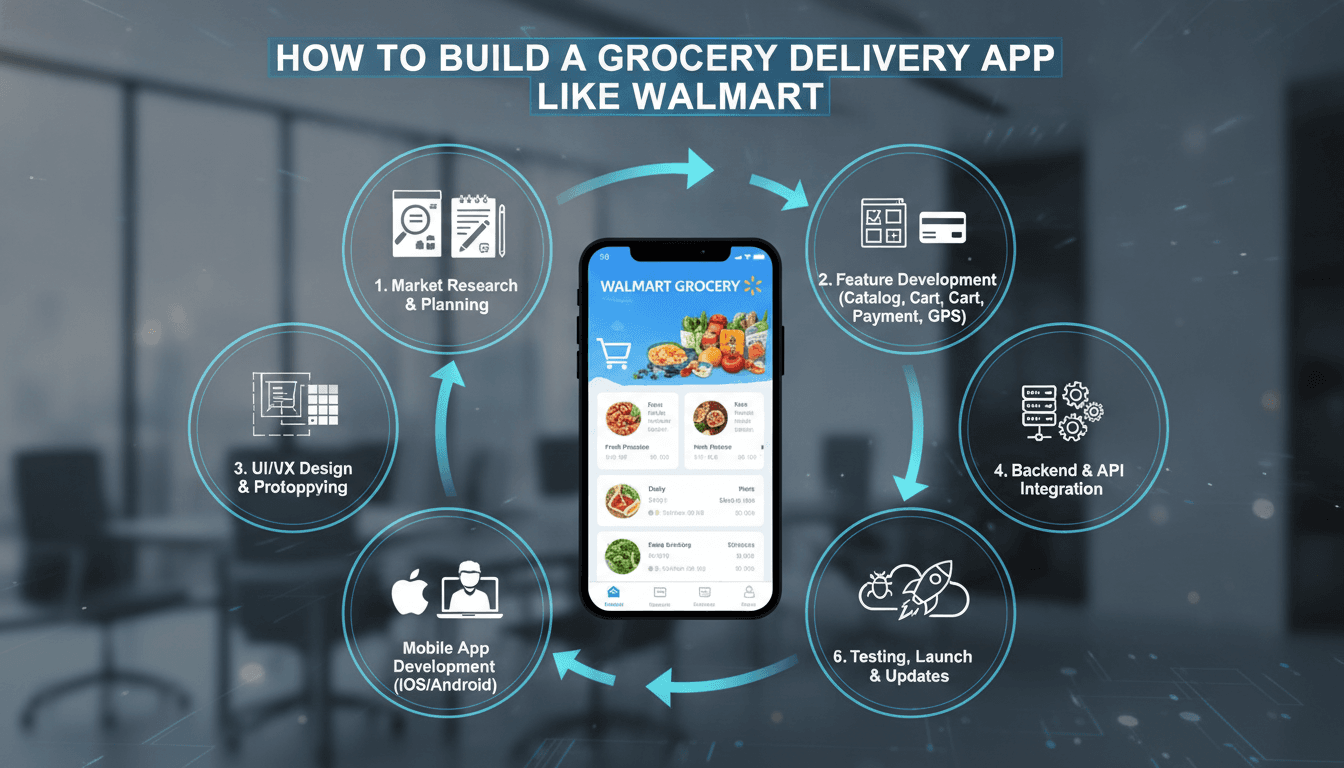
This guide walks through the features, architecture, tech stack, team, timeline, and cost involved in building a grocery delivery and pickup app from the ground up.
Why Build a Grocery App Like Walmart Grocery?
Online grocery is one of the few e-commerce categories with genuinely repeat behavior. People buy groceries weekly, sometimes more often. That creates a few structural advantages:
- High purchase frequency. A satisfied grocery customer may transact 40 to 60 times a year, compared to a handful of times for fashion or electronics.
- Predictable basket composition. Repeat-order and "buy it again" features drive a large share of revenue with minimal merchandising effort.
- Large basket sizes. Grocery orders typically contain 20 to 50 line items, which improves unit economics per delivery trip.
- Multiple fulfillment models. Curbside pickup, in-store pickup, scheduled delivery, and express delivery let you serve different margins and customer segments from the same catalog.
- Data compounding. Purchase history in grocery is unusually rich, powering substitutions, personalization, and private-label recommendations.
The flip side is operational complexity. Groceries are perishable, weight-variable, frequently out of stock, and temperature-sensitive. An app like Walmart Grocery is really a logistics product wearing an e-commerce interface.
You may also find our article on How to Make an App Like Peapod useful.
Core Features of a Walmart Grocery-Style App
Customer-Facing Features
Onboarding and account management Phone or email signup, social login, guest browsing, saved addresses, and stored payment methods. Location capture should happen early, because catalog and availability depend entirely on the serving store.
Store and slot selection The user picks a store or has one auto-assigned by geolocation. From there they see available pickup and delivery windows, with capacity shown honestly. Slot capacity management is one of the most underestimated parts of the build.
Product catalog and search Category browsing, hierarchical aisles, brand filters, dietary filters (gluten-free, organic, vegan), and nutrition information. Search must handle misspellings, generic terms ("milk"), brand terms ("Great Value"), and natural phrasing. Typo tolerance and synonym dictionaries are non-negotiable in grocery.
Weight-based and variable items Produce, meat, and deli items are sold by weight. The app needs to show estimated price, then reconcile to actual weight at picking time and adjust the final charge.
Cart, lists, and reorder Persistent cart across devices, saved shopping lists, "buy it again" based on order history, and one-tap reorder of a previous basket.
Substitution preferences When an item is out of stock, the picker needs guidance. Let customers set global preferences and per-item rules: allow best match, allow brand swap, or refund only. Push a substitution approval prompt during picking when possible.
Checkout and payments Card, wallet, UPI or local rails, EBT/SNAP where applicable, gift cards, and split tender. Support pre-authorization with a buffer, since final totals shift with weights and substitutions.
Promotions and loyalty Digital coupons, weekly ads, loyalty points, membership tiers with free delivery, and basket-level promotions ("spend $50, save $10").
Order tracking Status progression from placed to picking to packed to out for delivery to complete, with live driver location for delivery orders and a "I'm here" curbside check-in for pickup orders.
Post-order support Item-level refunds, missing item reporting, ratings for the shopper and driver, and chat or call support.
Shopper and Picker App
An internal app for store associates is what makes the whole system work:
- Batched pick lists optimized by store aisle sequence
- Barcode scanning to confirm the right item and catch mispicks
- Integrated scale input for weight-variable goods
- In-app substitution suggestions with customer approval flow
- Tote and bag labeling, plus staging location assignment
- Temperature zone separation for chilled and frozen items
Driver App
- Route assignment and multi-stop sequencing
- Turn-by-turn navigation handoff
- Proof of delivery via photo, signature, or OTP
- Age verification flow for restricted items like alcohol
- Earnings, shift, and availability management
Admin and Operations Dashboard
- Catalog and pricing management, store by store
- Real-time inventory sync and out-of-stock overrides
- Slot capacity planning by store, day, and hour
- Order monitoring with exception queues
- Staff scheduling and picker productivity metrics
- Promotion builder and A/B testing
- Analytics: basket size, fill rate, substitution rate, on-time rate, cost per order
System Architecture
A grocery app at scale should not be a single monolith. A pragmatic approach is a modular service architecture:
Core services
- Identity and auth service
- Catalog service (products, categories, attributes, media)
- Pricing and promotions service (store-specific pricing, coupon engine)
- Inventory and availability service
- Cart and order service
- Slot and capacity service
- Fulfillment orchestration service (picking, staging, dispatch)
- Delivery and routing service
- Payments service
- Notification service
- Search service
Integration layer Grocery apps rarely operate in a vacuum. You will need connectors for:
- POS and ERP systems (inventory, pricing, promotions)
- Warehouse or store management systems
- Payment gateways and tokenization vaults
- Third-party delivery fleets as overflow capacity
- Tax calculation services
- SMS, push, and email providers
Data and eventing Use an event stream (Kafka, Kinesis, or Pub/Sub) so that inventory updates, order state changes, and picking events fan out to search indexes, analytics warehouses, and customer notifications without tight coupling.
Caching strategy Catalog and price reads dwarf writes. Cache aggressively at the edge with CDN for media and Redis for catalog and availability snapshots, with short TTLs and event-driven invalidation on stock changes.
Recommended Tech Stack
Mobile apps
- React Native or Flutter for a single codebase across iOS and Android, which suits grocery well because the UI is largely catalog and forms
- Swift and Kotlin natively if you need deep hardware integration, advanced scanning performance, or maximum polish
Web storefront
- Next.js or Nuxt for server-side rendering, since grocery SEO on category and product pages drives meaningful organic traffic
Backend
- Node.js with NestJS, Go, or Java Spring Boot for services
- Python for recommendation, demand forecasting, and substitution models
Data stores
- PostgreSQL for transactional data
- Redis for carts, sessions, and availability caches
- Elasticsearch or OpenSearch, or a managed option like Algolia, for catalog search
- ClickHouse, BigQuery, or Snowflake for analytics
Infrastructure
- Kubernetes on AWS, GCP, or Azure
- Terraform for infrastructure as code
- GitHub Actions or GitLab CI for pipelines
- Datadog, Grafana, or New Relic for observability
Maps and routing
- Google Maps Platform or Mapbox for geocoding, navigation, and ETAs
- A routing engine such as OR-Tools or a managed VRP service for multi-stop optimization
Solving the Hard Problems
Inventory Accuracy
Store inventory counts are almost always wrong to some degree. Treating POS stock as absolute truth leads to high cancellation rates. Better approaches:
- Maintain a separate "sellable availability" layer that applies safety buffers by category, with tighter buffers on fast-moving produce
- Feed picker mispick and not-found events back into availability in near real time
- Use a machine learning model to predict item-level fill probability and hide or de-rank items likely to be unavailable
- Reserve inventory softly at add-to-cart and firmly at checkout
Substitution Intelligence
Fill rate is the number one driver of grocery satisfaction. A good substitution engine considers brand similarity, size and unit equivalence, price proximity, dietary attribute matching, and the individual customer's historical acceptance of swaps. Every accepted or rejected substitution is training data.
To explore this further, see How to Make an App Like Safeway.
Slot Capacity and Labor
Each pickup or delivery slot has finite picking labor and vehicle capacity. Model capacity in units of picking minutes and delivery stops rather than order counts, because a 60-item order is not the same as a 6-item order. Dynamic pricing on slots (cheaper off-peak, premium for express) smooths demand.
Batching and Routing
Batch orders by geography and time window, then sequence stops to minimize drive time while respecting promised windows and cold-chain limits. Re-optimize as orders arrive, but freeze routes at a cutoff so drivers get stability.
Cold Chain
Separate ambient, chilled, and frozen totes. Track time-out-of-refrigeration. For longer routes, use insulated containers with logged temperature and flag orders that exceed thresholds before they reach the customer.
Design and User Experience Priorities
Grocery shoppers build large baskets quickly. Design for speed, not delight-for-its-own-sake:
- Make add-to-cart a single tap with inline quantity steppers, never a detail-page detour
- Keep the cart summary persistently visible with a running total
- Surface "buy it again" prominently, because most baskets are mostly repeats
- Show unit pricing (per ounce, per kilo) so shoppers can compare honestly
- Design for one-handed use with thumb-reachable primary actions
- Support offline browsing of recently viewed catalog data for spotty connections
- Meet accessibility standards: sufficient contrast, screen reader labels on product cards, and large tap targets
Monetization Models
- Delivery and pickup fees per order, often waived above a basket threshold
- Membership subscriptions offering unlimited free delivery, like Walmart+
- Express or priority delivery surcharges
- Retail media: sponsored product placements and banner slots sold to CPG brands, which is a high-margin revenue line at scale
- Markups on delivered pricing versus in-store pricing
- Private label promotion to shift mix toward higher-margin house brands
Development Timeline
A realistic phased plan for a credible first release:
Phase 1: Discovery and design (4 to 6 weeks) Requirements workshops, integration audit of existing POS and ERP, information architecture, wireframes, and high-fidelity UI.
Phase 2: MVP build (12 to 18 weeks) Catalog, search, cart, checkout, slot booking, basic picker app, order tracking, admin dashboard, and one payment gateway. Single store or single region.
Phase 3: Pilot and hardening (6 to 8 weeks) Launch in one or two stores, measure fill rate and on-time rate, fix the operational gaps that only appear with real orders.
Phase 4: Scale features (12 weeks and ongoing) Driver app, multi-store rollout, substitution engine, loyalty, promotions, retail media, personalization, and advanced routing.
Total to a solid multi-store product: roughly seven to twelve months.
Team Composition
- 1 Product manager
- 1 Solution architect
- 2 UI/UX designers
- 2 to 3 Mobile engineers
- 1 to 2 Frontend engineers
- 3 to 4 Backend engineers
- 1 Data or ML engineer
- 1 DevOps engineer
- 2 QA engineers
- 1 Business analyst for integrations and operations mapping
Cost Estimates
Costs vary widely with region, scope, and integration complexity. Broad ranges for an agency or dedicated team build:
- Lean MVP, single region, customer app plus basic picker tooling: $60,000 to $120,000
- Full-featured product with customer app, picker app, driver app, and admin panel: $150,000 to $350,000
- Enterprise-grade platform with deep ERP integration, ML substitution, routing optimization, and retail media: $400,000 and up
Budget separately for ongoing costs: cloud infrastructure, maps and geocoding API usage, search hosting, payment processing fees, SMS and push volume, and a maintenance retainer of roughly 15 to 20 percent of build cost annually.
Common Mistakes to Avoid
- Treating inventory as solved. It isn't. Plan for imperfect data from day one.
- Ignoring the picker experience. A clumsy picker app destroys unit economics faster than any customer-facing flaw.
- Overpromising delivery windows. Under-promise and beat it. Trust is the entire product.
- Building search on a plain SQL LIKE query. Grocery search intent is messy and demands a real search engine.
- Launching in twenty stores at once. Pilot in one, learn, then scale the playbook.
- Forgetting regulatory details. Alcohol age checks, tobacco restrictions, pharmacy rules, EBT eligibility, and food labeling requirements all differ by jurisdiction.
Measuring Success
Track these from launch:
- Fill rate (percentage of ordered items delivered as ordered)
- On-time rate against promised window
- Average basket size and items per order
- Repeat order rate at 30, 60, and 90 days
- Cost per order across picking and delivery
- Slot utilization by store and hour
- Substitution acceptance rate
- App crash-free sessions and search-to-cart conversion
Final Thoughts
Building an app like Walmart Grocery is far more than cloning a shopping interface. The differentiator is operational: accurate availability, high fill rates, smart substitutions, reliable delivery windows, and a picker workflow that keeps cost per order under control. Get those right and the app becomes the most habitual piece of software your customers use.
Start narrow. One store, one region, a tight catalog, and honest promises. Instrument everything, learn from real orders, then expand the footprint once the playbook is proven. That is how the big platforms did it, and it remains the fastest path to a grocery app people actually keep on their home screen.
Have a project in mind? Contact Sodio Technologies to discuss your requirements and explore the right technology solution for your business.
/// Work with us
Talk to the engineers who'd build it
You'll get a technical scope, timeline and cost estimate from the people doing the work, not an account manager. In-house team, no subcontracting, since 2016.