

How to Make an App Like YouTube VR
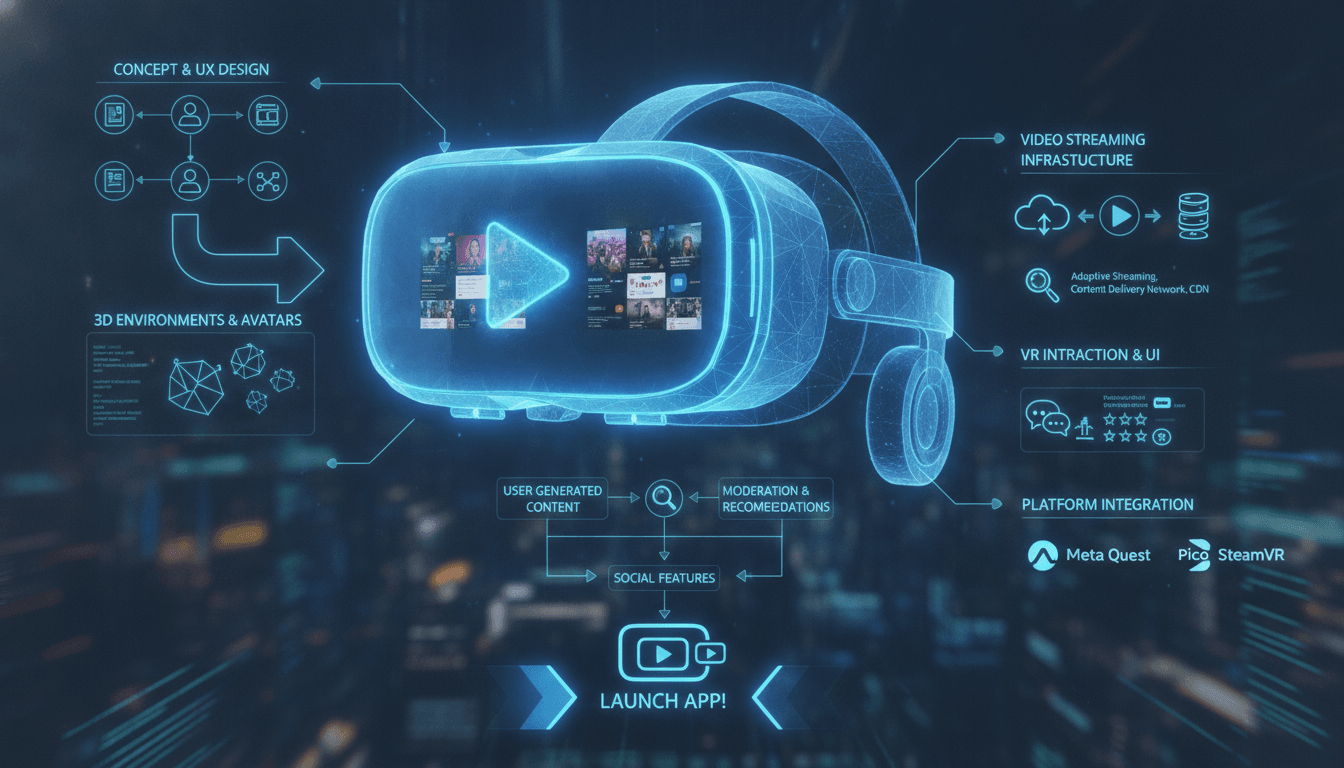
How to Make an App Like YouTube VR
Immersive video is no longer a novelty. With affordable standalone headsets like Meta Quest, Pico, and Apple Vision Pro reaching mainstream audiences, users now expect to watch content inside a scene rather than on a flat rectangle. YouTube VR set the benchmark for what an immersive video platform should feel like: a comfortable virtual theatre, a searchable library of 360° and 180° content, and hand- or controller-driven navigation that feels effortless.
If you're planning to build something similar — whether it's a general-purpose VR video platform, a niche immersive streaming service, or an internal training video hub — this guide walks through the features, architecture, tech stack, timeline, and costs involved.
If this is relevant to your project, check out How to Make an App Like NextVR.
Why Build a VR Video Streaming App?
Before writing a line of code, it's worth understanding where the opportunity actually lies.
- Headset adoption is compounding. Standalone devices removed the PC tether, which removed the biggest barrier to casual use.
- Content supply is growing. 360° cameras have dropped in price, and spatial video capture is now built into flagship phones and headsets.
- Flat video is saturated. Competing with YouTube on 2D video is near-impossible. Competing on immersive video in a specific vertical is very possible.
- Vertical niches are underserved. Travel, live sports, fitness, medical training, real estate walkthroughs, concerts, and education all have strong immersive use cases and weak existing apps.
The winning strategy for most teams isn't "YouTube VR, but generic." It's "YouTube VR, but for one audience that desperately wants it."
You may also find our article on How to Make an App Like Oculus useful.
Core Features of an App Like YouTube VR
1. Immersive Video Player
This is the heart of the product, and it's where most clones fail. Your player must handle:
- 360° monoscopic and stereoscopic (3D) video
- 180° VR180 content
- Standard 2D video rendered on a virtual screen
- Spatial and ambisonic audio that rotates with head movement
- Adaptive bitrate streaming with resolution ladders up to 4K, 6K, or 8K per eye
- Projection formats — equirectangular, cubemap, and equi-angular cubemap (EAC)
2. Virtual Viewing Environments
Users watching flat content need somewhere to sit. Offer a handful of lightweight environments — a cinema, a lounge, a void with a floating screen — plus screen size, distance, and curvature controls.
Related reading: How to Make an App Like Google Earth VR.
3. Content Discovery
- Home feed with personalised recommendations
- Category and channel browsing
- Voice and keyboard search (VR keyboards are painful; voice matters)
- Trending, new releases, and curated collections
- Watch history, watch later, and playlists
4. Account and Profile System
Cross-device sign-in, watch-state sync between headset and mobile, subscriptions to creators, and parental controls. Device-code pairing ("enter this code on your phone") is far friendlier than typing a password in mid-air.
5. Social and Engagement Layer
Likes, comments, shares, and subscriptions are table stakes. Optional but differentiating: co-watching rooms where friends appear as avatars in the same virtual theatre.
6. Creator Upload Pipeline
Creators need a web dashboard to upload, tag projection metadata, add captions, set monetisation, and view analytics. Automatic detection of projection type and stereo layout saves enormous support overhead.
7. Comfort and Accessibility
- Vignette or snap-turn options to reduce motion sickness
- Adjustable IPD and text scaling
- Subtitles rendered at comfortable depth
- Seated and standing modes
- Playback speed and gaze-based dwell selection
8. Offline Downloads
Headset storage is limited but bandwidth is unreliable. Selective, DRM-protected downloads dramatically improve perceived quality.
Technical Architecture
A VR streaming platform is essentially a video infrastructure company with an immersive front end. Plan the backend accordingly.
Ingestion and Transcoding
- Creator uploads a master file to object storage via a resumable, multipart upload.
- A job queue triggers transcoding workers.
- Workers probe the file, detect or read projection metadata, and generate an ABR ladder.
- Outputs are packaged as HLS and DASH with CMAF segments.
- Thumbnails, sprite sheets, and preview clips are generated.
- DRM licences (Widevine, PlayReady, FairPlay) are provisioned.
High-resolution 360° content is expensive to transcode. GPU-accelerated encoding and tiled or viewport-adaptive streaming can cut bandwidth costs by 50–70% by sending full resolution only for the tiles the user is actually looking at.
Delivery
A multi-CDN setup with origin shielding is close to mandatory. 8K stereoscopic video at 60fps is enormously heavier than typical 1080p streams, and egress will be your single largest recurring cost.
Backend Services
Split the platform into focused services:
- Identity — auth, sessions, device pairing
- Catalogue — videos, channels, metadata, search indexing
- Playback — manifest signing, entitlements, DRM tokens
- Recommendations — feeds, ranking, personalisation
- Social — comments, likes, subscriptions
- Analytics — QoE telemetry, watch time, heatmaps of gaze direction
- Monetisation — ads, subscriptions, payouts
Client Application
Use a game engine or WebXR depending on your goals:
| Approach | Best For | Trade-offs |
|---|---|---|
| Unity | Full-featured native apps, mature XR tooling | Larger builds, licensing |
| Unreal Engine | Visually rich environments | Heavier, steeper learning curve |
| Native OpenXR (C++) | Maximum performance and control | Longest development time |
| WebXR (Three.js / Babylon.js) | Fast iteration, no store gatekeeping | Weaker DRM, lower ceiling on performance |
Most commercial VR video apps ship on Unity with a custom native video decoding plugin, because hardware-accelerated decode is essential for high-resolution playback.
Recommended Tech Stack
- Frontend (VR): Unity + OpenXR, XR Interaction Toolkit, custom shader-based projection rendering
- Companion web/mobile: React or Next.js, React Native or Flutter
- Backend: Node.js or Go microservices, gRPC internally, REST/GraphQL externally
- Video: FFmpeg, Shaka Packager, Bento4, GPU encoders (NVENC)
- Storage: S3-compatible object storage with lifecycle tiering
- Database: PostgreSQL for relational data, Redis for caching, Elasticsearch or OpenSearch for search, ClickHouse for analytics
- Streaming/queues: Kafka or Pub/Sub
- Infrastructure: Kubernetes, Terraform, multi-CDN
- ML: Python, PyTorch, a vector database for embedding-based recommendations
Development Roadmap
Phase 1 — Discovery and Prototyping (3–5 weeks)
Define the target niche, validate content supply, build a throwaway prototype that plays a single 360° stream in-headset. Confirm decode performance on your minimum-spec device early — this is the most common project-killing surprise.
Phase 2 — UX and Comfort Design (3–4 weeks)
Design spatial UI layouts, interaction models, and comfort settings. Test with real users in real headsets; flat mockups lie about scale and readability.
Phase 3 — Backend and Pipeline (6–10 weeks)
Build ingestion, transcoding, packaging, DRM, catalogue, and playback services. Establish observability and QoE metrics from day one.
Phase 4 — VR Client Build (10–14 weeks)
Player, environments, navigation, search, profiles, downloads, and settings. Parallel-track the companion web app.
Phase 5 — Optimisation (4–6 weeks)
Hit and hold your frame budget. Reduce startup and seek latency. Tune the ABR algorithm. Profile thermals — sustained playback on a standalone headset generates real heat and throttling.
Phase 6 — QA, Store Submission, and Launch (4–6 weeks)
Device matrix testing, accessibility review, content moderation tooling, store compliance, and a staged rollout.
Cost Estimate
Figures below are indicative ranges for a professional build.
| Scope | Description | Estimated Cost |
|---|---|---|
| MVP | One headset platform, 360° playback, basic catalogue, curated content only | $55,000 – $95,000 |
| Standard | Two platforms, creator uploads, social features, recommendations, downloads | $120,000 – $220,000 |
| Full Platform | Multi-platform, live VR streaming, co-watching, monetisation, advanced ML | $250,000 – $500,000+ |
Ongoing costs are meaningful and often underestimated. Budget for CDN egress, transcoding compute, DRM licensing fees, content moderation, store fees, and continuous SDK updates as headset platforms iterate.
Monetisation Models
- Subscription (SVOD) — predictable revenue, best for curated or niche libraries
- Advertising (AVOD) — immersive ad formats command premium CPMs but must be handled carefully to avoid discomfort
- Transactional (TVOD) — pay-per-view for concerts, sports, and premium events
- Creator revenue share — essential if you want a supply-side flywheel
- B2B licensing — white-label the platform for training, healthcare, or real estate clients
Key Challenges to Plan For
Performance is non-negotiable. Dropping below the headset's target frame rate causes physical discomfort, not just a poor review. Budget frame time rigorously and keep UI rendering cheap.
Bandwidth economics are brutal. A single hour of 8K stereoscopic viewing can consume many gigabytes. Viewport-adaptive streaming and aggressive caching are not optional at scale.
Content is the real moat. An excellent player with an empty library fails. Secure launch content through partnerships, licensing, or in-house production before you ship.
Text input is awful in VR. Lean on voice search, companion-app pairing, and recommendation-driven discovery instead of typing.
Platform fragmentation is real. Controller layouts, hand-tracking capabilities, decoder limits, and store policies differ across devices. Abstract them behind a device capability layer.
Best Practices
- Design for comfort first. Anchor UI at a fixed, comfortable depth. Avoid forced camera movement entirely.
- Reduce time-to-pixel. Preload the first segments and show a low-resolution frame instantly rather than a loading spinner.
- Keep interactions predictable. Gaze-plus-select, ray-cast pointers, and a consistent back gesture beat clever novel gestures.
- Instrument everything. Startup time, rebuffer ratio, dropped frames, and session length tell you what reviews won't.
- Support the flat use case. A large share of session time is ordinary 2D video watched in a nice environment. Make that excellent.
- Ship a companion app. Browsing, account management, and payment are all easier on a phone.
Final Thoughts
Building an app like YouTube VR is a genuine engineering challenge that spans immersive rendering, real-time video infrastructure, and consumer-grade UX. The good news is that the hardest parts are now well-trodden: OpenXR standardised the device layer, streaming toolchains are mature, and standalone headsets give you a predictable performance target.
Success comes down to three decisions: pick a niche where immersive video is clearly better than flat video, secure enough launch content to make the library feel alive, and treat comfort and performance as product requirements rather than polish. Get those right, and the technology becomes a solvable problem rather than a gamble.
Have a project in mind? Contact Sodio Technologies to discuss your requirements and explore the right technology solution for your business.
/// Work with us
Talk to the engineers who'd build it
You'll get a technical scope, timeline and cost estimate from the people doing the work, not an account manager. In-house team, no subcontracting, since 2016.