

Why Restaurant POS Cannot Be Retail POS
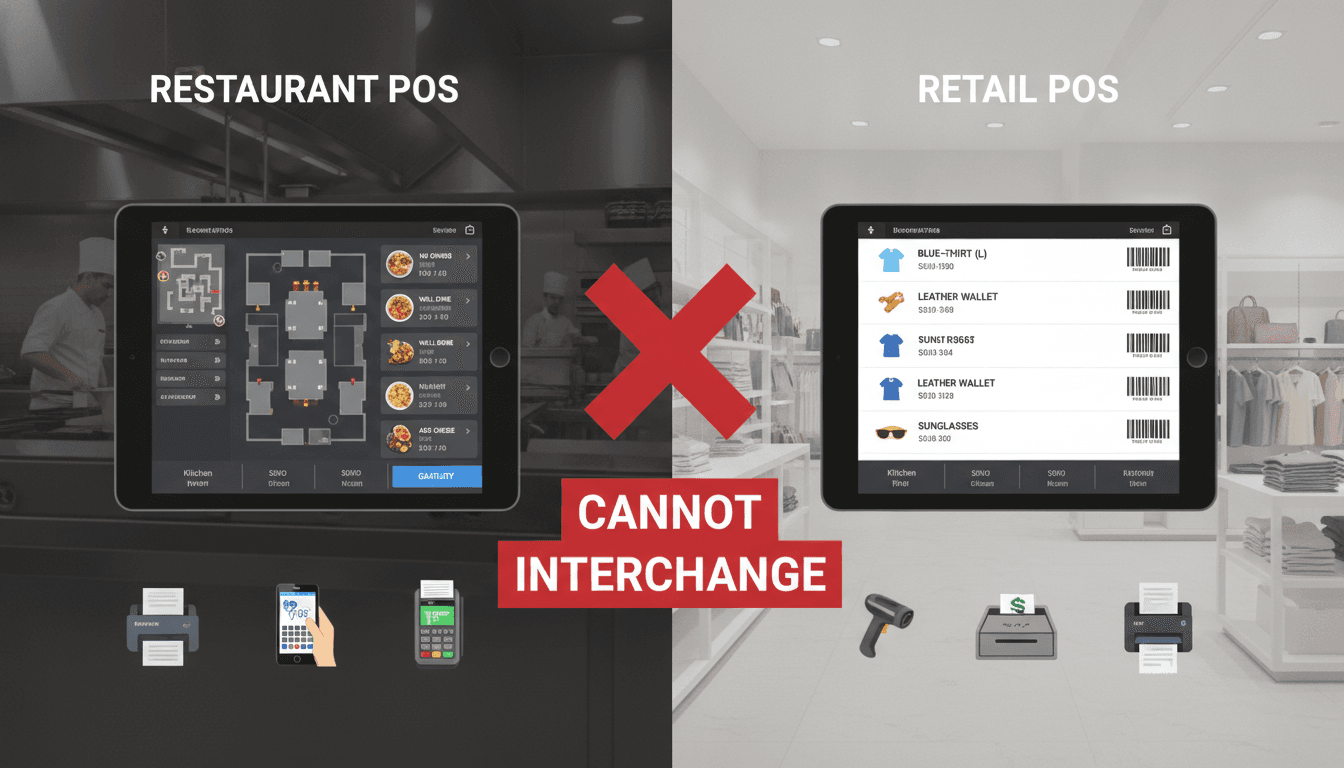
Retail POS and restaurant POS share a screen and a card reader. That's roughly where the similarity ends. If you're evaluating whether to adapt a retail POS for food service — or wondering why your current restaurant system feels bolted together — this post walks through the architectural reasons they diverge.
The Data Model Is Fundamentally Different
In retail, a product is a SKU. It has a barcode, a price, and a stock count. The transaction is simple: scan, pay, done. Inventory decrements by one unit.
In a restaurant, a "product" is a recipe. That recipe has ingredients, each with a unit of measure, a yield factor, and a prep dependency. A burger isn't a SKU — it's 180g of beef mince, one brioche bun, two slices of tomato, and a condiment. When you sell one burger, inventory doesn't decrement by one; it decrements across six or more raw ingredient lines. Waste, over-portioning, and substitutions compound this further.
Related reading: Menu Digitisation: Why Restaurant Onboarding Caps Growth.
This means the core data model for a restaurant POS needs at minimum:
- A recipe management layer with multi-level bill of materials (BOM)
- Sub-recipe support (e.g., the burger sauce is itself a recipe)
- Unit-of-measure conversion (buy in kg, use in grams, cost in portions)
- Theoretical vs. actual consumption tracking for variance analysis
No retail POS ships this by default. Some bolt it on via third-party integrations, but a bolt-on BOM against a retail inventory model creates reconciliation problems almost immediately.
Why Does Real-Time Kitchen Communication Change Everything?
Retail doesn't have a production floor. Restaurants do.
A kitchen display system (KDS) or a printed dumb ticket isn't just a receipt going backwards through the chain. It's a production instruction with timing dependencies. Table 4 ordered a starter and a main — the kitchen needs to know to fire the main 12 minutes after the starter goes out, not simultaneously. A POS that treats an order as a flat list of line items can't express this. You need:
- Course sequencing at the order level
- Per-item fire timing or manual fire triggers
- Station routing (grill, fryer, cold section each get a filtered view)
- Modifier propagation — "no onions" must reach the KDS, not just the receipt
Retail POS systems are built around a synchronous checkout loop: customer presents items, cashier processes payment, transaction closes. Restaurant POS systems are built around an asynchronous production loop that stays open for 45 minutes to two hours. Table state, partial payments, seat-level splitting, and mid-meal item additions are all normal operations that a retail system simply has no schema for.
If this is relevant to your project, check out Point of Sale (POS) Systems: Streamlining Transactions.
/// Not sure where to start?
Get the architecture before you commit
Tell us what you're building and we'll map the technical approach, stack, and rough timeline. No cost, no obligation, no sales call required.
Table Management and the State Machine Problem
A retail transaction is stateless between visits. A restaurant table is a stateful entity that evolves over a meal.
The table state machine for even a mid-complexity sit-down restaurant looks like this:
| State | Description |
|---|---|
| Available | Table is clean and free |
| Seated | Guests assigned, order not yet placed |
| Ordered | At least one course sent to kitchen |
| Partially served | Some items delivered, others pending |
| Bill requested | Guest asked for the check |
| Partially paid | Split bill in progress |
| Closed | Payment complete, table reset |
Managing these transitions correctly requires the POS to hold mutable, persistent session state for each table across multiple terminals and devices simultaneously. Most retail POS systems — including modern cloud ones like Shopify POS or Square for Retail — are built around a terminal-scoped, session-less model. They have no concept of a table that persists across device restarts, shift changes, or staff handoffs.
If this is relevant to your project, check out Pharmacy Batch and Expiry: The Part Generic Stock Systems Get Wrong.
What About Using a Retail POS With Restaurant Add-Ons?
It's been tried. The results are predictable.
Some operators use Square for Restaurants or Toast's base product and try to extend them with third-party integrations for kitchen management or reservations. This works at low volume and low complexity. A café selling 12 items with no table service can run on almost anything.
The failure mode comes at scale. When you integrate a retail-native POS with a separate kitchen management platform via webhook or API polling, you introduce latency into a time-critical workflow. If an order modification fires a webhook, and the KDS polls every 15 seconds, a "no nuts" allergy note can arrive after the dish is already plated. At 200 covers a night, these edge cases aren't rare.
Beyond latency, you lose transactional integrity. If the POS records a sale but the kitchen integration fails silently, you have a guest who ordered something that was never produced. Detecting and recovering from this requires custom monitoring that most teams underestimate significantly.
The honest answer is: a retail POS extended with restaurant plugins is a viable option for low-volume, low-complexity food service. Anything with full table service, multi-course menus, or over 100 covers a night needs a system designed for the problem.
Reporting Requirements Don't Translate Either
Retail reporting centres on sell-through rate, margin per SKU, and stock turns. Restaurant reporting has some overlap but diverges quickly.
Key restaurant-specific reporting needs:
- Food cost percentage per dish and per period (typically targeting 28–35% of revenue)
- Labour cost as a percentage of revenue, broken down by shift and role
- Table turn rate and average covers per hour per section
- Variance between theoretical food cost (based on recipes sold) and actual purchasing cost
- Void and discount rate by staff member — a fraud signal in high-volume environments
The void and discount report deserves particular attention. In retail, voids are rare and easy to audit. In a restaurant, a senior staff member voiding items after payment is taken is one of the most common internal fraud vectors. A POS needs manager-approval workflows, void reason codes, and a clean audit log to surface this. Retail systems typically have none of this because the incentive structure and operational context don't require it.
Conclusion
If you're building or selecting a POS for food service, start from the restaurant data model and work outward. Don't start from a retail system and ask how much you can bend it. The recipe BOM, the asynchronous kitchen workflow, the table state machine, and the fraud-sensitive reporting layer are not features you can retrofit cleanly.
If you're scoping a custom restaurant management system or trying to understand where an off-the-shelf product will break for your specific operation, we're happy to look at your requirements and give you a straight answer on where the gaps will be. Reach out to the team at Sodio.
FAQ
Can a retail POS like Square or Shopify POS handle restaurant operations? Square for Restaurants and Shopify POS are distinct products from their retail variants. Square for Restaurants does support table management and KDS integration. However, recipe-level inventory management and multi-course fire sequencing remain limited. For low-volume cafés or quick-service formats, they're adequate. For full-service restaurants above roughly 80 covers, the gaps become operationally painful.
What is the single biggest technical difference between retail and restaurant POS? The order lifecycle. Retail transactions open and close in under a minute. Restaurant transactions stay open, mutable, and distributed across terminals and kitchen stations for up to two hours. Every architectural decision in a restaurant POS flows from that difference: state persistence, kitchen communication, split billing, and partial payment handling all depend on it.
Do restaurants actually need custom POS software, or is off-the-shelf good enough? For most restaurants, purpose-built off-the-shelf products like Toast, Lightspeed Restaurant, or Oracle MICROS are the right starting point. Custom development makes sense when you have non-standard service models, need deep integration with proprietary systems, or operate at a scale where the licensing cost of commercial platforms exceeds build cost over a three-to-five year horizon.
Why is inventory management harder in restaurants than retail? Retail inventory is unit-based. Restaurant inventory is ingredient-based with yield loss, prep waste, and recipe nesting. A single dish sale triggers decrements across multiple raw ingredient lines with unit-of-measure conversions applied. Spoilage and over-portioning mean actual consumption never exactly matches theoretical, so you need variance tracking that retail systems don't carry.
What is a kitchen display system and why does it matter for POS architecture? A KDS is the screen in the kitchen that replaces or supplements printed tickets. It receives order data from the POS in real time, groups items by station, and tracks preparation status. Because it introduces a second consumer of order data with its own state (prepared, expedited, recalled), the POS must treat kitchen acknowledgement as part of the order lifecycle rather than a one-way notification.
Have a project in mind? Contact Sodio Technologies to discuss your requirements and explore the right technology solution for your business.
/// Work with us
Talk to the engineers who'd build it
You'll get a technical scope, timeline and cost estimate from the people doing the work, not an account manager. In-house team, no subcontracting, since 2016.