

How to Make an App Like Amazon AR View
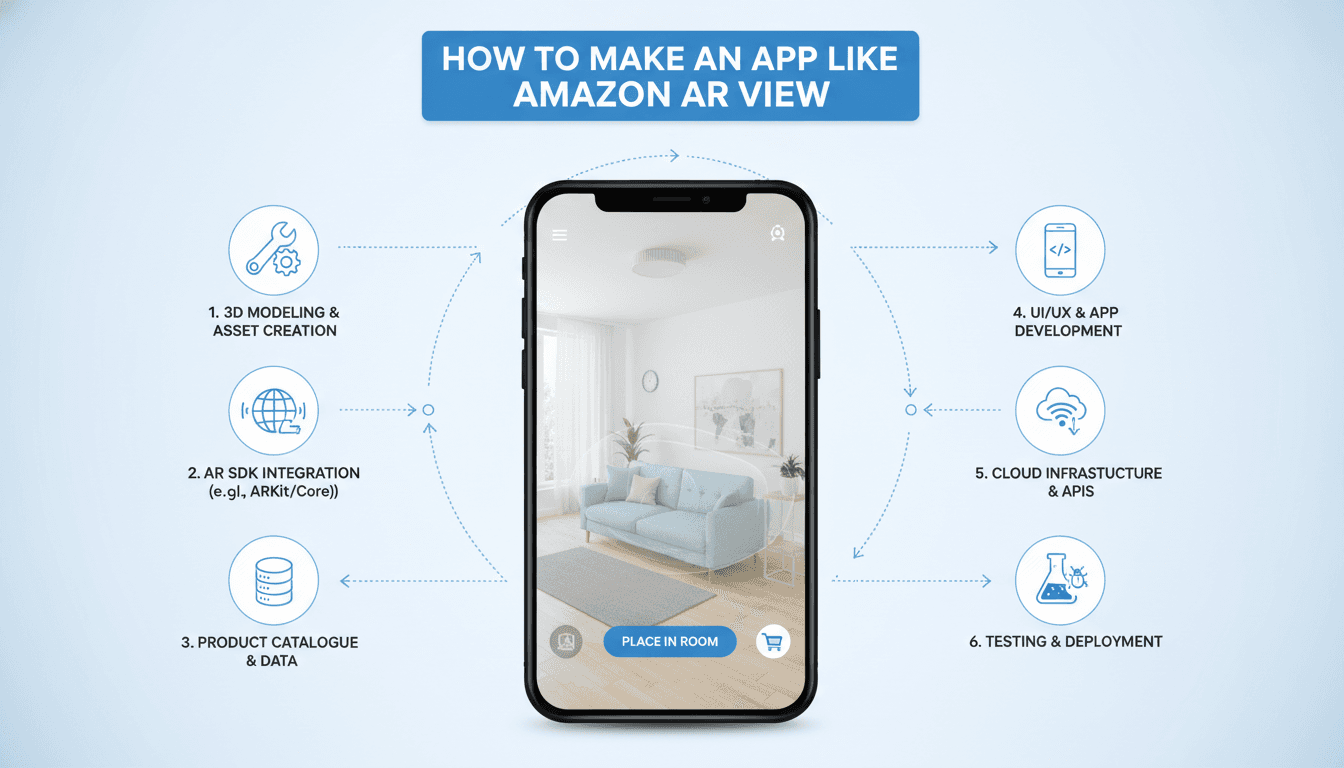
How to Make an App Like Amazon AR View
Online shopping solved convenience, but it never solved doubt. Will this sofa fit the corner? Does that lamp match the wall color? Amazon AR View answered those questions by letting shoppers project true-to-scale 3D products directly into their living rooms through a phone camera.
The result is fewer returns, higher confidence, and a measurably better conversion rate. If you're building an e-commerce or furnishing product, augmented reality preview is no longer a gimmick — it's becoming table stakes. Here's how to build it.
If this is relevant to your project, check out How to Make an App Like JigSpace.
What Amazon AR View Actually Does
Before writing a line of code, it helps to break the experience into its core mechanics:
- Surface detection — the app scans the room and identifies horizontal planes (floors, tables) and vertical planes (walls).
- True-to-scale placement — a 72-inch couch renders at exactly 72 inches relative to the real room.
- Manipulation — users drag, rotate, and reposition the item with natural gestures.
- Realistic rendering — lighting estimation, shadows, and occlusion make the object feel physically present.
- Commerce handoff — tapping the product leads straight to product details, reviews, and checkout.
Every feature you build should serve one of those five pillars. Anything else is scope creep.
Step 1: Define Your Category and Catalog Scope
AR View works best for products where size, scale, and spatial fit drive purchase anxiety. Furniture, TVs, appliances, rugs, lighting, and home decor are naturals. Wearables (eyewear, watches, sneakers) need a different approach — face and body tracking instead of plane detection.
Pick one vertical first. A focused catalog of 200 well-modeled products beats 10,000 mediocre ones. The quality of your 3D assets will make or break user trust more than any framework choice.
For a closer look at a related topic, read our guide on How to Make an App Like Augment.
Step 2: Choose Your AR Technology Stack
Native SDKs
| Platform | SDK | Strengths |
|---|---|---|
| iOS | ARKit + RealityKit | Best-in-class tracking, LiDAR depth on Pro devices, People Occlusion, Object Capture |
| Android | ARCore (Google Play Services for AR) | Wide device reach, Depth API, Cloud Anchors, Scene Semantics |
Native gives you the highest fidelity and earliest access to new capabilities. The tradeoff is maintaining two codebases.
Cross-Platform Engines
- Unity + AR Foundation — the most common choice for production AR commerce. One C# codebase targets both ARKit and ARCore, with a mature asset pipeline and rendering control.
- Unreal Engine — superior out-of-the-box visual fidelity, heavier build size.
- React Native / Flutter with AR plugins — viable if AR is one feature inside a larger shopping app. You keep your existing app architecture and drop into a native AR module only for the preview screen.
Web-Based AR
WebXR and <model-viewer> with USDZ (iOS Quick Look) and glTF (Android Scene Viewer) let users preview products with zero install. Conversion-wise this is powerful for first-time visitors. Many teams ship both: web AR for acquisition, in-app AR for depth of experience.
Practical recommendation: Unity + AR Foundation for the AR module, embedded into a native or React Native shopping shell, plus <model-viewer> on the web storefront.
Step 3: Build the 3D Asset Pipeline
This is the part most teams underestimate. Your app is only as good as your models.
Creating Models
- Photogrammetry — capture 60–150 photos of a physical product and reconstruct with RealityCapture, Meshroom, or Apple's Object Capture API. Fast and photorealistic, but needs cleanup.
- Manual CAD/DCC modeling — Blender, Maya, or 3ds Max. Highest control, best for products that don't exist physically yet.
- Vendor-supplied CAD — many manufacturers already have CAD files. Retopologize them for real-time use.
Optimization Targets
- Polygon count: 10k–50k triangles per product
- Textures: 2K maps maximum, compressed (ASTC on mobile)
- Materials: PBR (base color, normal, roughness, metallic, ambient occlusion)
- File size: aim under 5 MB per model for reasonable download times
- Formats: glTF/GLB as your source of truth, with USDZ generated for iOS Quick Look
Asset Management
Store models in a CDN-backed object store, version them, and stream them on demand rather than bundling them in the app binary. Implement LOD (level of detail) and progressive loading so a low-poly placeholder appears instantly while the full model downloads.
If this is relevant to your project, check out How to Make an App Like IKEA Place.
Step 4: Implement Core AR Functionality
Plane Detection and Placement
Start a session with horizontal and vertical plane detection enabled. Show a subtle reticle that snaps to detected surfaces, then let the user tap to place. Always run a raycast against the detected plane rather than trusting a screen-space guess.
Scale Accuracy
Model dimensions must map to real-world meters in your product database. A single unit-conversion bug destroys credibility. Validate every asset against its spec sheet during ingestion — automate this check in your pipeline.
Gestures
- One-finger drag → reposition along the plane
- Two-finger twist → rotate around the Y axis
- Pinch → disable scaling for furniture (true-to-scale is the whole point); enable only for art and rugs where sizing varies
Realism Features
- Lighting estimation — sample ambient intensity and color temperature from the camera feed
- Contact shadows — a soft blob shadow under the object does more for believability than any shader
- Occlusion — use the Depth API (ARCore) or LiDAR scene reconstruction (ARKit) so real objects can hide virtual ones
- Collision awareness — prevent objects from clipping through detected walls
Step 5: Connect AR to Commerce
AR is a feature, not a product. The revenue flow matters:
- Product catalog service with a
has_ar_modelflag and model URLs per format - "View in Your Room" button on every eligible product page
- In-AR product card: price, variants, ratings, add-to-cart
- Color and finish swapping without reloading the scene (swap materials, not meshes)
- Screenshot and share — a huge organic acquisition channel
- Save-to-room so users can compare multiple items later
Step 6: Architecture and Backend
A typical stack looks like this:
- Mobile client: Unity AR module + native shopping shell
- API layer: REST or GraphQL for catalog, pricing, inventory, cart
- Asset service: model storage, format conversion, LOD generation, CDN distribution
- Conversion pipeline: automated glTF → USDZ, texture compression, validation
- Analytics: AR session starts, placements, dwell time, AR-attributed conversions
- Admin portal: for merchandisers to upload, approve, and QA 3D assets
Microservices work well here because the asset pipeline scales very differently from the catalog API.
Step 7: Test on Real Devices in Real Rooms
Simulators cannot validate AR. Build a test matrix across:
- Flagship and mid-tier Android devices (ARCore support varies widely)
- iPhones with and without LiDAR
- Bright rooms, dim rooms, glossy floors, patterned rugs, plain white walls
Track tracking-loss rate, time-to-first-plane, and thermal throttling during long sessions. Watch battery drain — AR sessions are expensive, and users notice.
Cost and Timeline Estimates
| Scope | Features | Timeline | Indicative Cost |
|---|---|---|---|
| MVP | Single platform, plane detection, placement, 50–100 models | 3–4 months | $40k–$70k |
| Standard | iOS + Android, occlusion, variants, full commerce flow | 5–7 months | $80k–$150k |
| Enterprise | Web AR, multi-item rooms, AI recommendations, large catalog pipeline | 8–12 months | $180k–$350k+ |
The hidden line item is 3D content: budget $60–$400 per product model depending on complexity. For a 1,000-SKU catalog, that can exceed your engineering spend.
Common Pitfalls
- Bundling models in the app. Your binary balloons past install-friendly limits. Stream instead.
- Ignoring onboarding. Users need a 5-second coaching animation telling them to move the phone slowly to scan the floor.
- Wrong scale. The single fastest way to lose trust.
- Over-polishing models. Photorealism at 200k polys that drops the device to 15 fps is worse than a clean 30k-poly model at 60 fps.
- No fallback. Millions of devices don't support ARCore. Always offer a 3D turntable viewer instead of a dead button.
What's Next for AR Commerce
Generative AI is collapsing the cost of 3D asset creation — image-to-3D models now produce usable meshes from existing product photography. Room understanding is getting semantic, so apps can recognize "that's a couch, that's a window" and auto-suggest placements. And with AR glasses maturing, the phone-held experience you build today is a stepping stone to hands-free shopping.
Final Thoughts
Building an app like Amazon AR View is less about mastering exotic AR math and more about discipline across three fronts: a rigorous 3D asset pipeline, a tight and believable placement experience, and a frictionless path from preview to purchase. Nail those, keep your first release narrow, and let real usage data tell you what to build next.
Have a project in mind? Contact Sodio Technologies to discuss your requirements and explore the right technology solution for your business.
/// Work with us
Talk to the engineers who'd build it
You'll get a technical scope, timeline and cost estimate from the people doing the work, not an account manager. In-house team, no subcontracting, since 2016.