

How to Make an App Like Braina
How to Make an App Like Braina
Voice assistants have moved well beyond novelty. They now dictate medical notes, control smart homes, automate desktop workflows, and answer questions without a user ever touching a keyboard. Braina — an AI-powered virtual assistant and speech recognition tool for Windows — sits right in that sweet spot: part dictation engine, part command interpreter, part personal assistant.
If you're planning to build something similar, this guide walks through what Braina actually does, the architecture behind an app like it, the tech stack choices you'll face, and the realities of cost and timeline.
We cover a closely related subject in How to Make an App Like Hound.
What Braina Actually Does
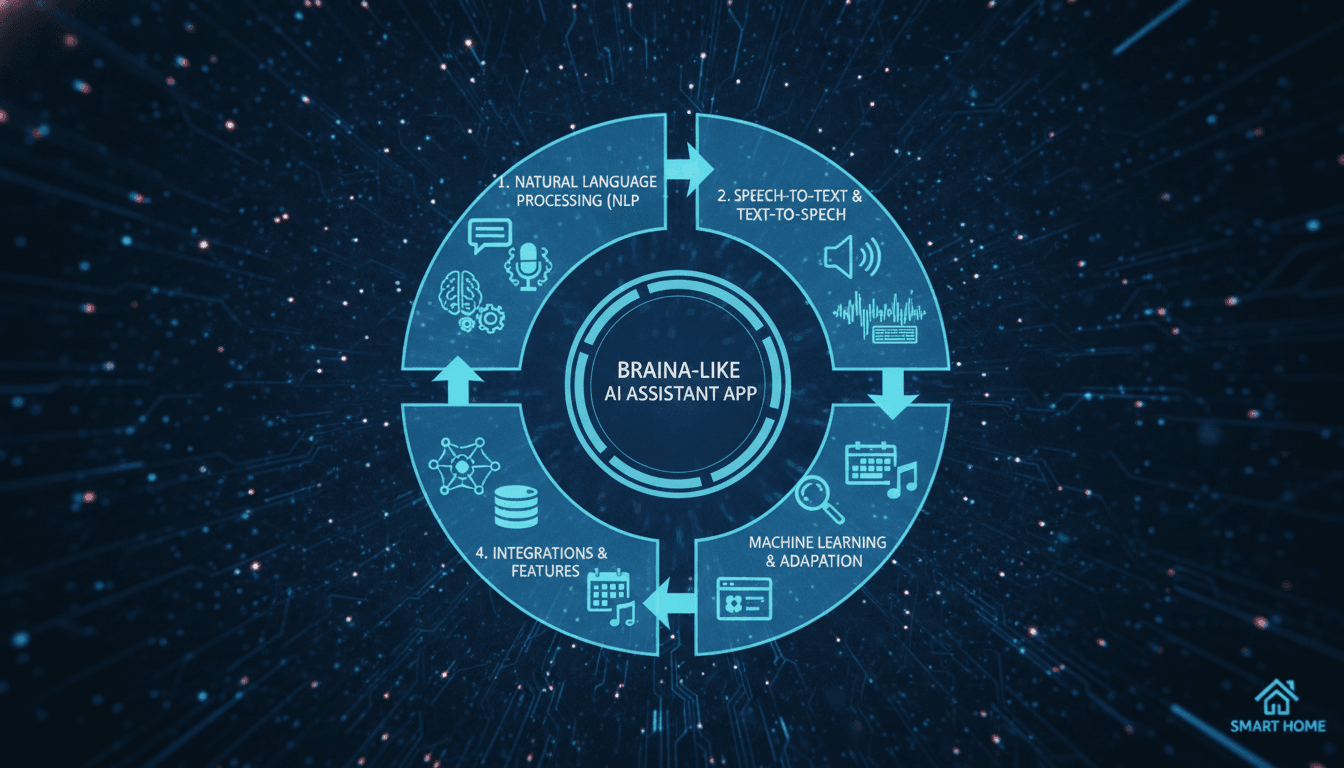
Before you scope a build, it helps to break the product down into its functional pillars:
- Speech-to-text dictation — real-time transcription into any application, with support for multiple languages and custom vocabularies.
- Voice command execution — opening apps, searching files, controlling media, adjusting system settings, and automating repetitive tasks.
- Conversational AI — answering questions, doing calculations, fetching weather and news, and holding basic contextual dialogue.
- Custom command scripting — letting power users define their own voice triggers mapped to scripts, macros, or URLs.
- Remote control via mobile — a companion phone app that turns a smartphone into a wireless microphone and remote.
- Text-to-speech — reading documents, articles, and ebooks aloud.
That's a wide surface area. The single most important early decision is which pillar you lead with. Trying to ship all six at launch is how AI assistant projects stall.
For a closer look at a related topic, read our guide on How to Make an App Like Microsoft Cortana.
Step 1: Define Your Wedge
Braina succeeded partly because it served niches that mainstream assistants ignored — medical and legal dictation, accessibility users, and desktop power users who wanted deep OS-level control.
Ask yourself:
- Are you building for professionals who dictate (doctors, lawyers, journalists)?
- For accessibility (users with mobility or vision impairments)?
- For productivity automation (developers, analysts, knowledge workers)?
- For general consumers competing with Siri and Alexa? (Hardest path — think carefully.)
Your answer changes everything downstream: accuracy thresholds, vocabulary sets, privacy posture, and pricing model.
Step 2: Map the Core Feature Set
A realistic MVP for a Braina-style assistant looks something like this:
Must-have (V1)
- Wake-word or hotkey activation
- Real-time speech-to-text with punctuation
- A command parser that maps utterances to actions
- 20–40 built-in system commands
- Text-to-speech output
- Settings panel (mic selection, language, sensitivity, hotkeys)
Should-have (V2)
- Custom user-defined commands
- Conversational Q&A via an LLM
- Companion mobile app as a wireless mic
- Domain vocabulary packs (medical, legal, technical)
- Offline mode
Nice-to-have (V3)
- Multi-language switching mid-session
- Speaker diarization for meetings
- Workflow automation chains
- Team/enterprise admin console
Step 3: Choose Your Speech Recognition Approach
This is the heart of the product, and you have three broad options.
Cloud ASR APIs. Google Speech-to-Text, Azure Speech, AWS Transcribe, AssemblyAI, or Deepgram. Fastest to integrate, excellent accuracy, strong language coverage. Downsides: per-minute costs that scale with usage, latency dependent on connection, and data leaving the user's machine — a dealbreaker for healthcare and legal clients.
Self-hosted open models. OpenAI's Whisper (and faster variants like faster-whisper or whisper.cpp), NVIDIA NeMo, or Vosk for lightweight offline use. You control the data, there's no per-minute billing, and offline operation becomes possible. Downsides: you own the infrastructure, GPU costs, and optimization work.
Hybrid. Run a small local model for wake words and short commands, and route long-form dictation to the cloud when the user opts in. This is usually the smartest architecture — it gives you low-latency triggers, offline resilience, and high accuracy where it matters.
For custom vocabularies, most cloud APIs support phrase hints or custom language models. With Whisper, you can bias output through prompting or fine-tune on domain audio if you have the data.
Step 4: Build the Natural Language Understanding Layer
Transcribing audio is only half the job. You then need to figure out whether "open my email" is a command, a dictation, or a question.
A practical pipeline:
- Transcribe the audio to text.
- Classify intent — command, dictation, or query.
- Extract entities — app names, file names, numbers, contacts, times.
- Route to the right handler.
For intent classification you can start with rules and regex for a fixed command set — it's fast, deterministic, and cheap. As the command library grows, layer in an embedding-based matcher (encode commands and user utterances, match by cosine similarity) so that "launch Chrome," "open the browser," and "start Chrome please" all resolve correctly.
For open-ended questions, hand off to an LLM via API. Use function calling so the model can return structured actions rather than prose, and keep a short conversation buffer so follow-ups like "and tomorrow?" resolve in context.
For a closer look at a related topic, read our guide on How to Make an App Like Mycroft.
Step 5: Design the System Integration Layer
This is where a desktop assistant earns its keep — and where most of the engineering complexity hides.
You'll need OS-level capabilities for:
- Simulating keyboard and mouse input to type dictated text into whatever window has focus
- Launching and controlling applications
- File system search and manipulation
- System controls — volume, brightness, shutdown, clipboard
- Global hotkey registration
- Window management
On Windows, this means Win32 APIs, UI Automation, and possibly PowerShell bridges. On macOS, AppleScript, Accessibility APIs, and Shortcuts — and you'll be fighting permission prompts and sandboxing rules. On Linux, expect to handle both X11 and Wayland differently.
Plan for permissions carefully. Modern operating systems treat "type into other apps" and "listen to the microphone constantly" as high-trust capabilities. Your onboarding flow needs to explain why you need them, or users will bounce at the first dialog box.
Step 6: Pick a Tech Stack
There's no single right answer, but here are combinations that work well:
Desktop core
- Electron + Node.js — fast cross-platform development, huge ecosystem, heavier memory footprint.
- Tauri + Rust — dramatically lighter binaries, better performance, steeper learning curve.
- Python + Qt/PySide — ideal if your team is ML-heavy, since audio and model libraries live in Python.
- C# / .NET (WPF or WinUI) — the natural choice for a Windows-first product with deep OS integration.
Audio & ML
- PortAudio, WebRTC VAD, or Silero VAD for voice activity detection
- Porcupine or openWakeWord for wake-word detection
- Whisper / faster-whisper, or a cloud ASR SDK
- Piper, Coqui TTS, ElevenLabs, or the platform's native TTS engine
Backend
- Python (FastAPI) or Node.js for the API layer
- PostgreSQL for user data and command libraries
- Redis for session state and caching
- WebSockets for real-time streaming between mobile and desktop
Mobile companion
- Flutter or React Native for a single codebase across iOS and Android
- Native modules where you need low-latency audio capture
Step 7: Handle Privacy and Security Properly
If you're targeting dictation professionals, privacy isn't a feature — it's the entire sales pitch.
- Offer a genuine offline mode where no audio leaves the device.
- Encrypt audio and transcripts at rest and in transit.
- Be explicit about retention: don't store audio unless the user opts in for model improvement.
- Pursue HIPAA, GDPR, or SOC 2 compliance if you're selling into healthcare, EU markets, or enterprise.
- Give users a clear microphone indicator and a hard kill switch.
- Keep custom vocabularies and command scripts local or user-encrypted.
Step 8: Optimize for Latency
Users forgive an assistant that's occasionally wrong far more readily than one that's slow. Targets worth aiming for:
- Wake-word detection: under 200ms
- First transcribed word appearing: under 500ms
- Command execution after utterance end: under 1 second
Techniques that get you there: streaming ASR rather than batch, voice activity detection to cut dead air, local wake-word models, aggressive caching of common queries, and pre-warming model sessions so the first request isn't the slowest.
Step 9: Build the Companion Mobile App
Braina's mobile app turns a phone into a remote microphone. To replicate it:
- Pair devices over the local network (mDNS/Bonjour discovery) or through a relay server.
- Stream compressed audio (Opus works well) over WebSocket or WebRTC.
- Mirror the command interface so users can trigger desktop actions from the couch.
- Handle reconnection gracefully — Wi-Fi drops are constant in real homes and offices.
Step 10: Test Against Real-World Conditions
Lab accuracy means nothing if the product fails in an open-plan office. Build a test suite covering:
- Accents and dialects across your target markets
- Background noise: keyboards, traffic, HVAC, music, other voices
- Different microphone hardware, from laptop built-ins to USB condensers
- Domain jargon and proper nouns
- Long dictation sessions where fatigue changes speech patterns
- Low-bandwidth and offline network conditions
Track word error rate (WER) as your north-star accuracy metric, and intent-resolution accuracy for the command layer.
Monetization Models That Work
- Freemium — free tier with limited dictation minutes, paid tier unlocking unlimited use and custom commands.
- One-time licence — Braina's own approach for its Pro tier; appeals to users tired of subscriptions.
- Subscription — monthly or annual, easier to sustain if you're paying per-minute cloud ASR costs.
- Vertical packages — premium pricing for medical or legal vocabulary packs.
- Enterprise licensing — seat-based, with admin controls and on-premise deployment options.
Cost and Timeline Expectations
Rough guidance, assuming a competent product team:
| Scope | Timeline | Indicative Cost |
|---|---|---|
| MVP (dictation + 25 commands, one OS) | 3–4 months | $40,000 – $70,000 |
| Full-featured V1 (custom commands, LLM Q&A, TTS) | 5–7 months | $80,000 – $150,000 |
| Cross-platform + mobile companion + offline mode | 8–12 months | $150,000 – $300,000+ |
Ongoing costs to budget for: cloud ASR and LLM API usage, GPU hosting if you self-host models, code signing certificates, compliance audits, and continuous model evaluation.
Common Pitfalls to Avoid
- Shipping too broad. An assistant that does twenty things badly loses to one that does three things flawlessly.
- Ignoring the "focus window" problem. Dictating into the wrong application is the fastest way to lose a user's trust.
- Underestimating permissions friction. Onboarding needs to be a guided experience, not a wall of OS dialogs.
- Treating the LLM as the whole product. Deterministic commands should stay deterministic; only route genuine open questions to a model.
- No graceful failure. When recognition fails, show the transcript and let the user correct it rather than silently doing nothing.
Final Thoughts
Building an app like Braina is less about inventing new AI and more about assembling proven components — ASR, NLU, TTS, and OS automation — into something fast, private, and genuinely useful in a specific context. The technology is more accessible than it has ever been; the differentiation lives in latency, accuracy on domain vocabulary, and how thoughtfully you handle the unglamorous parts like permissions, error recovery, and offline behaviour.
Start narrow, obsess over response time, and let real users in your chosen vertical tell you which feature to build next.
Have a project in mind? Contact Sodio Technologies to discuss your requirements and explore the right technology solution for your business.
/// Work with us
Talk to the engineers who'd build it
You'll get a technical scope, timeline and cost estimate from the people doing the work, not an account manager. In-house team, no subcontracting, since 2016.