

How to Make an App Like Mycroft
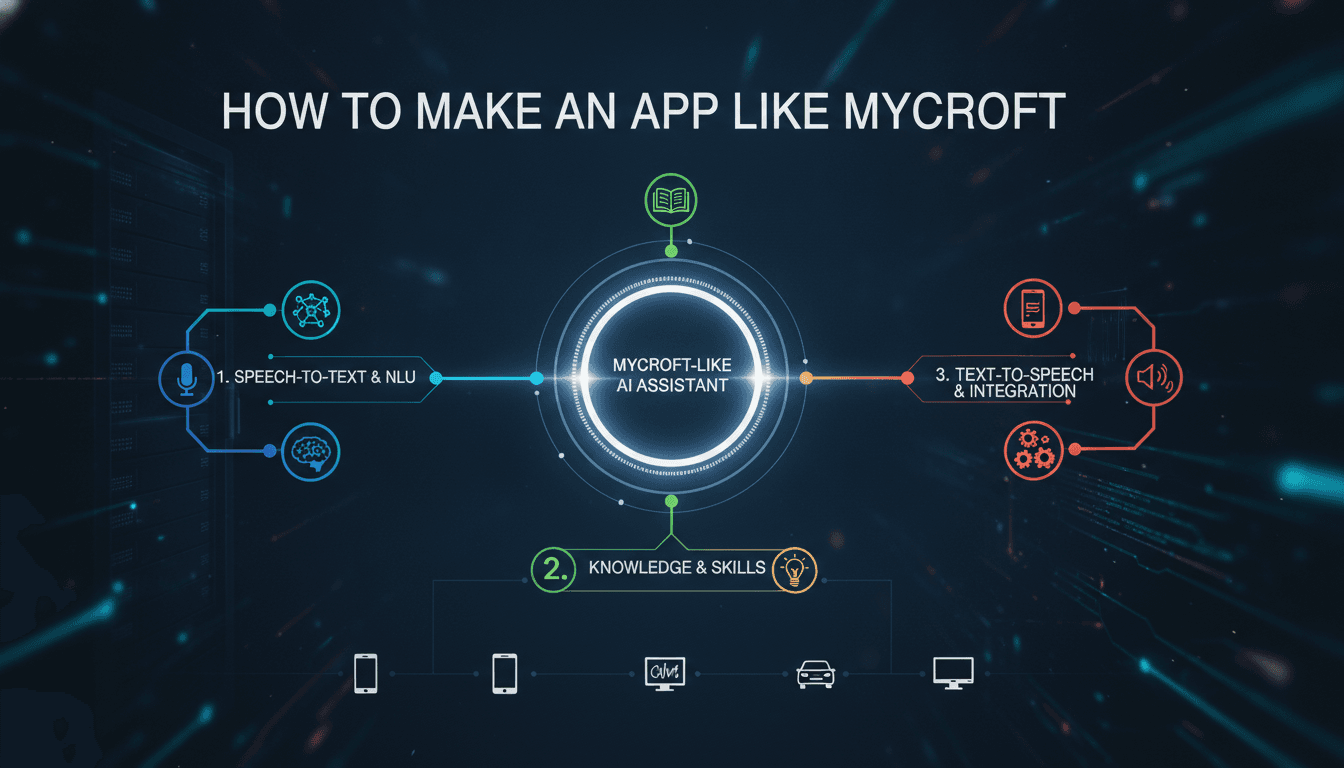
How to Make an App Like Mycroft
Voice assistants have moved well beyond novelty. They schedule meetings, control lights, read the news, answer questions, and increasingly act as the primary interface for hands-free computing. Mycroft carved out a distinctive place in this landscape by being open source, privacy-respecting, and hackable — a genuine alternative to the closed ecosystems built by the biggest tech companies.
If you're planning to build something similar, this guide walks through what an app like Mycroft actually consists of, the architecture and technology choices involved, the development process, and the realities of cost and monetisation.
You may also find our article on How to Make an App Like Hound useful.
What Makes Mycroft Different
Before writing a single line of code, it helps to understand the product philosophy that made Mycroft notable.
- Open source core. The codebase was public, which meant a community of contributors could extend it.
- Privacy first. Users could choose where their voice data went — including self-hosted setups where nothing left their network.
- Skill-based extensibility. Functionality was packaged as "skills" that anyone could write and publish.
- Hardware agnostic. It ran on Raspberry Pi, Linux desktops, and dedicated smart speakers.
If you replicate the features but not the philosophy, you're building yet another generic assistant. The differentiation is the point.
For a closer look at a related topic, read our guide on How to Make an App Like Braina.
Core Features to Plan For
Wake Word Detection
A small, always-on model listens locally for a trigger phrase. This must run on-device with minimal CPU and memory usage, and it must be tunable to reduce false activations.
Speech-to-Text (STT)
Converts captured audio into text. You can run this locally for privacy or send it to a cloud service for higher accuracy.
Intent Parsing
Determines what the user actually wants. Mycroft used two complementary parsers — one for keyword and regex-style matching, one for more flexible natural language patterns. Modern builds increasingly route ambiguous requests to a large language model.
Skills Framework
The heart of extensibility. Each skill declares the intents it handles, executes logic, and returns a spoken response. A well-designed skill API with clear lifecycle hooks, settings management, and dependency handling is what attracts third-party developers.
Text-to-Speech (TTS)
Turns responses back into audio. Voice quality has an outsized effect on perceived product quality, so budget real effort here.
Device and Account Management
A companion web or mobile interface for pairing devices, managing skills, adjusting privacy settings, and reviewing history.
Reference Architecture
A practical way to structure the system:
1. Client layer (on-device)
- Audio capture and voice activity detection
- Wake word engine
- Local caching and offline fallbacks
- Audio playback
2. Processing layer
- STT service
- Intent classification and entity extraction
- Dialogue and context manager (maintains conversational state)
- Skill execution runtime
3. Integration layer
- Third-party APIs: calendars, weather, music, smart home protocols, messaging
- Webhooks and an outbound event bus
4. Data and management layer
- User profiles and preferences
- Skill registry and marketplace
- Analytics and telemetry (opt-in, ideally)
- Admin dashboard
A message bus connecting these components — Mycroft used a WebSocket bus — keeps modules loosely coupled so skills, STT engines, and TTS engines can be swapped independently.
To explore this further, see How to Make an App Like Microsoft Cortana.
Technology Stack Choices
| Layer | Options |
|---|---|
| Wake word | Precise, Porcupine, openWakeWord, Snowboy (legacy) |
| STT | Whisper, Vosk, Coqui STT, Google/Azure/AWS speech APIs |
| Intent/NLU | Padatious, Adapt, Rasa, spaCy, LLM function calling |
| TTS | Piper, Coqui TTS, Mimic, ElevenLabs, Azure Neural TTS |
| Core runtime | Python (dominant in this space), Go or Rust for performance-critical pieces |
| Mobile app | Flutter or React Native for cross-platform; Swift/Kotlin for native audio control |
| Backend | FastAPI or Node.js, PostgreSQL, Redis, containerised with Docker |
| Messaging | WebSockets, MQTT for IoT integrations |
Python remains the pragmatic choice for the core because the entire voice and ML tooling ecosystem lives there.
Step-by-Step Development Process
Step 1: Define Scope and Positioning
Decide who this is for. A privacy-focused consumer assistant, a developer platform, an enterprise voice interface for internal tools, and an embedded assistant for hardware makers are four very different products. Pick one.
Step 2: Validate the Voice Pipeline Early
Build a thin vertical slice: wake word → STT → one hardcoded intent → TTS response. Get it working end to end on real hardware before building anything else. Latency problems and audio quirks surface here, and they're much cheaper to fix early.
Step 3: Design the Skill API
This is your most important architectural decision if extensibility matters. Specify how skills declare intents, how they access settings, how they handle multi-turn conversations, how they're versioned, and how they're sandboxed. Document it as if external developers will read it — because they will.
Step 4: Build the Dialogue Manager
Single-turn question answering is easy. Handling "what about tomorrow?" after a weather query requires conversational context, slot filling, and clarification prompts. Invest here or your assistant will feel primitive.
Step 5: Add Core Skills
Ship with genuinely useful defaults: time and date, weather, timers and alarms, music playback, general knowledge, and a few smart home integrations. These set the baseline expectation.
Step 6: Build the Companion App
Device pairing, skill installation, voice selection, wake word sensitivity, conversation history, and privacy controls. Users need a visual surface to configure a voice product.
Step 7: Optimise for On-Device Performance
Profile CPU, RAM, and battery. Quantise models. Consider hybrid processing — local handling of common intents with cloud fallback for complex ones.
Step 8: Test Against Reality
Test with accents, background noise, overlapping speakers, poor microphones, and bad network conditions. Lab accuracy and living-room accuracy are different numbers.
Step 9: Launch, Instrument, Iterate
Track wake word false positive and false negative rates, intent recognition accuracy, unhandled utterances, and end-to-end latency. Unhandled utterances are your roadmap.
Privacy and Security Considerations
For a Mycroft-style product, privacy is a feature rather than a compliance chore.
- Offer a fully local mode where audio never leaves the device
- Make data retention explicit and configurable, with easy deletion
- Encrypt audio and transcripts in transit and at rest
- Sandbox third-party skills and gate permissions
- Use a visible or audible indicator whenever the microphone is active
- Comply with GDPR, CCPA, and biometric voice data rules where applicable
- Publish the code or at least independent audit results if you're claiming openness
Monetisation Models
- Hardware sales — bundle the assistant with a speaker or dev board
- Freemium cloud services — free local use, paid premium STT/TTS and sync
- Enterprise licensing — white-label voice interfaces for products and internal tools
- Marketplace revenue share — take a cut of paid skills
- Support and services — integration consulting for OEMs and businesses
Mycroft's own difficulties are a useful lesson: open source goodwill does not automatically translate into sustainable revenue. Decide on the business model alongside the architecture, not after.
Cost and Timeline Estimates
Rough ranges for a competent build:
- MVP (wake word, STT, a handful of intents, basic mobile app): 3–5 months, $40,000–$80,000
- Production platform (skill SDK, dialogue management, marketplace, multi-device sync): 7–12 months, $100,000–$250,000
- Enterprise/hardware-integrated product: 12+ months, $250,000+
Costs vary significantly with team location, whether you use hosted speech APIs or self-host models, and how much hardware work is involved.
Common Pitfalls
- Underestimating audio engineering. Microphone arrays, echo cancellation, and noise suppression are specialist problems.
- Chasing feature parity with Alexa. You will lose. Compete on privacy, control, or a vertical niche instead.
- Neglecting latency. Anything over roughly a second of response time feels broken.
- Building extensibility nobody uses. A skill framework without documentation, tooling, and community management is dead weight.
- Treating the mobile app as an afterthought. It's often where users form their opinion of the product.
Final Thoughts
Building an app like Mycroft is genuinely achievable with today's open source stack — arguably easier than when Mycroft started, thanks to Whisper-class speech recognition, high-quality neural TTS, and LLMs that handle intent flexibility gracefully. The hard parts are not the individual components but the integration, the latency budget, the on-device performance, and the community or business model that keeps the project alive.
Start narrow, prove the pipeline on real hardware, design the extension API thoughtfully, and be honest about how the product will sustain itself. That combination is what separates a working prototype from a voice platform people actually adopt.
Have a project in mind? Contact Sodio Technologies to discuss your requirements and explore the right technology solution for your business.
/// Work with us
Talk to the engineers who'd build it
You'll get a technical scope, timeline and cost estimate from the people doing the work, not an account manager. In-house team, no subcontracting, since 2016.