

How to Make an App Like L'Oreal Makeup Genius
How to Make an App Like L'Oréal Makeup Genius
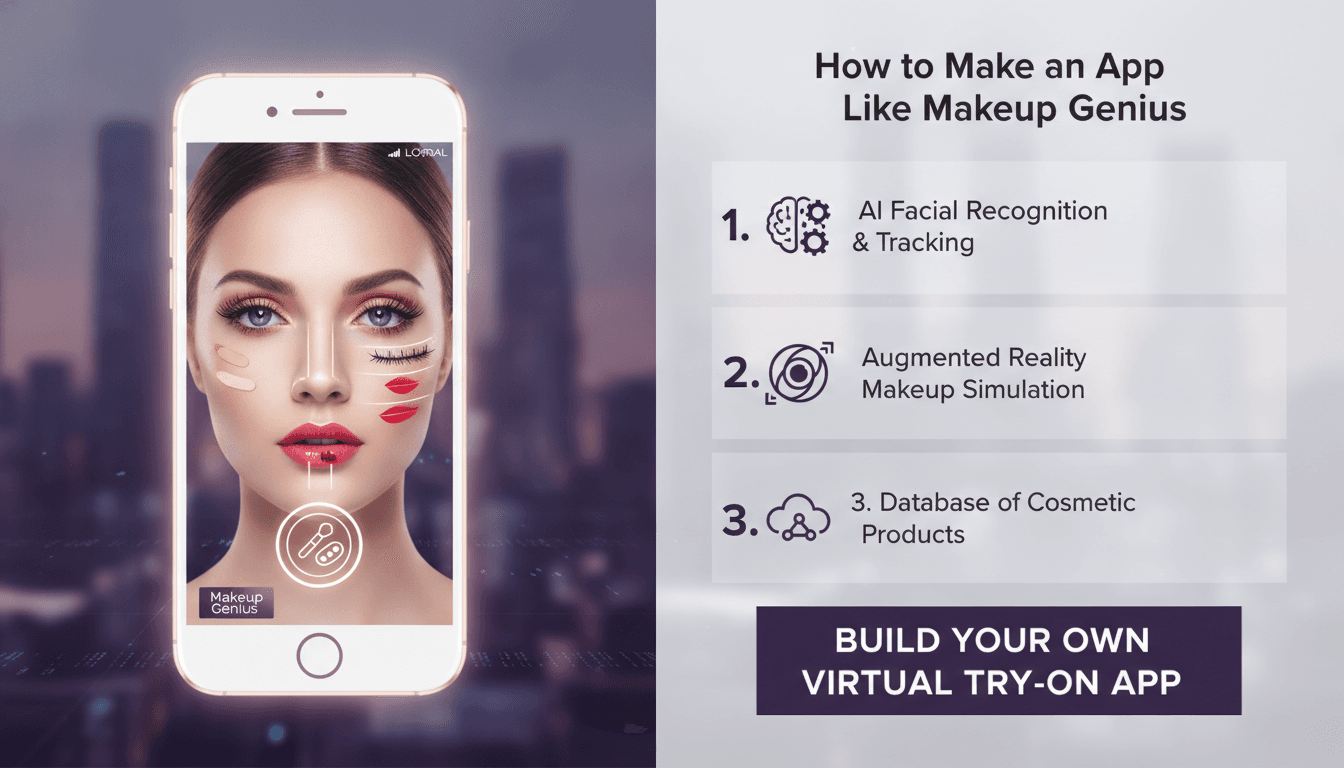
When L'Oréal launched Makeup Genius, it did something few beauty brands had managed before: it turned a smartphone camera into a virtual mirror. Users could point their phone at their face, tap a lipstick shade or eyeshadow palette, and instantly see how the product would look on their own skin — in real time, as they moved and smiled. Within months the app had been downloaded millions of times, and it quietly rewrote the playbook for how cosmetics are sold online.
If you're a beauty brand, a retailer, or a startup founder looking to build something similar, this guide walks through what actually goes into an app like Makeup Genius — the features, the technology, the team, the timeline, and the costs.
If this is relevant to your project, check out How to Make an App Like YouCam Makeup.
What Makes Makeup Genius Work
Before jumping into architecture, it's worth understanding why the app resonated. The magic isn't only the augmented reality — it's the way AR removed friction from a decision that used to require a trip to a store and a cotton pad.
You may also find our article on How to Make an App Like Facetune useful.
Three things make the experience work:
Real-time face tracking. The app identifies facial landmarks — the outline of the lips, the position of the eyelids, the curve of the cheekbones — and keeps tracking them as the user moves. Lag or drift breaks the illusion immediately.
Photorealistic rendering. A lipstick isn't just a colour overlay. It has finish (matte, satin, gloss, metallic), opacity, and the way it interacts with lighting. Getting this wrong makes the product look like a sticker rather than makeup.
A direct path to purchase. Every try-on is a step toward a transaction. The app connects shades to SKUs, inventory, and checkout so intent converts before it cools.
Core Feature Set
Live Virtual Try-On
The centrepiece. Users open the camera and see themselves with products applied. This should support lips, eyes (shadow, liner, lashes, brows), face (foundation, blush, bronzer, highlighter), and ideally hair colour and nail polish if your catalogue extends that far.
Photo and Video Try-On
Not everyone wants to hold their phone up to their face in public. Let users upload a selfie or choose from a library of model faces to test looks.
Shade Matching and Foundation Finder
This is where AI earns its keep. By analysing skin tone from a camera capture — while correcting for ambient lighting — the app can recommend a foundation shade with reasonable accuracy. Foundation returns are one of the biggest cost centres in beauty e-commerce, so this feature has hard ROI.
Curated Looks and Tutorials
Pre-built "looks" that apply five or six products at once. Users tap "Smoky Evening" and see the full face rendered instantly, with the option to shop all items or swap individual products.
Product Catalogue and Commerce
Shade grids, product detail pages, reviews, wishlists, cart, and checkout. If you're a brand, this integrates with your existing commerce platform. If you're a retailer, it may span multiple brands.
Save, Compare, and Share
Side-by-side comparison of two shades, a saved history of tried looks, and one-tap sharing to social platforms. Sharing is your cheapest acquisition channel — make it effortless.
Personalisation Engine
Over time the app learns preferences: favoured finishes, colour families, price points. Recommendations get sharper, and so does retention.
In-Store Mode
Many brands overlook this. Shoppers standing in a store aisle can scan a product barcode and try it on virtually rather than using a shared tester. It bridges online and offline in a way customers genuinely appreciate.
The Technology Behind It
Face Tracking and Computer Vision
You have two broad routes.
Use a platform SDK. Apple's ARKit provides a detailed face mesh with blendshape data on supported iPhones. Google's ML Kit and ARCore offer face detection and landmark tracking on Android. MediaPipe Face Mesh from Google gives you 468 3D landmarks and runs cross-platform, including on the web.
License a specialist beauty AR SDK. Vendors in this space provide beauty-tuned rendering out of the box — correct finishes, texture blending, hair segmentation, nail detection. This is faster to market and typically more photorealistic than a from-scratch build, at the cost of per-user or licence fees.
Build custom models. If you have unusual requirements or want full control of the IP, you can train your own landmark detection and segmentation models using TensorFlow or PyTorch, then convert them with Core ML and TensorFlow Lite for on-device inference.
For most teams, the pragmatic answer is a hybrid: platform SDKs for tracking, custom shaders for rendering, and your own models for shade matching.
Rendering Pipeline
This is the part that separates a convincing app from a toy. You'll be writing custom shaders — Metal on iOS, OpenGL ES or Vulkan on Android — that composite product colour onto the tracked face region while preserving the underlying skin texture, pores, and specular highlights. Blend modes matter enormously. A matte lipstick uses different maths than a gloss with a wet highlight.
Lighting normalisation is essential. The same lipstick in warm indoor light and cool daylight should render believably in both, which means estimating the ambient colour temperature and adjusting output accordingly.
On-Device vs. Cloud
Run tracking and rendering entirely on-device. Streaming camera frames to a server introduces latency that kills the experience and raises obvious privacy concerns. Reserve the cloud for catalogue data, recommendation models, analytics, and heavier shade-matching computation on a single captured still.
Mobile Stack
- Native iOS: Swift, ARKit, Metal, Core ML, AVFoundation
- Native Android: Kotlin, CameraX, ARCore/ML Kit, TensorFlow Lite, Vulkan
- Cross-platform: Flutter or React Native for the commerce and browsing shell, with native modules handling the camera and AR layer
The cross-platform approach works well here. Roughly 70% of the app — product browsing, cart, account, content — is standard UI that Flutter handles beautifully. The AR viewfinder is the specialised 30% that justifies native code.
Backend
- API layer: Node.js or Python with a REST or GraphQL interface
- Database: PostgreSQL for catalogue and orders, Redis for caching shade grids and session state
- Storage and CDN: S3 or Cloud Storage behind a CDN for product imagery, texture maps, and look bundles
- Commerce: Shopify, commercetools, Salesforce Commerce Cloud, or your existing ERP
- Analytics: Event pipeline capturing try-ons, shade dwell time, comparison behaviour, and conversion
Building the Product Colour Library
This is the unglamorous work that determines whether your app looks credible, and it's routinely underestimated.
Every SKU needs to be digitised: not just a hex code, but a material profile describing opacity, finish, shimmer particle size, and how it behaves over different skin tones. This is typically done through controlled photography of swatches on a range of skin tones, followed by calibration by someone with actual makeup expertise.
For a catalogue of 500 products, expect this to be a multi-week effort involving a photography setup, a colour scientist or trained artist, and iterative review cycles. Budget real time for it. A technically flawless app rendering wrong colours is a failed app.
For a closer look at a related topic, read our guide on How to Make an App Like Sephora Virtual Artist.
Design and UX Considerations
The camera is the interface. Minimise chrome. Shade selectors should sit at the bottom of the screen within thumb reach, and the user's face should never be obscured by UI.
Design for one-handed use. People hold the phone at arm's length with one hand while tapping with the other thumb.
Show, don't explain. Onboarding should be two screens maximum, then straight into the camera with a default look already applied so the wow moment happens within five seconds of launch.
Handle failure gracefully. Poor lighting, glasses, face masks, multiple faces in frame, front camera permission denied — each needs a clear, non-technical fallback.
Inclusivity is not optional. Test shade matching and rendering across the full spectrum of skin tones, undertones, and lip pigmentation. Beauty tech has a poor historical record here, and users notice immediately.
Privacy and Compliance
Facial data is biometric data, and regulators treat it accordingly. GDPR in Europe, CCPA in California, and BIPA in Illinois all impose specific obligations.
Practical guidance:
- Process face data on-device and never transmit raw frames
- Don't store facial geometry unless there's a clear user benefit, and if you do, get explicit consent
- Give users a plain-language explanation of what the camera is doing
- Make deletion of saved selfies and looks trivially easy
- Document your data flows before launch, not after a complaint
Being genuinely privacy-respecting is also a marketing asset. Say so in the App Store listing.
Development Timeline
A realistic schedule for a production-quality first version:
| Phase | Duration |
|---|---|
| Discovery, UX, and technical spike | 3–4 weeks |
| Design system and UI | 4–5 weeks |
| AR try-on engine | 8–12 weeks |
| Catalogue digitisation | 4–8 weeks (parallel) |
| Commerce and backend | 6–8 weeks (parallel) |
| Shade matching and recommendations | 4–6 weeks |
| QA, device testing, and optimisation | 4–6 weeks |
| Launch preparation | 2 weeks |
Total: roughly five to seven months for a polished launch on both platforms, assuming a dedicated team and no major pivots.
Cost Estimates
Costs vary widely by region and approach. Broad ranges for a full build:
MVP with a licensed AR SDK: $60,000–$110,000. Single-category try-on (lips and eyes), a modest catalogue, basic commerce. Fastest route to validating demand.
Full-featured app with licensed SDK: $120,000–$220,000. Multi-category try-on, shade matching, curated looks, full commerce, both platforms.
Custom AR engine: $250,000–$450,000+. Justifiable if AR rendering is your core IP or you have requirements no vendor meets.
Ongoing costs to plan for: AR SDK licensing (often usage-based), cloud hosting, catalogue updates for each new product launch, and continuous device compatibility testing as new phones ship. Assume 20–25% of build cost annually for maintenance and iteration.
Measuring Success
Vanity metrics will mislead you here. Downloads look great and mean little. Track instead:
- Try-on rate: percentage of sessions including at least one virtual try-on
- Shades per session: engagement depth with the core feature
- Try-on to cart rate: the number that justifies the whole project
- Return rate delta: compare returns for products tried virtually against those bought without
- Repeat try-on rate: are people coming back, or was it a one-time novelty?
- Share rate: organic reach per active user
L'Oréal reported that customers who used Makeup Genius bought significantly more than those who didn't. That comparison — AR users versus non-AR users in the same period — is the single most persuasive number you can produce for stakeholders.
Common Mistakes to Avoid
Treating AR as a feature rather than the product. If try-on is buried three taps deep, nobody uses it. It should be the home screen.
Skimping on colour accuracy. Users will compare your render to the real product. If it doesn't match, trust evaporates and returns increase.
Ignoring mid-range Android devices. Flagship iPhones aren't your whole market. Test on three-year-old Android hardware and build graceful degradation.
Launching without a content engine. Curated looks and tutorials need continuous refreshing. Plan who creates them and how often before launch, not after.
Forgetting the web. WebAR try-on embedded on product pages often drives more volume than the app itself, because it requires no download. Build the rendering layer so it can serve both.
Final Thoughts
An app like Makeup Genius sits at an unusual intersection: it demands serious computer vision engineering, genuine colour science, thoughtful commerce design, and careful privacy handling all at once. That's why the category still has room — plenty of brands have shipped mediocre versions, and comparatively few have shipped great ones.
The good news is that the underlying technology has matured dramatically since 2014. What once required a research team is now achievable with a focused product team, a well-chosen SDK, and disciplined attention to the details that users actually notice: does it track smoothly, and does the colour look right?
Get those two things correct, connect them cleanly to checkout, and you have a product that measurably changes how people buy beauty.
Have a project in mind? Contact Sodio Technologies to discuss your requirements and explore the right technology solution for your business.
/// Work with us
Talk to the engineers who'd build it
You'll get a technical scope, timeline and cost estimate from the people doing the work, not an account manager. In-house team, no subcontracting, since 2016.