

How to Make an App Like Wanna Kicks
How to Make an App Like Wanna Kicks
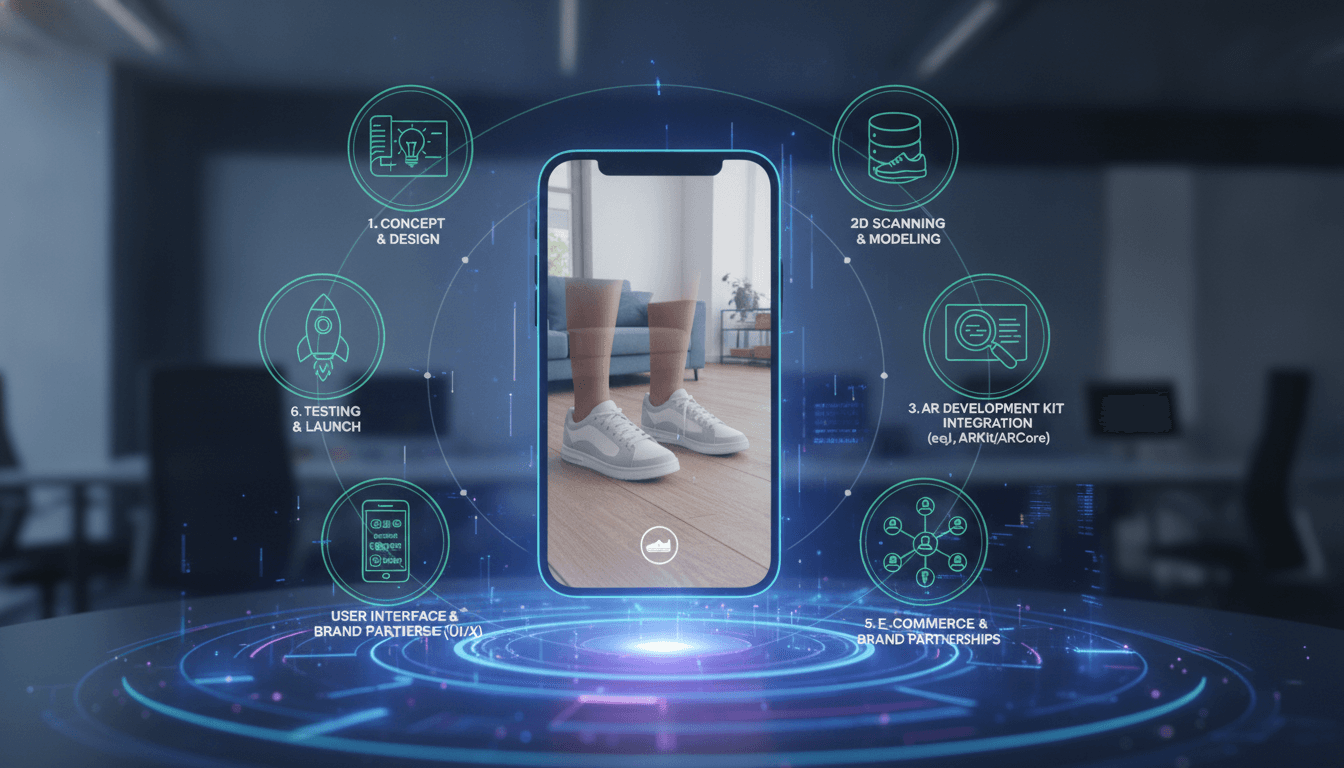
Sneaker culture and augmented reality collided when Wanna Kicks launched, letting shoppers point their phone at their feet and instantly "wear" a pair of sneakers before buying. The app turned a simple browsing experience into something closer to play, and it proved a point that retailers are still chasing: when customers can see a product on their own body, they buy with far more confidence.
If you're planning to build something similar — whether for sneakers, eyewear, watches, or furniture — this guide walks through what the app actually does under the hood, the technology stack you'll need, the features that matter, and what the build realistically costs.
For a closer look at a related topic, read our guide on How to Make an App Like IKEA Place.
What Wanna Kicks Actually Does
At its core, Wanna Kicks is a real-time virtual try-on tool. The user opens the camera, points it at their feet, and a 3D sneaker model locks onto each foot. As they walk, rotate their ankle, or step back from the camera, the shoe stays anchored with correct scale, orientation, and occlusion.
The magic is in three parts:
- Foot detection and tracking — a computer vision model identifies the feet in the camera frame and estimates their 3D pose, frame by frame.
- 3D rendering — a photorealistic sneaker model is rendered on top of the video feed with lighting and shadows that match the environment.
- Occlusion handling — parts of the shoe that should be hidden behind the leg, trouser cuff, or the floor are masked out so the illusion holds.
Everything else — the catalogue, wishlists, sharing, checkout links — is standard commerce app functionality layered on top.
You may also find our article on How to Make an App Like Snapchat AR useful.
Core Features to Plan For
Must-have (MVP)
- AR try-on camera with real-time foot tracking for both feet
- Product catalogue with brand, model, colourway, and category filters
- 3D model viewer so users can inspect a sneaker in 360° without the camera
- Photo and video capture with in-app sharing to Instagram, TikTok, and messaging apps
- Wishlist / favourites
- Buy links that deep-link to retailer product pages or your own checkout
- Onboarding tutorial that teaches users how to frame their feet correctly
Strong second phase
- Size recommendation based on foot measurement from the camera
- Personalised feed driven by browsing and try-on history
- Social layer — follow friends, see what they're trying on, vote on fits
- Brand storefronts and sponsored placements
- AR try-on SDK you can license to retailers as a B2B revenue stream
- Analytics dashboard for brands showing try-on counts, dwell time, and conversion
The Technology Stack
AR and Computer Vision
You have three broad paths:
Path 1 — Platform AR frameworks. ARKit on iOS and ARCore on Android give you world tracking, plane detection, light estimation, and people occlusion out of the box. Neither ships a foot-tracking model, so you'll still need your own. Best when you want maximum performance and are comfortable with two native codebases.
Path 2 — Cross-platform AR engines. Unity with AR Foundation, or Unreal, lets you write the AR and rendering layer once. Unity is the pragmatic default for 3D-heavy try-on apps and has a mature asset pipeline. The trade-off is a heavier binary and a less native-feeling UI shell.
Path 3 — Commercial AR SDKs. Vendors like Banuba, Wannaby (the company behind Wanna Kicks), DeepAR, and 8th Wall offer body- and limb-tracking SDKs. Licensing one dramatically shortens time to market but adds recurring cost and ties your core differentiator to a third party.
For custom foot tracking, expect to train a keypoint-detection or pose-estimation model — typically a lightweight convolutional or transformer-based architecture built in PyTorch or TensorFlow, then converted to Core ML for iOS and TensorFlow Lite or ONNX Runtime for Android so inference runs on-device at 30+ FPS. On-device is non-negotiable here; a round trip to a server introduces latency that breaks the illusion.
3D Content Pipeline
This is where most teams underestimate the effort. Every sneaker needs a game-ready 3D asset:
- Photogrammetry or manual modelling in Blender / Maya / 3ds Max
- Retopology to a mobile-friendly polygon budget (roughly 15k–40k triangles per shoe)
- PBR texture baking — albedo, normal, roughness, ambient occlusion
- Export to glTF/GLB or USDZ with LODs and Draco compression
- Delivery through a CDN with progressive loading so the app doesn't ship gigabytes
Budget real time and money for this. A polished sneaker asset takes a skilled artist anywhere from a few hours to a couple of days.
App Shell and Backend
- Frontend: SwiftUI (iOS) and Kotlin/Jetpack Compose (Android) for native builds; React Native or Flutter with a native AR module if you want a shared UI layer
- Backend: Node.js, Python (FastAPI/Django), or Go with a REST or GraphQL API
- Database: PostgreSQL for catalogue and users, Redis for caching, Elasticsearch or Algolia for search
- Storage and CDN: S3 or Cloud Storage behind CloudFront / Cloudflare for 3D assets and textures
- Auth: OAuth plus Apple/Google sign-in
- Analytics: Firebase, Amplitude, or Mixpanel with custom AR events (try-on started, model loaded, capture shared)
- Infrastructure: containerised services on AWS, GCP, or Azure with CI/CD through GitHub Actions or GitLab
Step-by-Step Development Roadmap
1. Validate and Scope
Decide who the app serves. A consumer discovery app, a single brand's flagship experience, and a white-label SDK for retailers are three different products with different economics. Pick one and write down the single metric you'll judge success by — try-on-to-click rate is usually the honest one.
You may also find our article on How to Make an App Like Inkhunter useful.
2. Prototype the Tracking
Before designing a single screen, build a throwaway prototype that tracks feet and pins a cube to them. If you can't hit stable tracking at 30 FPS on a mid-range Android device, nothing downstream matters. This de-risks the entire project in two to four weeks.
3. Build the 3D Pipeline
Model three to five sneakers end-to-end. Establish naming conventions, polygon budgets, texture resolutions, and an automated export script. Doing this early prevents an unmanageable asset backlog later.
4. Design the UX
AR UX has its own rules. Users need to know where to point the camera, what good lighting looks like, and how to recover when tracking fails. Design the failure states first — a graceful "move back a little" prompt does more for retention than a fancy shader.
Keep the try-on screen almost empty: a carousel of colourways, a capture button, and a buy button. Nothing else.
5. Build Catalogue and Commerce
Wire up search, filters, product detail pages, wishlists, and either deep links to retail partners or a native checkout with Stripe / Apple Pay / Google Pay.
6. Optimise Relentlessly
- Quantise and prune your ML models
- Stream 3D assets on demand rather than bundling them
- Cap frame rate and resolution on older devices
- Watch thermal throttling — AR apps heat phones fast, and a hot phone drops frames
7. Test on Real Devices
Emulators are useless for AR. You need a device lab covering several generations of iPhone and a spread of Android chipsets, plus testing across skin tones, footwear, trouser styles, flooring, and lighting conditions. Bias in foot detection is a real and fixable problem — test for it deliberately.
8. Launch and Iterate
Ship with a small, high-quality catalogue rather than a large mediocre one. Instrument everything, then let the data tell you which sneakers, filters, and share flows actually get used.
Monetisation Options
- Affiliate commission on click-throughs to retailers
- Sponsored placements and brand-funded drops
- B2B SDK licensing to brands and e-commerce platforms
- Native commerce with your own margin on sales
- Data and insight products for brands, built responsibly and with consent
Wannaby itself pivoted heavily toward licensing its AR try-on technology to retailers — a reminder that the consumer app can be the shop window for a more profitable B2B business.
Timeline and Cost
Rough planning figures for a competent team:
| Phase | Duration |
|---|---|
| Discovery and prototype | 3–5 weeks |
| AR core and tracking | 8–14 weeks |
| 3D pipeline setup | 4–6 weeks (parallel) |
| App shell, catalogue, backend | 8–12 weeks (parallel) |
| QA, device testing, optimisation | 4–6 weeks |
| Total to launch | 4–7 months |
A lean MVP that licenses a third-party tracking SDK and launches on one platform can land in the $60k–$110k range. A custom-tracking, two-platform product with a proper 3D content pipeline more realistically sits between $150k and $350k, plus ongoing costs for asset production, cloud infrastructure, and model retraining.
Common Pitfalls
- Treating 3D content as an afterthought. The tech can be perfect and the app still feels cheap if the sneakers don't look real.
- Ignoring mid-range Android. Most of your addressable market isn't on a flagship phone.
- No offline or fallback mode. Give users a 3D viewer when AR isn't available.
- Over-stuffing the AR screen. Every extra button steals attention from the try-on.
- Skipping privacy work. Camera and body data demand clear consent, on-device processing where possible, and a privacy policy that says exactly what you keep.
Final Thoughts
An app like Wanna Kicks isn't really one product — it's a computer vision problem, a 3D content operation, and an e-commerce app stitched into a single experience that has to feel effortless. The teams that succeed treat tracking quality and asset realism as the product, and everything else as packaging.
Start with a two-week tracking prototype. If the shoe sticks to the foot convincingly on a mid-tier phone, you have a business worth building. If it doesn't, you've learned the most important thing you could have learned, cheaply.
Have a project in mind? Contact Sodio Technologies to discuss your requirements and explore the right technology solution for your business.
/// Work with us
Talk to the engineers who'd build it
You'll get a technical scope, timeline and cost estimate from the people doing the work, not an account manager. In-house team, no subcontracting, since 2016.